> ## Documentation Index
> Fetch the complete documentation index at: https://docs.bibigpt.co/llms.txt
> Use this file to discover all available pages before exploring further.
# Highlight Notes and Share
> Highlight Notes and Share is one of the core features of BibiGPT. BibiGPT has launched a brand new "" function aimed at optimizing users' knowledge internalization and sharing experience. Learn about feature highlights, applicable scenarios, and usage suggestions to improve learning and content processing efficiency. Suitable for users who want to improve efficiency and reading experience to get started quickly.
## Feature Overview
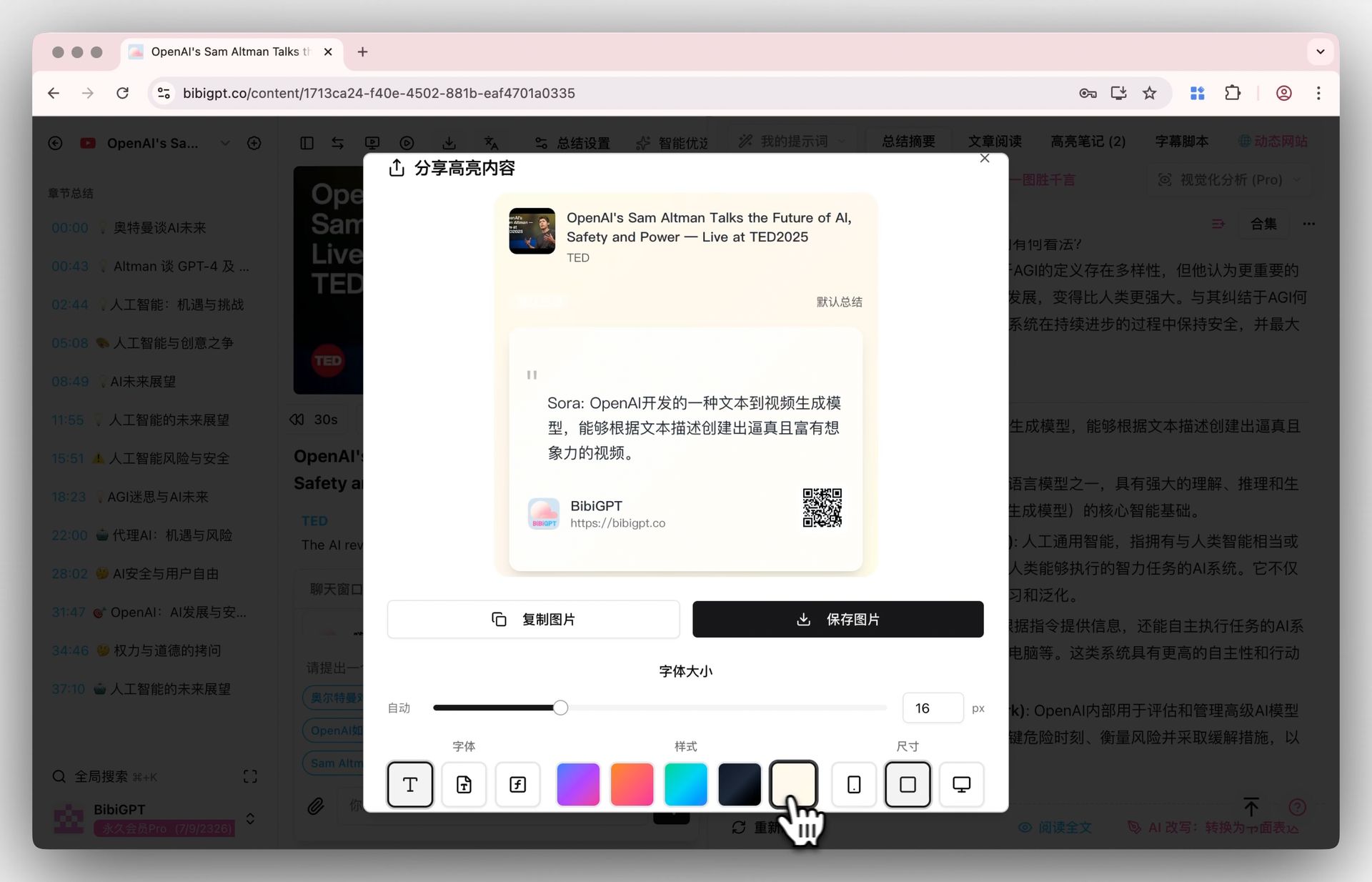
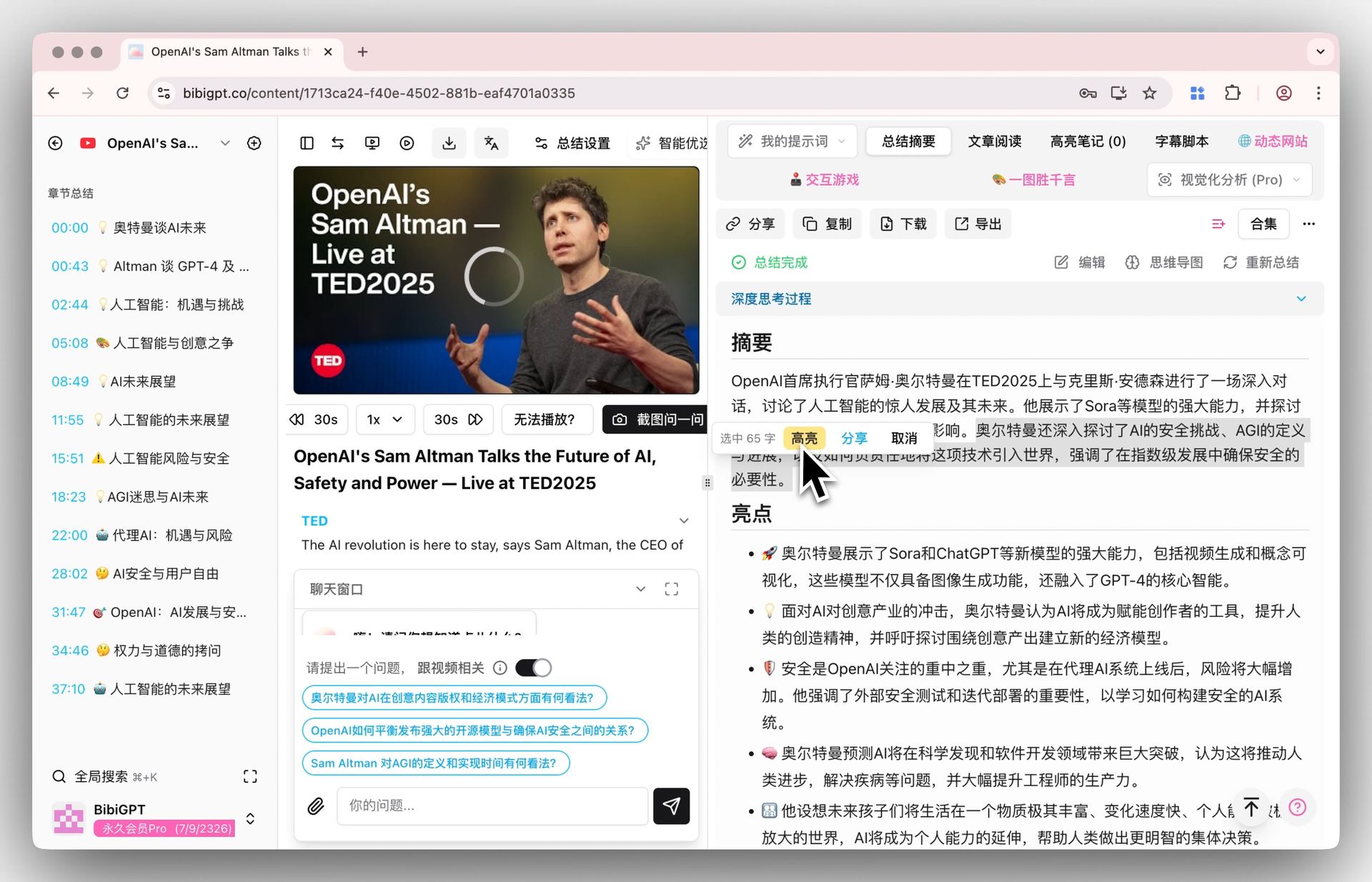
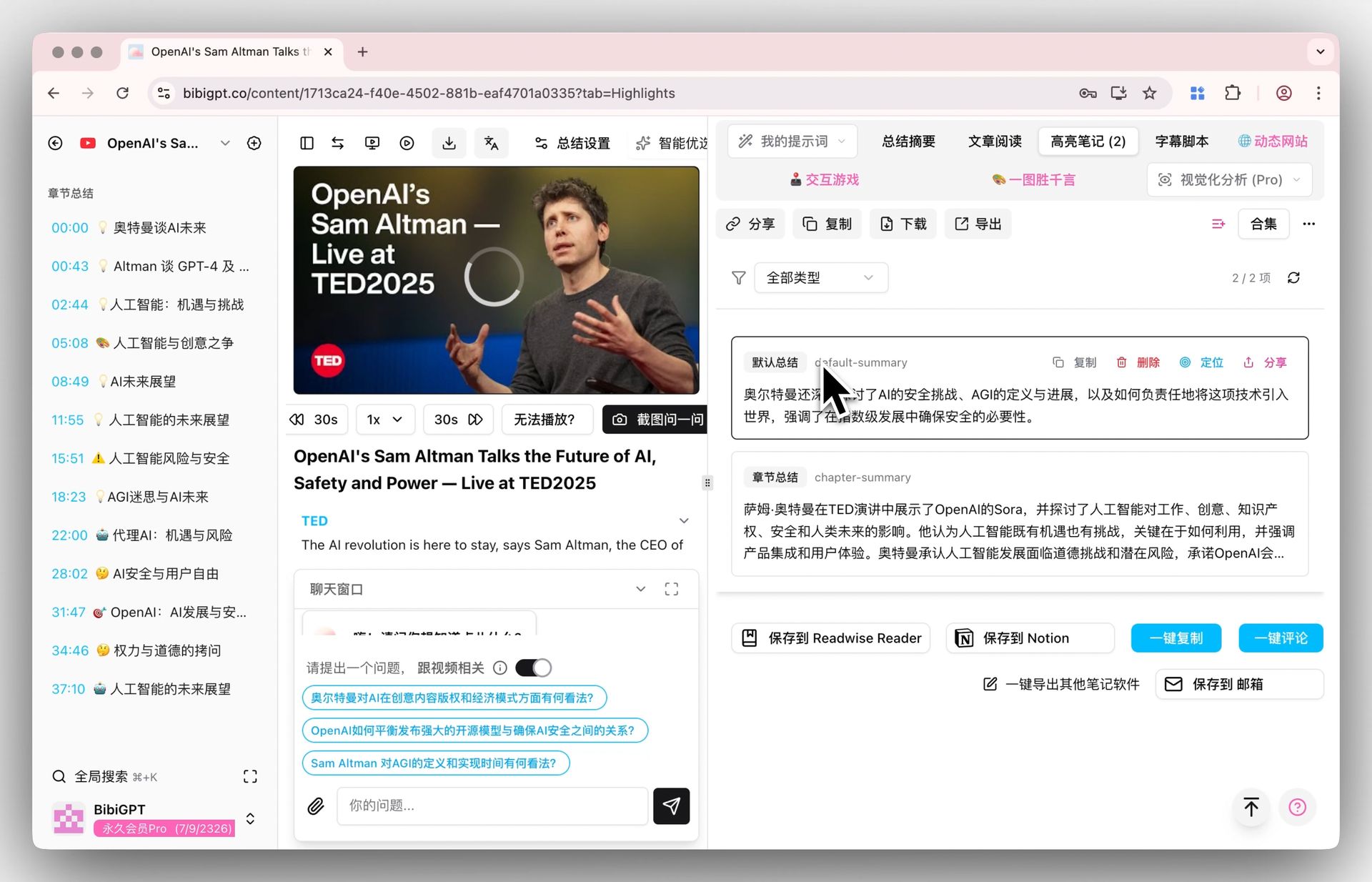
BibiGPT has launched a brand new "Highlight Notes and Share" function aimed at optimizing users' knowledge internalization and sharing experience. While browsing video summaries or chapter summaries, users can simply select important text—just like reading an eBook—and "Highlight" it with one click. The system automatically collects these into a dedicated "Highlight Notes" tab for easy review. This solves the tediousness of traditional manual copy-pasting for note-taking. Furthermore, any highlighted content can generate a beautiful sharing card containing the original text, video information, and a QR code with one click. Users can also customize the card style, color, and font. Once generated, images can be directly copied or saved, making it easy to share knowledge points on social media with elegance and efficiency.
Here is an example of the function interface:
 ## Solved Pain Points
When reading AI-generated video summaries, I often see key arguments or "golden quotes" that I wish I could easily underline and collect like an eBook for future review. At the same time, when I want to share these wonderful snippets with friends or my social circle, the process of manual screenshotting and formatting is very tedious and time-consuming.
## Core Features
* BibiGPT launched "Highlight Notes and Share" to optimize knowledge internalization.
* Select text while reading summaries to "Highlight" and collect into a dedicated tab.
* Replaces tedious manual copying and pasting for note-taking.
* Generates customizable, beautiful sharing cards from highlights with one click.
## Feature Highlights
BibiGPT added a "Highlight Notes and Share" function, allowing you to automatically record highlights in a dedicated area by simply selecting text. Any highlight can generate a customizable, beautiful sharing image for fast and elegant knowledge sharing.
## Applicable Scenarios
* When reading AI-generated video summaries, I often see key arguments or "golden quotes" that I wish I could easily underline and collect like an eBook for future review.
* When I want to share these wonderful snippets with friends or my social circle, manual screenshotting and formatting is very tedious and time-consuming.
## Usage Suggestions
* BibiGPT added a "Highlight Notes and Share" function, allowing you to automatically record highlights in a dedicated area by simply selecting text.
* Any highlight can generate a customizable, beautiful sharing image for fast and elegant knowledge sharing.
## Related Features
## Solved Pain Points
When reading AI-generated video summaries, I often see key arguments or "golden quotes" that I wish I could easily underline and collect like an eBook for future review. At the same time, when I want to share these wonderful snippets with friends or my social circle, the process of manual screenshotting and formatting is very tedious and time-consuming.
## Core Features
* BibiGPT launched "Highlight Notes and Share" to optimize knowledge internalization.
* Select text while reading summaries to "Highlight" and collect into a dedicated tab.
* Replaces tedious manual copying and pasting for note-taking.
* Generates customizable, beautiful sharing cards from highlights with one click.
## Feature Highlights
BibiGPT added a "Highlight Notes and Share" function, allowing you to automatically record highlights in a dedicated area by simply selecting text. Any highlight can generate a customizable, beautiful sharing image for fast and elegant knowledge sharing.
## Applicable Scenarios
* When reading AI-generated video summaries, I often see key arguments or "golden quotes" that I wish I could easily underline and collect like an eBook for future review.
* When I want to share these wonderful snippets with friends or my social circle, manual screenshotting and formatting is very tedious and time-consuming.
## Usage Suggestions
* BibiGPT added a "Highlight Notes and Share" function, allowing you to automatically record highlights in a dedicated area by simply selecting text.
* Any highlight can generate a customizable, beautiful sharing image for fast and elegant knowledge sharing.
## Related Features