> ## Documentation Index
> Fetch the complete documentation index at: https://docs.bibigpt.co/llms.txt
> Use this file to discover all available pages before exploring further.
# Global Paste Summary
> Global Paste Summary is one of the core features of BibiGPT. BibiGPT has launched the "" function aimed at improving user operation efficiency. Learn about feature highlights, applicable scenarios, and usage suggestions to improve learning and content processing efficiency. Suitable for users who want to improve efficiency and reading experience to get started quickly.
## Feature Overview
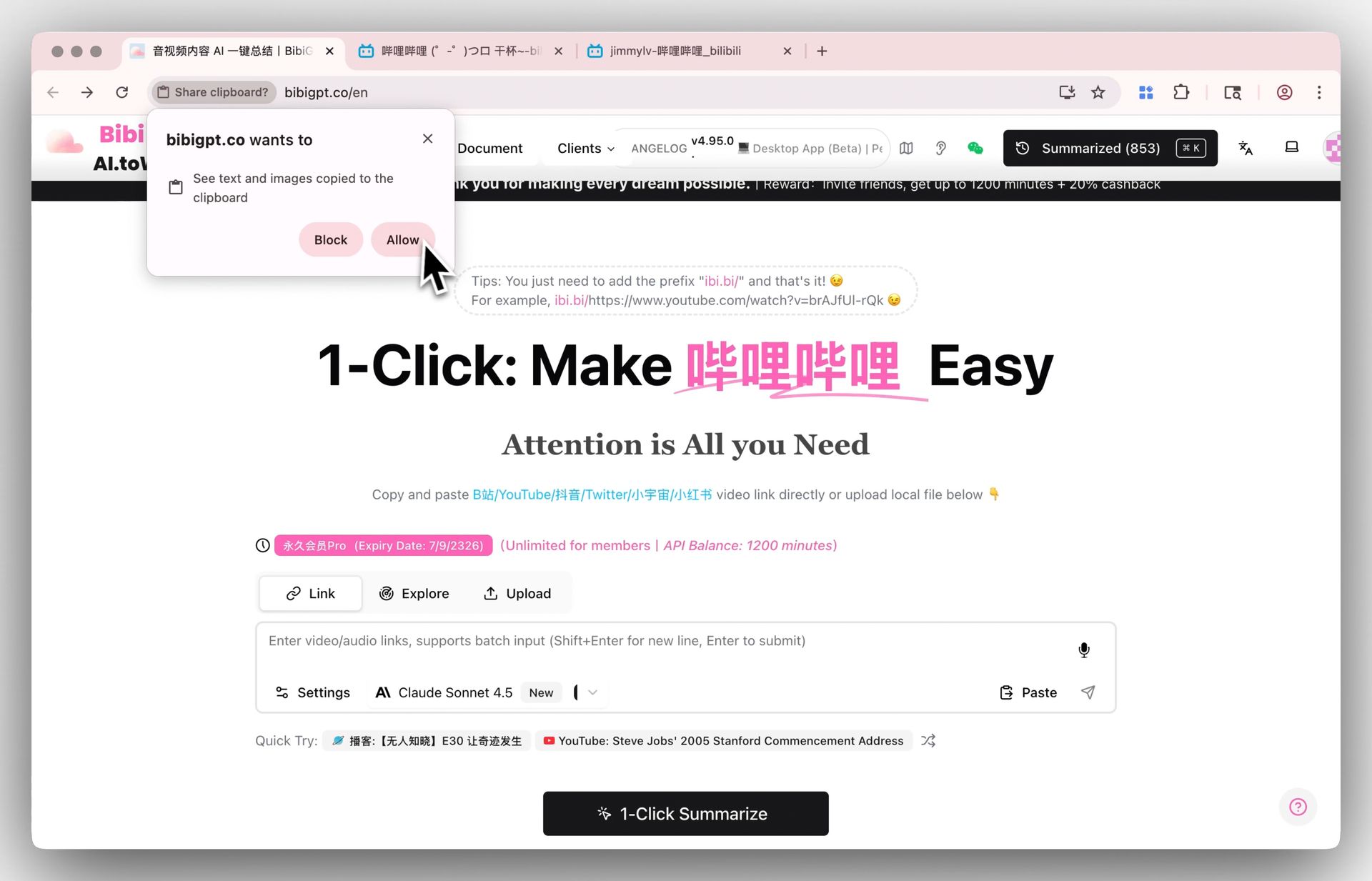
BibiGPT has launched the "Global Paste Summary" function aimed at improving user operation efficiency. Previously, users needed to first click on a designated input box to paste a video link for summarization, which was slightly tedious. The new function solves this pain point: after copying a video link, users only need to use the shortcut key (`Ctrl+V` or `Cmd+V`) anywhere on the BibiGPT website to paste it. The system will automatically identify the link and immediately start the summarization task. This improvement reduces unnecessary operation steps, simplifies the workflow, and allows users to obtain AI video summaries more quickly and directly.
Here is an example of the function interface:
 ## Solved Pain Points
"I have already copied a video link and also opened the BibiGPT website, but I still need to specifically find that small input box, click it, and then paste it. It feels a bit tedious, one more step."
## Core Features
* BibiGPT has launched the "Global Paste Summary" function aimed at improving user operation efficiency.
* Previously, users needed to first click on a designated input box to paste a video link for summarization, which was slightly tedious.
* The new function solves this pain point: after copying a video link, users only need to use the shortcut key (`Ctrl+V` or `Cmd+V`) anywhere on the BibiGPT website to paste it.
* This improvement reduces unnecessary operation steps, simplifies the workflow, and allows users to obtain AI video summaries more quickly and directly.
## Feature Highlights
BibiGPT now supports the global paste function. You don't need to look for and click the input box. Simply press `Ctrl+V` or `Cmd+V` anywhere on the BibiGPT page to immediately start the video summarization task, making the operation process faster.
## Applicable Scenarios
* I have already copied a video link and also opened the BibiGPT website, but I still need to specifically find that small input box, click it, and then paste it. It feels a bit tedious, one more step.
## Usage Suggestions
* BibiGPT now supports the global paste function. You don't need to look for and click the input box. Simply press `Ctrl+V` or `Cmd+V` anywhere on the BibiGPT page to immediately start the video summarization task, making the operation process faster.
## Related Features
## Solved Pain Points
"I have already copied a video link and also opened the BibiGPT website, but I still need to specifically find that small input box, click it, and then paste it. It feels a bit tedious, one more step."
## Core Features
* BibiGPT has launched the "Global Paste Summary" function aimed at improving user operation efficiency.
* Previously, users needed to first click on a designated input box to paste a video link for summarization, which was slightly tedious.
* The new function solves this pain point: after copying a video link, users only need to use the shortcut key (`Ctrl+V` or `Cmd+V`) anywhere on the BibiGPT website to paste it.
* This improvement reduces unnecessary operation steps, simplifies the workflow, and allows users to obtain AI video summaries more quickly and directly.
## Feature Highlights
BibiGPT now supports the global paste function. You don't need to look for and click the input box. Simply press `Ctrl+V` or `Cmd+V` anywhere on the BibiGPT page to immediately start the video summarization task, making the operation process faster.
## Applicable Scenarios
* I have already copied a video link and also opened the BibiGPT website, but I still need to specifically find that small input box, click it, and then paste it. It feels a bit tedious, one more step.
## Usage Suggestions
* BibiGPT now supports the global paste function. You don't need to look for and click the input box. Simply press `Ctrl+V` or `Cmd+V` anywhere on the BibiGPT page to immediately start the video summarization task, making the operation process faster.
## Related Features