> ## Documentation Index
> Fetch the complete documentation index at: https://docs.bibigpt.co/llms.txt
> Use this file to discover all available pages before exploring further.
# BibiGPT-Global Search
> BibiGPT-Global Search is one of the core features of BibiGPT. BibiGPT's "Global Search" function aims to solve the pain point of users finding summarized video content. Learn about feature highlights, applicable scenarios, and usage suggestions to improve learning and content processing efficiency.
## Feature Overview
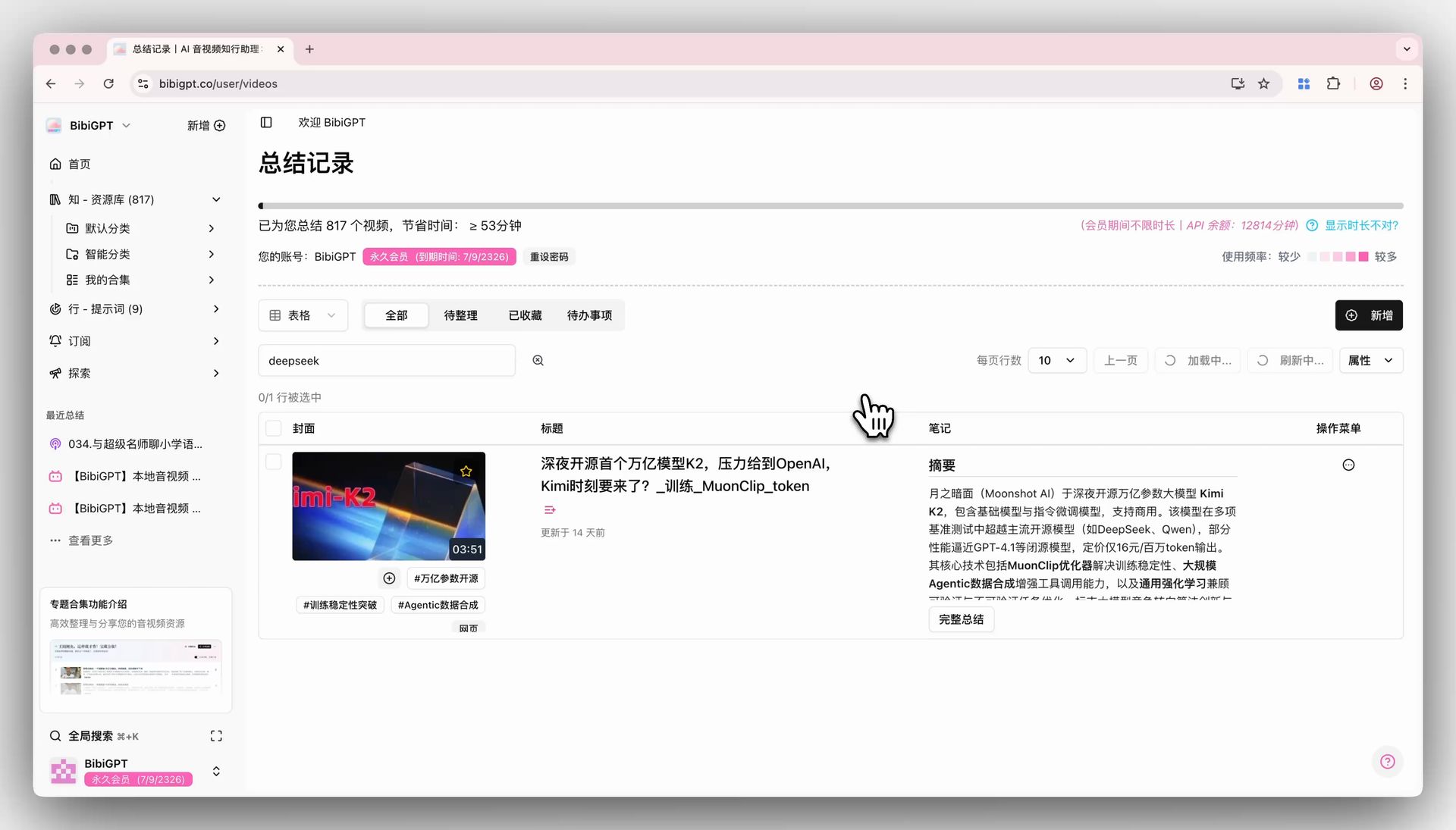
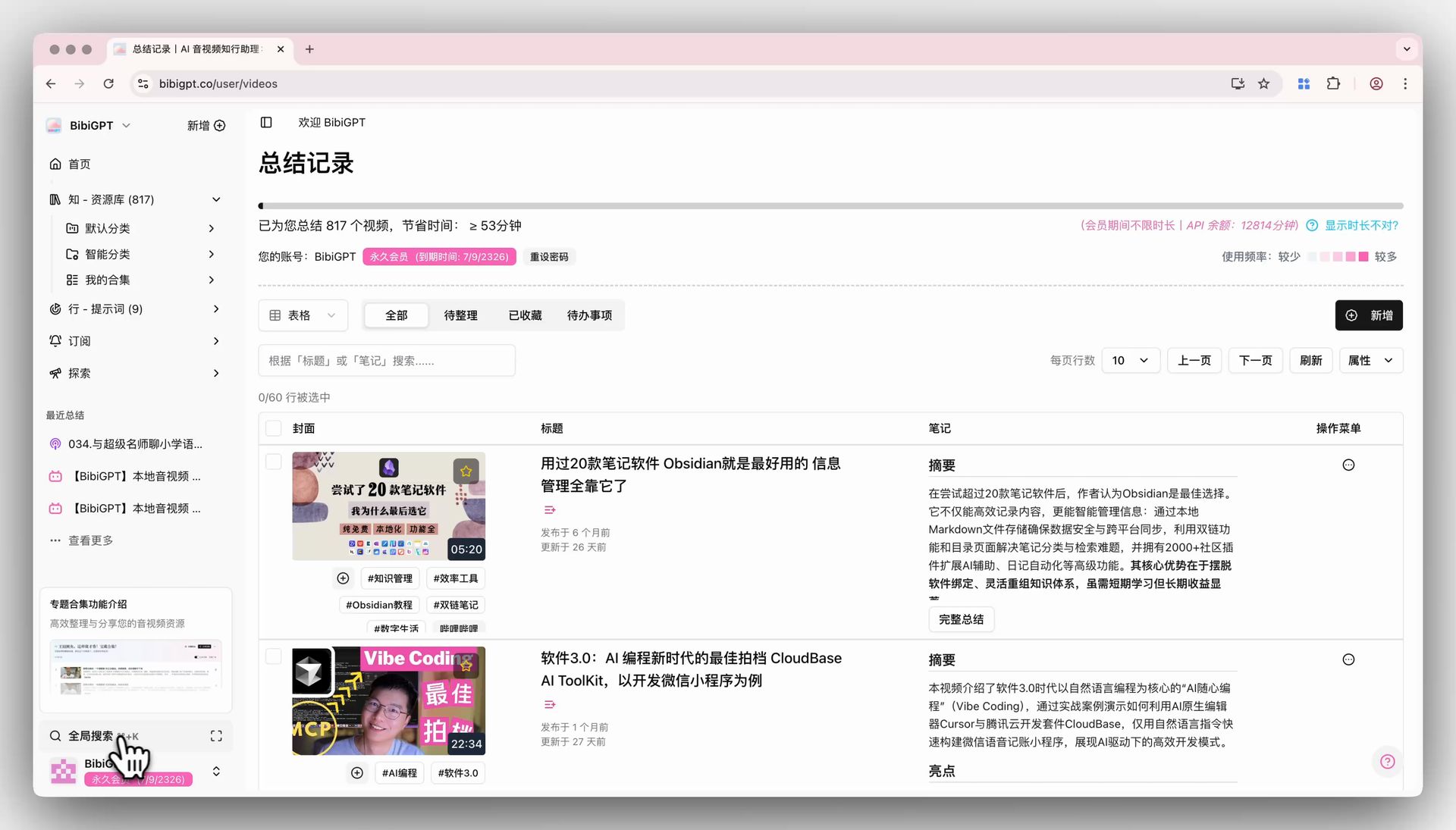
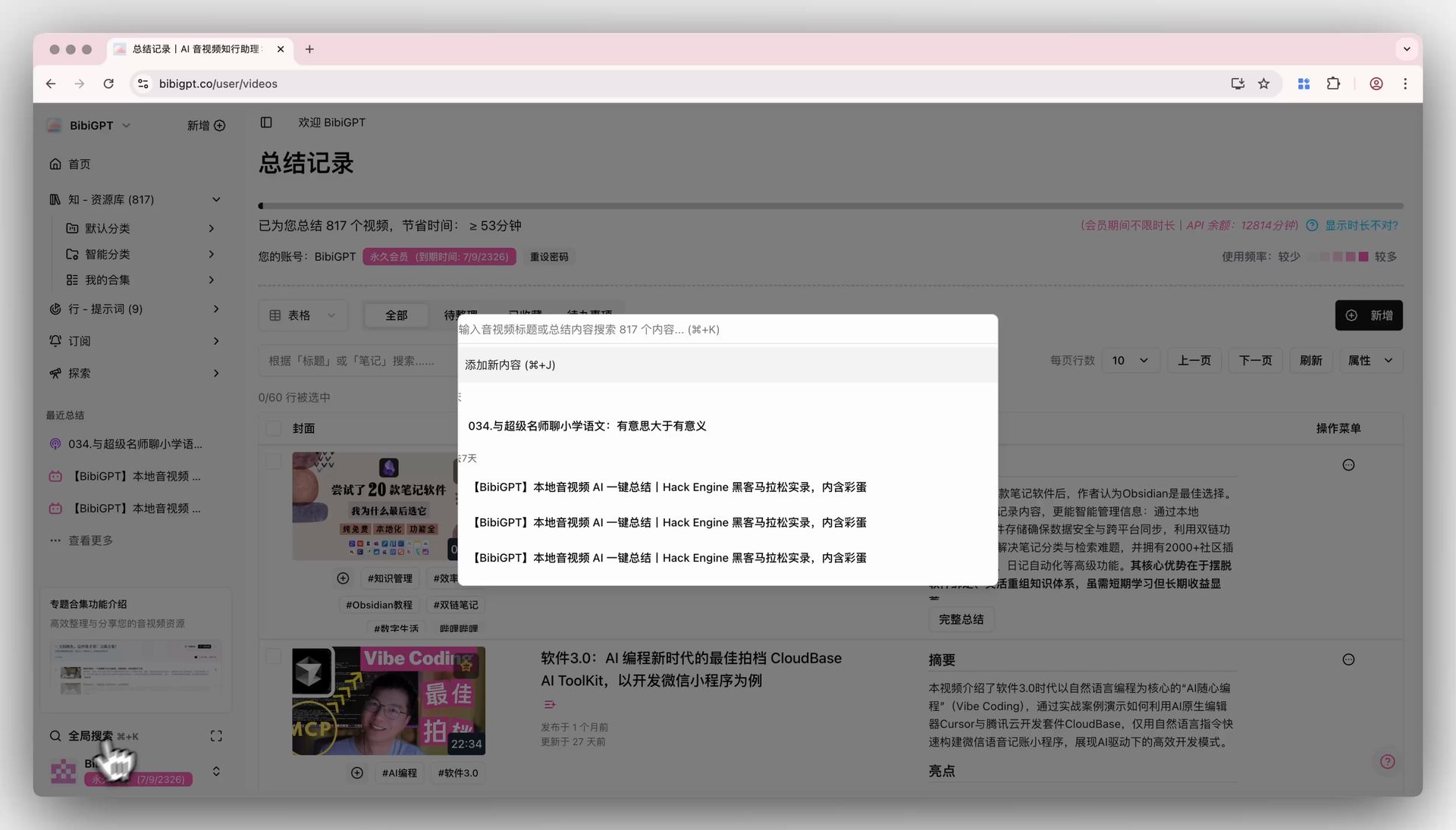
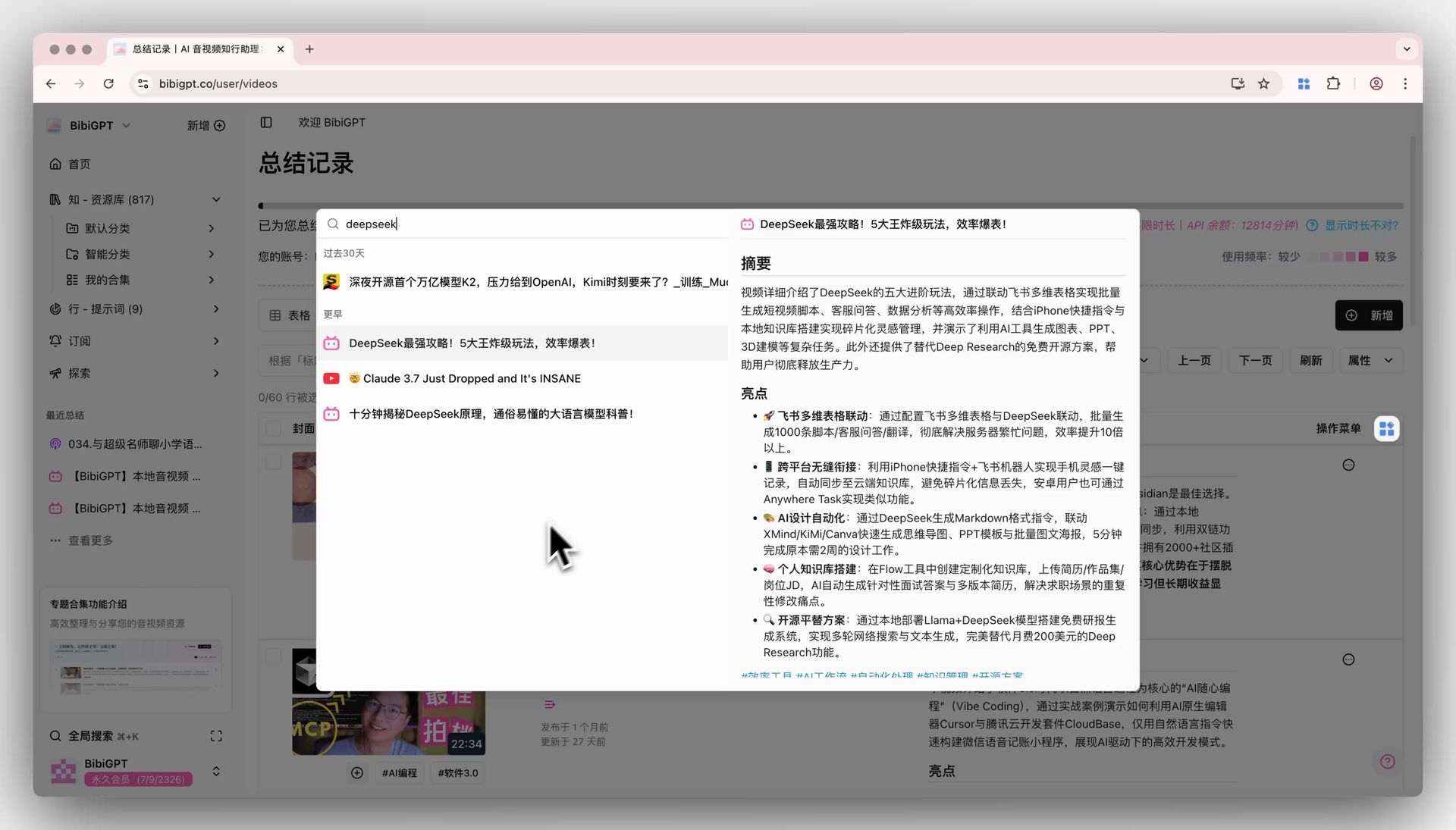
BibiGPT's "Global Search" function aims to solve the pain point of users finding summarized video content. Previously, users had to go through multiple steps, such as entering the resource library, selecting a category, and then searching in the current page table, and the search range was limited to the current page content, resulting in low efficiency. Now, by clicking the global search icon at the bottom left of the sidebar (or using the `⌘+K` shortcut key), users can directly enter keywords and quickly perform precise searches in the titles and content of all summarized videos. The search results will be displayed in a list format, and support quick preview of the summary on the right, making it convenient to copy key information. This function significantly improves the efficiency of users finding and reusing knowledge, achieving an instant and convenient information retrieval experience.
Here is an example of the function interface:
 ## Solved Pain Points
I once summarized a large number of videos, but when I need to find a specific piece of content, I must flip through pages or search under a specific category. The efficiency is very low, and it is difficult to quickly find the information I want.
## Core Features
* BibiGPT's "Global Search" function aims to solve the pain point of users finding summarized video content.
* Previously, users had to go through multiple steps, such as entering the resource library, selecting a category, and then searching in the current page table, and the search range was limited to the current page content, resulting in low efficiency.
* Now, by clicking the global search icon at the bottom left of the sidebar (or using the `⌘+K` shortcut key), users can directly enter keywords and quickly perform precise searches in the titles and content of all summarized videos.
* The search results will be displayed in a list format, and support quick preview of the summary on the right, making it convenient to copy key information.
## Feature Highlights
BibiGPT, through the global search function, allows users to quickly search the titles and content of all summarized videos on any page via shortcut keys or by clicking icons, easily locating the desired information and significantly improving efficiency.
## Applicable Scenarios
* I once summarized a large number of videos, but when I need to find a specific piece of content, I must flip through pages or search under a specific category. The efficiency is very low, and it is difficult to quickly find the information I want.
## Related Features
## Solved Pain Points
I once summarized a large number of videos, but when I need to find a specific piece of content, I must flip through pages or search under a specific category. The efficiency is very low, and it is difficult to quickly find the information I want.
## Core Features
* BibiGPT's "Global Search" function aims to solve the pain point of users finding summarized video content.
* Previously, users had to go through multiple steps, such as entering the resource library, selecting a category, and then searching in the current page table, and the search range was limited to the current page content, resulting in low efficiency.
* Now, by clicking the global search icon at the bottom left of the sidebar (or using the `⌘+K` shortcut key), users can directly enter keywords and quickly perform precise searches in the titles and content of all summarized videos.
* The search results will be displayed in a list format, and support quick preview of the summary on the right, making it convenient to copy key information.
## Feature Highlights
BibiGPT, through the global search function, allows users to quickly search the titles and content of all summarized videos on any page via shortcut keys or by clicking icons, easily locating the desired information and significantly improving efficiency.
## Applicable Scenarios
* I once summarized a large number of videos, but when I need to find a specific piece of content, I must flip through pages or search under a specific category. The efficiency is very low, and it is difficult to quickly find the information I want.
## Related Features