> ## Documentation Index
> Fetch the complete documentation index at: https://docs.bibigpt.co/llms.txt
> Use this file to discover all available pages before exploring further.
# GPT Image 2
> BibiGPT’s image models include GPT Image 2, which is stronger at rendering titles and mixed-language text on posters and Xiaohongshu covers.
## Overview
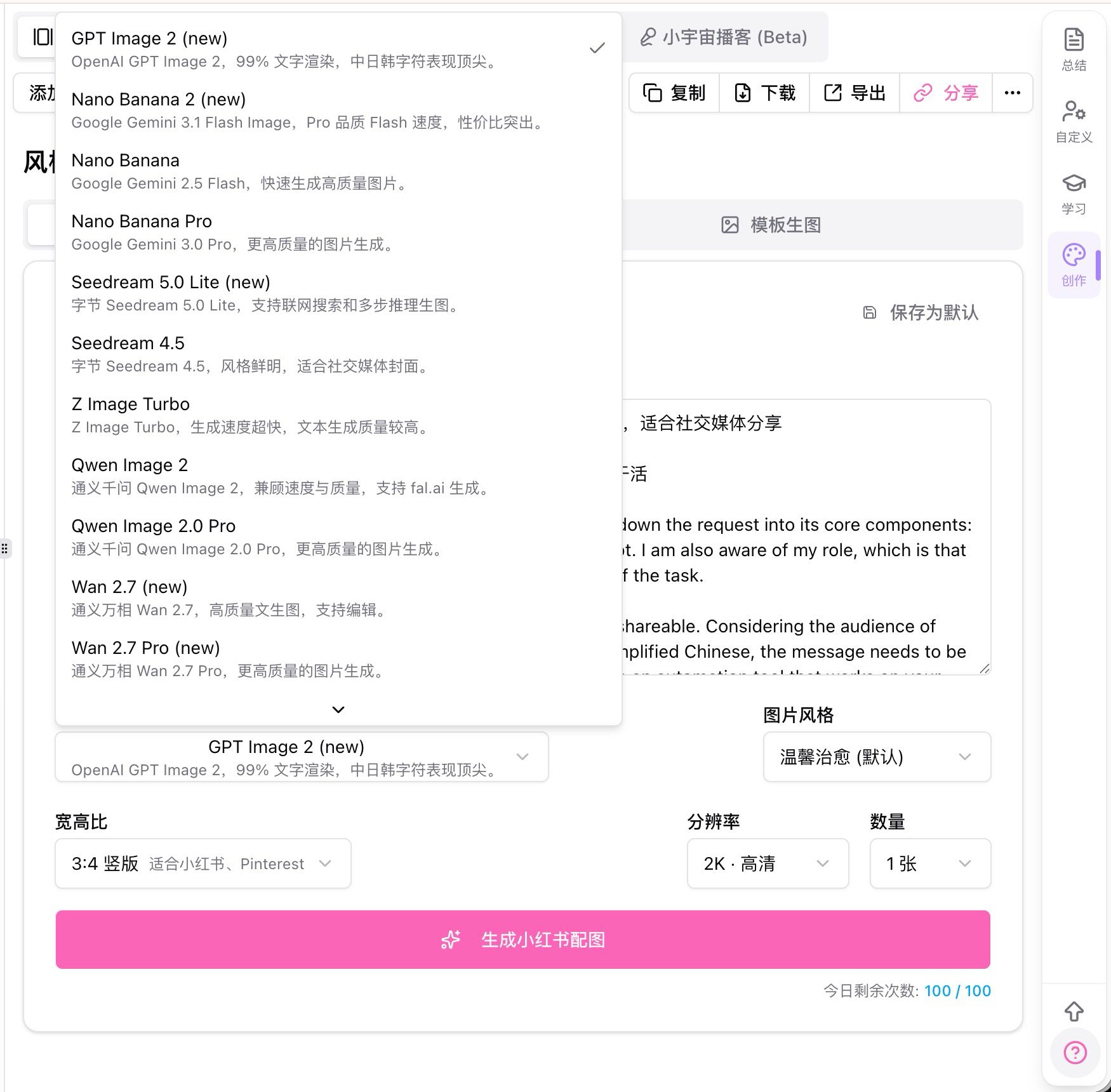
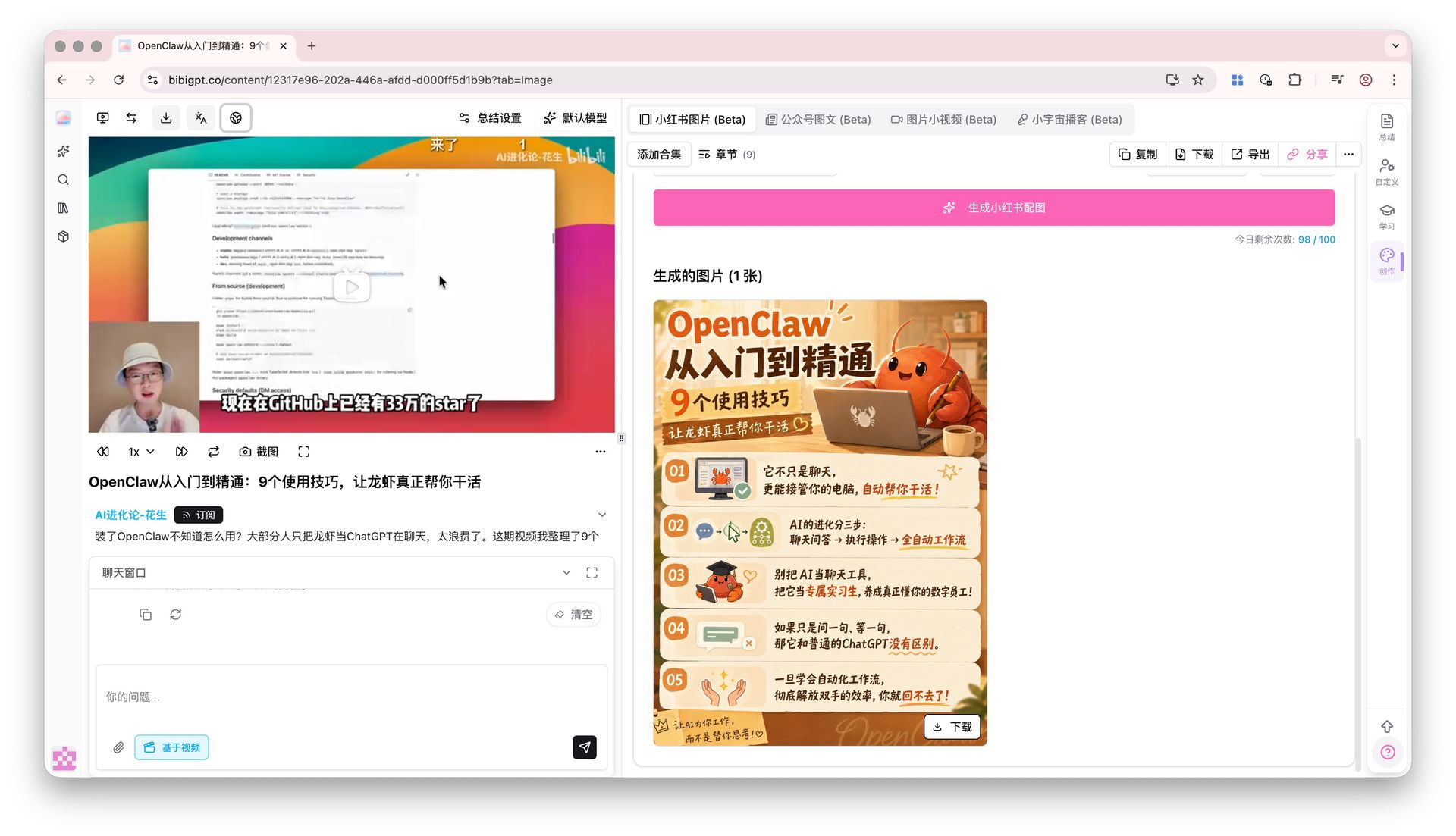
In the create panel on a video page, open the image-model list and choose GPT Image 2 (marked new). It is better at drawing titles, numbers, and mixed Chinese–English copy on the image itself—useful for posters and Xiaohongshu covers, not only illustrations.
 ## Pain Point
Text in AI images often blurs or misspells. Titles and brand names need another round of editing. I want a generate-and-publish result.
## Key Features
* Pick GPT Image 2 in the AI image model dropdown
* More reliable multi-line titles, captions, and mixed-script text
* High-resolution output suited to covers and posters
* Works with advanced image settings (aspect ratio and resolution) such as 3:4 and 9:16
## Highlights
When the words on the image are the point, the first generation is closer to something you can post.
## Use Cases
* Xiaohongshu covers where the title must be readable
* List posters and infographics with numbers and short lines
* Course or event posters with bilingual titles
## Tips
* Put the exact copy in the prompt; do not only say “add a title”
* Set aspect ratio and resolution first, then generate with GPT Image 2
## Related Features
***
**Upgrade to Pro**: unlock more image generations and sizes → [Pricing](https://bibigpt.co/pricing)
## Pain Point
Text in AI images often blurs or misspells. Titles and brand names need another round of editing. I want a generate-and-publish result.
## Key Features
* Pick GPT Image 2 in the AI image model dropdown
* More reliable multi-line titles, captions, and mixed-script text
* High-resolution output suited to covers and posters
* Works with advanced image settings (aspect ratio and resolution) such as 3:4 and 9:16
## Highlights
When the words on the image are the point, the first generation is closer to something you can post.
## Use Cases
* Xiaohongshu covers where the title must be readable
* List posters and infographics with numbers and short lines
* Course or event posters with bilingual titles
## Tips
* Put the exact copy in the prompt; do not only say “add a title”
* Set aspect ratio and resolution first, then generate with GPT Image 2
## Related Features
***
**Upgrade to Pro**: unlock more image generations and sizes → [Pricing](https://bibigpt.co/pricing)