> ## Documentation Index
> Fetch the complete documentation index at: https://docs.bibigpt.co/llms.txt
> Use this file to discover all available pages before exploring further.
# Visual Analysis for Online Videos
> Paste a Bilibili or YouTube link in BibiGPT on the web and analyze the picture with Video understanding—no wait for a full download.
## Overview
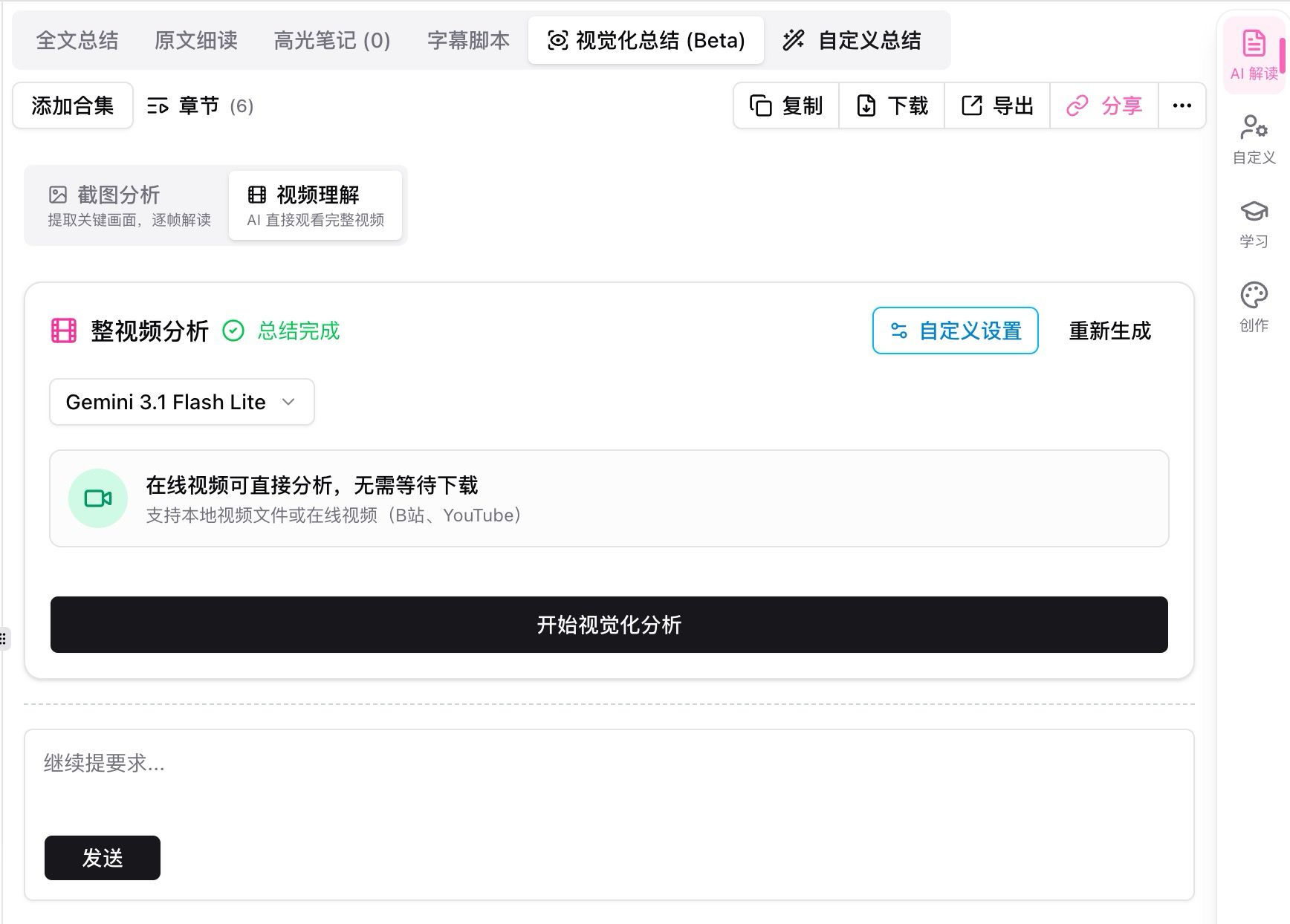
In AI insights, open Visual summary (Beta) and choose Video understanding. The card notes that online videos can be analyzed without downloading first (local files, Bilibili, or YouTube). Start visual analysis to read the whole clip.
 ## Pain Point
I want AI to see charts and demos in a YouTube or Bilibili video, but the web app used to download the file first. Long videos meant sitting through minutes of wait.
## Key Features
* Screenshot analysis: key frames, frame by frame
* Video understanding: watch the full clip; online links skip the download wait
* Local files plus Bilibili and YouTube links
* Works with custom settings, regenerate, and chapters
## Highlights
On the web you can paste a link and analyze the picture, not only the captions.
## Use Cases
* Tutorials where the important step is on screen
* Talks with charts or a whiteboard
* Long videos you do not want to download first
## Tips
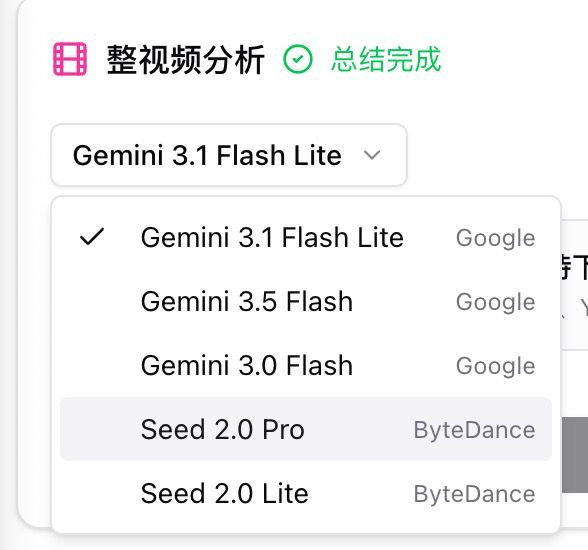
* For direct online analysis, pick a Gemini (Google) model in the list; other models are listed too
* Use a normal summary when captions are enough; turn on video understanding when the picture matters
## Related Features
***
**Upgrade to Pro**: more visual analysis runs → [Pricing](https://bibigpt.co/pricing)
## Pain Point
I want AI to see charts and demos in a YouTube or Bilibili video, but the web app used to download the file first. Long videos meant sitting through minutes of wait.
## Key Features
* Screenshot analysis: key frames, frame by frame
* Video understanding: watch the full clip; online links skip the download wait
* Local files plus Bilibili and YouTube links
* Works with custom settings, regenerate, and chapters
## Highlights
On the web you can paste a link and analyze the picture, not only the captions.
## Use Cases
* Tutorials where the important step is on screen
* Talks with charts or a whiteboard
* Long videos you do not want to download first
## Tips
* For direct online analysis, pick a Gemini (Google) model in the list; other models are listed too
* Use a normal summary when captions are enough; turn on video understanding when the picture matters
## Related Features
***
**Upgrade to Pro**: more visual analysis runs → [Pricing](https://bibigpt.co/pricing)