> ## Documentation Index
> Fetch the complete documentation index at: https://docs.bibigpt.co/llms.txt
> Use this file to discover all available pages before exploring further.
# Global Search Category Filters
> Global Search Category Filters is one of the core features of BibiGPT. BibiGPT has added category filters to the global search function to solve the pain point of difficulty in finding content among massive data. Learn about feature highlights, applicable scenarios, and usage suggestions to improve learning and content processing efficiency.
## Feature Overview
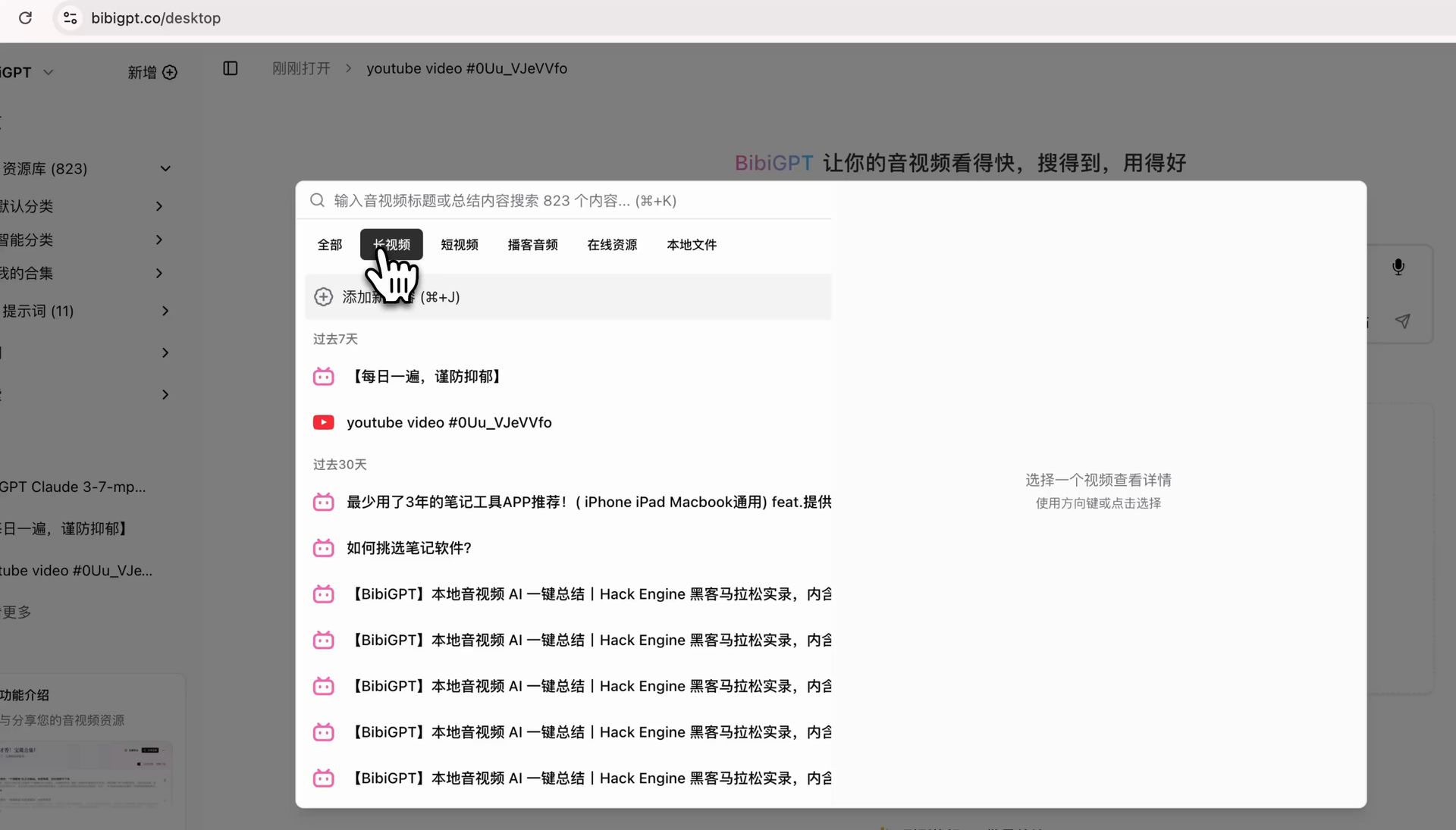
BibiGPT has added category filters to its global search function to solve the pain point of difficulty in finding content among massive data. Users can call up the global search box via shortcut key (Cmd+K) or by clicking a button, and utilize new category tags such as "All," "Long Video," "Short Video," "Podcast Audio," "Online Resources," and "Local Files" to quickly filter and locate desired content. This update ensures that searching is no longer limited to keywords, allowing for precise filtering by content type, greatly enhancing information retrieval efficiency and convenience.
Here is an example of the function interface:
 ## Solved Pain Points
My BibiGPT contains various long videos, short videos, podcasts, and webpages. As content grows, it becomes very difficult to find specific types of content. I could only vaguely recall keywords, like looking for a needle in a haystack, which is very inefficient.
## Core Features
* BibiGPT added category filters to global search for better content discovery.
* Use Cmd+K to call up search and filter by tags like "Long Video" or "Podcast Audio."
* Beyond keyword matching, enables precise filtering by media type.
* Significantly improves retrieval efficiency and user convenience.
## Feature Highlights
BibiGPT has added a category filter function to global search (Cmd+K). By clicking tags such as "Long Video," "Short Video," and "Podcast Audio," you can instantly filter for specific types of content, making finding and locating information precise and efficient.
## Applicable Scenarios
* Quickly finding specific media types within a large library of summarized content.
## Related Features
## Solved Pain Points
My BibiGPT contains various long videos, short videos, podcasts, and webpages. As content grows, it becomes very difficult to find specific types of content. I could only vaguely recall keywords, like looking for a needle in a haystack, which is very inefficient.
## Core Features
* BibiGPT added category filters to global search for better content discovery.
* Use Cmd+K to call up search and filter by tags like "Long Video" or "Podcast Audio."
* Beyond keyword matching, enables precise filtering by media type.
* Significantly improves retrieval efficiency and user convenience.
## Feature Highlights
BibiGPT has added a category filter function to global search (Cmd+K). By clicking tags such as "Long Video," "Short Video," and "Podcast Audio," you can instantly filter for specific types of content, making finding and locating information precise and efficient.
## Applicable Scenarios
* Quickly finding specific media types within a large library of summarized content.
## Related Features