> ## Documentation Index
> Fetch the complete documentation index at: https://docs.bibigpt.co/llms.txt
> Use this file to discover all available pages before exploring further.

# 如何使用BibiGPT总结多平台视频内容

> 本指南详细介绍了如何使用BibiGPT总结来自B站、YouTube、小红书、抖音等多个平台的视频内容，帮助用户快速获取视频的关键信息。

### 1. 哔哩哔哩（B站）视频总结

BibiGPT对B站视频的支持非常完善，使用方法如下：

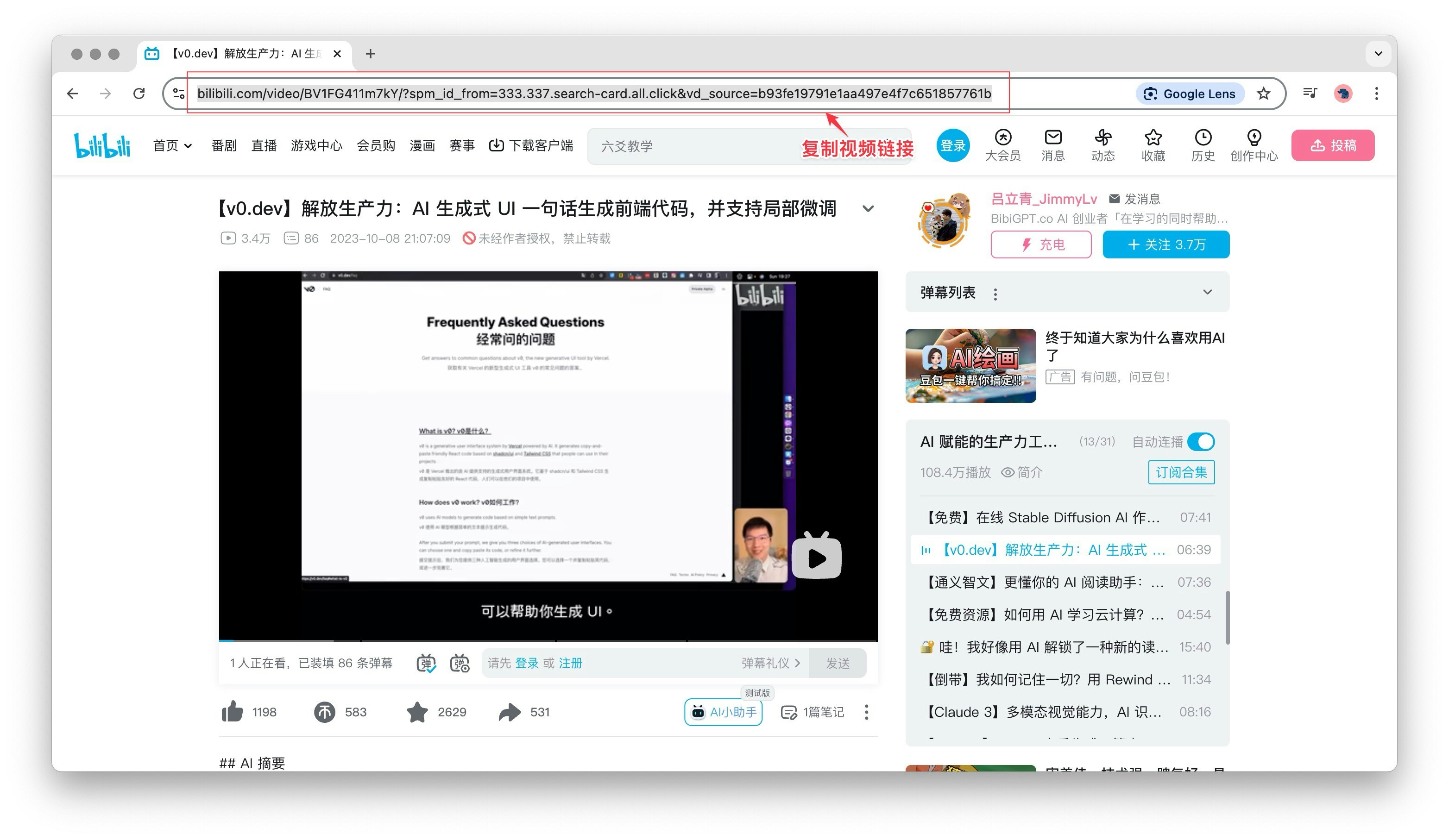
* 打开B站视频页面，复制浏览器地址栏中的视频链接

<Frame>
  <img src="https://mintcdn.com/aitodo/JylNYZUCwFLGAx5E/images/docs/function-usage/platform-function/bibigpt-video-summary-platforms-tutorial/copy-url.jpg?fit=max&auto=format&n=JylNYZUCwFLGAx5E&q=85&s=066278acd86fc967e92eb402ff135b9e" style={{ borderRadius: '0.5rem' }} width="3128" height="1814" data-path="images/docs/function-usage/platform-function/bibigpt-video-summary-platforms-tutorial/copy-url.jpg" />
</Frame>

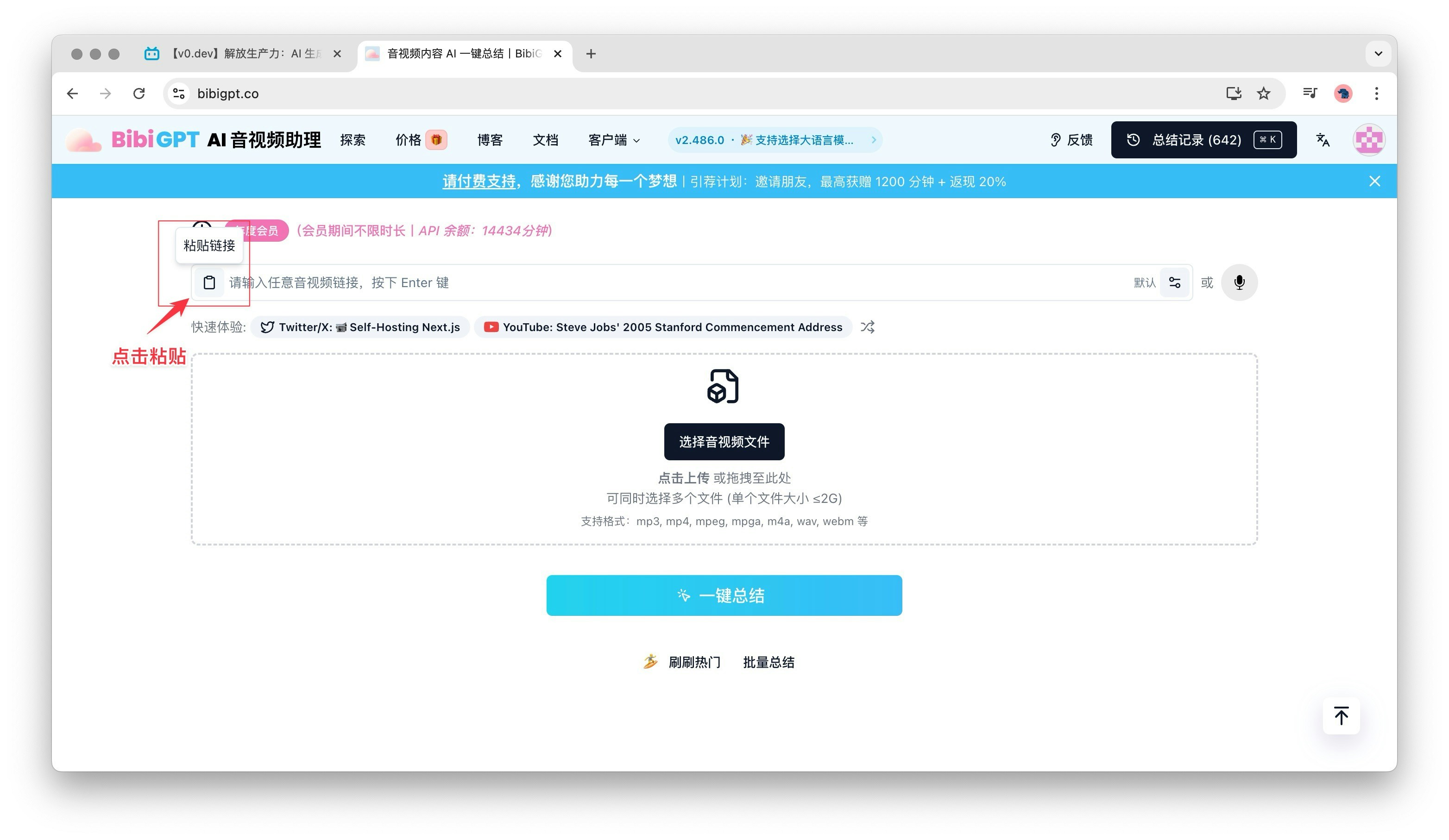
* 在BibiGPT中粘贴链接，点击粘贴链接按钮

<Frame>
  <img src="https://mintcdn.com/aitodo/JylNYZUCwFLGAx5E/images/docs/function-usage/platform-function/bibigpt-video-summary-platforms-tutorial/click-paste-btn.jpg?fit=max&auto=format&n=JylNYZUCwFLGAx5E&q=85&s=b13e2bacfff0a6c321d33ea355432247" style={{ borderRadius: '0.5rem' }} width="3128" height="1814" data-path="images/docs/function-usage/platform-function/bibigpt-video-summary-platforms-tutorial/click-paste-btn.jpg" />
</Frame>

* 等待AI生成视频内容摘要、关键词和章节概述

### 2. YouTube视频总结

BibiGPT同样支持YouTube视频的总结，操作步骤如下：

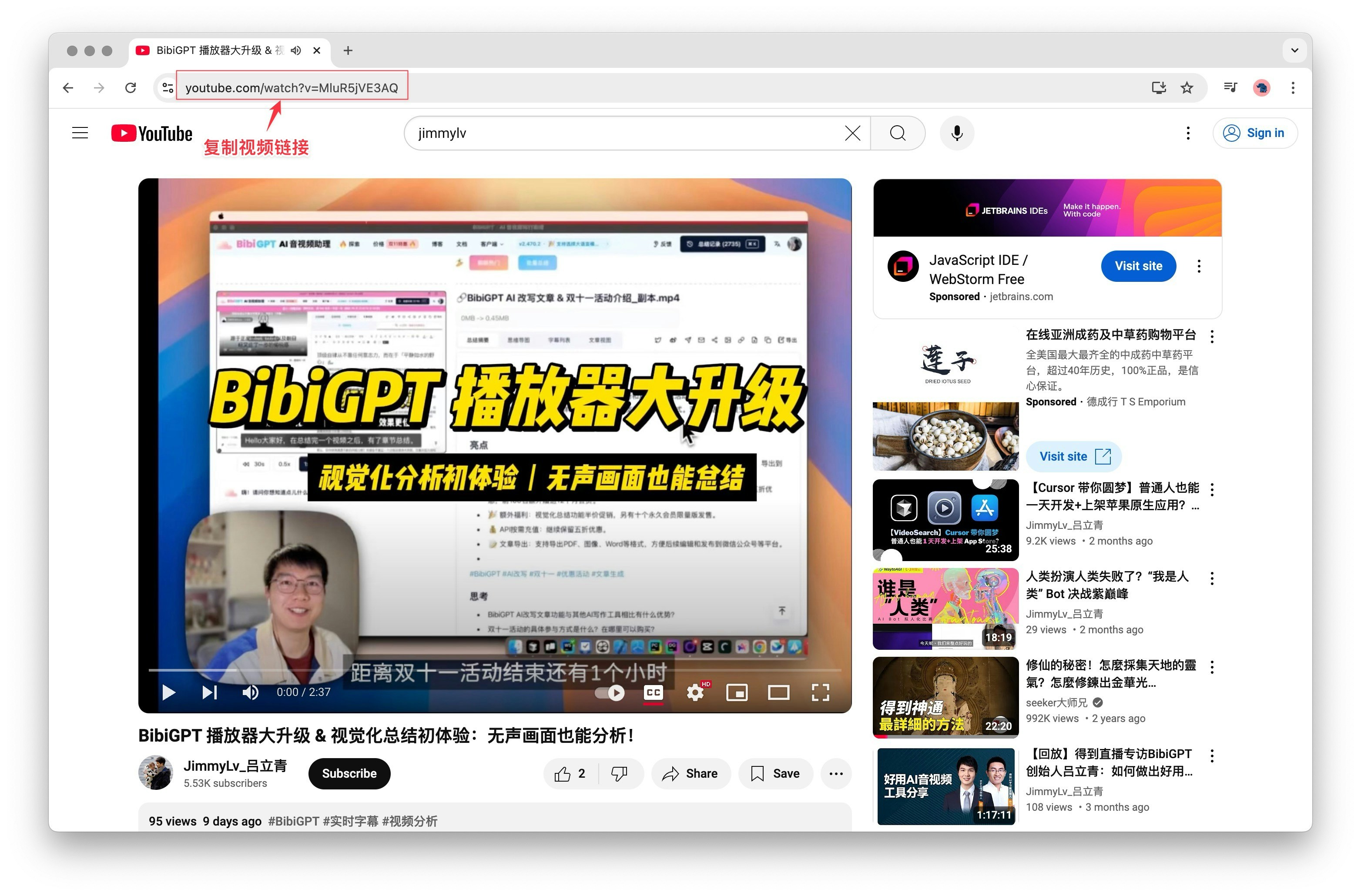
* 在YouTube视频页面复制视频URL

<Frame>
  <img src="https://mintcdn.com/aitodo/JylNYZUCwFLGAx5E/images/docs/function-usage/platform-function/bibigpt-video-summary-platforms-tutorial/copy-youtube-url.jpg?fit=max&auto=format&n=JylNYZUCwFLGAx5E&q=85&s=d4c15838149948194b11c1f1458f1f2c" style={{ borderRadius: '0.5rem' }} width="3128" height="2060" data-path="images/docs/function-usage/platform-function/bibigpt-video-summary-platforms-tutorial/copy-youtube-url.jpg" />
</Frame>

* 将链接粘贴到BibiGPT的输入框中
* 等待AI生成视频内容摘要、关键词和章节概述

### 3. 小红书内容总结

虽然小红书主要以图文为主，但BibiGPT也能处理小红书中的视频内容：

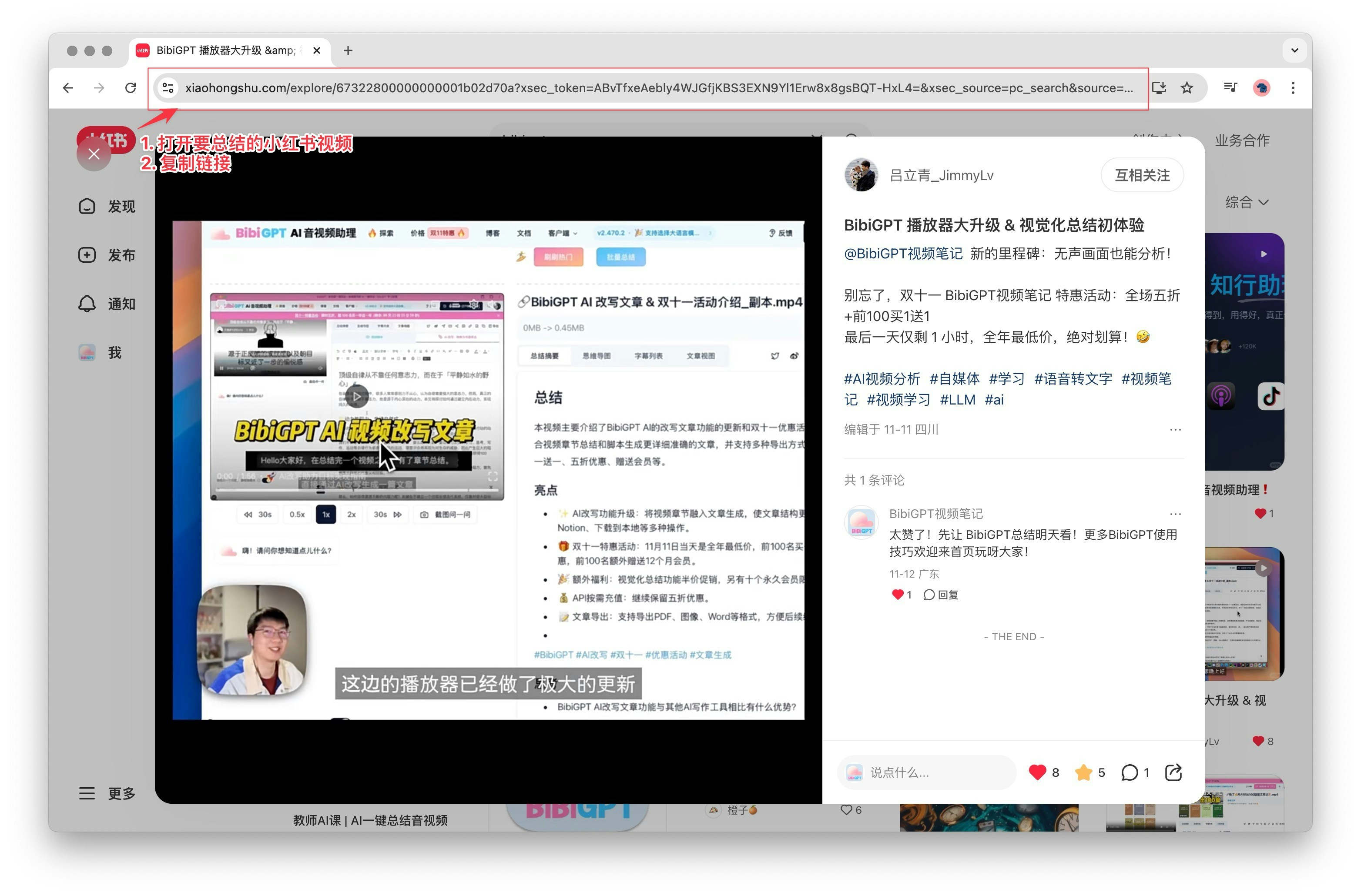
* 在小红书App中找到想要总结的视频笔记，复制浏览器地址栏中的视频链接

<Frame>
  <img src="https://mintcdn.com/aitodo/JylNYZUCwFLGAx5E/images/docs/function-usage/platform-function/bibigpt-video-summary-platforms-tutorial/copy.jpg?fit=max&auto=format&n=JylNYZUCwFLGAx5E&q=85&s=16a03eea927935dd7b14199ed9d8b0d9" style={{ borderRadius: '0.5rem' }} width="3128" height="2060" data-path="images/docs/function-usage/platform-function/bibigpt-video-summary-platforms-tutorial/copy.jpg" />
</Frame>

* 在BibiGPT中粘贴链接，点击粘贴链接按钮
* 等待AI生成视频内容摘要、关键词和章节概述

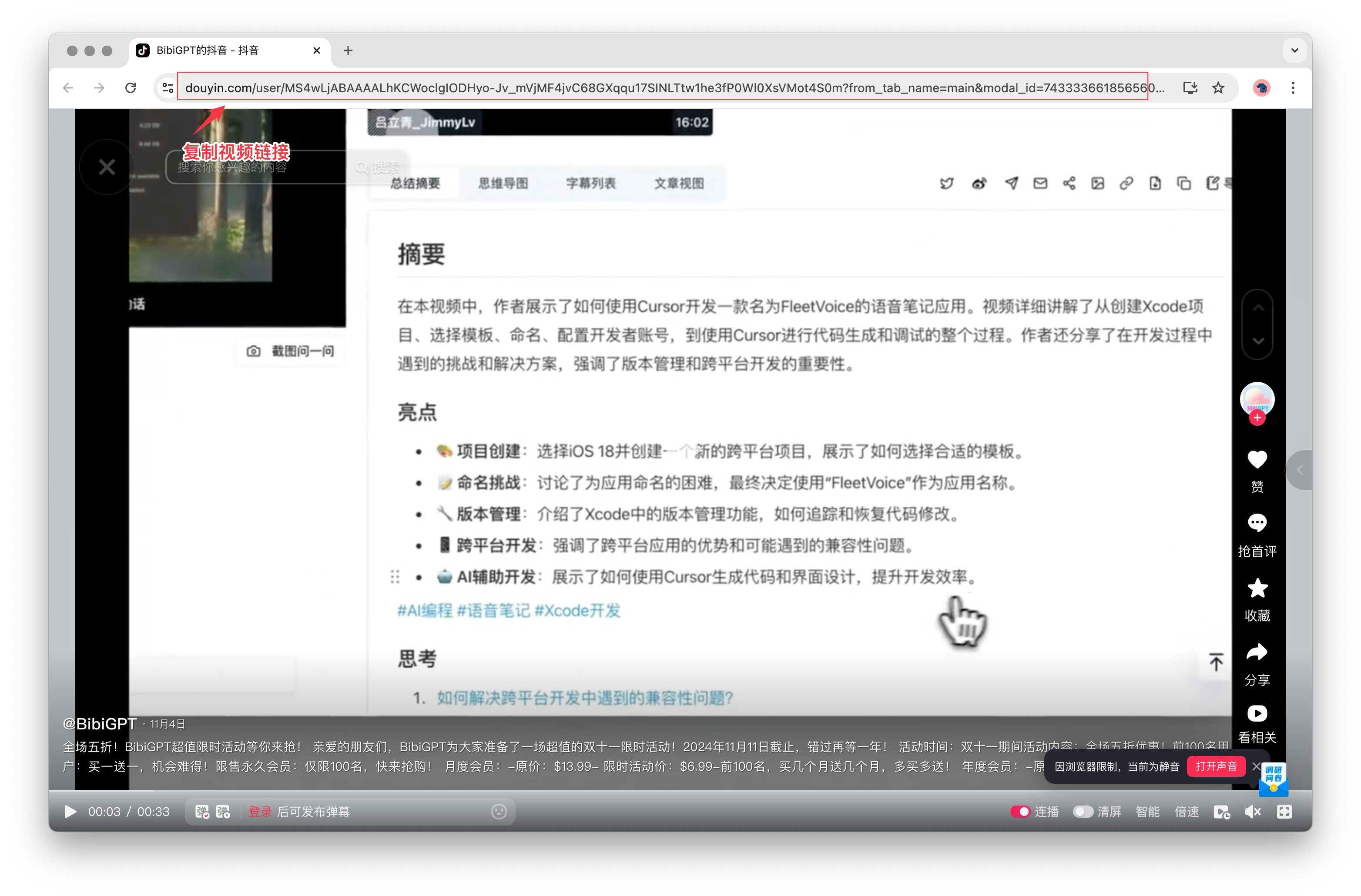
### 4. 抖音视频总结

对于抖音平台的短视频内容，BibiGPT也能轻松处理：

* 在抖音网站中找到想要总结的视频，复制浏览器地址栏中的视频链接

<Frame>
  <img src="https://mintcdn.com/aitodo/JylNYZUCwFLGAx5E/images/docs/function-usage/platform-function/bibigpt-video-summary-platforms-tutorial/copydouyin.jpg?fit=max&auto=format&n=JylNYZUCwFLGAx5E&q=85&s=07f0691a167c81450e074da590d1fbc1" style={{ borderRadius: '0.5rem' }} width="3128" height="2060" data-path="images/docs/function-usage/platform-function/bibigpt-video-summary-platforms-tutorial/copydouyin.jpg" />
</Frame>

* 在BibiGPT中粘贴链接，点击粘贴链接按钮
* 等待AI生成视频内容摘要、关键词和章节概述

无论是哪个平台，使用BibiGPT的核心步骤都是相似的：复制内容链接，粘贴到BibiGPT，然后等待AI生成总结。这种跨平台的兼容性使得BibiGPT成为一个强大的学习和信息获取工具。