> ## Documentation Index
> Fetch the complete documentation index at: https://docs.bibigpt.co/llms.txt
> Use this file to discover all available pages before exploring further.

# BibiGPT 左侧菜单功能介绍

> 本指南详细介绍了BibiGPT左侧竖直侧边栏的各项功能，包括首页、知识库、标签、订阅和探索等。

现在菜单栏经过全面升级，拥有全新的用户界面（UI），使得操作更加直观和便捷。以下是BibiGPT左侧竖直侧边栏的功能详细介绍：

## 1 主要功能区

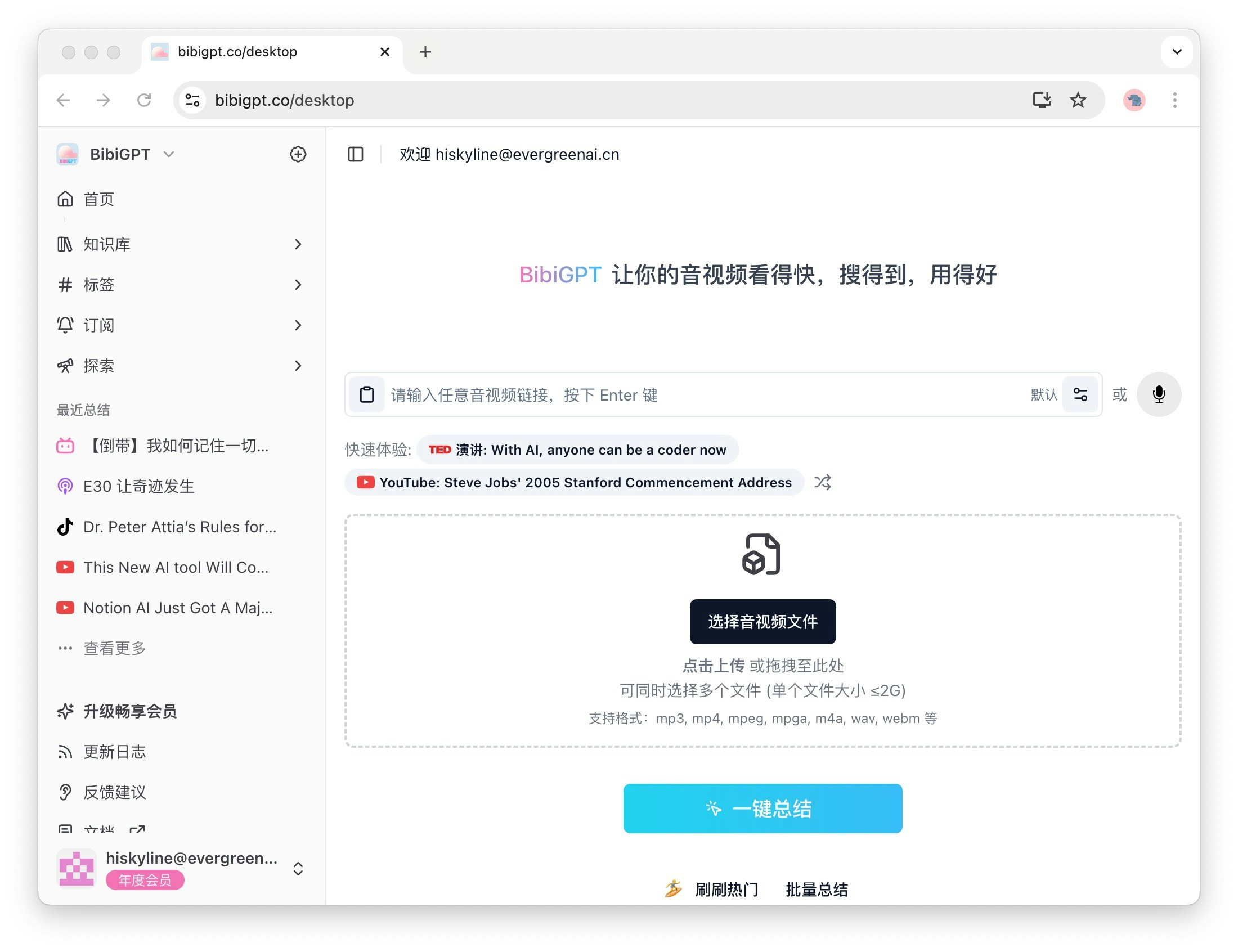
### 1.1 首页

首页是音视频总结的主要入口，用户可以在此快速访问和管理自己的总结内容。无论是学习资料还是娱乐视频，首页都能为您提供便捷的访问体验。

<Frame>
  <img src="https://mintcdn.com/aitodo/-Qa7RZ_EuHK7rc6S/images/docs/getting-started/bibigpt-menu-guide/desktop.jpg?fit=max&auto=format&n=-Qa7RZ_EuHK7rc6S&q=85&s=3a7ea28c4f19119e0ca33c4155cdbc08" style={{ borderRadius: '0.5rem' }} width="2200" height="1692" data-path="images/docs/getting-started/bibigpt-menu-guide/desktop.jpg" />
</Frame>

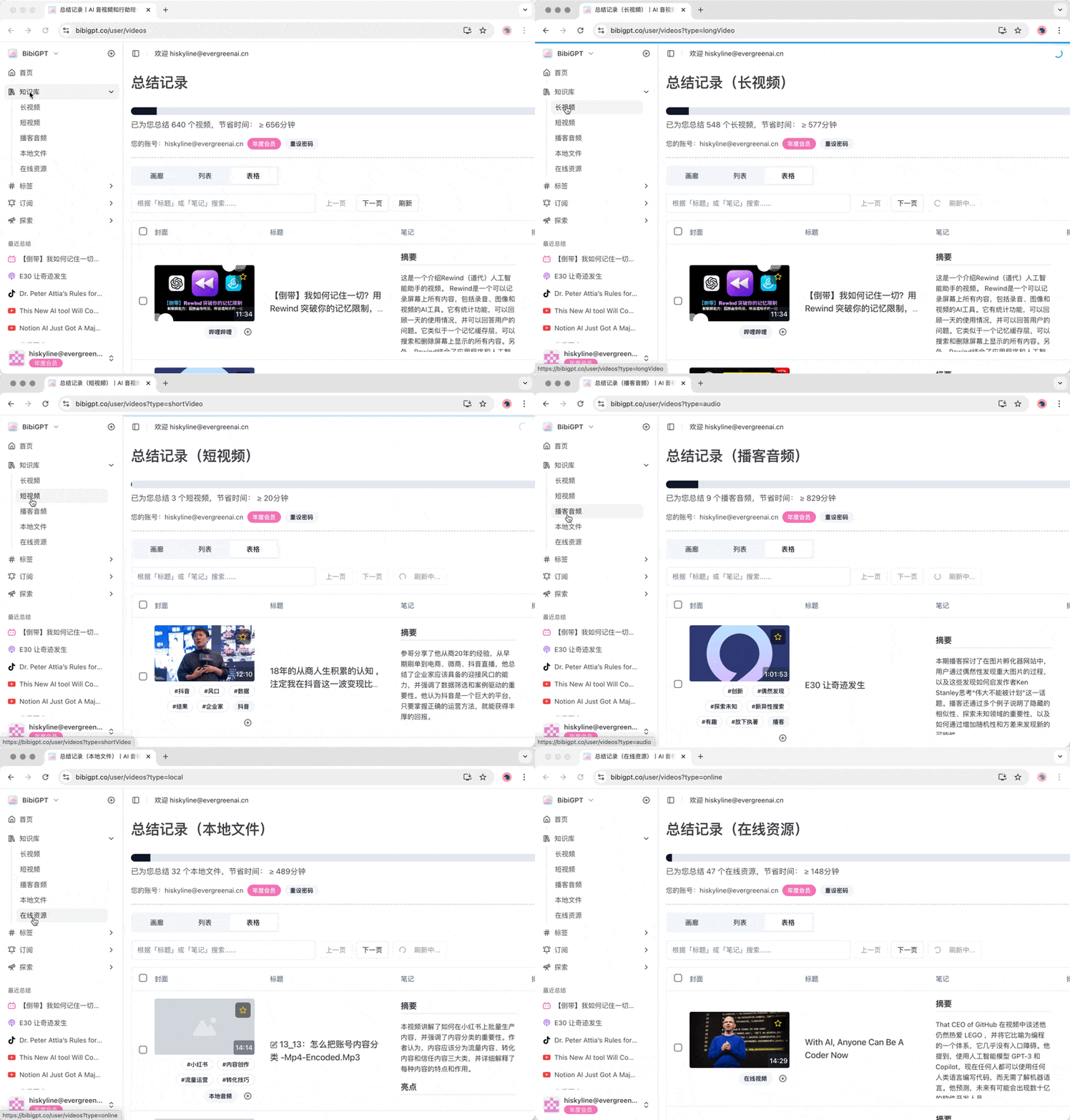
### 1.2 知识库

知识库是存储您曾经总结过的音频或视频的地方。这里的二级菜单包括长视频、短视频、播客音频、本地文件和在线资源，方便您快速找到所需的内容，提升信息检索的效率。

<Frame>
  <img src="https://mintcdn.com/aitodo/-Qa7RZ_EuHK7rc6S/images/docs/getting-started/bibigpt-menu-guide/library.gif?s=e663df86475649fbd4d485d23850bc3e" style={{ borderRadius: '0.5rem' }} width="800" height="559" data-path="images/docs/getting-started/bibigpt-menu-guide/library.gif" />
</Frame>

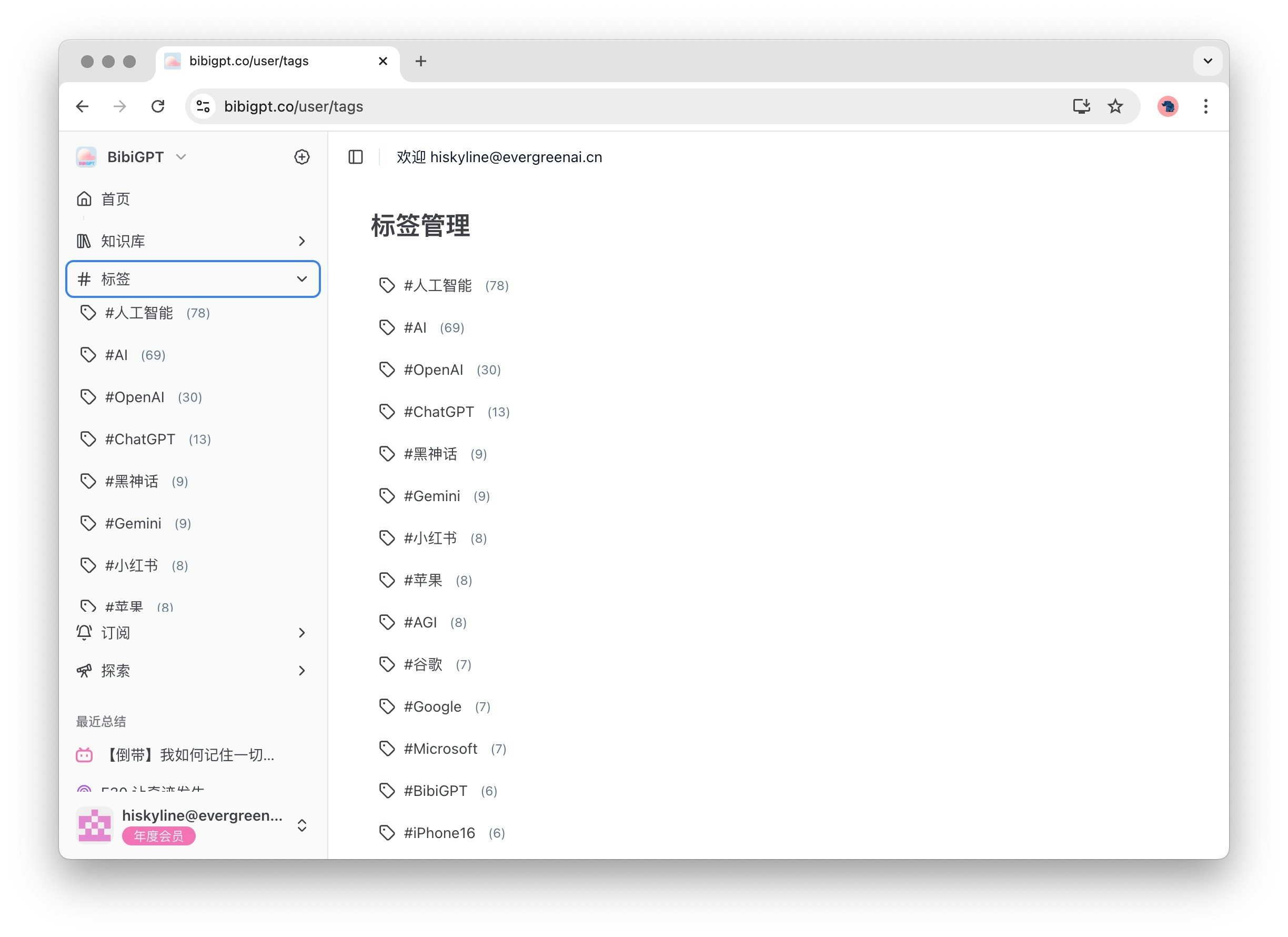
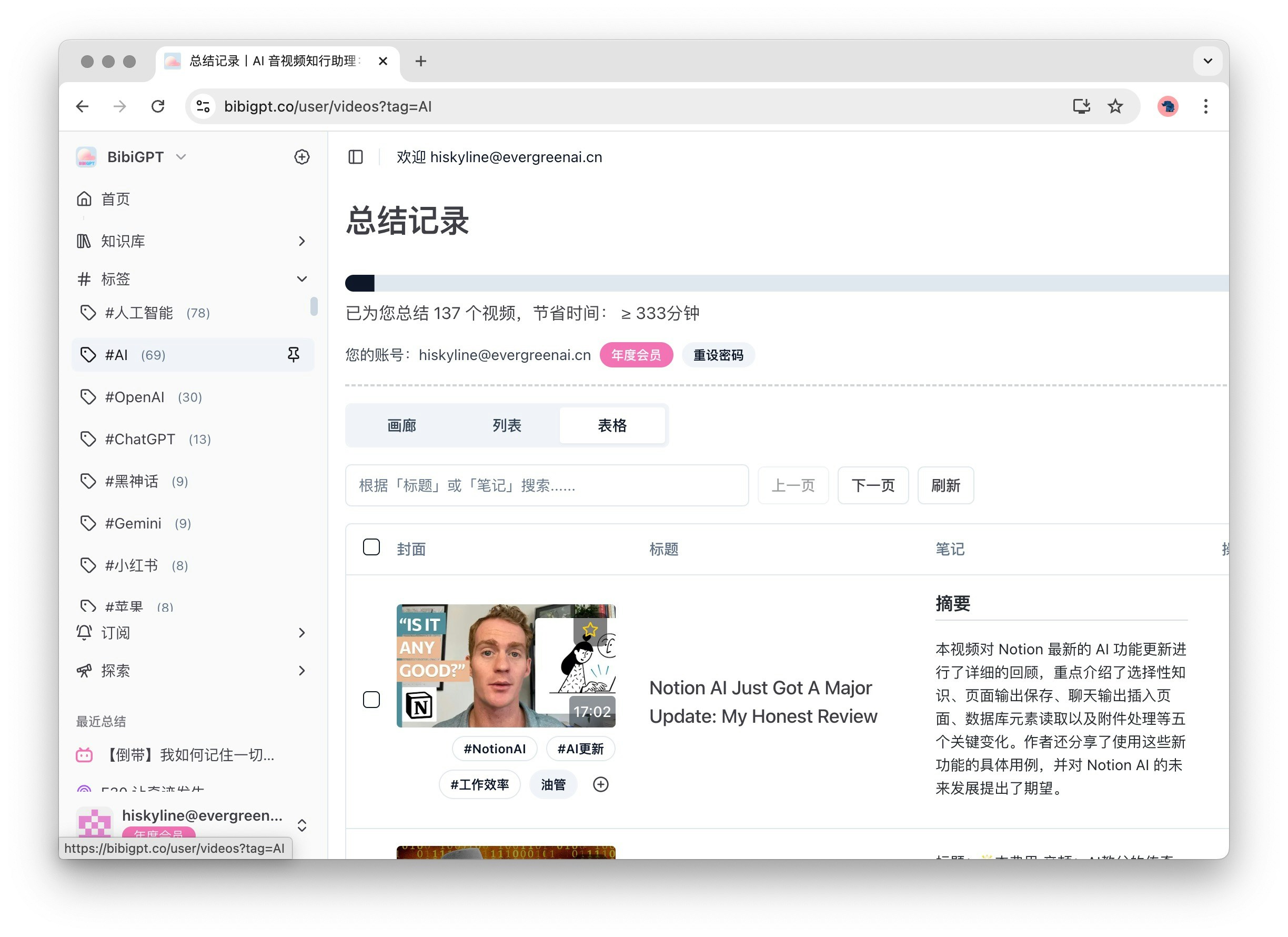
### 1.3 标签

标签功能可以帮助您更好地管理和分类视频内容。展开后，二级菜单会显示视频的标签列表及对应数量，这些标签是BibiGPT根据视频内容自动生成的，便于您快速找到相关主题。

<Frame>
  <img src="https://mintcdn.com/aitodo/-Qa7RZ_EuHK7rc6S/images/docs/getting-started/bibigpt-menu-guide/tag-list.jpg?fit=max&auto=format&n=-Qa7RZ_EuHK7rc6S&q=85&s=aa63c12b5c37fb6357c5e825458b1dfc" style={{ borderRadius: '0.5rem' }} width="2448" height="1780" data-path="images/docs/getting-started/bibigpt-menu-guide/tag-list.jpg" />
</Frame>

<Frame>
  <img src="https://mintcdn.com/aitodo/-Qa7RZ_EuHK7rc6S/images/docs/getting-started/bibigpt-menu-guide/tag.jpg?fit=max&auto=format&n=-Qa7RZ_EuHK7rc6S&q=85&s=d631abfdd3fe3a269a7ae7b6e5b49b5c" style={{ borderRadius: '0.5rem' }} width="2448" height="1780" data-path="images/docs/getting-started/bibigpt-menu-guide/tag.jpg" />
</Frame>

### 1.4 订阅

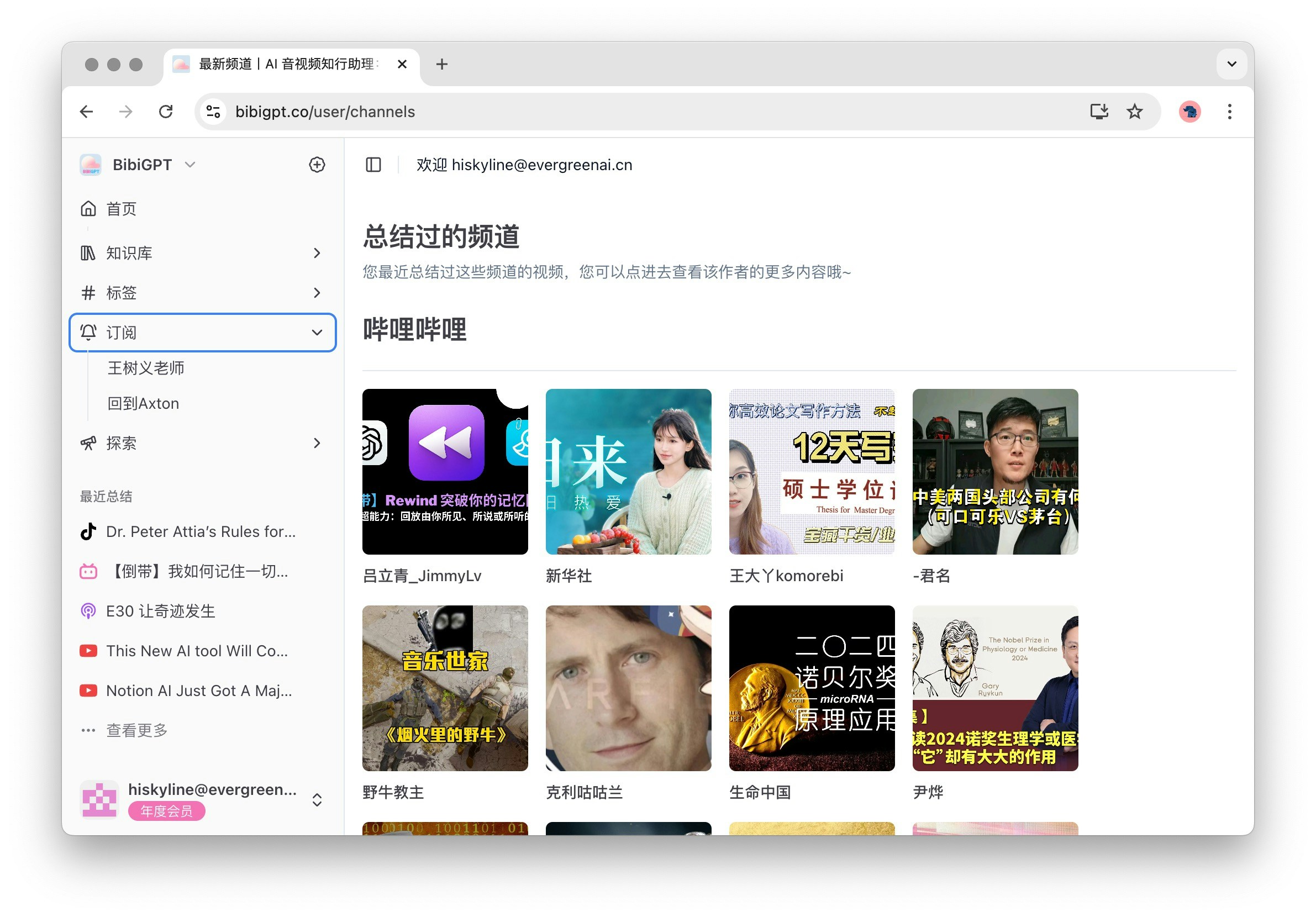
订阅功能让您能够轻松管理您感兴趣的频道。展开后，二级菜单显示您订阅的频道名称，点击"订阅"可以查看所有可订阅的热门频道，包括B站、YouTube、博客等，确保您不会错过任何精彩内容。

<Frame>
  <img src="https://mintcdn.com/aitodo/-Qa7RZ_EuHK7rc6S/images/docs/getting-started/bibigpt-menu-guide/subscribe.jpg?fit=max&auto=format&n=-Qa7RZ_EuHK7rc6S&q=85&s=27cd5dd6013c6d63be767cf6b945df2e" style={{ borderRadius: '0.5rem' }} width="2382" height="1660" data-path="images/docs/getting-started/bibigpt-menu-guide/subscribe.jpg" />
</Frame>

### 1.5 探索

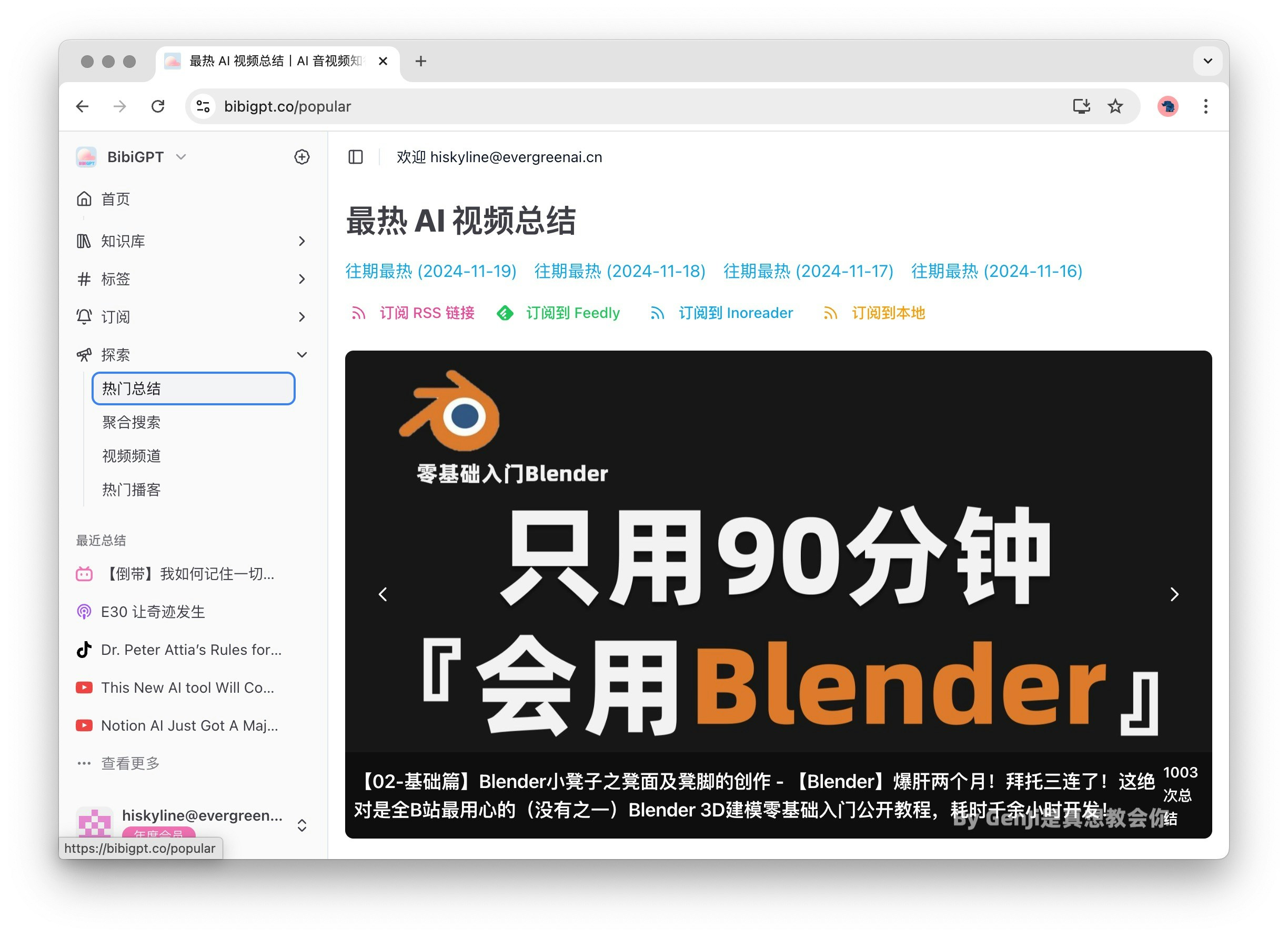
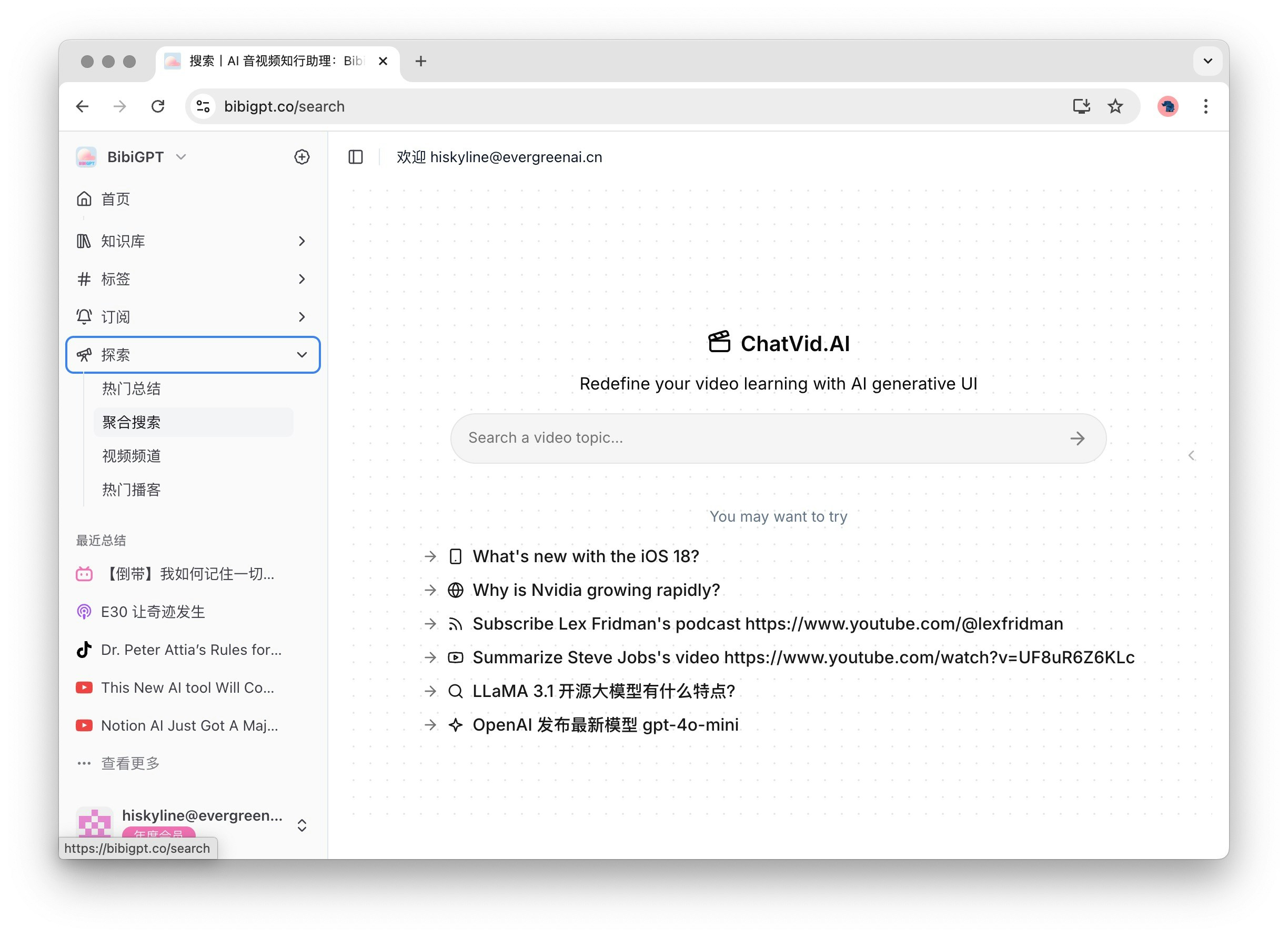
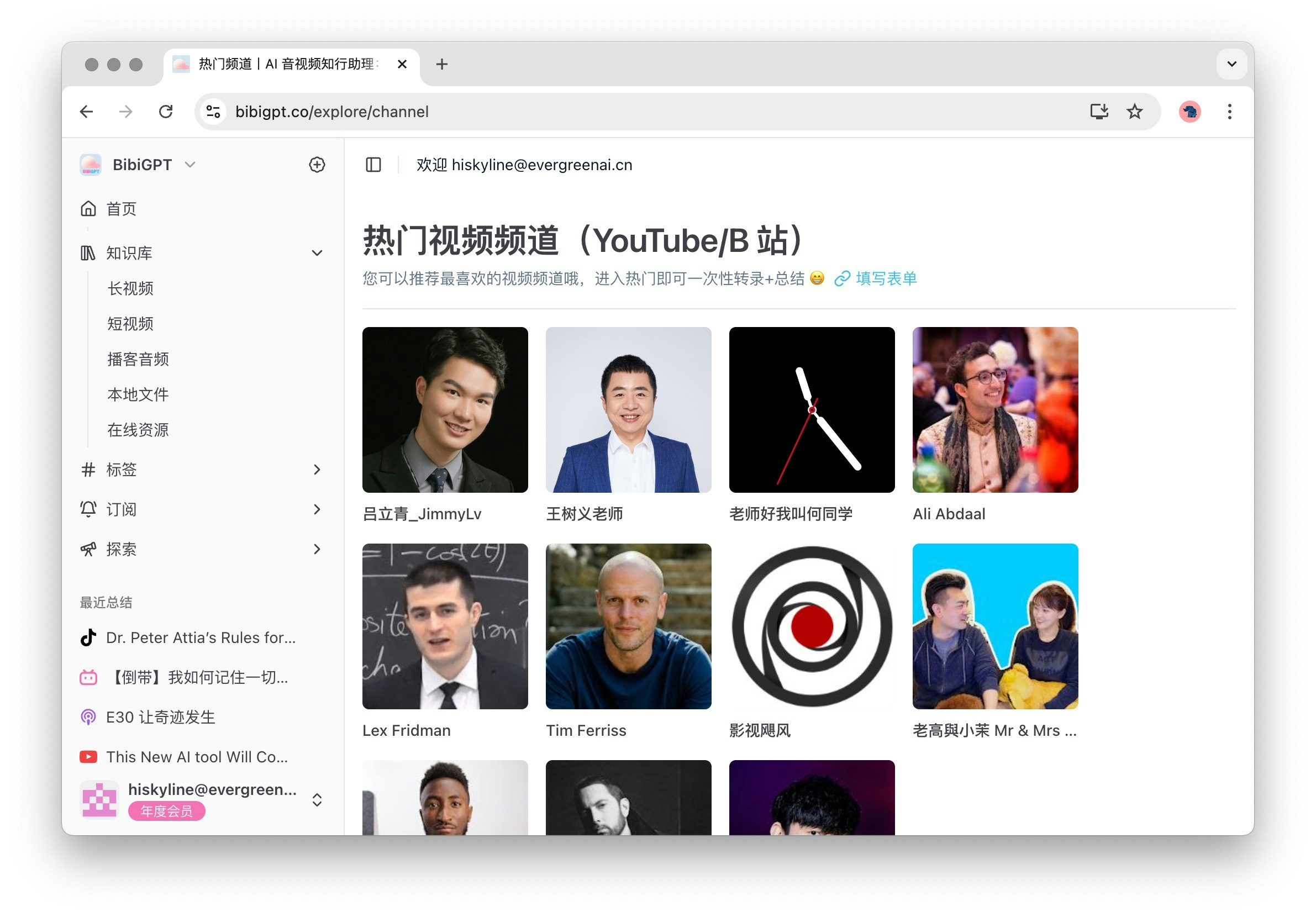
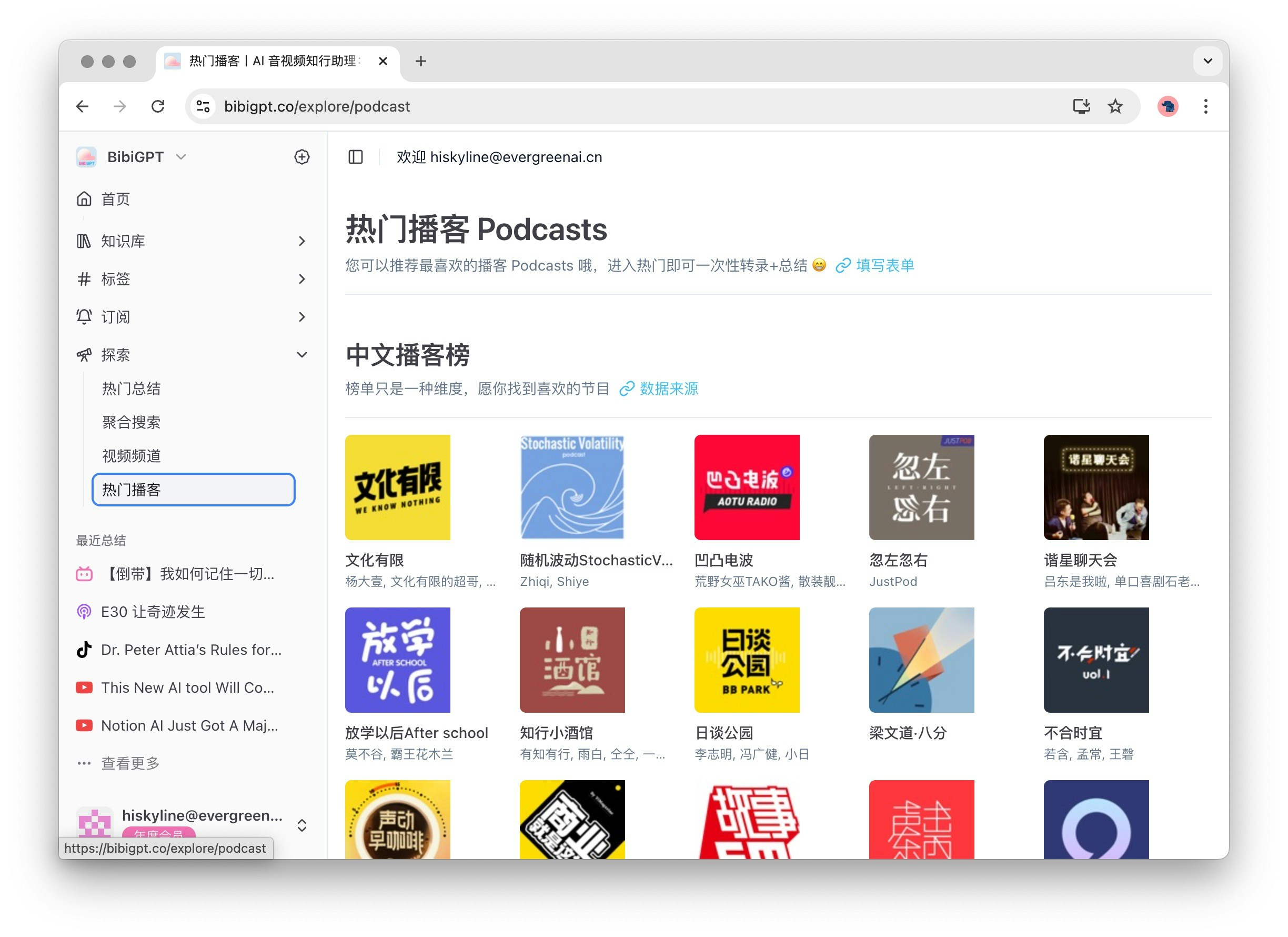
探索功能为您提供了丰富的内容发现选项。展开后，二级菜单包括热门总结、聚合搜索、视频频道和热门播客。默认点击"探索"会打开热门总结，帮助您发现最新和最受欢迎的内容。

<Frame>
  <img src="https://mintcdn.com/aitodo/-Qa7RZ_EuHK7rc6S/images/docs/getting-started/bibigpt-menu-guide/popular.jpg?fit=max&auto=format&n=-Qa7RZ_EuHK7rc6S&q=85&s=50811edc42b288bd04cf9646ec799683" style={{ borderRadius: '0.5rem' }} width="2448" height="1780" data-path="images/docs/getting-started/bibigpt-menu-guide/popular.jpg" />
</Frame>

<Frame>
  <img src="https://mintcdn.com/aitodo/-Qa7RZ_EuHK7rc6S/images/docs/getting-started/bibigpt-menu-guide/search.jpg?fit=max&auto=format&n=-Qa7RZ_EuHK7rc6S&q=85&s=4e3c5e639a3dfab1f71621b6f94d424b" style={{ borderRadius: '0.5rem' }} width="2448" height="1780" data-path="images/docs/getting-started/bibigpt-menu-guide/search.jpg" />
</Frame>

<Frame>
  <img src="https://mintcdn.com/aitodo/-Qa7RZ_EuHK7rc6S/images/docs/getting-started/bibigpt-menu-guide/channel.jpg?fit=max&auto=format&n=-Qa7RZ_EuHK7rc6S&q=85&s=722c0520c50e4caaa79875f8884ed8ae" style={{ borderRadius: '0.5rem' }} width="2382" height="1660" data-path="images/docs/getting-started/bibigpt-menu-guide/channel.jpg" />
</Frame>

<Frame>
  <img src="https://mintcdn.com/aitodo/-Qa7RZ_EuHK7rc6S/images/docs/getting-started/bibigpt-menu-guide/podcast.jpg?fit=max&auto=format&n=-Qa7RZ_EuHK7rc6S&q=85&s=f7251d9dec006fee8e482a4fea9ed8ef" style={{ borderRadius: '0.5rem' }} width="2448" height="1780" data-path="images/docs/getting-started/bibigpt-menu-guide/podcast.jpg" />
</Frame>

## 2 辅助功能区

### 2.1 最近总结

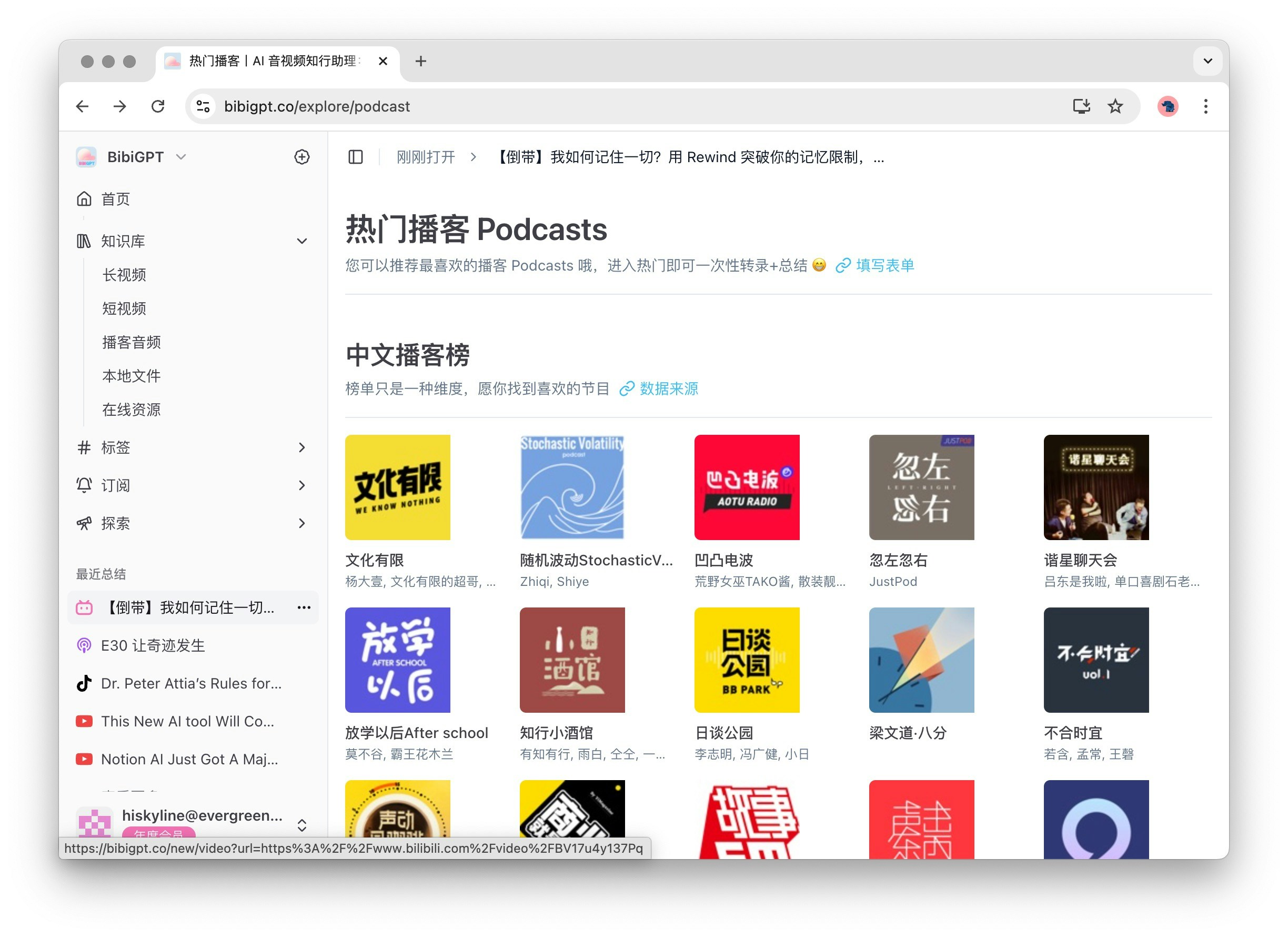
最近总结功能位于主要功能区下方，最多显示5个最近的总结。点击"查看更多"会进入知识库，方便您快速回顾和访问历史记录。点击某个历史记录可进入相应的音频或视频总结详情页面，确保您能够轻松找到所需内容。

<Frame>
  <img src="https://mintcdn.com/aitodo/-Qa7RZ_EuHK7rc6S/images/docs/getting-started/bibigpt-menu-guide/history-entry.jpg?fit=max&auto=format&n=-Qa7RZ_EuHK7rc6S&q=85&s=aeb1b5403cc5aeca82c8d7dd0366f0e3" style={{ borderRadius: '0.5rem' }} width="2448" height="1780" data-path="images/docs/getting-started/bibigpt-menu-guide/history-entry.jpg" />
</Frame>

### 2.2 帮助与支持

帮助与支持区包括以下选项，确保您在使用BibiGPT时能够获得必要的帮助：

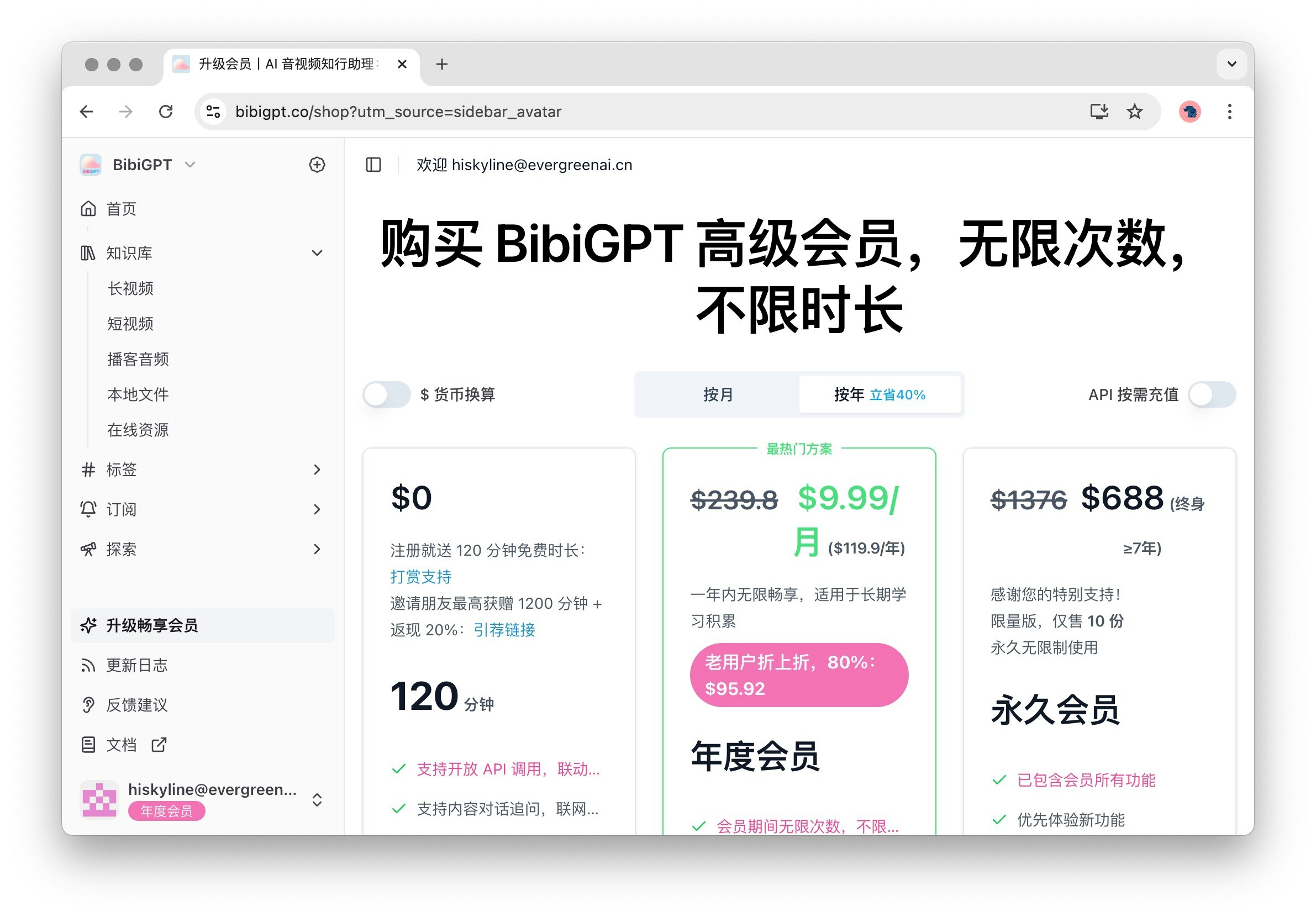
1. 升级畅享会员：点击进入购买会员页面，享受更多高级功能和服务。

   <Frame>
     <img src="https://mintcdn.com/aitodo/-Qa7RZ_EuHK7rc6S/images/docs/getting-started/bibigpt-menu-guide/price.jpg?fit=max&auto=format&n=-Qa7RZ_EuHK7rc6S&q=85&s=87a9a094e835f39c7484b0f56c49b85b" style={{ borderRadius: '0.5rem' }} width="2382" height="1660" data-path="images/docs/getting-started/bibigpt-menu-guide/price.jpg" />
   </Frame>

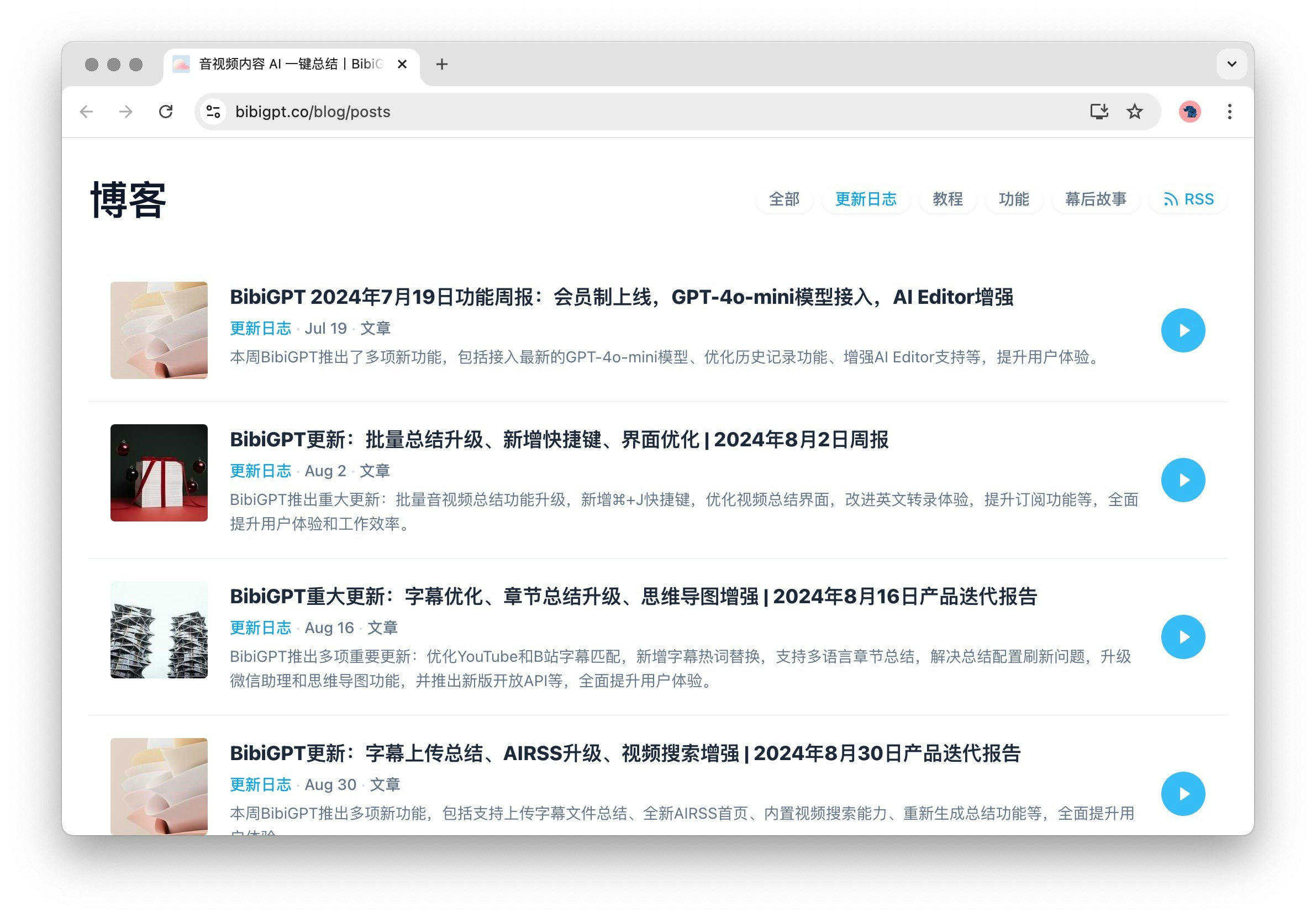
2. 更新日志：展示BibiGPT的更新内容和博客，帮助您了解最新功能和改进。

   <Frame>
     <img src="https://mintcdn.com/aitodo/-Qa7RZ_EuHK7rc6S/images/docs/getting-started/bibigpt-menu-guide/blog.jpg?fit=max&auto=format&n=-Qa7RZ_EuHK7rc6S&q=85&s=bae6669ded28e9a3fdf76ef14f80ac70" style={{ borderRadius: '0.5rem' }} width="2382" height="1660" data-path="images/docs/getting-started/bibigpt-menu-guide/blog.jpg" />
   </Frame>

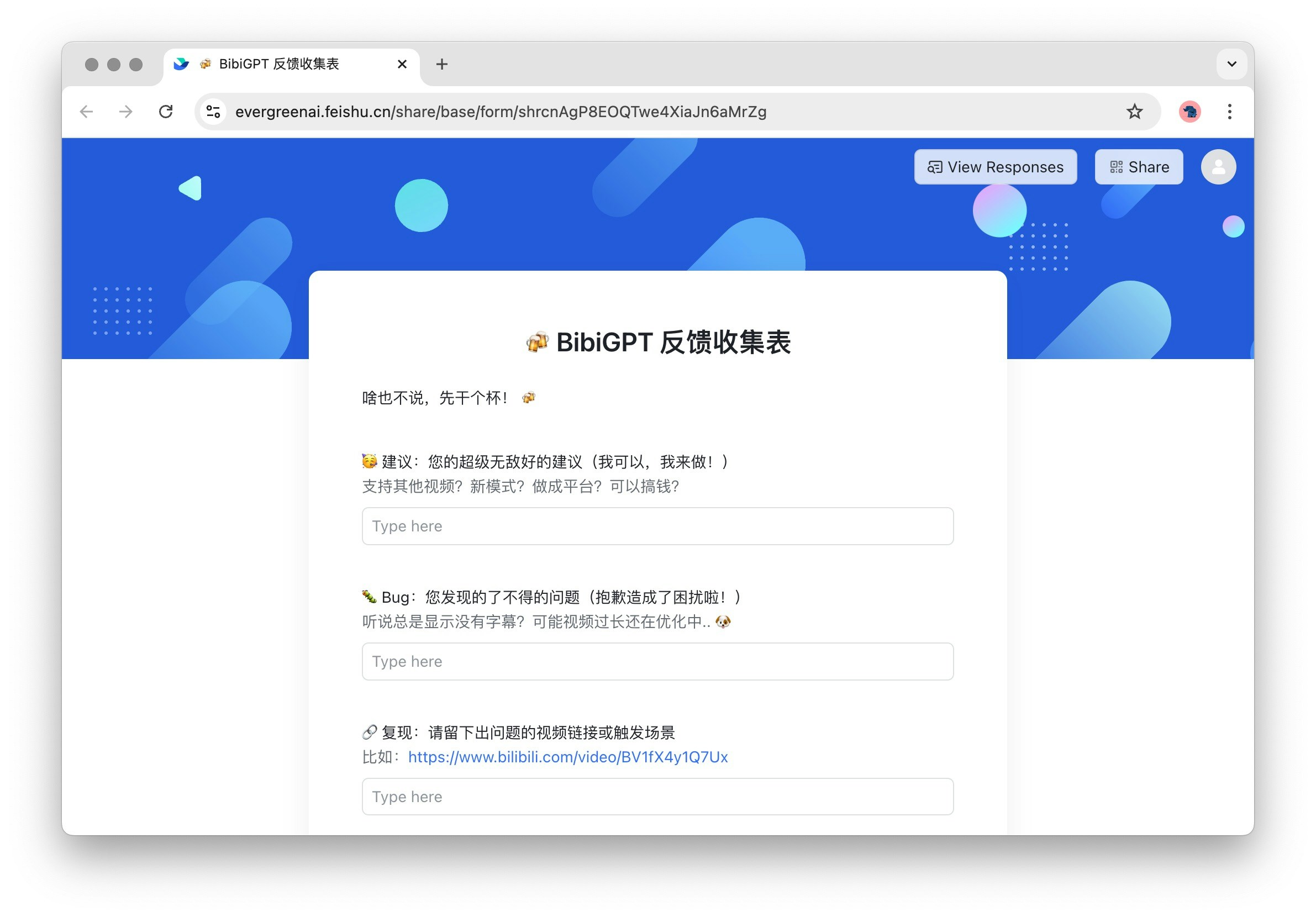
3. 反馈建议：用户反馈入口，欢迎您提出宝贵意见，帮助我们不断改进。

   <Frame>
     <img src="https://mintcdn.com/aitodo/-Qa7RZ_EuHK7rc6S/images/docs/getting-started/bibigpt-menu-guide/feedback.jpg?fit=max&auto=format&n=-Qa7RZ_EuHK7rc6S&q=85&s=43e9405a0a30ef8b75178c069097d4b8" style={{ borderRadius: '0.5rem' }} width="2382" height="1660" data-path="images/docs/getting-started/bibigpt-menu-guide/feedback.jpg" />
   </Frame>

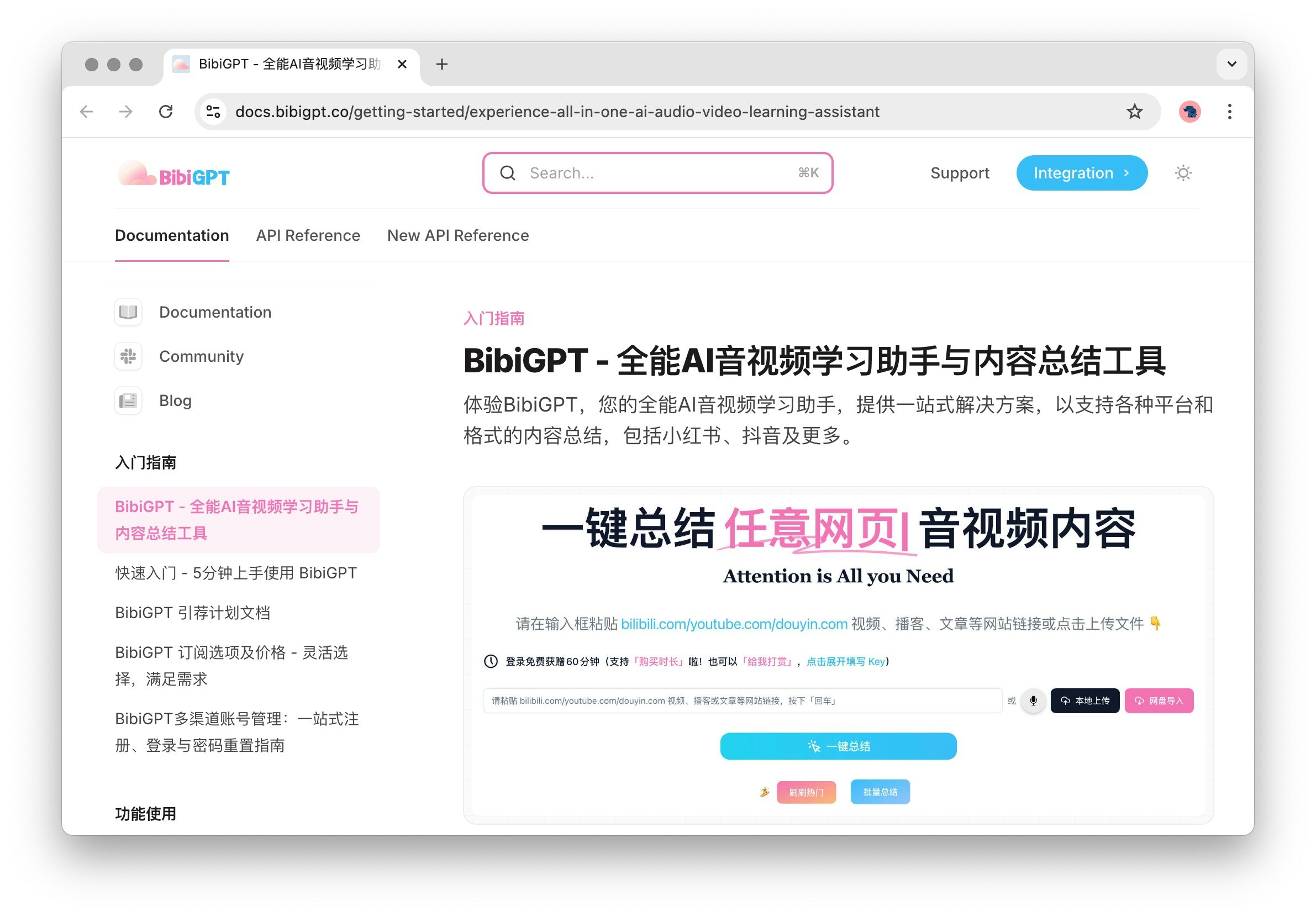
4. 帮助文档：详细的使用指南，提供全面的操作说明和技巧。

   <Frame>
     <img src="https://mintcdn.com/aitodo/-Qa7RZ_EuHK7rc6S/images/docs/getting-started/bibigpt-menu-guide/docs.jpg?fit=max&auto=format&n=-Qa7RZ_EuHK7rc6S&q=85&s=12e0d4cf338efe93de32938d024f1ddc" style={{ borderRadius: '0.5rem' }} width="2382" height="1660" data-path="images/docs/getting-started/bibigpt-menu-guide/docs.jpg" />
   </Frame>