> ## Documentation Index
> Fetch the complete documentation index at: https://docs.bibigpt.co/llms.txt
> Use this file to discover all available pages before exploring further.
# BibiGPT 总结页面功能介绍
> 本文档详细介绍了BibiGPT总结页面的各项功能,包括基本功能标签页、总结摘要、思维导图、字幕列表和文章视图等,帮助用户更好地理解和使用这些功能。
# 1 BibiGPT总结页面功能介绍
BibiGPT总结详情功能页面是一个强大的工具,为用户提供了全面的视频或音频内容分析。以下是该页面的主要功能和特点:
## 1.1 基本功能标签页
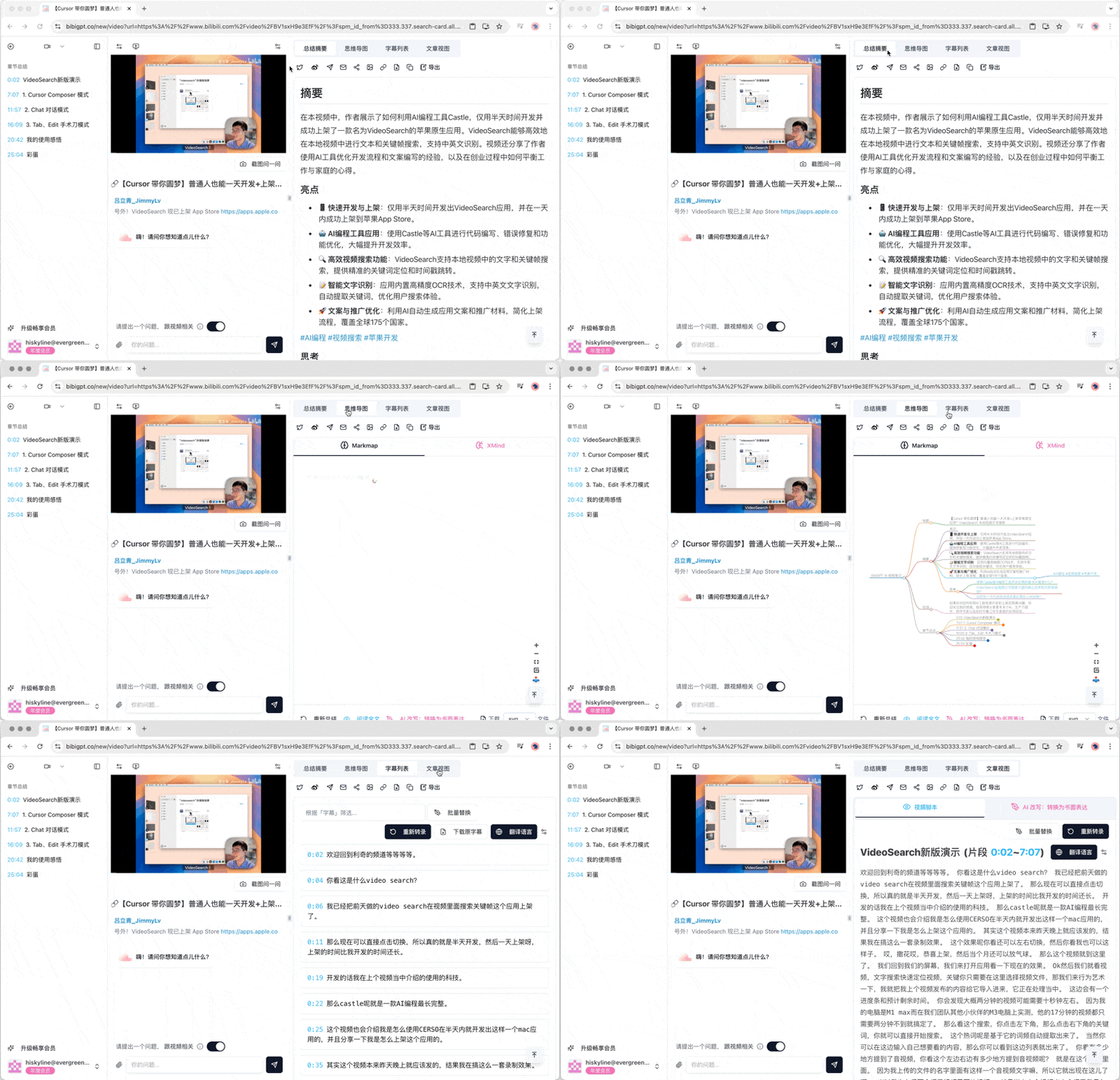 总结详情页面包含以下主要标签页:
* 总结摘要
* 思维导图
* 字幕列表
* 文章视图
每个标签页都经过精心设计,以提供不同角度的内容分析。
## 1.2 总结摘要
总结详情页面包含以下主要标签页:
* 总结摘要
* 思维导图
* 字幕列表
* 文章视图
每个标签页都经过精心设计,以提供不同角度的内容分析。
## 1.2 总结摘要
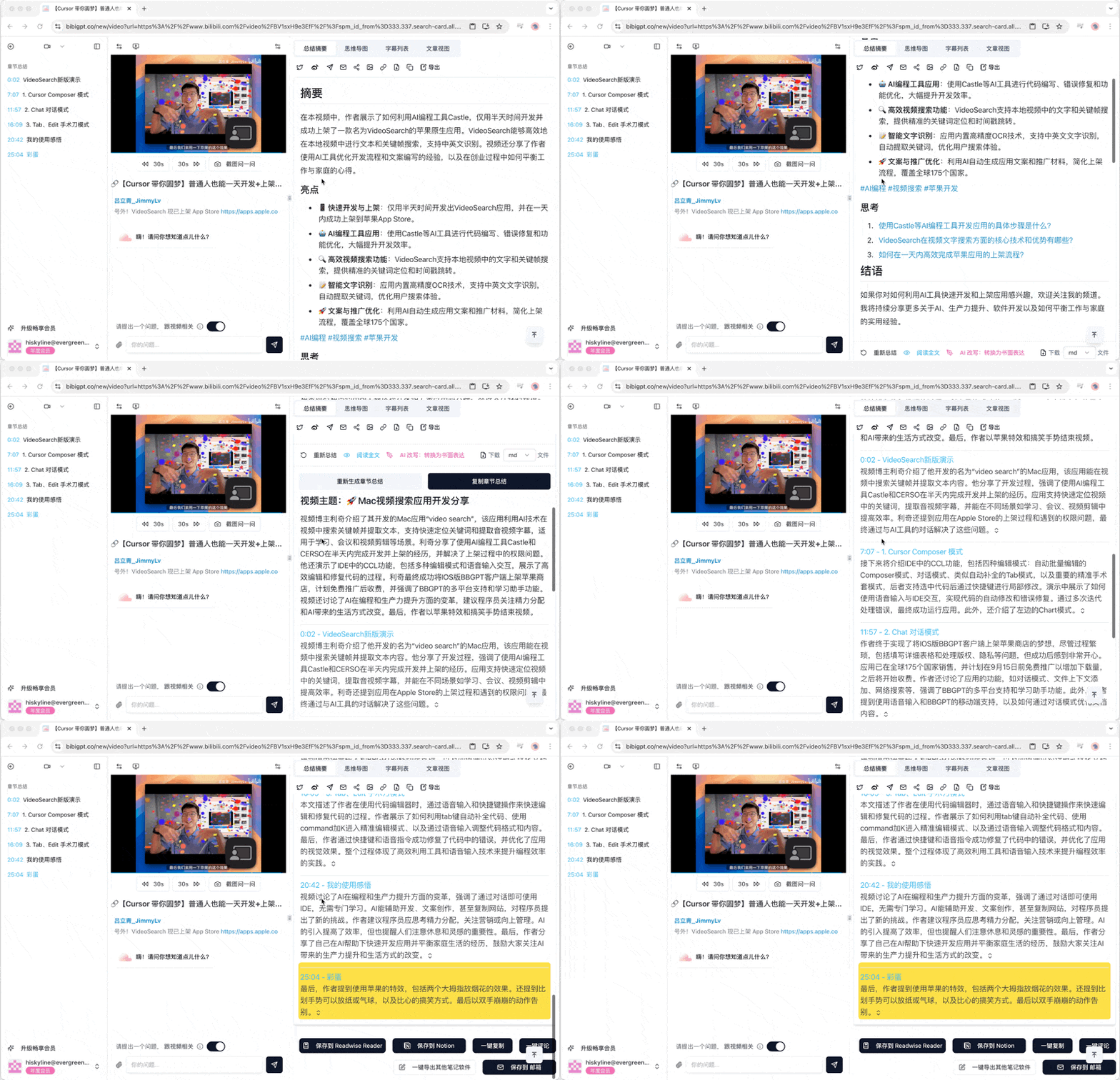 总结摘要标签页分为两个主要部分:
* 整体摘要:提供内容的简洁概述
* 章节摘要:按章节或时间段划分的详细摘要
用户可以通过滚动浏览这些摘要,快速获取关键信息。
## 1.3 思维导图
总结摘要标签页分为两个主要部分:
* 整体摘要:提供内容的简洁概述
* 章节摘要:按章节或时间段划分的详细摘要
用户可以通过滚动浏览这些摘要,快速获取关键信息。
## 1.3 思维导图
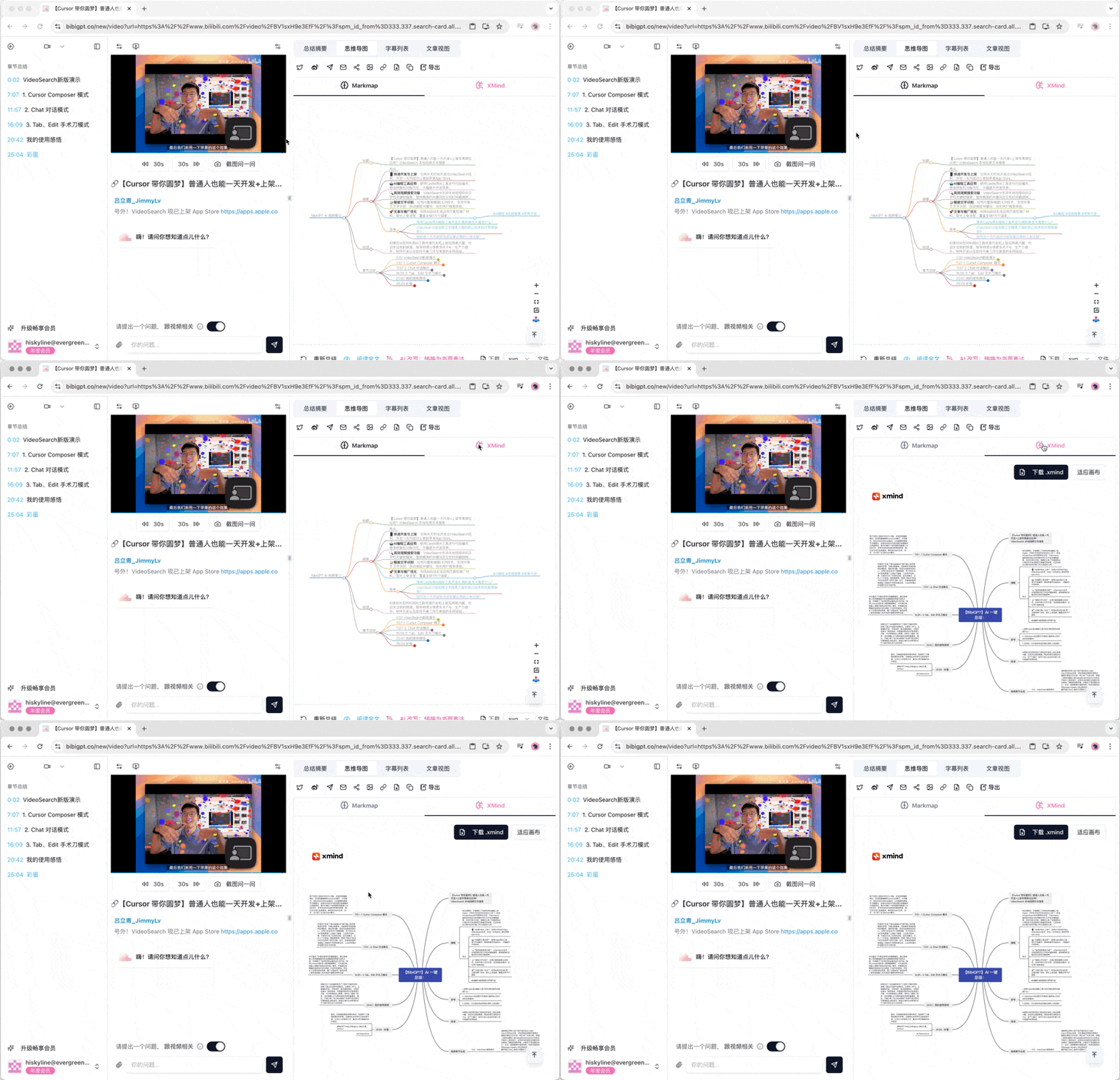 思维导图标签页提供两种不同的可视化方式:
* Markmap:以树状结构展示内容关系
* XMind:提供更复杂的思维导图布局
用户可以在这两种视图之间切换,以不同的方式理解内容结构。
## 1.4 字幕列表
思维导图标签页提供两种不同的可视化方式:
* Markmap:以树状结构展示内容关系
* XMind:提供更复杂的思维导图布局
用户可以在这两种视图之间切换,以不同的方式理解内容结构。
## 1.4 字幕列表
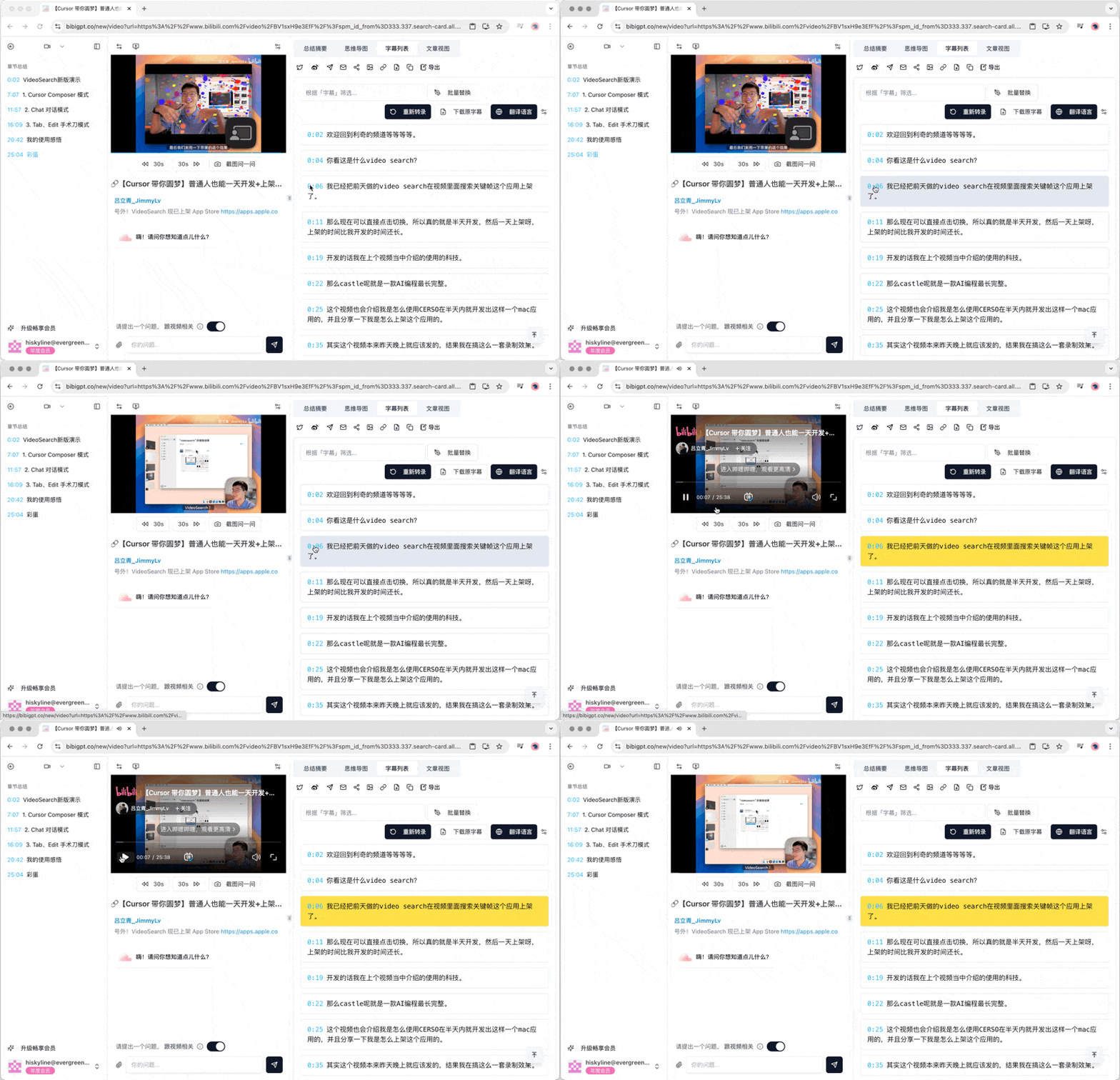 字幕列表提供了视频或音频的完整文字记录。每条字幕前都有时间戳,点击即可跳转到视频或音频的相应位置,方便用户快速定位感兴趣的内容。
## 1.5 文章视图
字幕列表提供了视频或音频的完整文字记录。每条字幕前都有时间戳,点击即可跳转到视频或音频的相应位置,方便用户快速定位感兴趣的内容。
## 1.5 文章视图
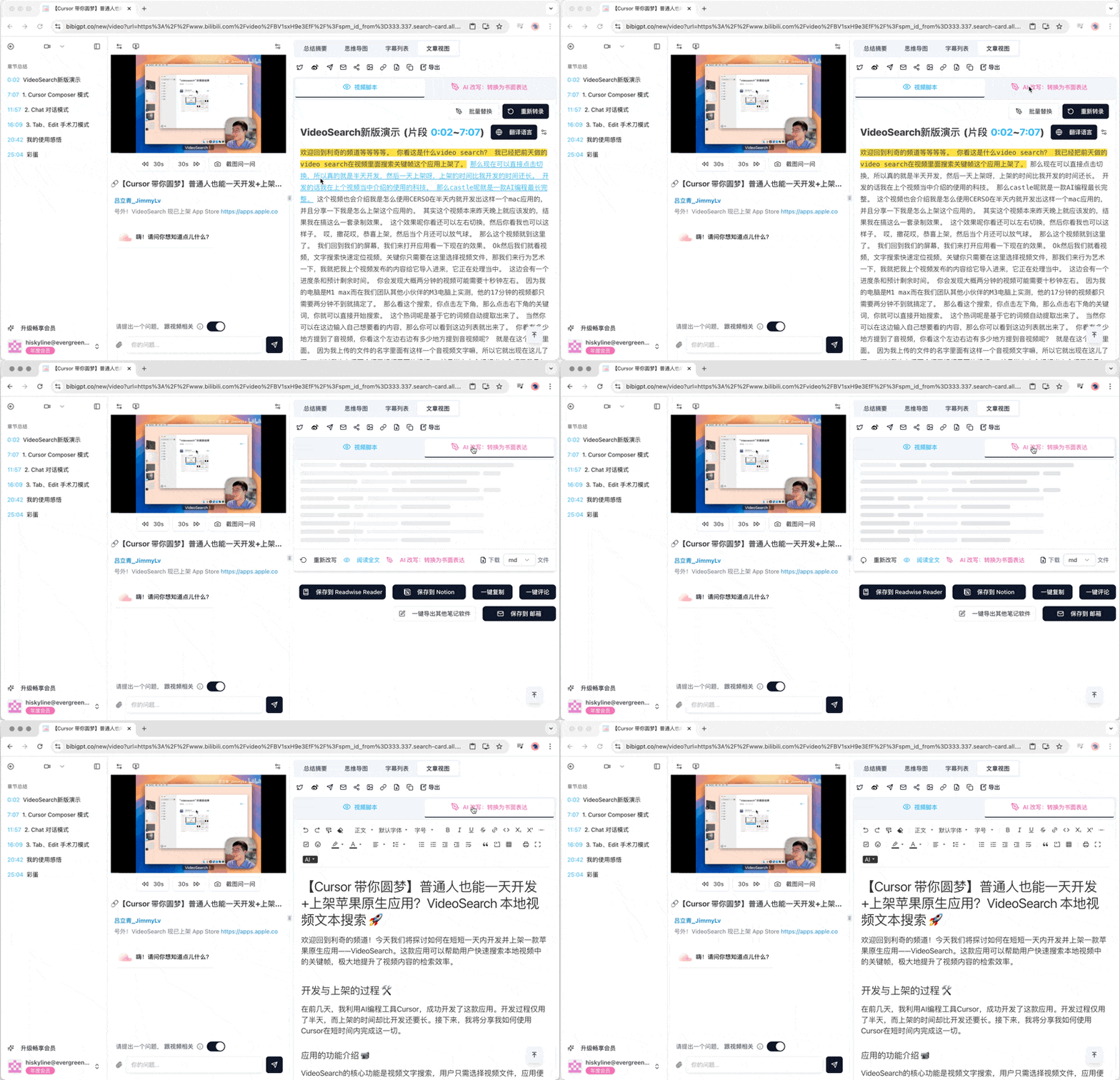 文章视图包含两个子标签页:
* 视频脚本:原始的视频或音频文字稿
* AI改写:将口语内容转换为更正式的书面表达
用户可以在这两种视图之间切换,根据需要选择合适的阅读方式。
## 1.6 视频问答功能
文章视图包含两个子标签页:
* 视频脚本:原始的视频或音频文字稿
* AI改写:将口语内容转换为更正式的书面表达
用户可以在这两种视图之间切换,根据需要选择合适的阅读方式。
## 1.6 视频问答功能
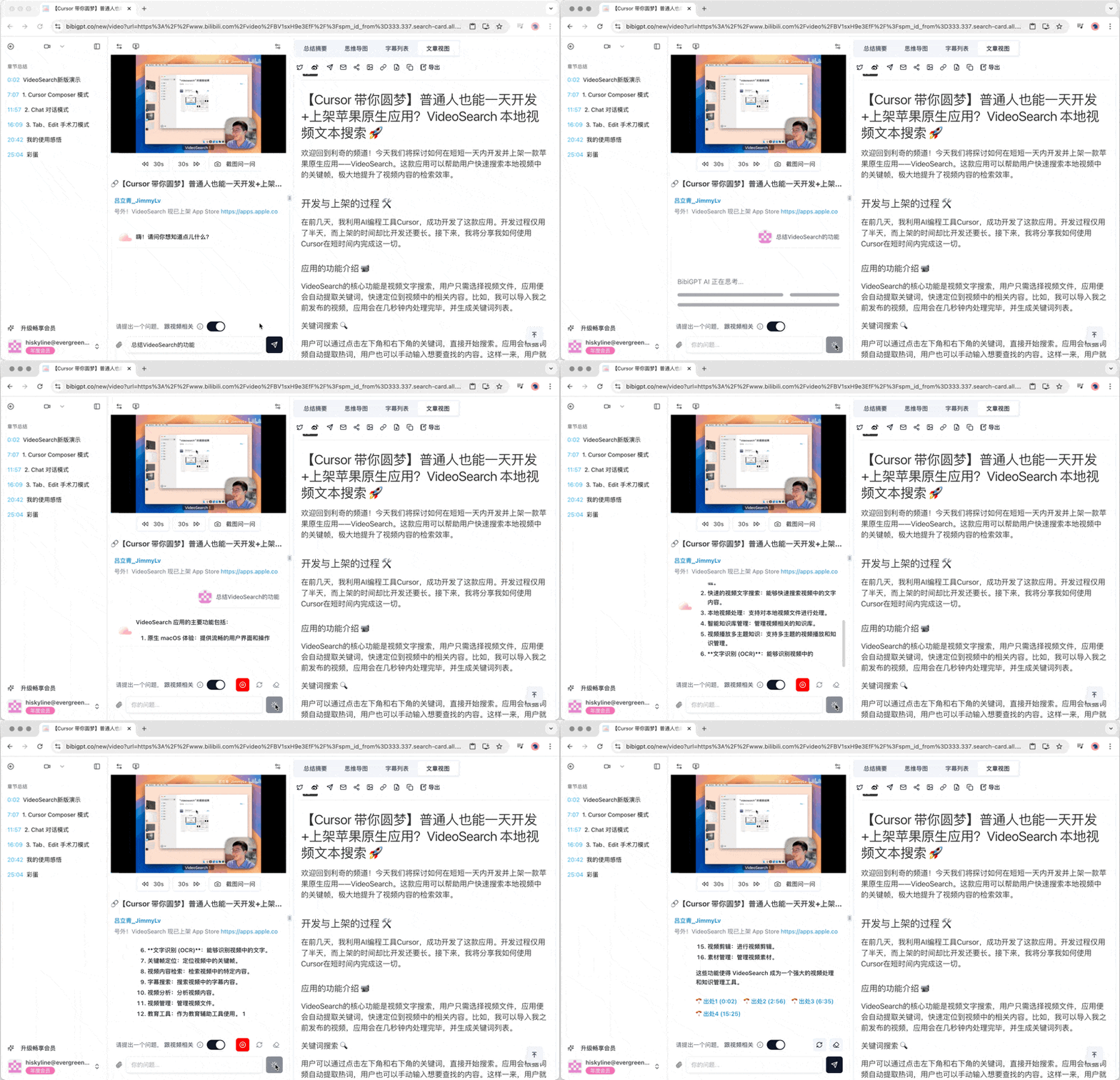 在视频播放器下方,用户可以使用向视频提问的功能。这个互动式问答系统允许用户针对视频内容提出具体问题,并获得AI生成的回答。
## 1.7 侧边栏导航
在视频播放器下方,用户可以使用向视频提问的功能。这个互动式问答系统允许用户针对视频内容提出具体问题,并获得AI生成的回答。
## 1.7 侧边栏导航
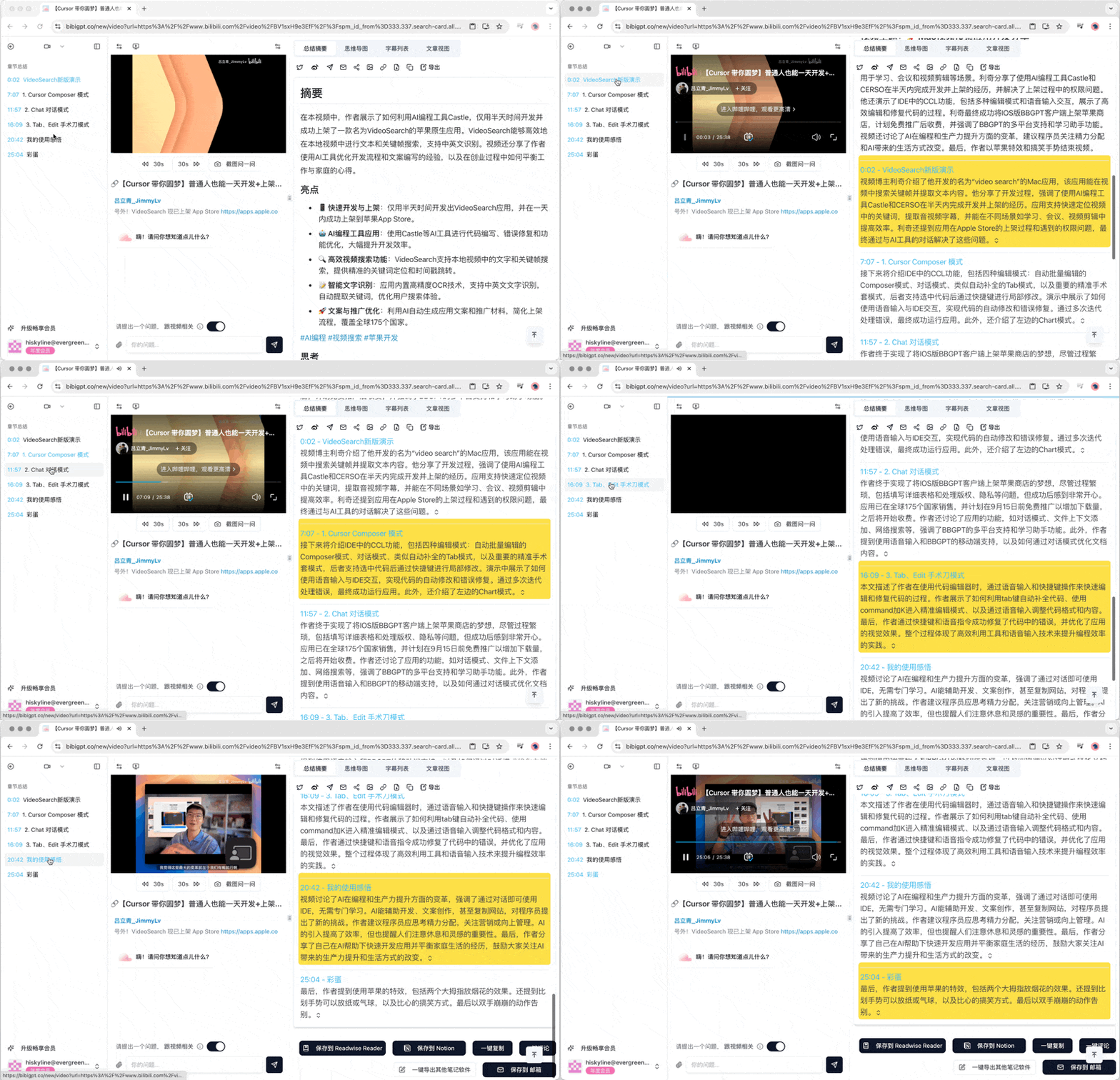 侧边栏提供了额外的导航功能:
* 章节总结跳转:快速定位到特定章节的总结内容
* 时间戳跳转:直接跳转到视频或音频的特定时间点
这些功能使得用户能够更加灵活地浏览和研究长视频或音频内容。
结合BibiGPT的快速上手指南,用户可以轻松上传视频或音频链接,然后利用这些详细的分析工具深入了解内容。无论是学习、研究还是娱乐,BibiGPT的总结详情功能都能帮助用户更高效地吸收和理解信息。
侧边栏提供了额外的导航功能:
* 章节总结跳转:快速定位到特定章节的总结内容
* 时间戳跳转:直接跳转到视频或音频的特定时间点
这些功能使得用户能够更加灵活地浏览和研究长视频或音频内容。
结合BibiGPT的快速上手指南,用户可以轻松上传视频或音频链接,然后利用这些详细的分析工具深入了解内容。无论是学习、研究还是娱乐,BibiGPT的总结详情功能都能帮助用户更高效地吸收和理解信息。