> ## Documentation Index
> Fetch the complete documentation index at: https://docs.bibigpt.co/llms.txt
> Use this file to discover all available pages before exploring further.

# BibiGPT 左側メニュー機能ガイド

> このガイドでは、ホーム、ライブラリ、タグ、サブスクリプション、探索など、BibiGPTの左側垂直サイドバーの各機能について詳しく説明します。

現在、メニューバーは全面的にアップグレードされ、新しいユーザーインターフェース（UI）を備えており、操作がより直感的で便利になりました。以下は、BibiGPTの左側垂直サイドバーの機能の詳細な紹介です：

## 1 メイン機能エリア

### 1.1 ホーム

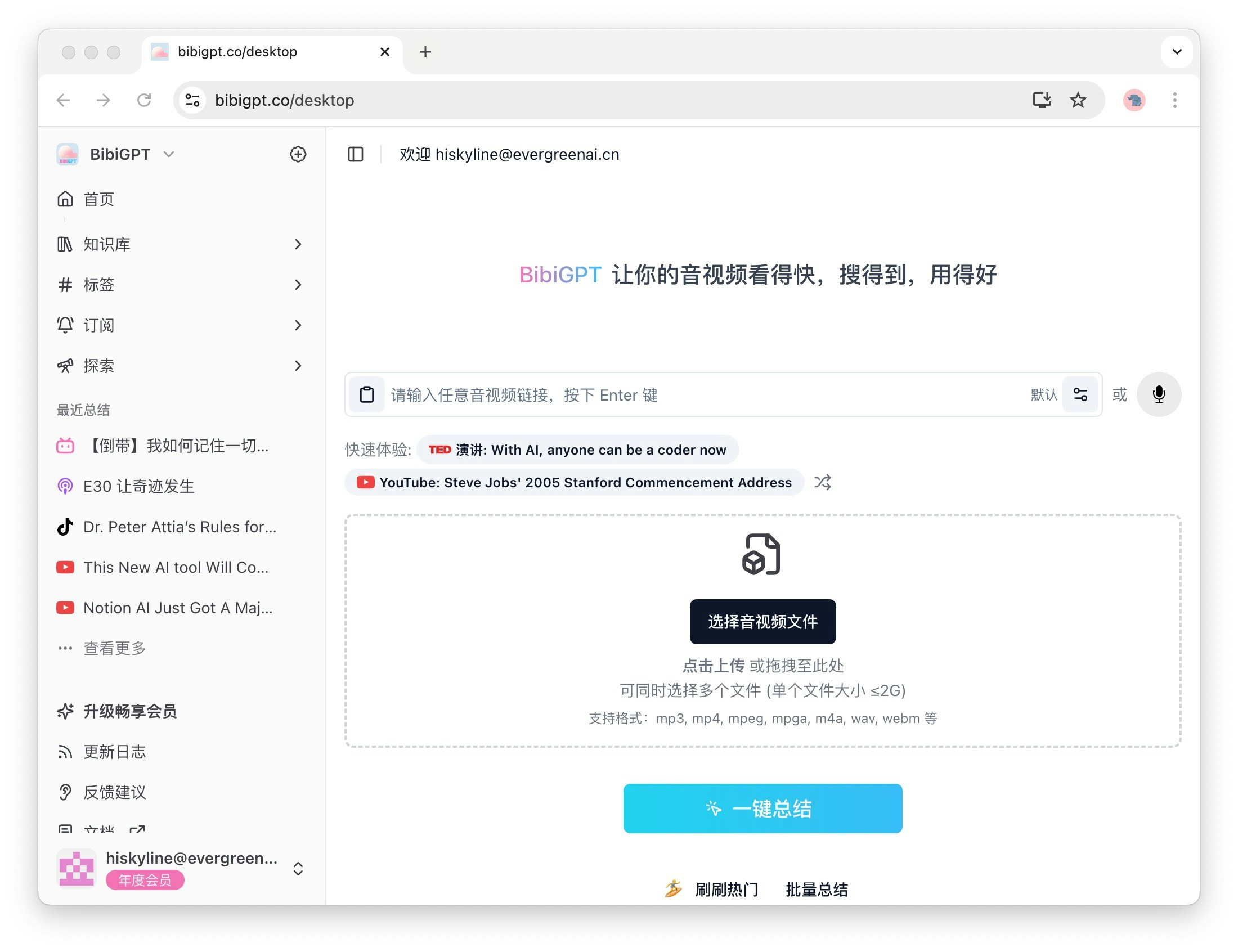
ホームは音声・動画要約の主要な入り口であり、ユーザーはここで自分の要約内容に素早くアクセスして管理できます。学習資料でもエンターテイメント動画でも、ホームは便利なアクセス体験を提供します。
<Frame>
  <img src="https://mintcdn.com/aitodo/-Qa7RZ_EuHK7rc6S/images/docs/getting-started/bibigpt-menu-guide/desktop.jpg?fit=max&auto=format&n=-Qa7RZ_EuHK7rc6S&q=85&s=3a7ea28c4f19119e0ca33c4155cdbc08" style={{ borderRadius: '0.5rem' }} width="2200" height="1692" data-path="images/docs/getting-started/bibigpt-menu-guide/desktop.jpg" />
</Frame>

### 1.2 ライブラリ

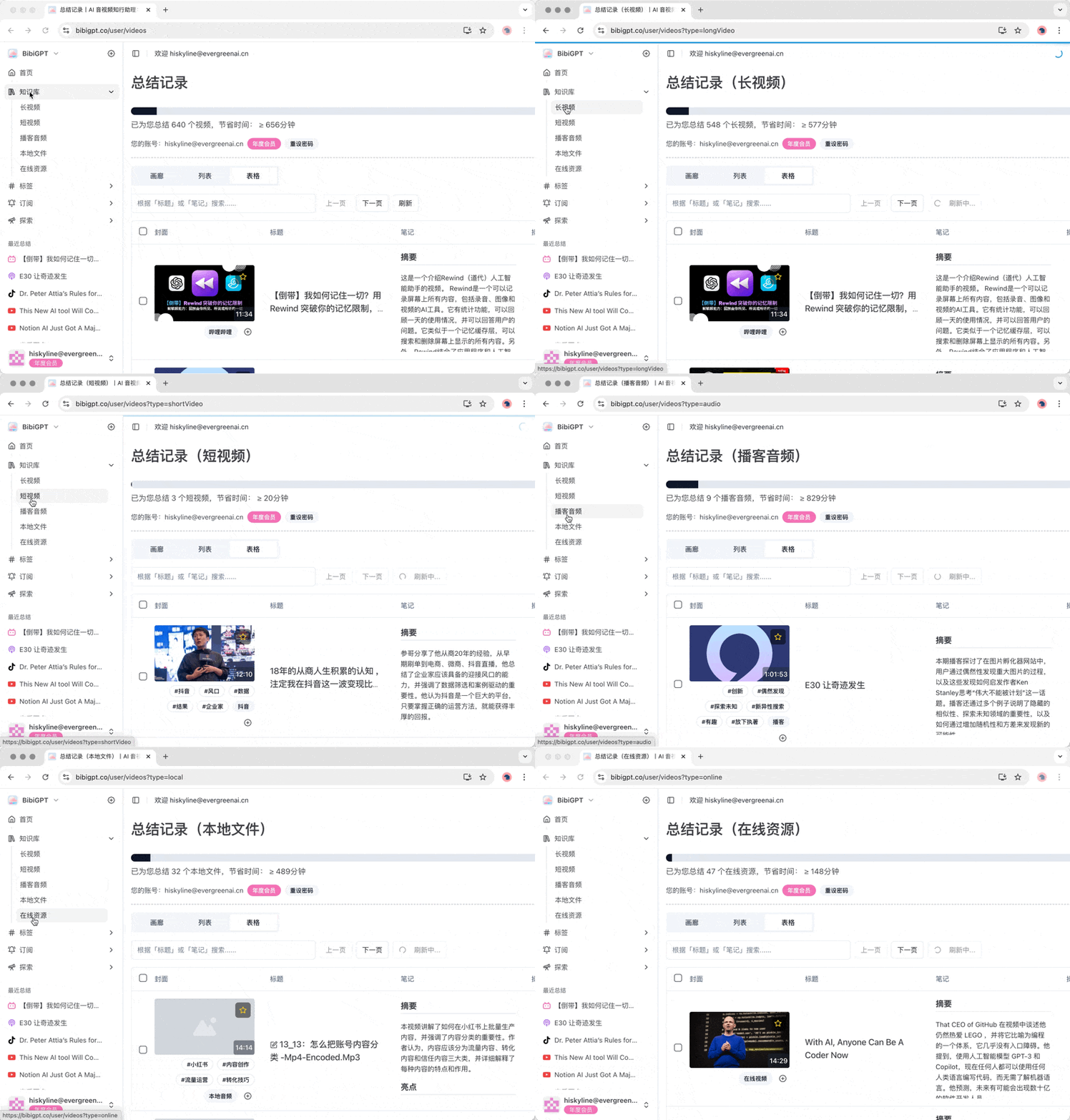
ライブラリは、これまでに要約した音声や動画が保存される場所です。ここのサブメニューには、長尺動画、短尺動画、ポッドキャスト音声、ローカルファイル、オンラインリソースが含まれており、必要なコンテンツを素早く見つけ、情報検索の効率を向上させるのに便利です。
<Frame>
  <img src="https://mintcdn.com/aitodo/-Qa7RZ_EuHK7rc6S/images/docs/getting-started/bibigpt-menu-guide/library.gif?s=e663df86475649fbd4d485d23850bc3e" style={{ borderRadius: '0.5rem' }} width="800" height="559" data-path="images/docs/getting-started/bibigpt-menu-guide/library.gif" />
</Frame>

### 1.3 タグ

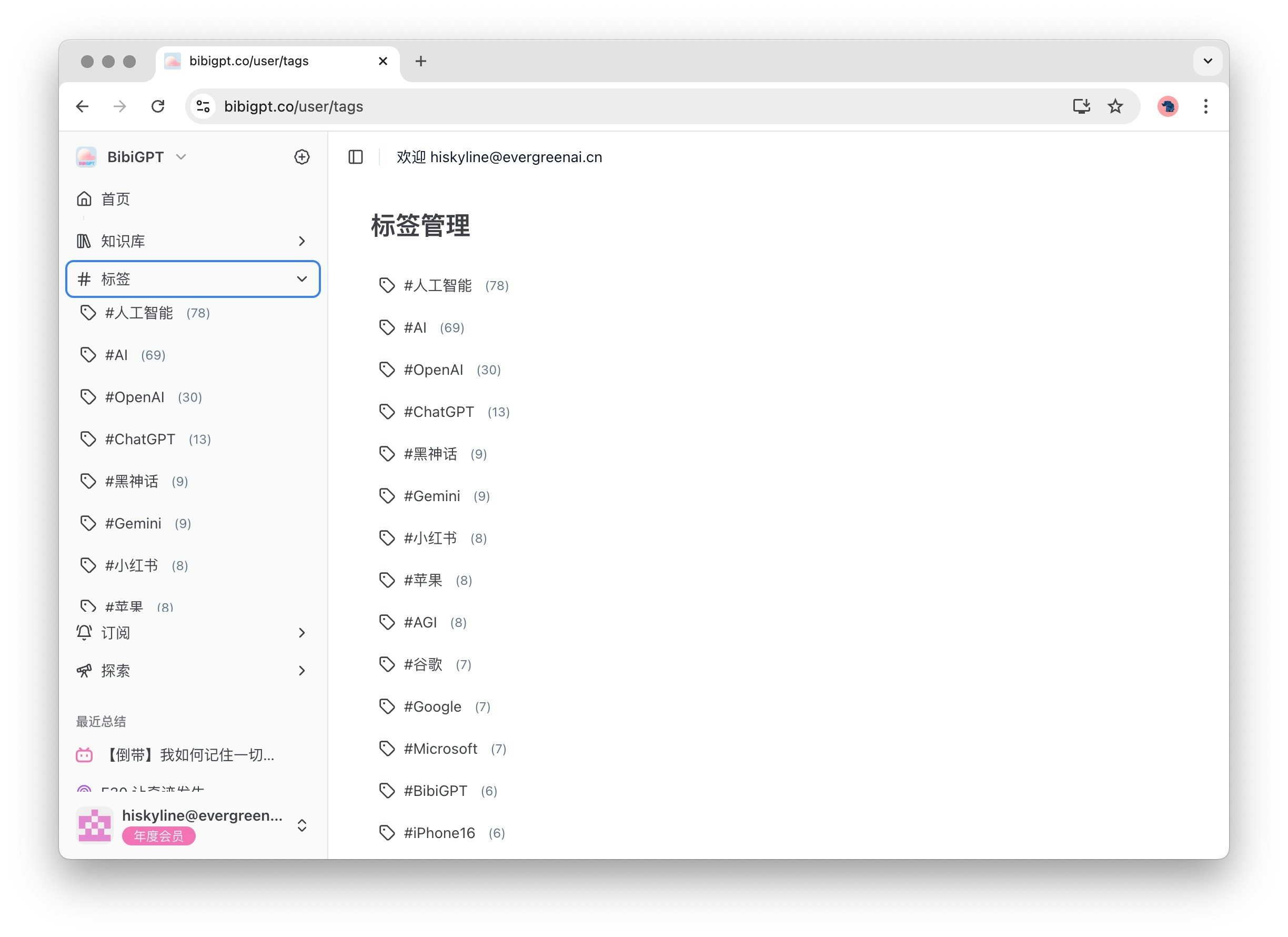
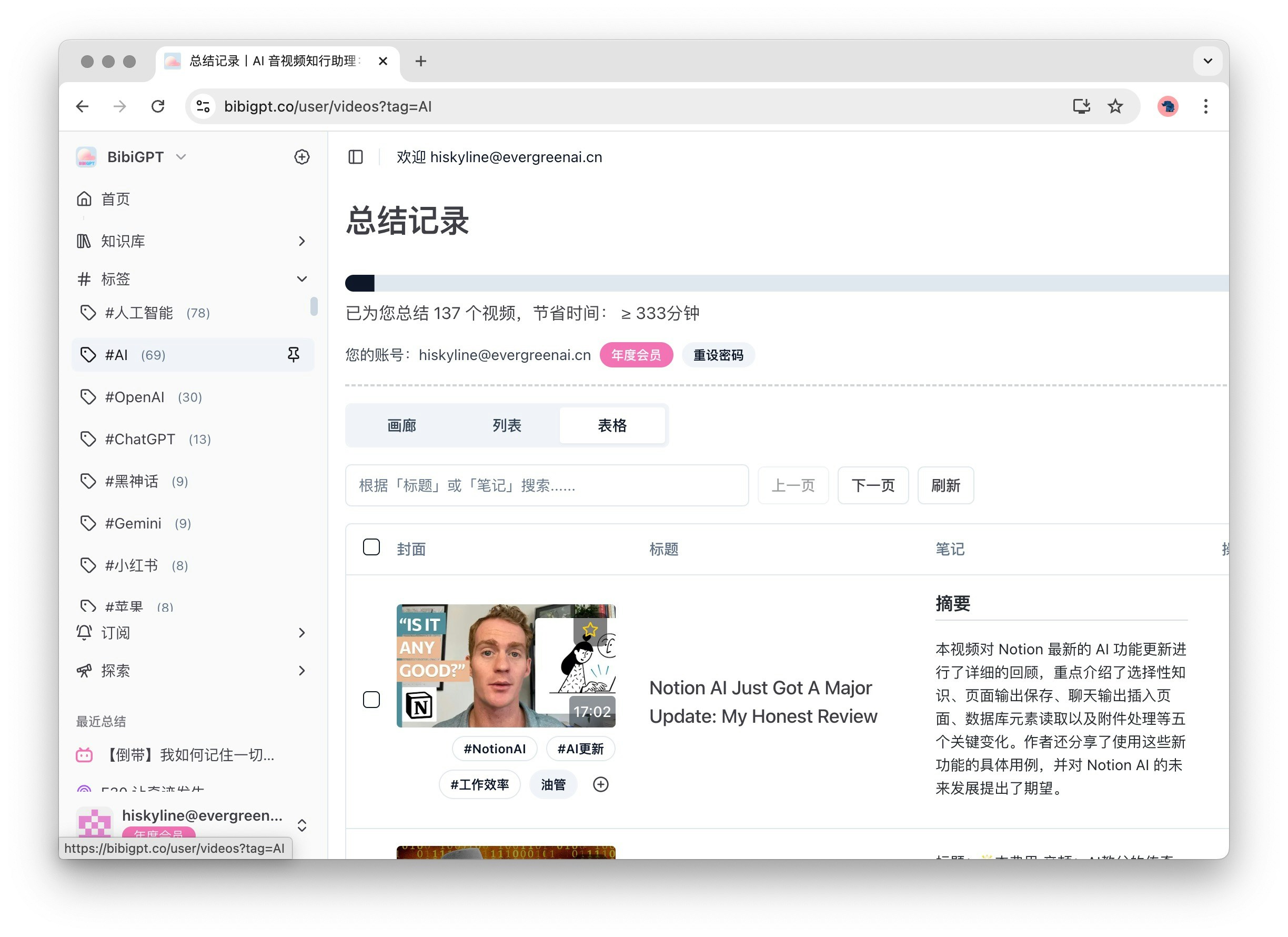
タグ機能は、動画コンテンツをより適切に管理および分類するのに役立ちます。展開すると、サブメニューに動画のタグリストと対応する数が表示されます。これらのタグは、動画の内容に基づいてBibiGPTによって自動生成され、関連するトピックを素早く見つけるのに便利です。
<Frame>
  <img src="https://mintcdn.com/aitodo/-Qa7RZ_EuHK7rc6S/images/docs/getting-started/bibigpt-menu-guide/tag-list.jpg?fit=max&auto=format&n=-Qa7RZ_EuHK7rc6S&q=85&s=aa63c12b5c37fb6357c5e825458b1dfc" style={{ borderRadius: '0.5rem' }} width="2448" height="1780" data-path="images/docs/getting-started/bibigpt-menu-guide/tag-list.jpg" />
</Frame>

<Frame>
  <img src="https://mintcdn.com/aitodo/-Qa7RZ_EuHK7rc6S/images/docs/getting-started/bibigpt-menu-guide/tag.jpg?fit=max&auto=format&n=-Qa7RZ_EuHK7rc6S&q=85&s=d631abfdd3fe3a269a7ae7b6e5b49b5c" style={{ borderRadius: '0.5rem' }} width="2448" height="1780" data-path="images/docs/getting-started/bibigpt-menu-guide/tag.jpg" />
</Frame>

### 1.4 サブスクリプション

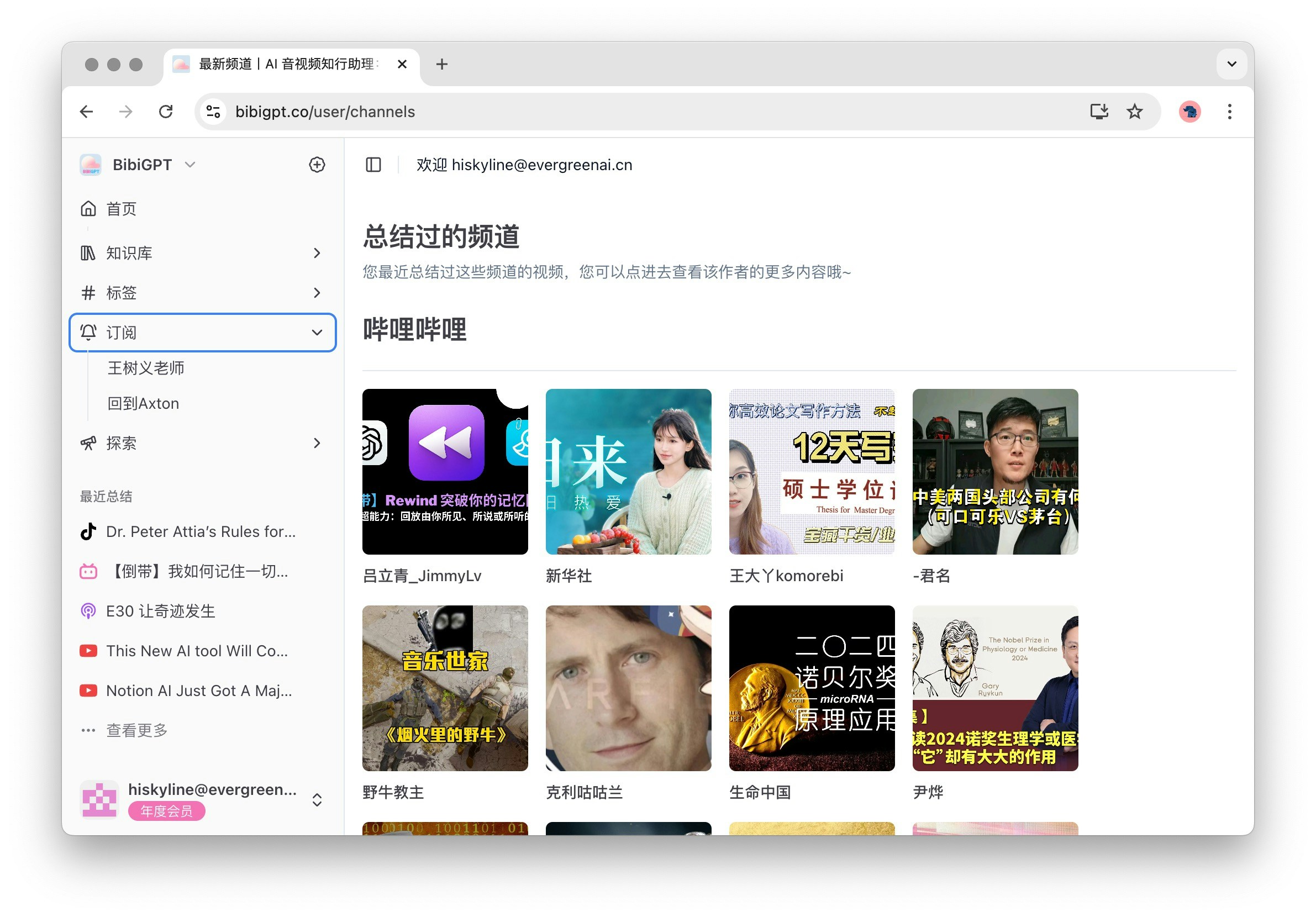
サブスクリプション機能を使用すると、興味のあるチャンネルを簡単に管理できます。展開すると、サブメニューに登録しているチャンネル名が表示され、「登録」をクリックすると、Bilibili、YouTube、ブログなど、登録可能なすべての人気チャンネルが表示され、素晴らしいコンテンツを見逃すことはありません。
<Frame>
  <img src="https://mintcdn.com/aitodo/-Qa7RZ_EuHK7rc6S/images/docs/getting-started/bibigpt-menu-guide/subscribe.jpg?fit=max&auto=format&n=-Qa7RZ_EuHK7rc6S&q=85&s=27cd5dd6013c6d63be767cf6b945df2e" style={{ borderRadius: '0.5rem' }} width="2382" height="1660" data-path="images/docs/getting-started/bibigpt-menu-guide/subscribe.jpg" />
</Frame>

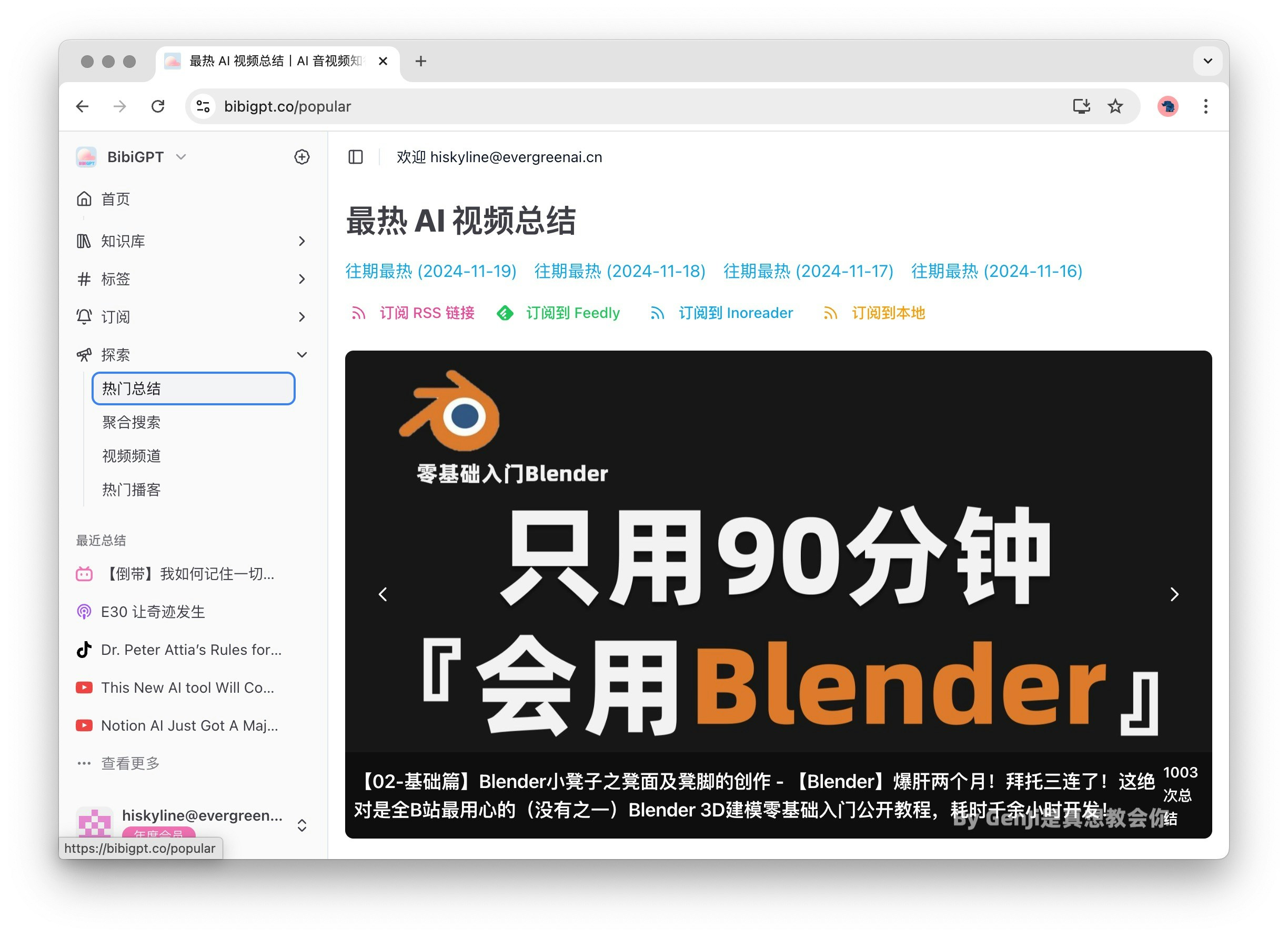
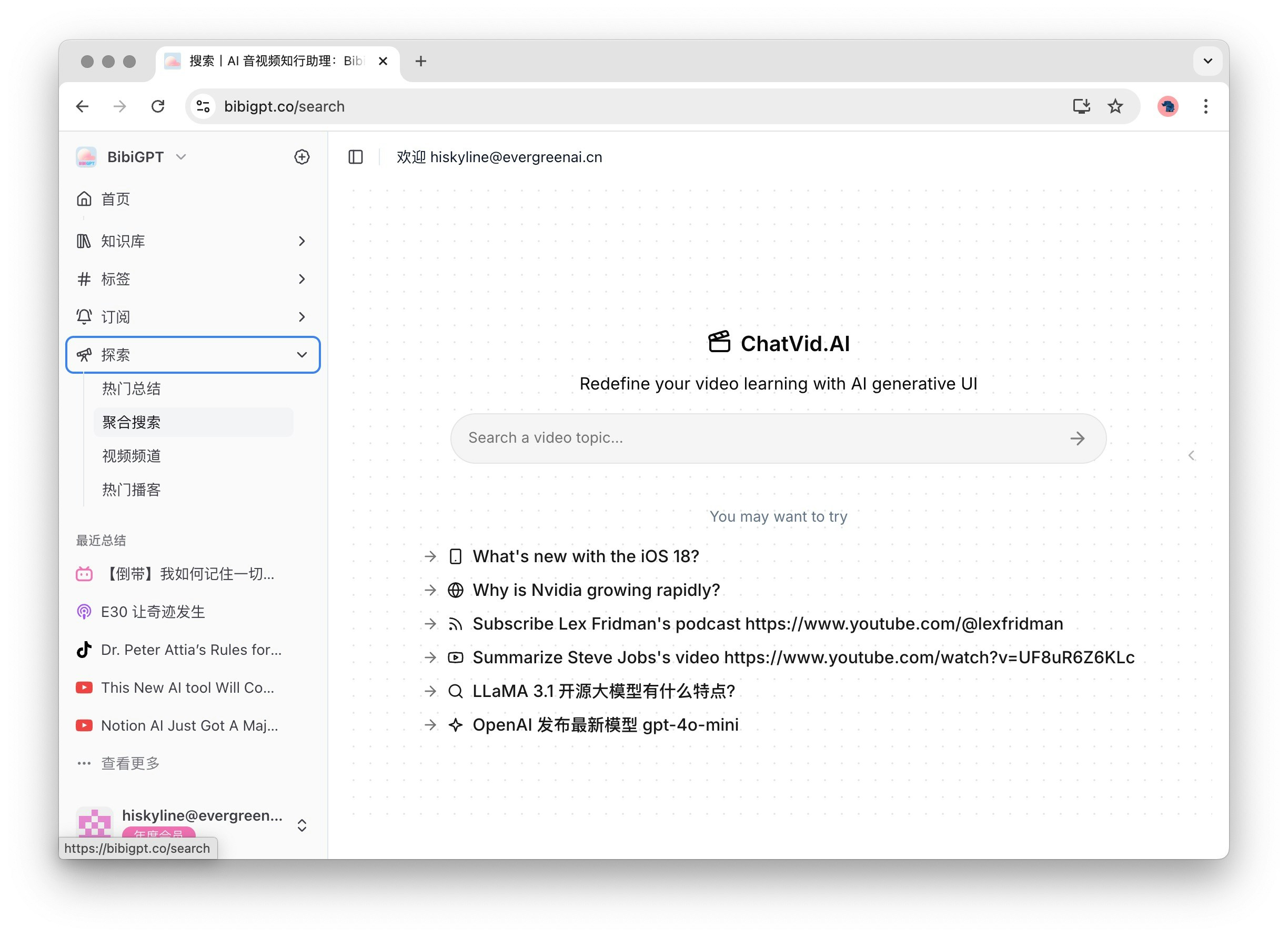
### 1.5 探索

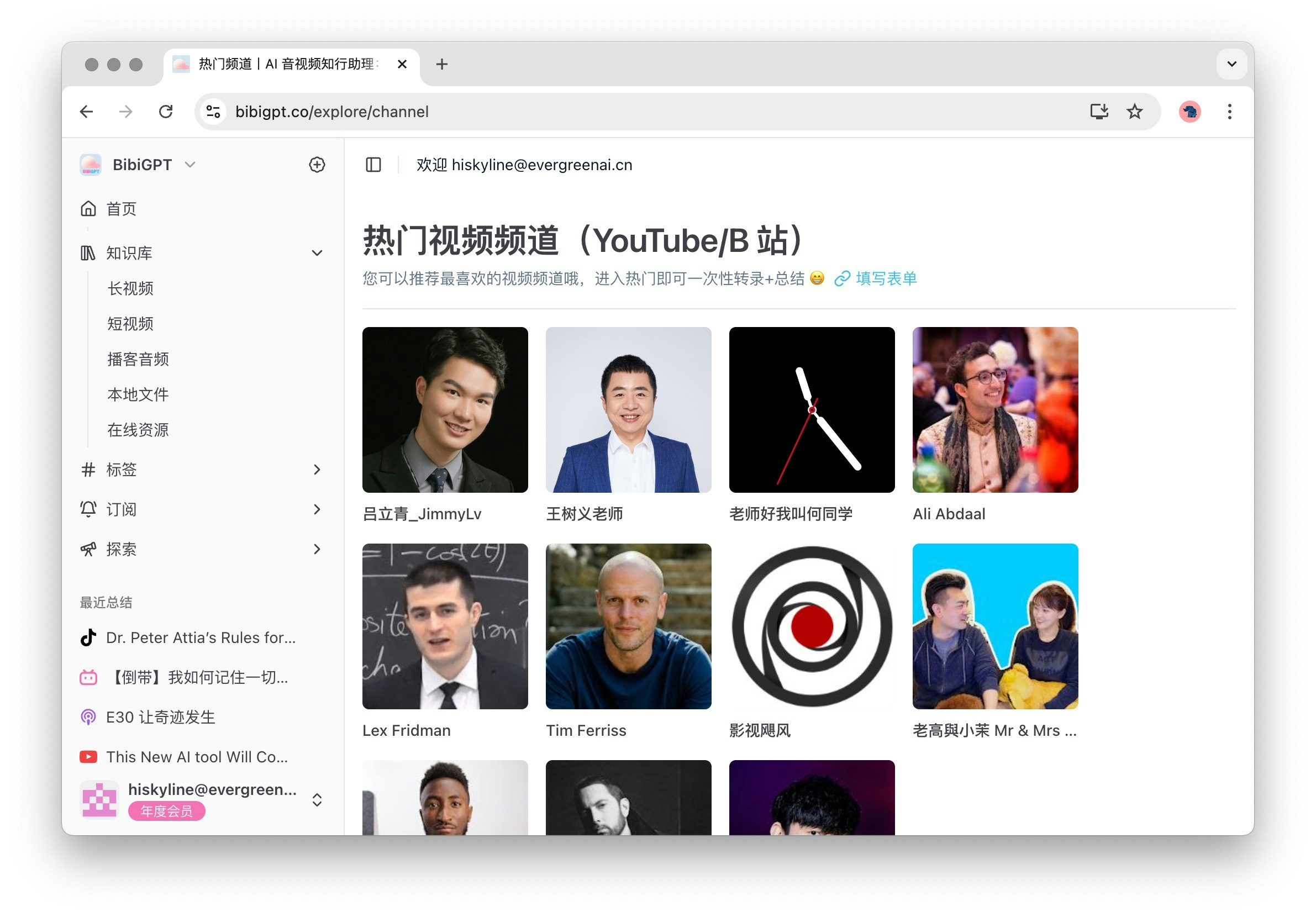
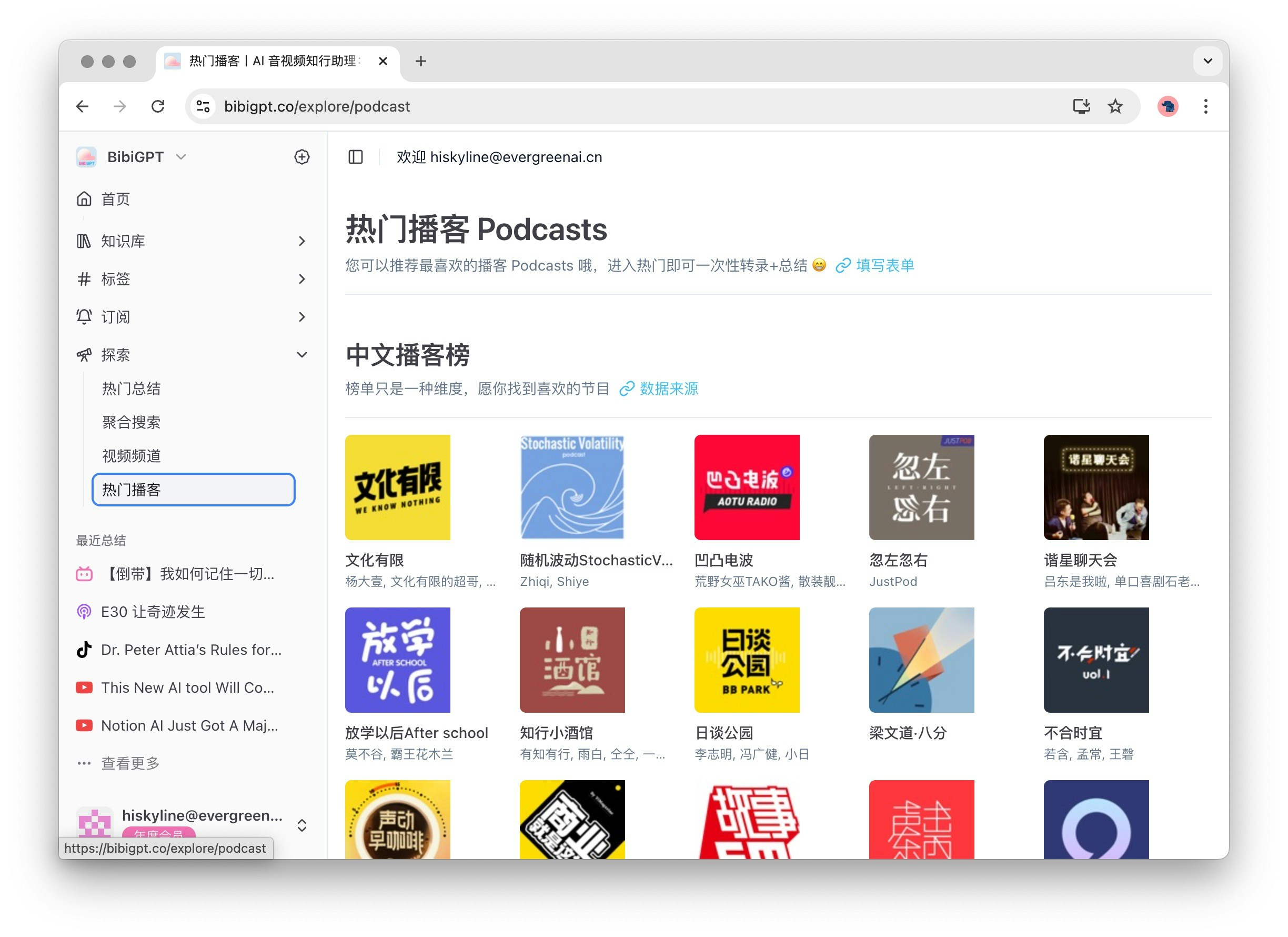
探索機能は、豊富なコンテンツ発見オプションを提供します。展開すると、サブメニューには人気要約、集約検索、動画チャンネル、人気ポッドキャストが含まれます。デフォルトで「探索」をクリックすると人気要約が開き、最新かつ最も人気のあるコンテンツを見つけるのに役立ちます。
<Frame>
  <img src="https://mintcdn.com/aitodo/-Qa7RZ_EuHK7rc6S/images/docs/getting-started/bibigpt-menu-guide/popular.jpg?fit=max&auto=format&n=-Qa7RZ_EuHK7rc6S&q=85&s=50811edc42b288bd04cf9646ec799683" style={{ borderRadius: '0.5rem' }} width="2448" height="1780" data-path="images/docs/getting-started/bibigpt-menu-guide/popular.jpg" />
</Frame>

<Frame>
  <img src="https://mintcdn.com/aitodo/-Qa7RZ_EuHK7rc6S/images/docs/getting-started/bibigpt-menu-guide/search.jpg?fit=max&auto=format&n=-Qa7RZ_EuHK7rc6S&q=85&s=4e3c5e639a3dfab1f71621b6f94d424b" style={{ borderRadius: '0.5rem' }} width="2448" height="1780" data-path="images/docs/getting-started/bibigpt-menu-guide/search.jpg" />
</Frame>

<Frame>
  <img src="https://mintcdn.com/aitodo/-Qa7RZ_EuHK7rc6S/images/docs/getting-started/bibigpt-menu-guide/channel.jpg?fit=max&auto=format&n=-Qa7RZ_EuHK7rc6S&q=85&s=722c0520c50e4caaa79875f8884ed8ae" style={{ borderRadius: '0.5rem' }} width="2382" height="1660" data-path="images/docs/getting-started/bibigpt-menu-guide/channel.jpg" />
</Frame>

<Frame>
  <img src="https://mintcdn.com/aitodo/-Qa7RZ_EuHK7rc6S/images/docs/getting-started/bibigpt-menu-guide/podcast.jpg?fit=max&auto=format&n=-Qa7RZ_EuHK7rc6S&q=85&s=f7251d9dec006fee8e482a4fea9ed8ef" style={{ borderRadius: '0.5rem' }} width="2448" height="1780" data-path="images/docs/getting-started/bibigpt-menu-guide/podcast.jpg" />
</Frame>

## 2 補助機能エリア

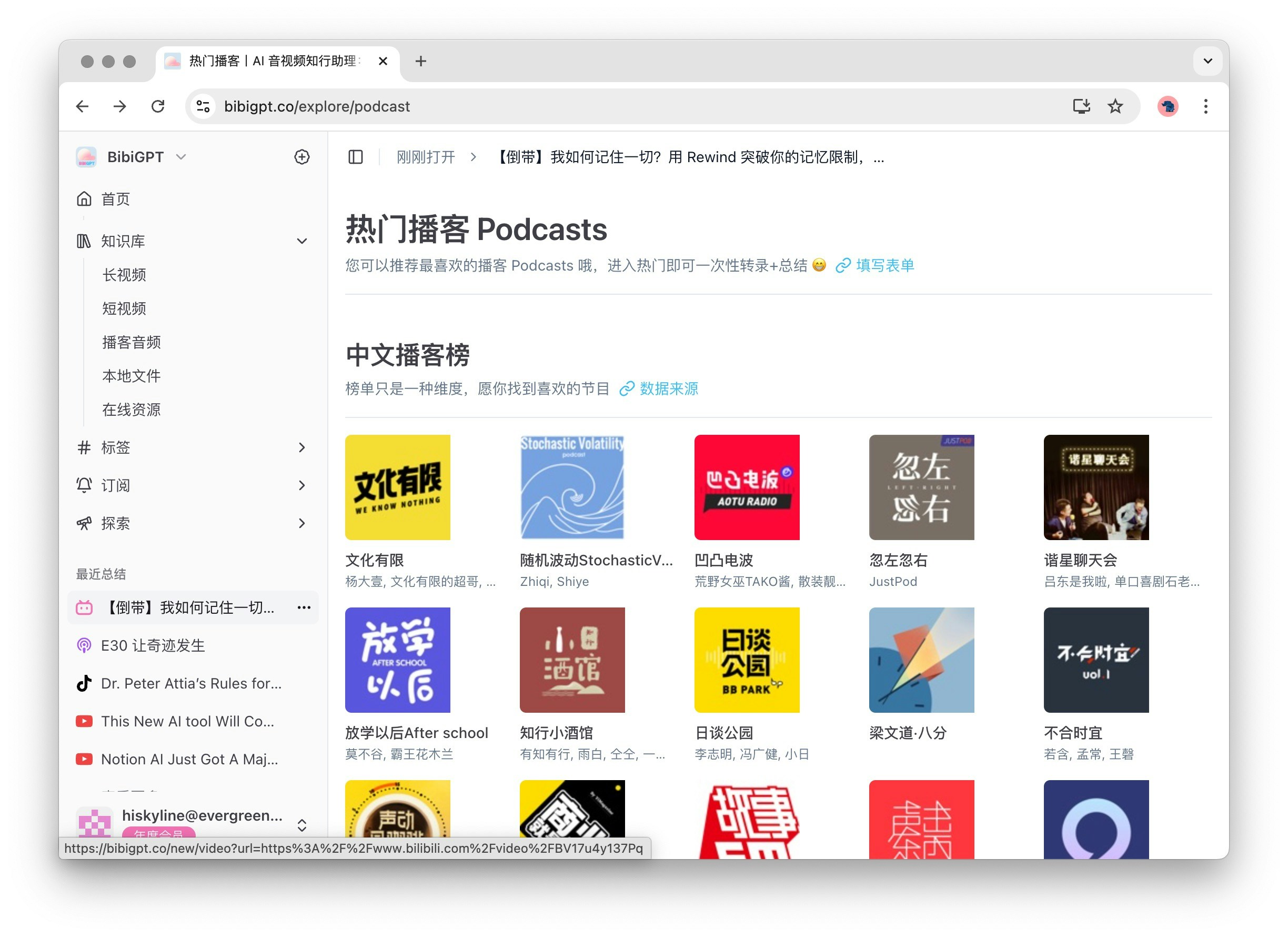
### 2.1 最近の要約

最近の要約機能はメイン機能エリアの下にあり、最近の要約を最大5つ表示します。「もっと見る」をクリックするとライブラリに移動し、履歴を素早く確認してアクセスするのに便利です。履歴のいずれかをクリックすると、対応する音声または動画の要約詳細ページに移動し、必要なコンテンツを簡単に見つけることができます。
<Frame>
  <img src="https://mintcdn.com/aitodo/-Qa7RZ_EuHK7rc6S/images/docs/getting-started/bibigpt-menu-guide/history-entry.jpg?fit=max&auto=format&n=-Qa7RZ_EuHK7rc6S&q=85&s=aeb1b5403cc5aeca82c8d7dd0366f0e3" style={{ borderRadius: '0.5rem' }} width="2448" height="1780" data-path="images/docs/getting-started/bibigpt-menu-guide/history-entry.jpg" />
</Frame>

### 2.2 ヘルプとサポート

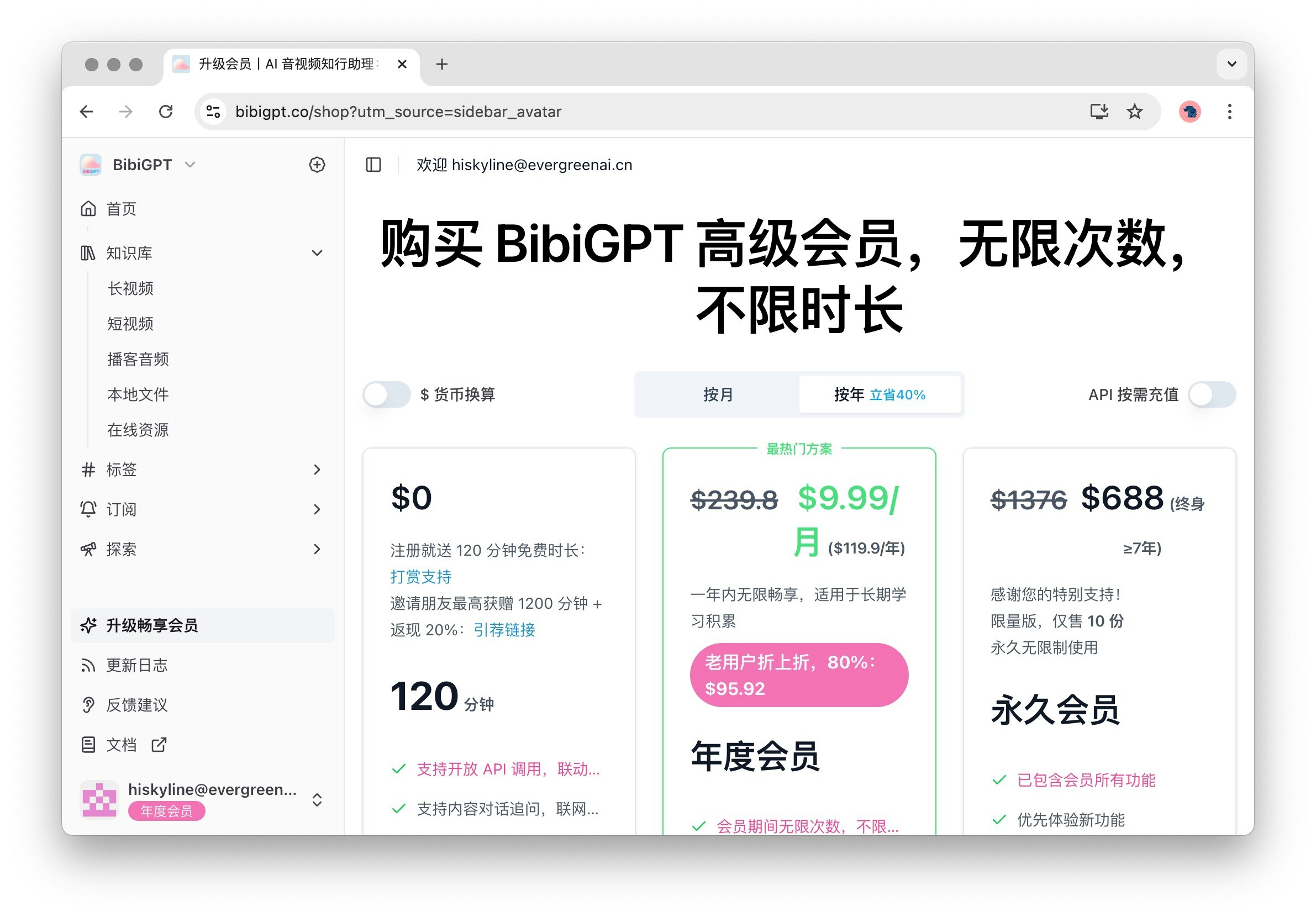
ヘルプとサポートエリアには以下のオプションが含まれており、BibiGPTを使用する際に必要なサポートを受けられるようにします：

1. メンバーシップのアップグレード：クリックしてメンバーシップ購入ページに移動し、より多くの高度な機能とサービスをお楽しみください。
   <Frame>
     <img src="https://mintcdn.com/aitodo/-Qa7RZ_EuHK7rc6S/images/docs/getting-started/bibigpt-menu-guide/price.jpg?fit=max&auto=format&n=-Qa7RZ_EuHK7rc6S&q=85&s=87a9a094e835f39c7484b0f56c49b85b" style={{ borderRadius: '0.5rem' }} width="2382" height="1660" data-path="images/docs/getting-started/bibigpt-menu-guide/price.jpg" />
   </Frame>

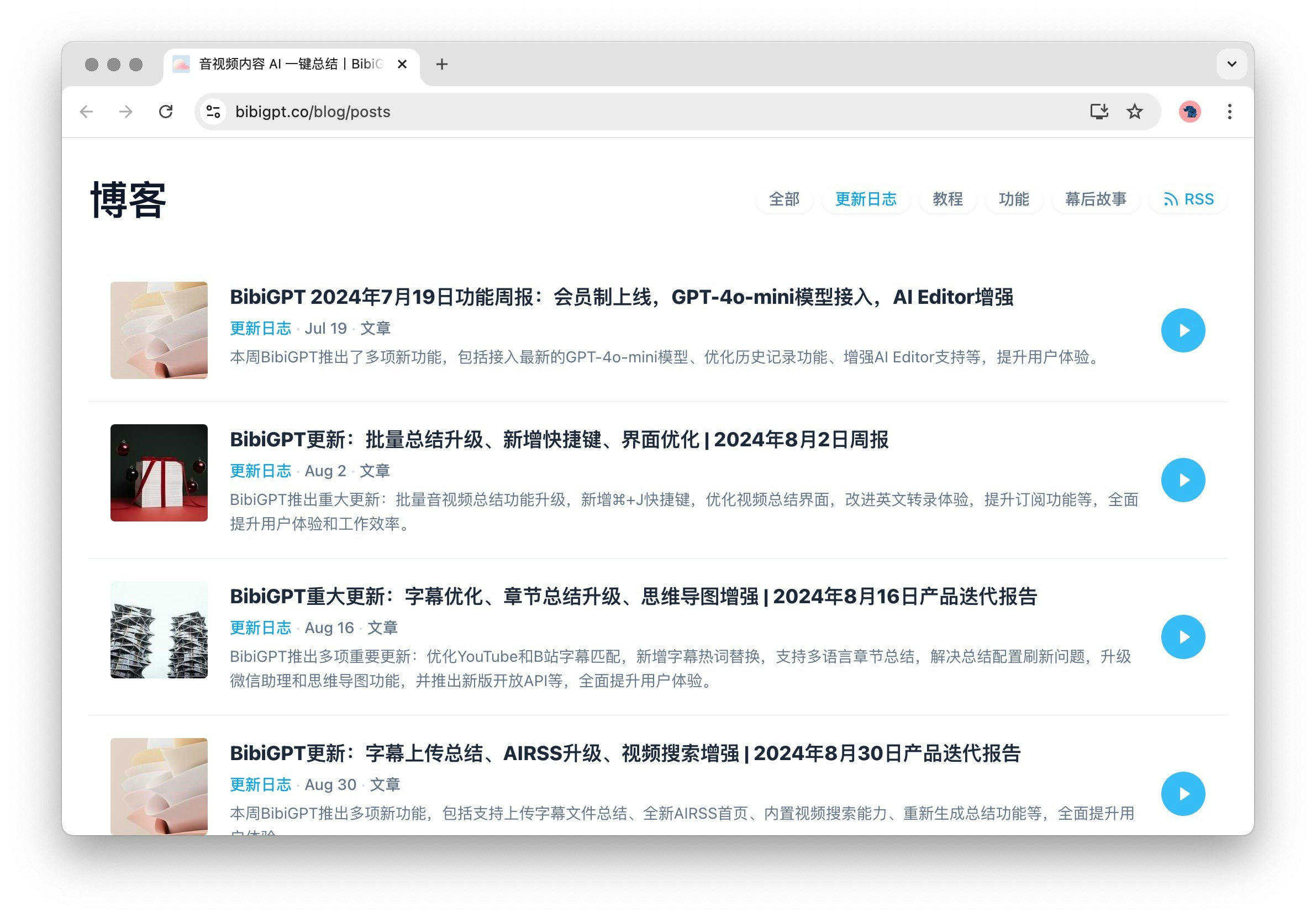
2. 更新ログ：BibiGPTの更新内容とブログを表示し、最新機能と改善点を理解するのに役立ちます。
   <Frame>
     <img src="https://mintcdn.com/aitodo/-Qa7RZ_EuHK7rc6S/images/docs/getting-started/bibigpt-menu-guide/blog.jpg?fit=max&auto=format&n=-Qa7RZ_EuHK7rc6S&q=85&s=bae6669ded28e9a3fdf76ef14f80ac70" style={{ borderRadius: '0.5rem' }} width="2382" height="1660" data-path="images/docs/getting-started/bibigpt-menu-guide/blog.jpg" />
   </Frame>

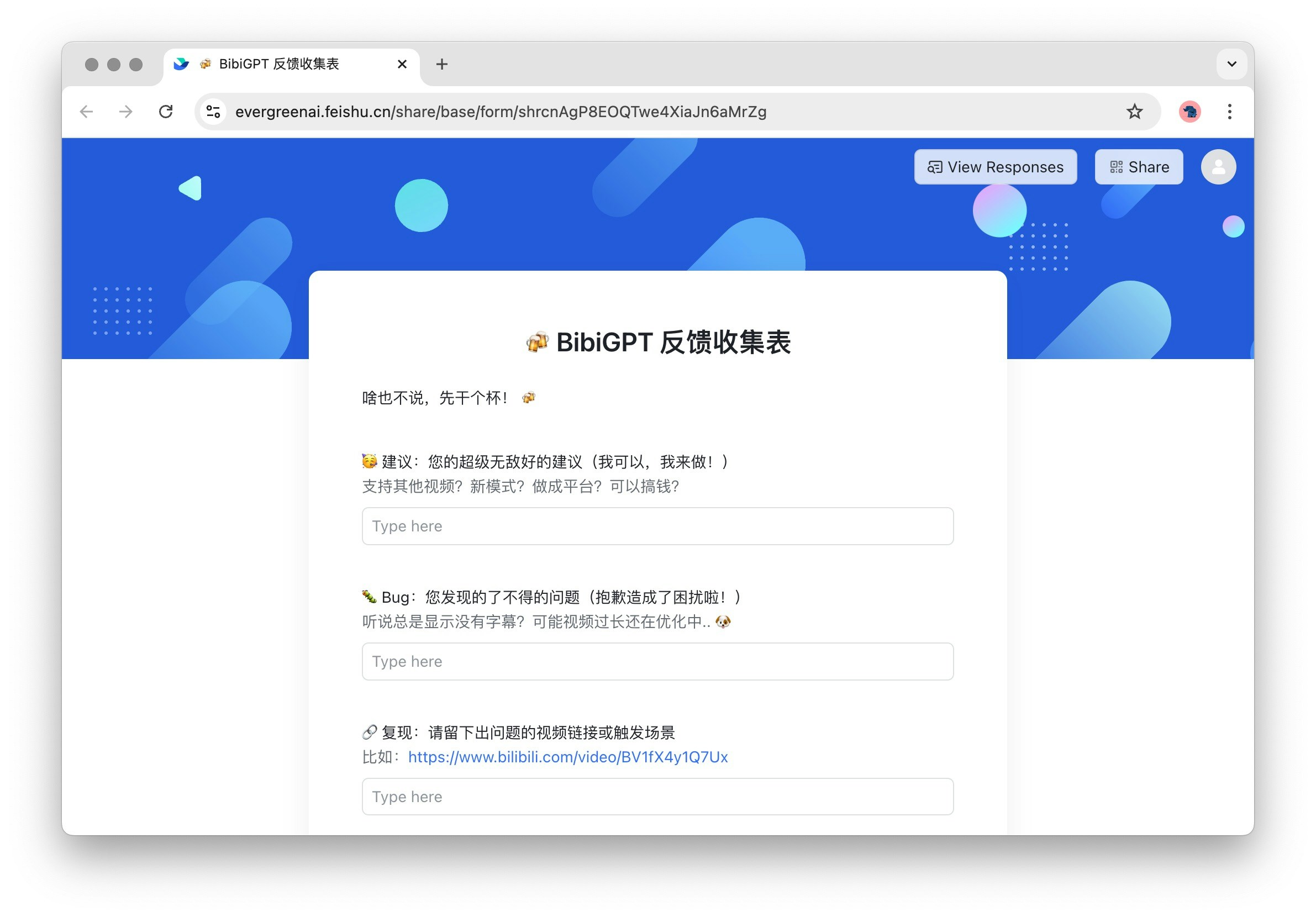
3. フィードバック：ユーザーフィードバックの入り口です。貴重なご意見をお待ちしており、継続的な改善に役立てさせていただきます。
   <Frame>
     <img src="https://mintcdn.com/aitodo/-Qa7RZ_EuHK7rc6S/images/docs/getting-started/bibigpt-menu-guide/feedback.jpg?fit=max&auto=format&n=-Qa7RZ_EuHK7rc6S&q=85&s=43e9405a0a30ef8b75178c069097d4b8" style={{ borderRadius: '0.5rem' }} width="2382" height="1660" data-path="images/docs/getting-started/bibigpt-menu-guide/feedback.jpg" />
   </Frame>

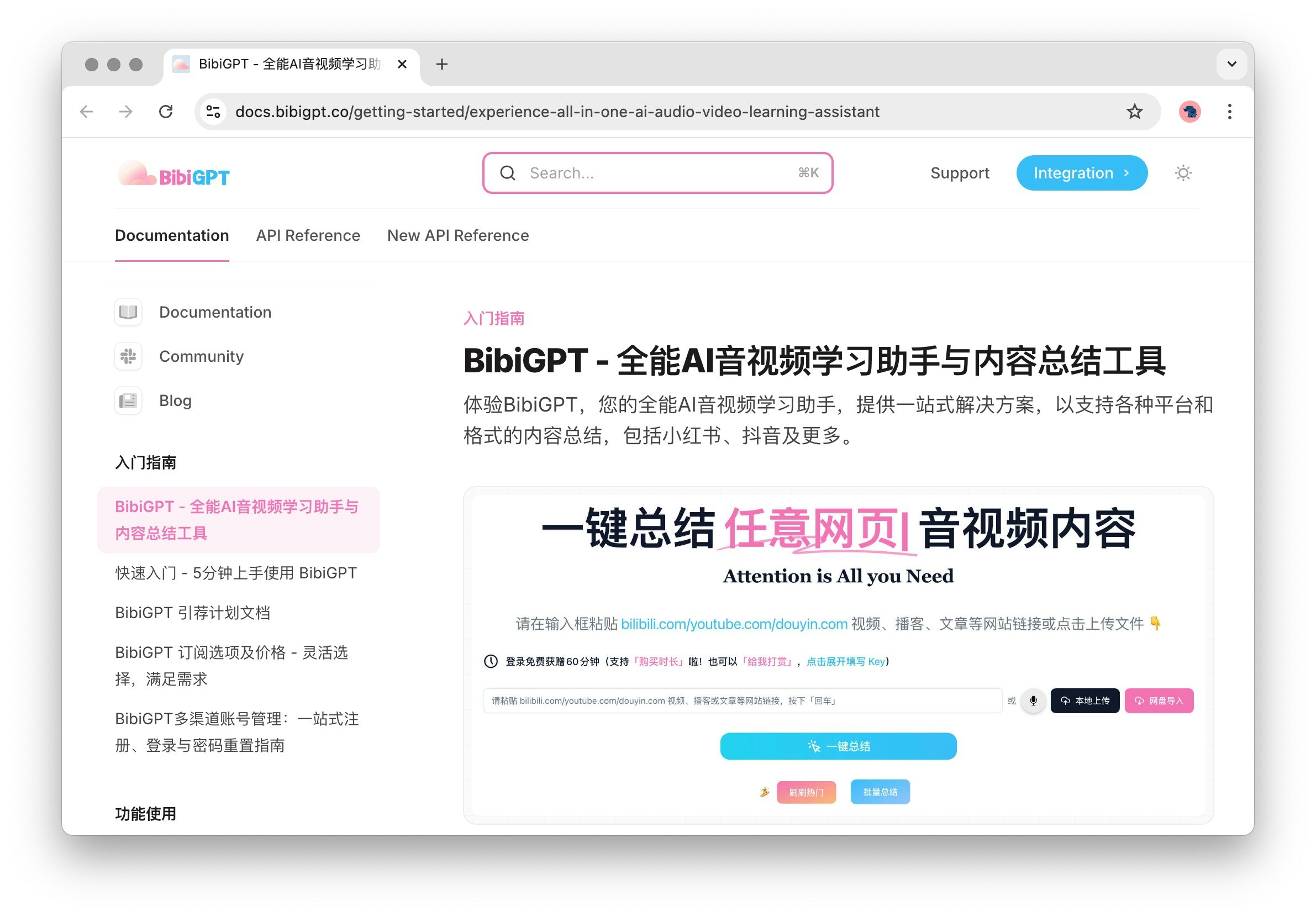
4. ヘルプドキュメント：詳細な使用ガイドで、包括的な操作説明とヒントを提供します。

   <Frame>
     <img src="https://mintcdn.com/aitodo/-Qa7RZ_EuHK7rc6S/images/docs/getting-started/bibigpt-menu-guide/docs.jpg?fit=max&auto=format&n=-Qa7RZ_EuHK7rc6S&q=85&s=12e0d4cf338efe93de32938d024f1ddc" style={{ borderRadius: '0.5rem' }} width="2382" height="1660" data-path="images/docs/getting-started/bibigpt-menu-guide/docs.jpg" />
   </Frame>