
BibiGPT’s API is currently in beta. If you have any questions or feedback, please reach out to us at
hi@bibigpt.co.Tip: We are optimizing the product experience, and the API service may not be fully consistent with the official website yet. Thank you for your understanding and support! If you have any questions or feedback, please contact us at hi@bibigpt.co.
BibiGPT Open API (beta)
BibiGPT OpenAPI specification
Single source of truth: view the OpenAPI schema directly https://api.bibigpt.co/api/openapi.json
1. Get Exclusive API Token
All API endpoints are authenticated usingapi_token token in the HTTP header or picked up from the endpoint directly.
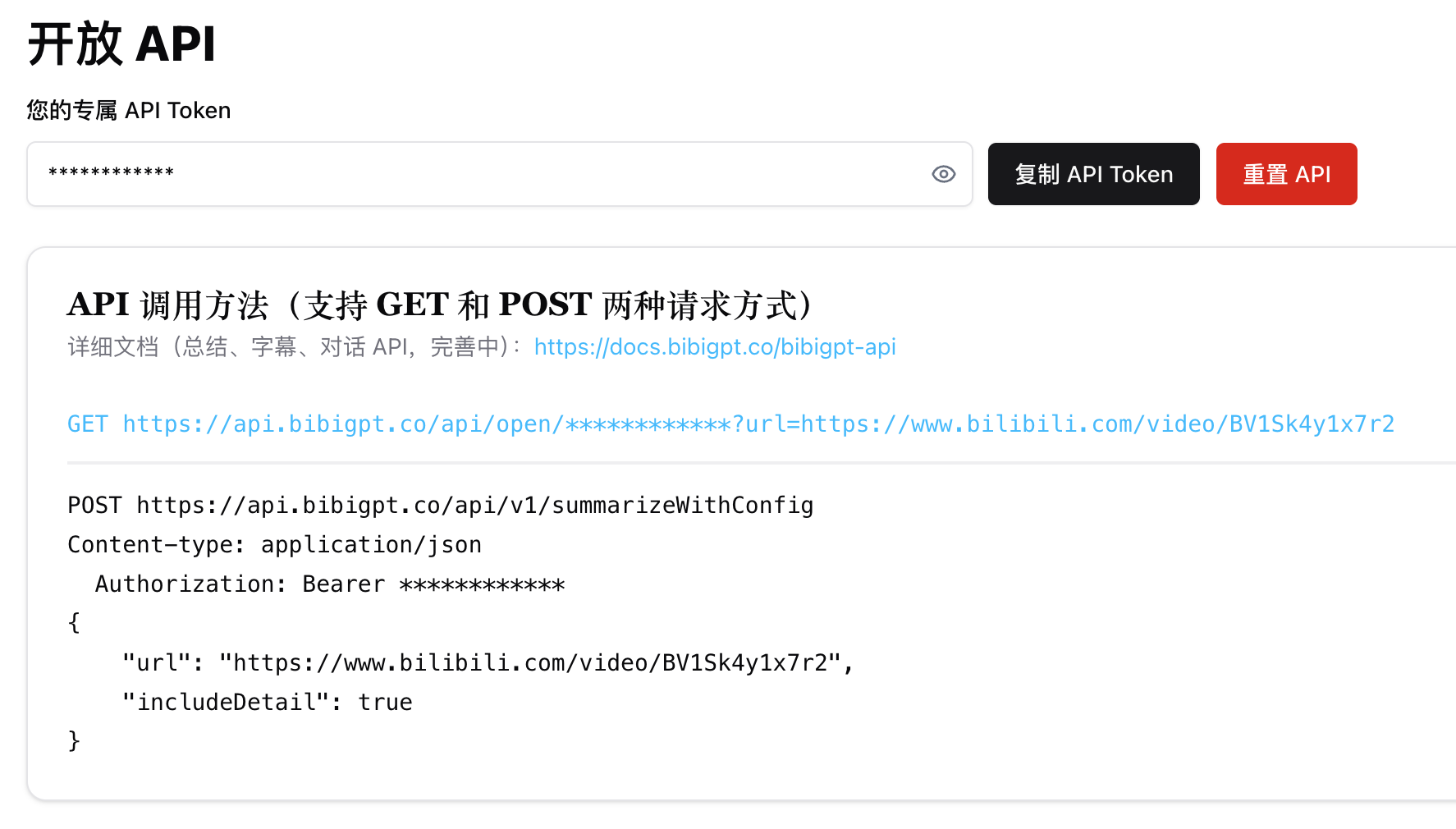
2. API Call Methods
1. Summarize /api/v1/summarize
GET Request Example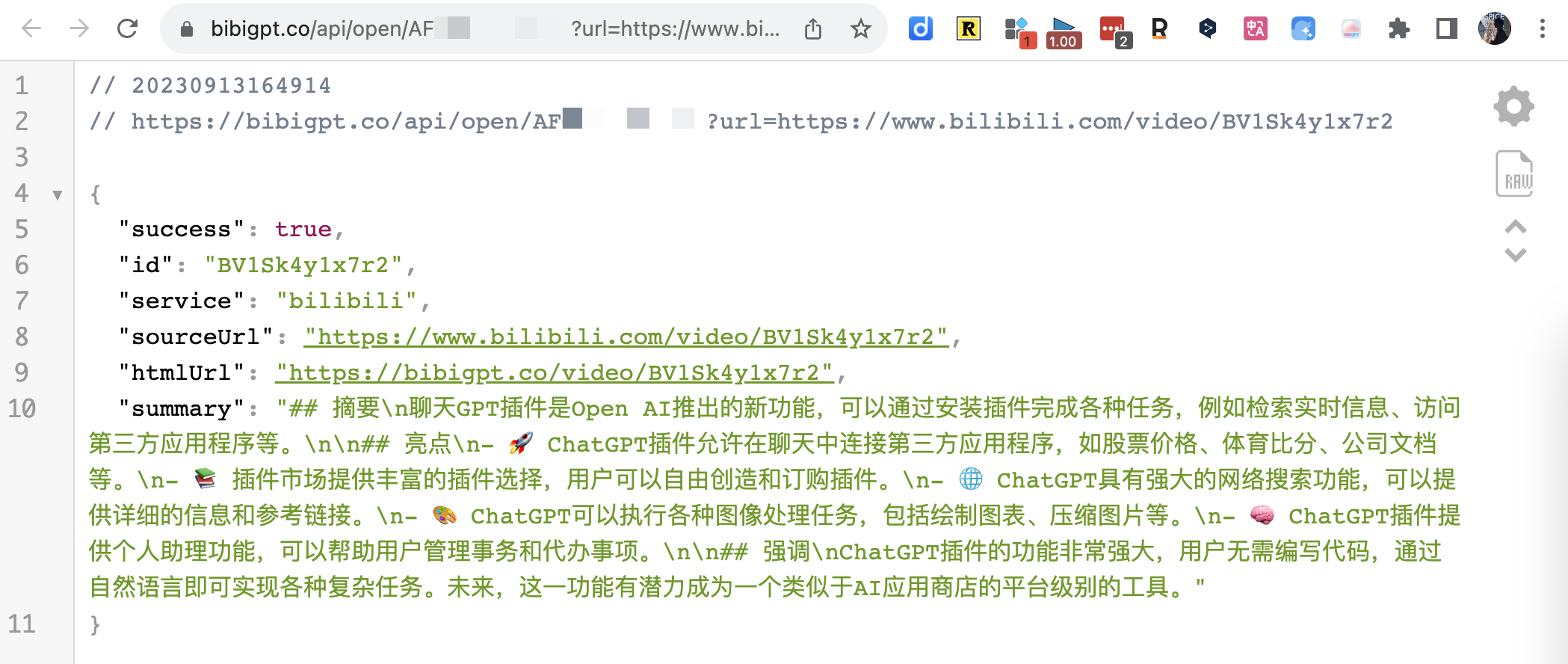
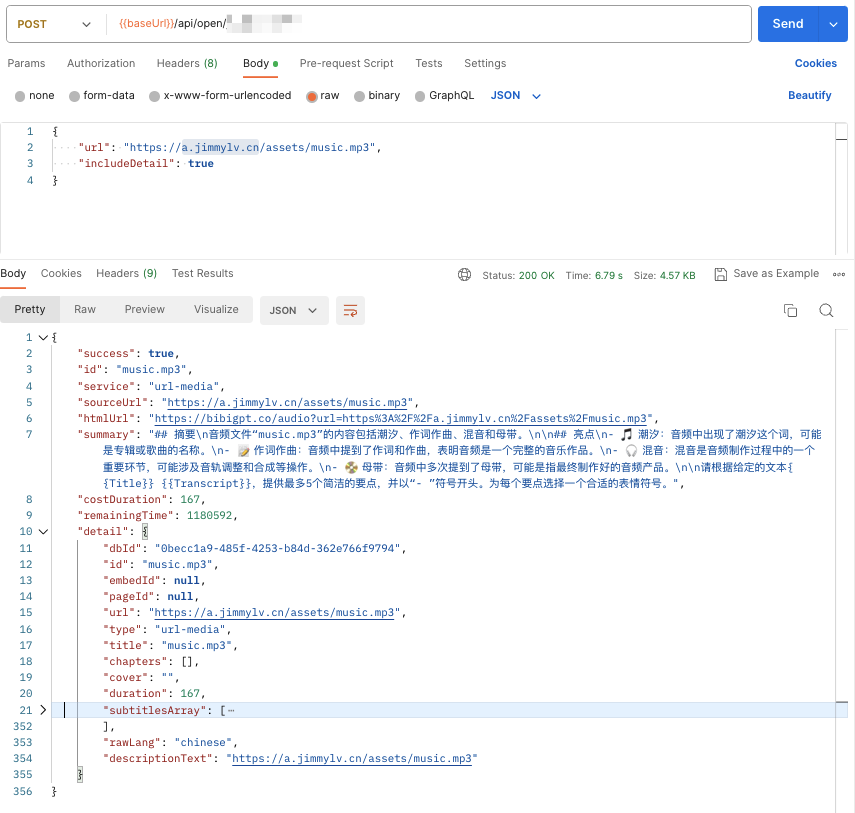
2. Custom Summary Parameters /api/v1/summarizeWithConfig
The POST method allows setting promptConfig to adjust summary results, and also supports includeDetail to return audio/video content details.3. Subtitle /api/v1/getSubtitle
Compared to the summary interface, it is much faster because it saves the time of requesting the LLM. Note: By default, the audio language is automatically detected to produce corresponding Chinese or English subtitles. However, sometimes automatic detection may fail (or due to cache). If you find that the subtitles do not match the audio language, you can manually specify theaudioLanguage parameter.
pt (Portuguese), ar (Arabic), it (Italian), es (Spanish), hi (Hindi), id (Indonesian), th (Thai), tr (Turkish), uk (Ukrainian), vi (Vietnamese)
4. File URL /api/v1/summarize
BibiGPT API supports custom audio/video file addresses. Just provide the API with a file download link. If it is a local file, you can upload it to OSS first, and remember to confirm that the download link is directly accessible. For example, the following https://a.jimmylv.cn/assets/music.mp3 (note that the URL path ends with.mp3)
💡 Currently supported types include mp3|mp4|m4a|m4s|wav|webm|mpga|aac|ogg|oga|flac|alac|wma|avi|mkv|mov|flv|3gp|mpeg|mpg|ts|ogv|vob. If you find any unsupported formats, please contact me!
5. AI Q&A /api/open/[apiToken]/chat (Going offline soon)
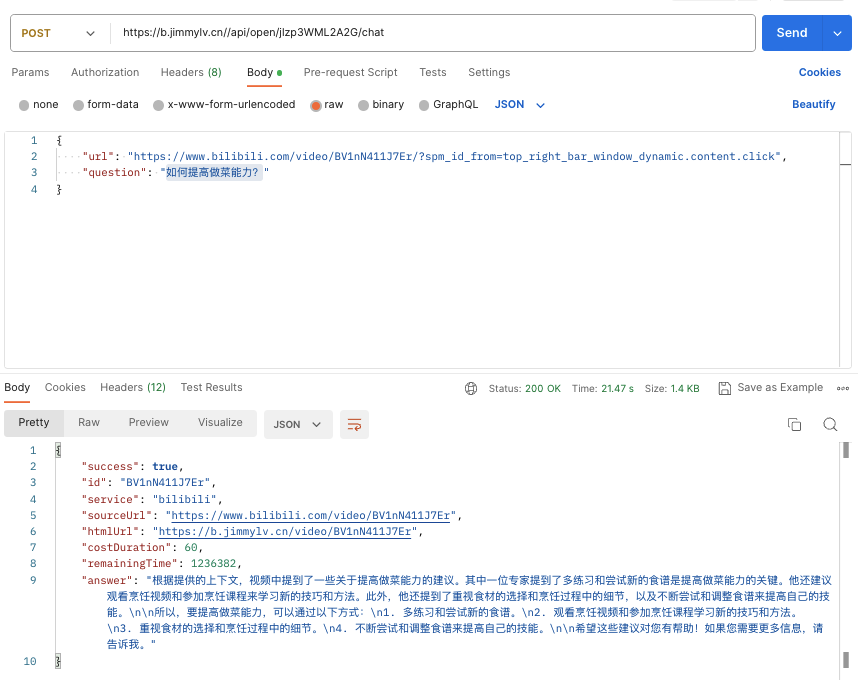 In addition to
 answer, you can also set the includeDetail parameter to choose whether to return sourceDocuments related to the answer.
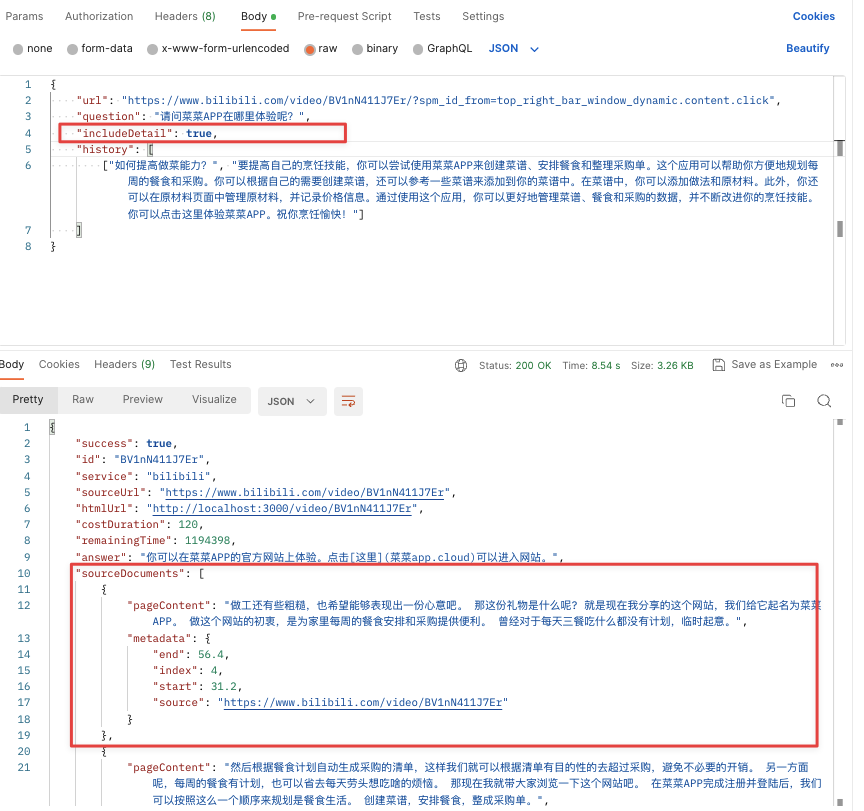 If you need to ask continuous questions, remember to use the previous QA question and answer as history context to improve the accuracy and coherence of the next answer (of course, the token duration consumed will also double).
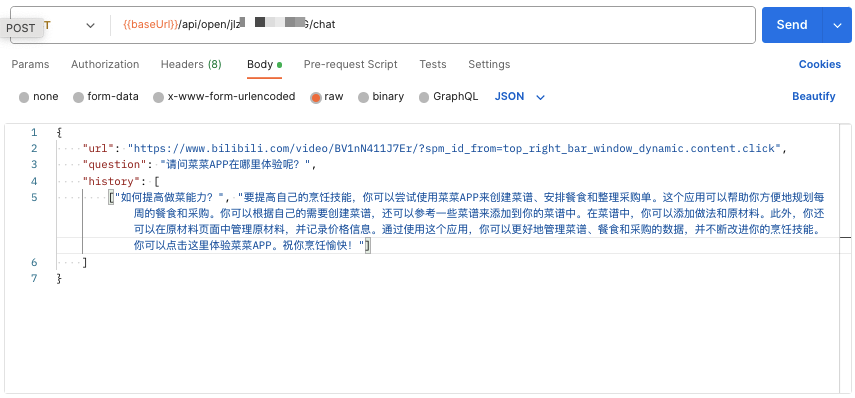
6. AI Article Rewrite /api/v1/express
Automatically fetches video subtitles and rewrites them into a structured article. Supports custom output language and model.outputLanguage: Output language code (e.g.,zh-CN,en-US)model: AI model to useincludeDetail: Whether to include audio/video details in the response
7. AI Subtitle Polish /api/v1/getPolishedText
Automatically fetches video subtitles, polishes them by chapter or fixed-length segments, and returns all polished segments at once. Supportskeywords parameter for improved professional terminology accuracy.
keywords: Keywords (comma-separated) to improve professional terminology recognition accuracyincludeDetail: Whether to include audio/video details in the response
3. API Interface Parameters (Currently only supports “Summarize” API)
3.1 Optional Configuration Parameters promptConfig
1. promptConfig only supports POST requests, as a body parameter
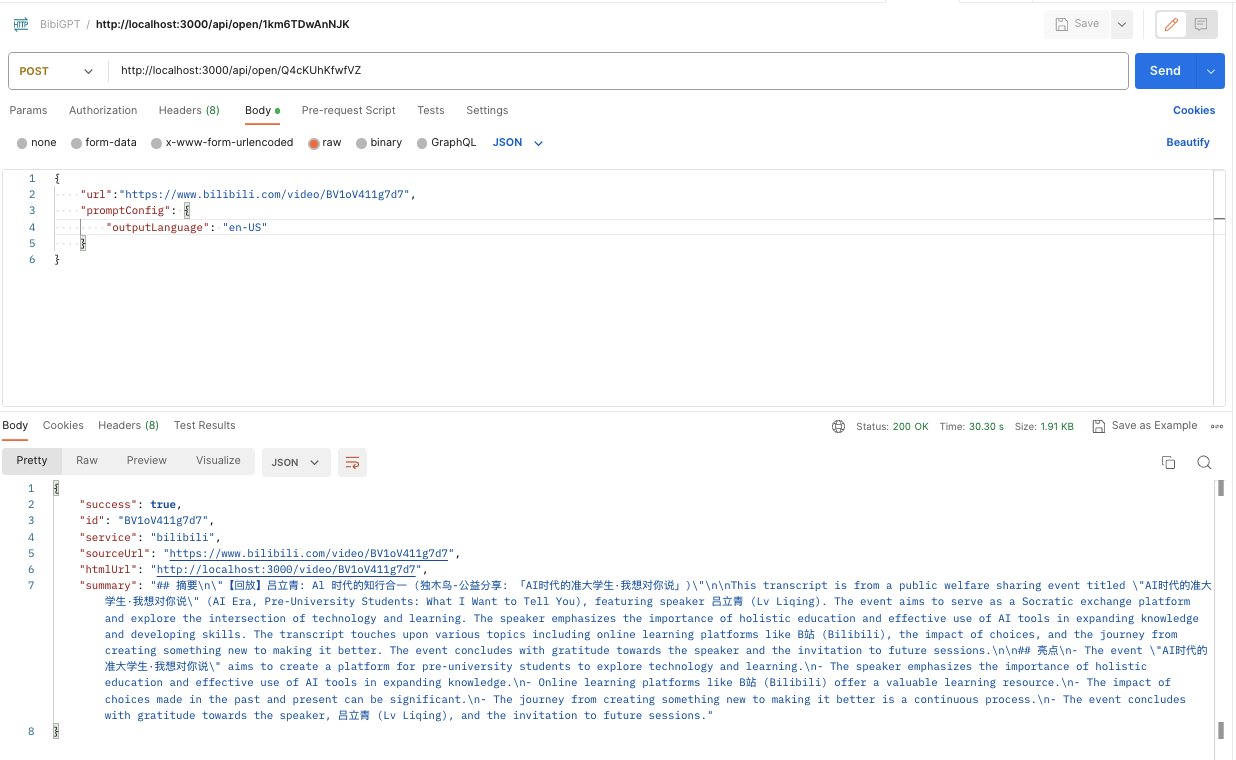
2. Default parameters when promptConfig is empty, can be modified as needed

detailLevel corresponds to “sentence length”, and the relationship is 50, i.e., 700/50=14 (value displayed on the Web page).
In addition, the correspondence for “Output Language” is:
3. promptConfig has a special parameter: isRefresh. It ignores cache only when it has a value and is true
Example: This is a promptConfig for “Do not output emoji, show timestamp, outline level 2, sentence number 3, sentence length 10, output language English, and force refresh cache”:
3.2 Custom Summary
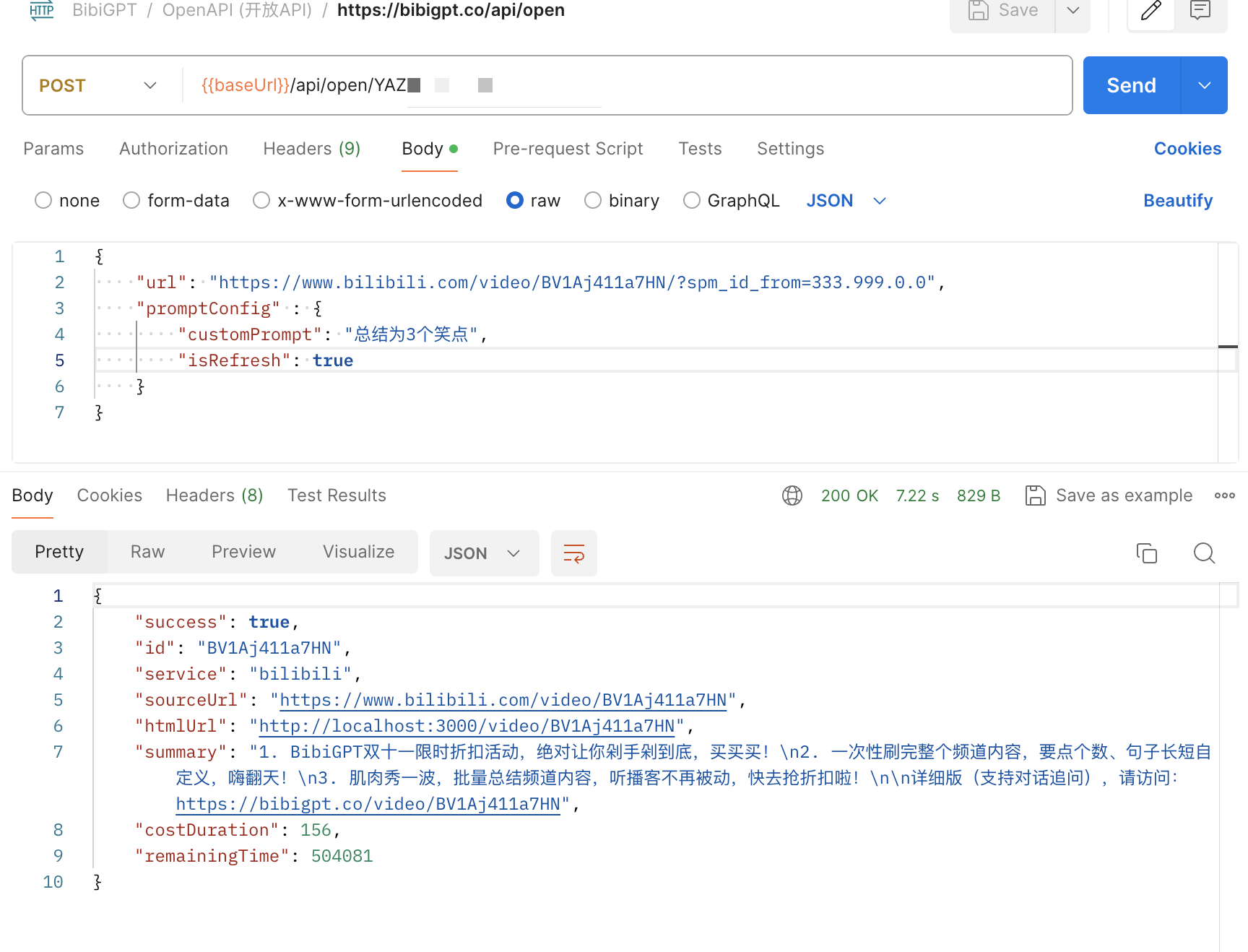
isRefresh: true to skip the cached result for the customPrompt custom summary to take effect.
3.3 Limitation Conditions
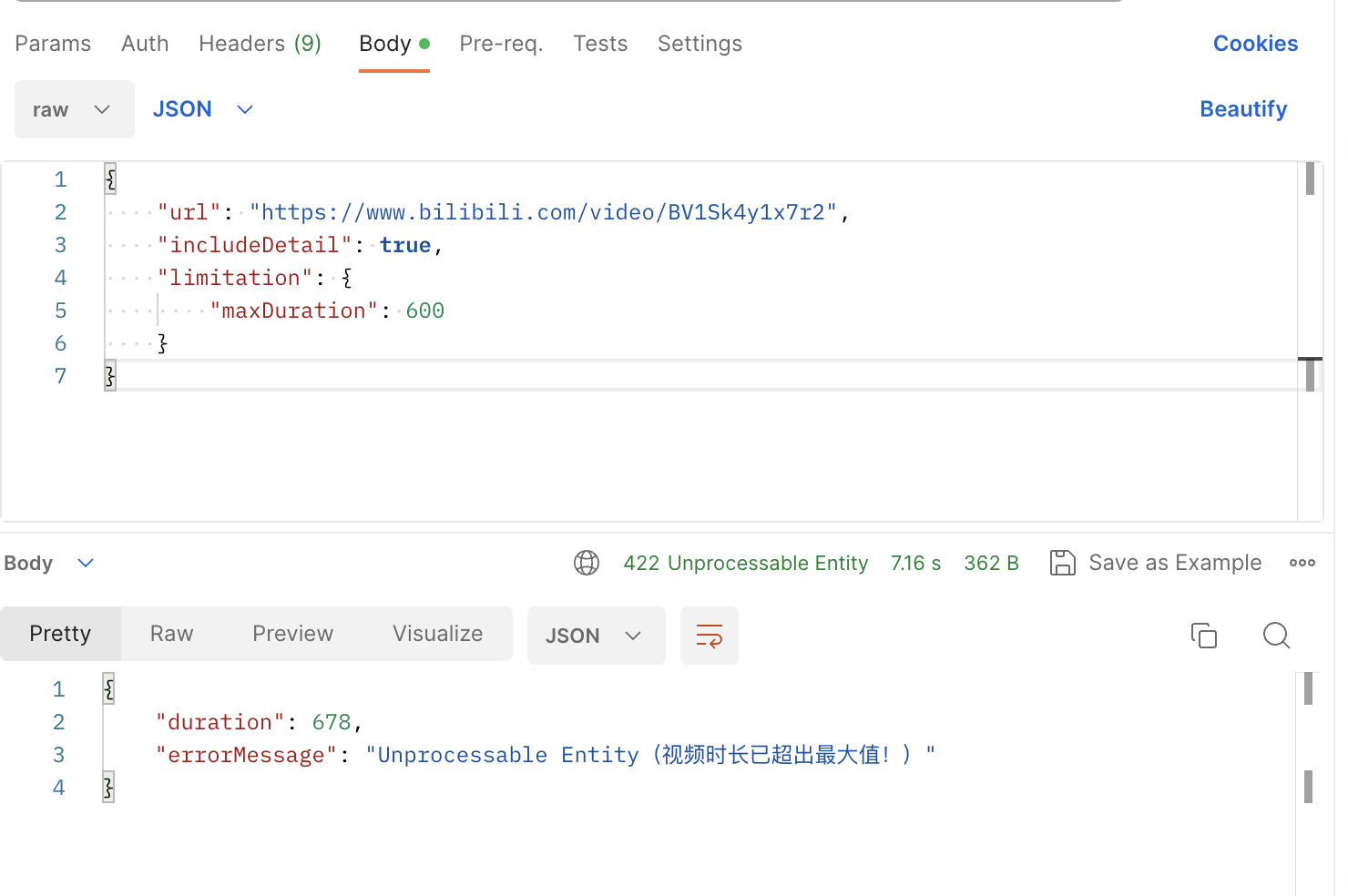
As the limitation field of the API, you can setmaxDuration. If the backend detects that the audio/video duration corresponding to the url exceeds maxDuration, it returns a 422 error status code.
4. Use Cases
4.1 WeChat Assistant
ChatGPT AI helps one-click audio/video summary, successfully linking to WeKe Creator Cloud! https://github.com/zhayujie/chatgpt-on-wechat/issues/1417 【Watch? Buy?】There are so many videos related to today’s Apple event, and they are boring. _bilibili4.2 Mobile iOS Shortcuts
【AI Video Note】BibiGPT Open API & IFTTT Unlimited Imagination 【AI Video Note】Apple Notes: One-click summary of Bilibili videos, linking with Shortcuts 丨 BibiGPT Open API & IFTTT Unlimited Imagination _bilibili4.3 Browser Extension
【BibiGPT】Browser Extension: Supports one-click transcription & summary of audio/video content on any web page _bilibili4.4 Linking Note Apps
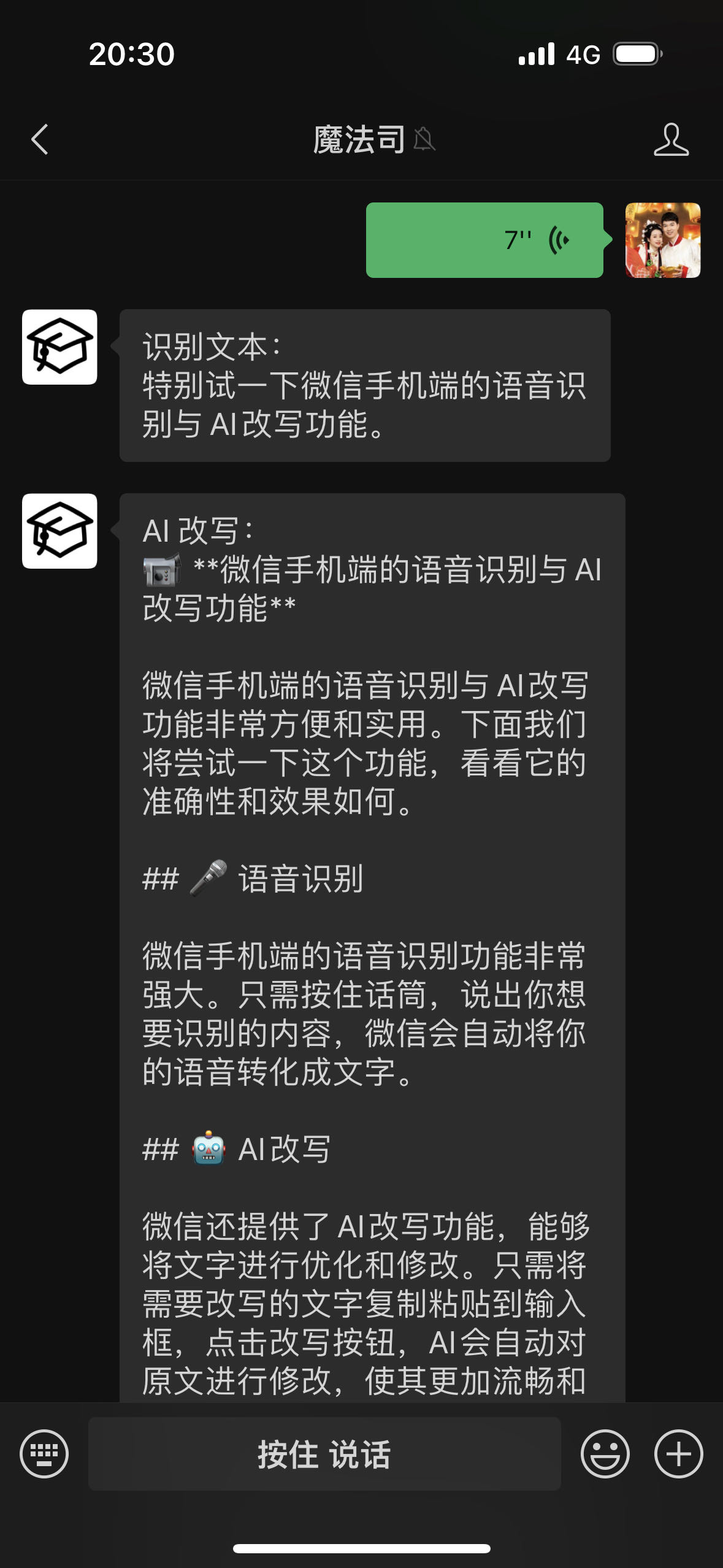
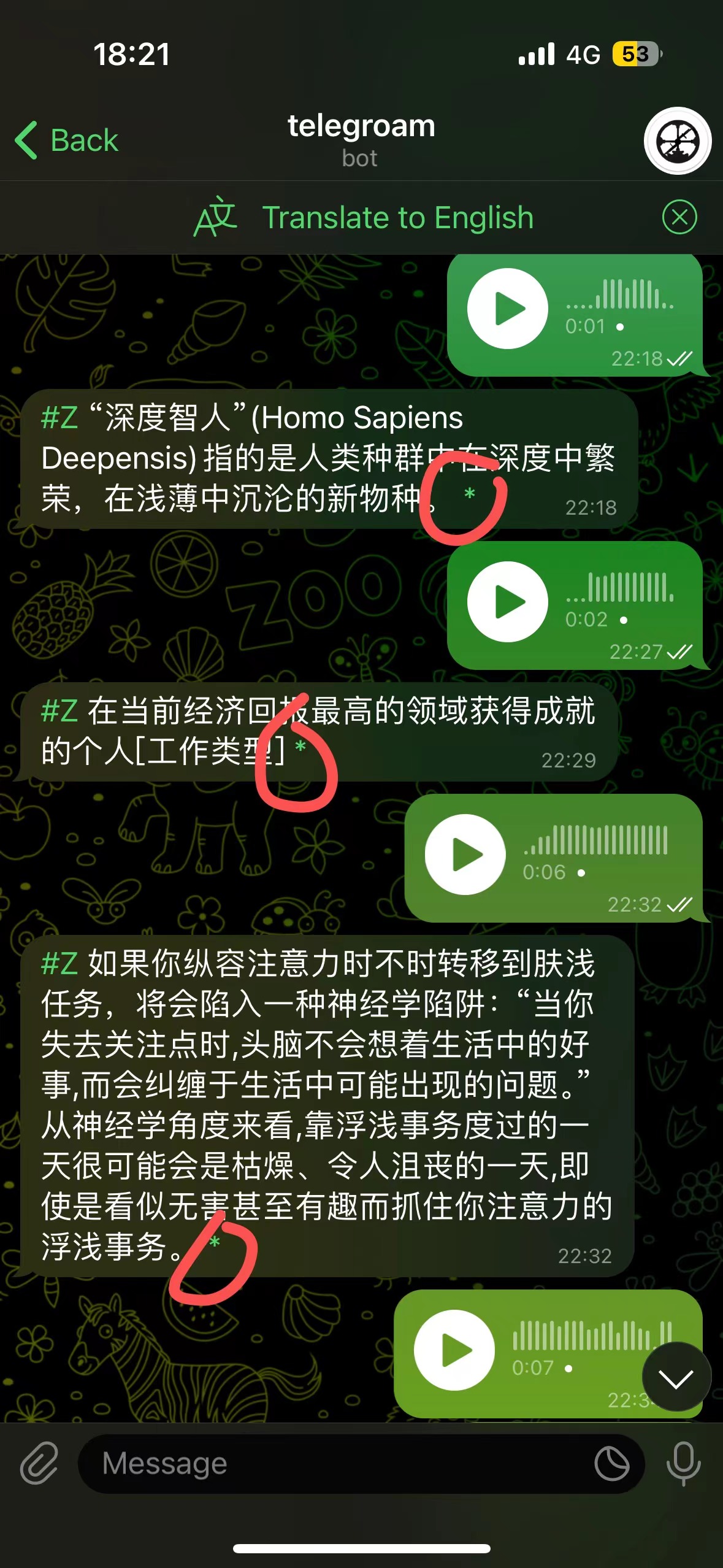
Voice Input → Roam Research → AI Rewrite → AI Review Send voice via telegroam, then use BibiGPT’s API to summarize into text, and save to Roam Research with one click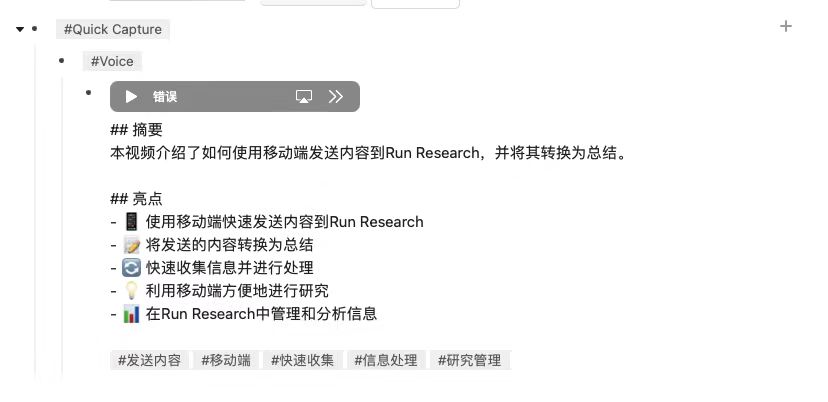
Detailed documentation (In progress): https://docs.bibigpt.co/api-reference