Using BibiGPT for video and audio summarization is very simple. Just follow the steps below to easily extract the essence of the content. Our AI video and audio summarization platform supports links from various sources, including Bilibili, YouTube, and many other platforms as well as local files, allowing you to efficiently obtain information whether for study, work, or entertainment.

Start Experience with BibiGPT

Visit the BibiGPT official website now and start your AI video and audio summarization journey

1. Steps Overview

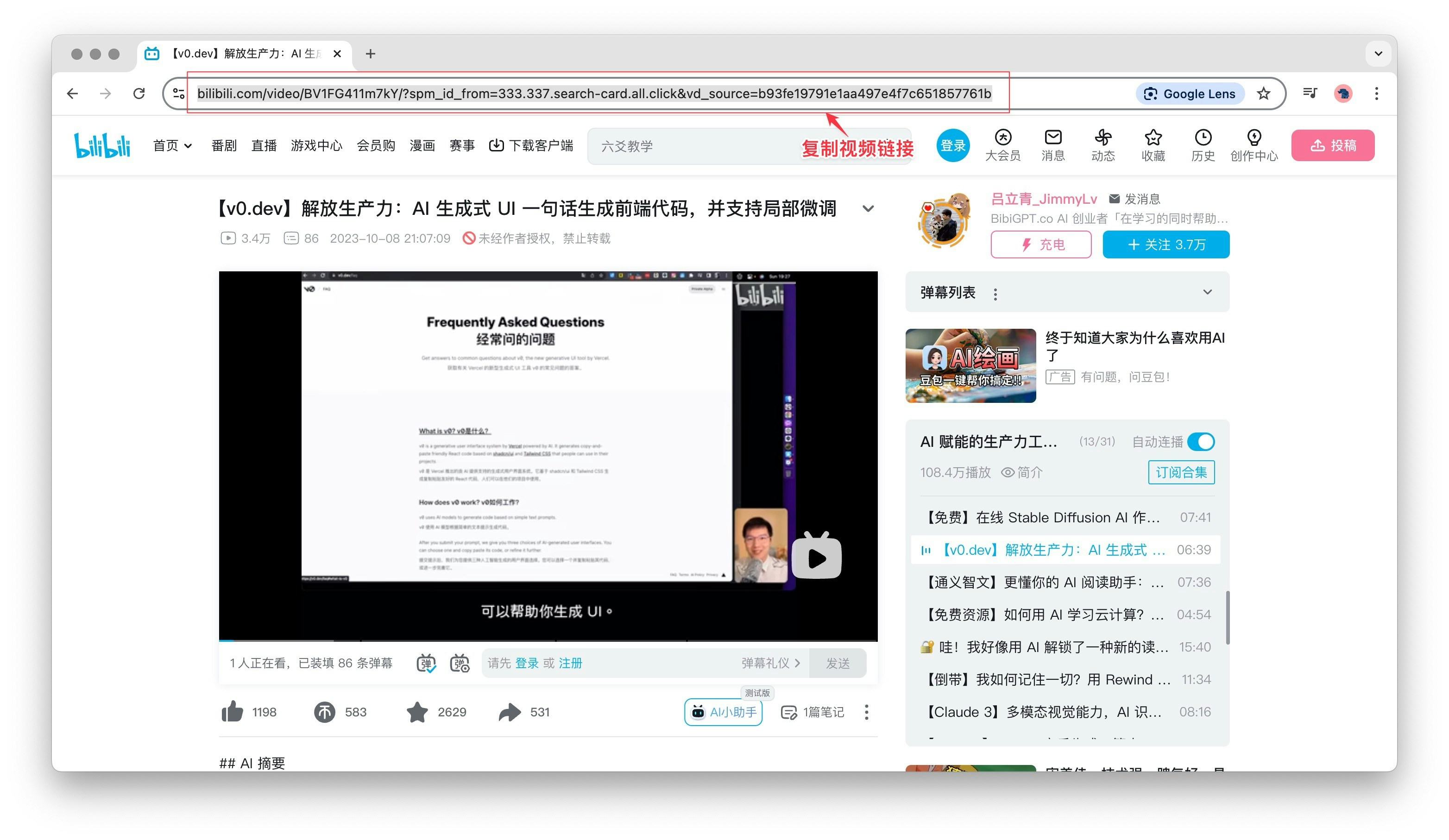
  • Step 1: Copy the video or audio link
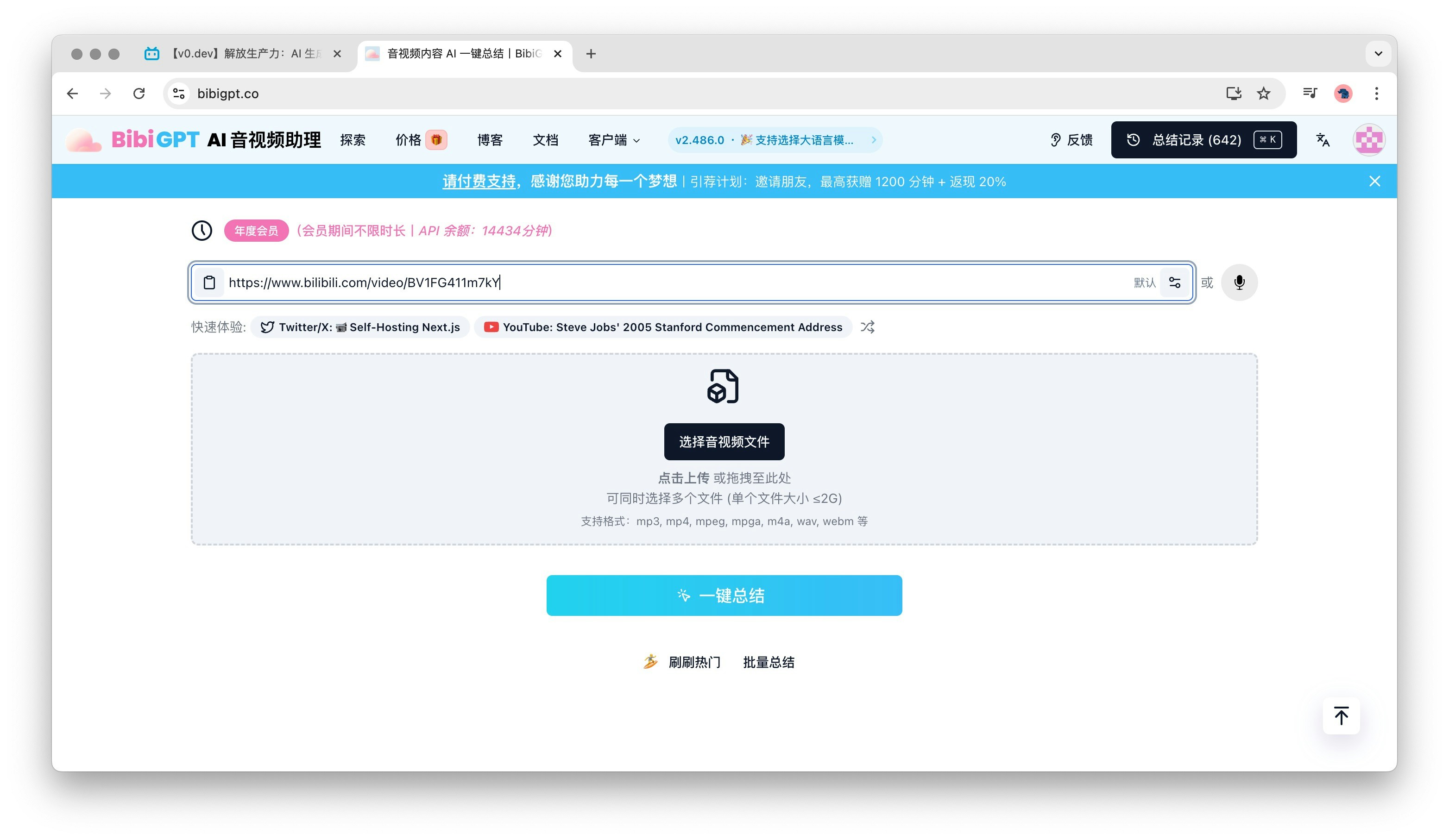
  • Step 2: Paste or auto-fill the link in BibiGPT
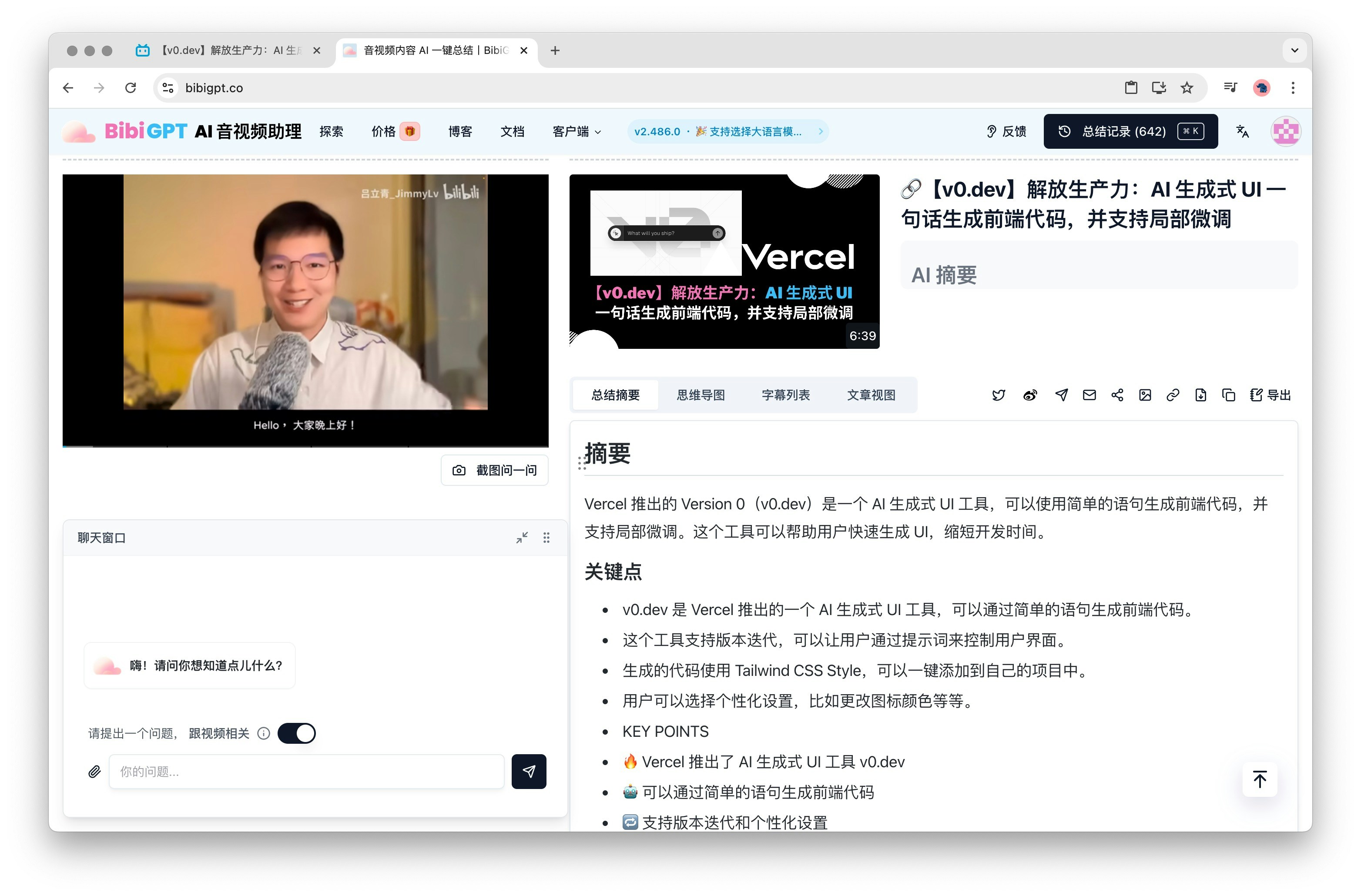
  • Step 3: Generate AI video or audio summary with one click
Here is a detailed explanation of each step:
First, find the content you want to summarize (AI video or audio summary) and copy its link. This can be any publicly accessible video or audio link, such as popular videos on Bilibili, educational channels on YouTube, podcasts, etc. Whether it’s learning materials or entertainment content, BibiGPT can provide you with high-quality video and audio summaries.
Next, open the BibiGPT official website or application. On the main interface, you will see an input box dedicated to filling in the video or audio link that needs to be summarized. You can directly paste the previously copied link into this input box.
At the same time, we also provide a convenient paste button, which allows you to auto-fill the link with just one click. Please note that when using this feature for the first time, you need to grant the browser the corresponding permissions. Whether you choose to paste manually or use the auto-fill feature, you can complete this step easily.

4. Step 3: Generate AI Video or Audio Summary with One Click

After completing the link pasting or using the auto-fill feature, BibiGPT will automatically start processing the link you provided. If you used the paste button, the system will automatically enter the summarization stage without manually clicking the “Summarize” button. BibiGPT will use advanced AI technology to analyze the video or audio content and generate precise content summaries for you. This AI video summarization or AI audio summarization process may take a few seconds to a few minutes, depending on the length and complexity of the content. After the summary is completed, you can view the summary results directly on the BibiGPT platform. These results will highlight key information and points, helping you quickly grasp the essence of the content.
In addition, you can also choose to export the results of the video summary or audio summary for subsequent viewing or sharing.

5. BibiGPT Usage Tips

  • Ensure that the link you copied is valid to avoid errors during the video or audio summarization process.
  • If it is your first time using it, you may need to register or log in to your account.
  • Take advantage of the free trial period provided by BibiGPT to experience all AI video and audio summarization features and see how it meets your needs.
By following the simple steps above, you can easily use BibiGPT to perform various video and audio summaries, improving your learning and work efficiency.

Ready to Start?

Experience BibiGPT Now

Visit the BibiGPT official website now and put the steps you just learned into practice!