
Feature Overview
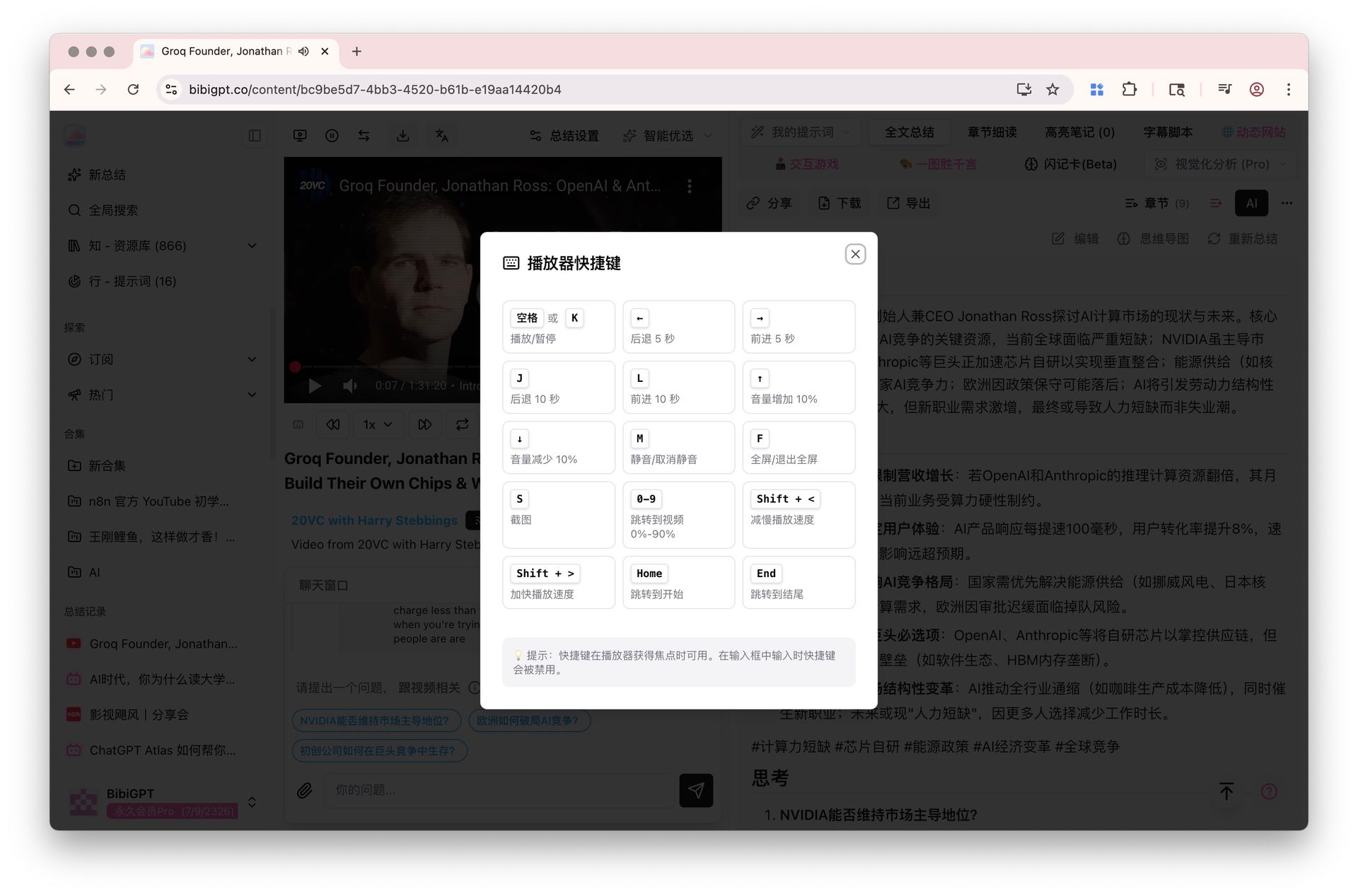
BibiGPT’s player is built for study, not only play/pause. It covers: 1. Keyboard shortcuts — space and arrows for play, skip, volume, and speed. 2. A–B loop — repeat a segment for shadowing and close listening. 3. Floating mini player — shrinking the content page docks a card at the bottom-right; drag it, resize at 16:9, and the position is remembered. Collapse the picture to keep audio; on a narrow bar, loop/screenshot live under ⋯. 4. Image-note carousel — when the item is an image note, the player slot shows a picture carousel in place. Shortcuts and A–B currently work on YouTube and similar sources. Here is an example of the function interface: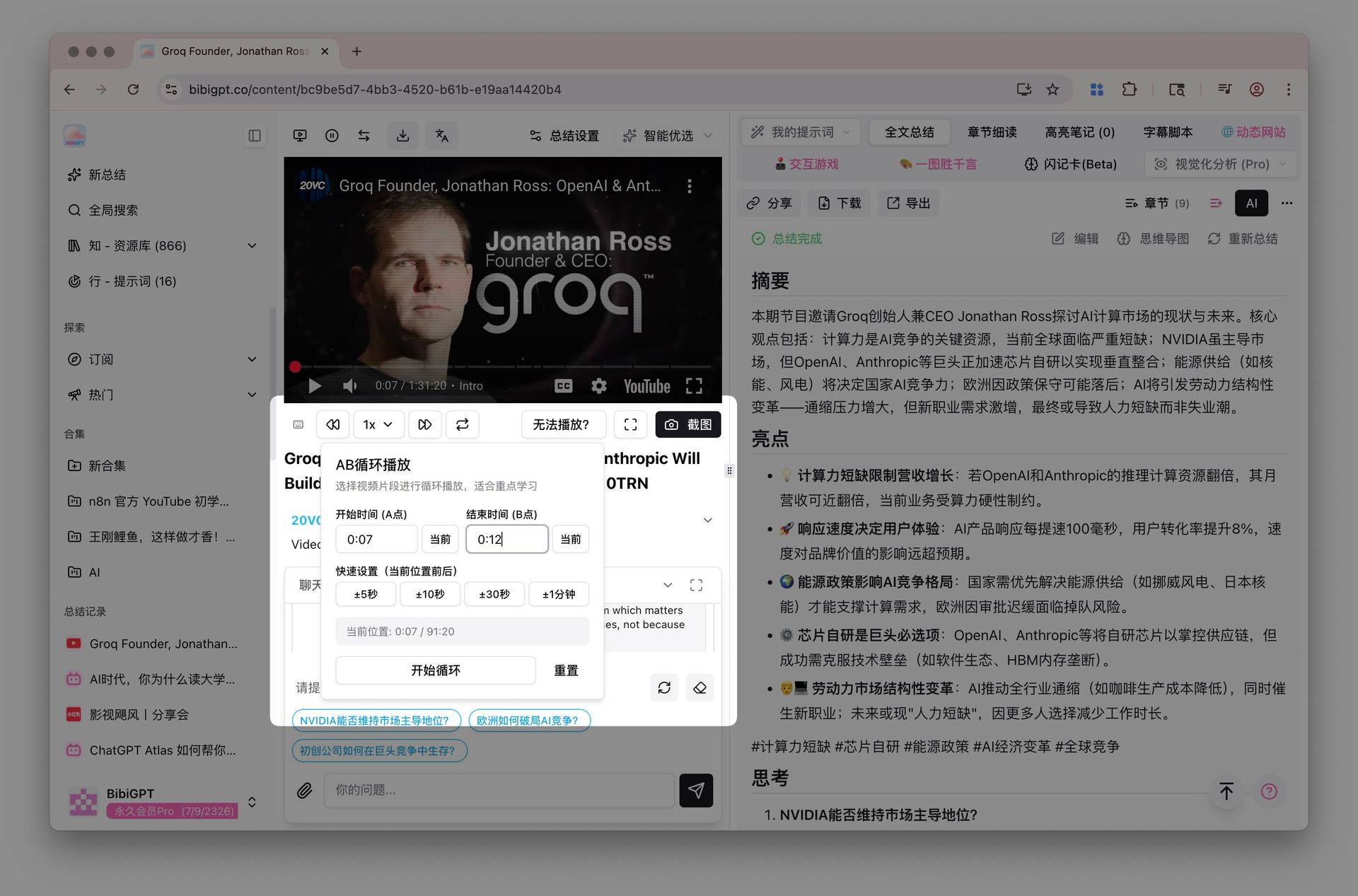
Solved Pain Points
I want to be able to precisely repeat a certain key segment in a video to deepen understanding, or use shortcuts to efficiently control playback, but ordinary players are troublesome to operate, always dragging the progress bar back and forth.Core Features
- Keyboard shortcuts: space and arrows for playback, skip, volume, and speed
- A–B loop: repeat a range for shadowing and close listening
- Floating mini player: shrink the page to a bottom-right card you can drag and resize; collapse to audio-only
- Image-note carousel: image notes play as a picture carousel in the player slot
- On a narrow toolbar, loop, screenshot, and shrink move under ⋯; immersive mode still uses F
Feature Highlights
Shortcuts and A–B loop cut down on dragging the timeline. The mini player lets you return to the summary list without stopping playback.Applicable Scenarios
- Language learning, concept mastery, or any situation requiring precise control and repetition of video segments.