
Feature Overview
BibiGPT’s “Explore” function has received an important update, solving the pain point where users could not efficiently organize search results. Now, after searching for keywords (such as Gemini 3.0 Pro) on the “Explore” page, users can directly check multiple videos of interest in the search results list and save them into an existing collection or create a new one with one click by clicking the “Add to Collection” button. Upon completion, the system automatically enters the collection page and generates a comprehensive summary of all videos, greatly improving user efficiency in batch research of hot topics and knowledge points. Here is an example of the function interface: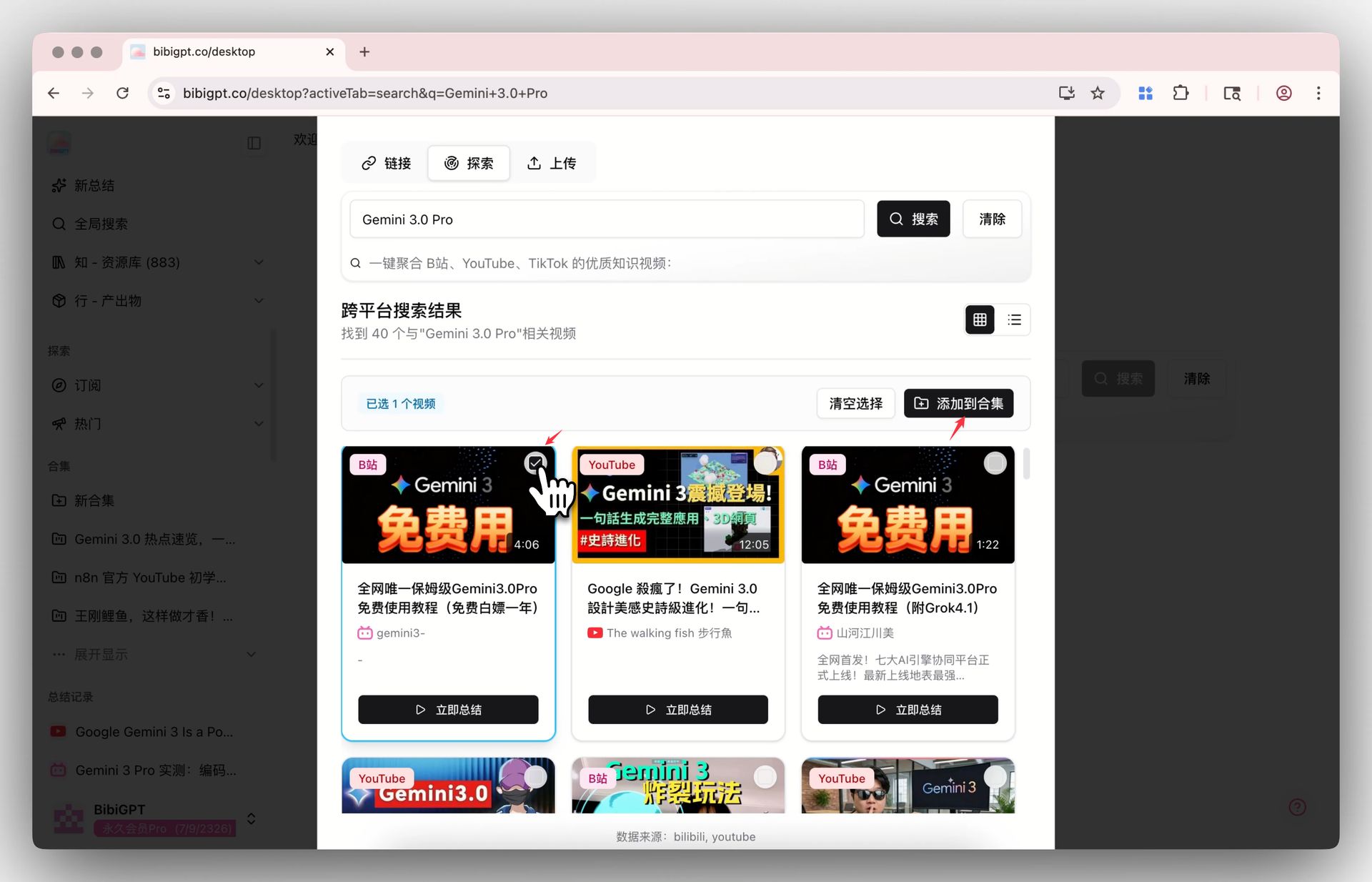
Solved Pain Points
“I want to systematically research a hot topic (like Gemini 3.0). I found many relevant high-quality videos on the explore page, but I couldn’t directly save these search results in batch for unified summarization and research. I could only open them one by one or manually copy links, which is very inefficient.”Core Features
- BibiGPT “Explore” update allows efficient organization of search results.
- Select multiple videos from search results and “Add to Collection” with one click.
- Option to save to existing collections or create new ones instantly.
- Automatically generates an integrated AI summary for all videos in the collection.
Feature Highlights
BibiGPT optimized the search experience on the explore page, supporting multi-selection of videos from search results to “Add to Collection” (existing or new) with one click. After adding, the system automatically generates a comprehensive viewpoint summary for that collection, letting you quickly complete batch research on a specific knowledge point.Applicable Scenarios
- Conducting systematic research on a specific topic by grouping relevant search results for holistic analysis.