
Overview
When you upload a foreign-language file, you can choose an auto-translate target before transcription begins. After processing, the subtitle list opens with the finished translation already expanded, so you do not have to tap Translate again.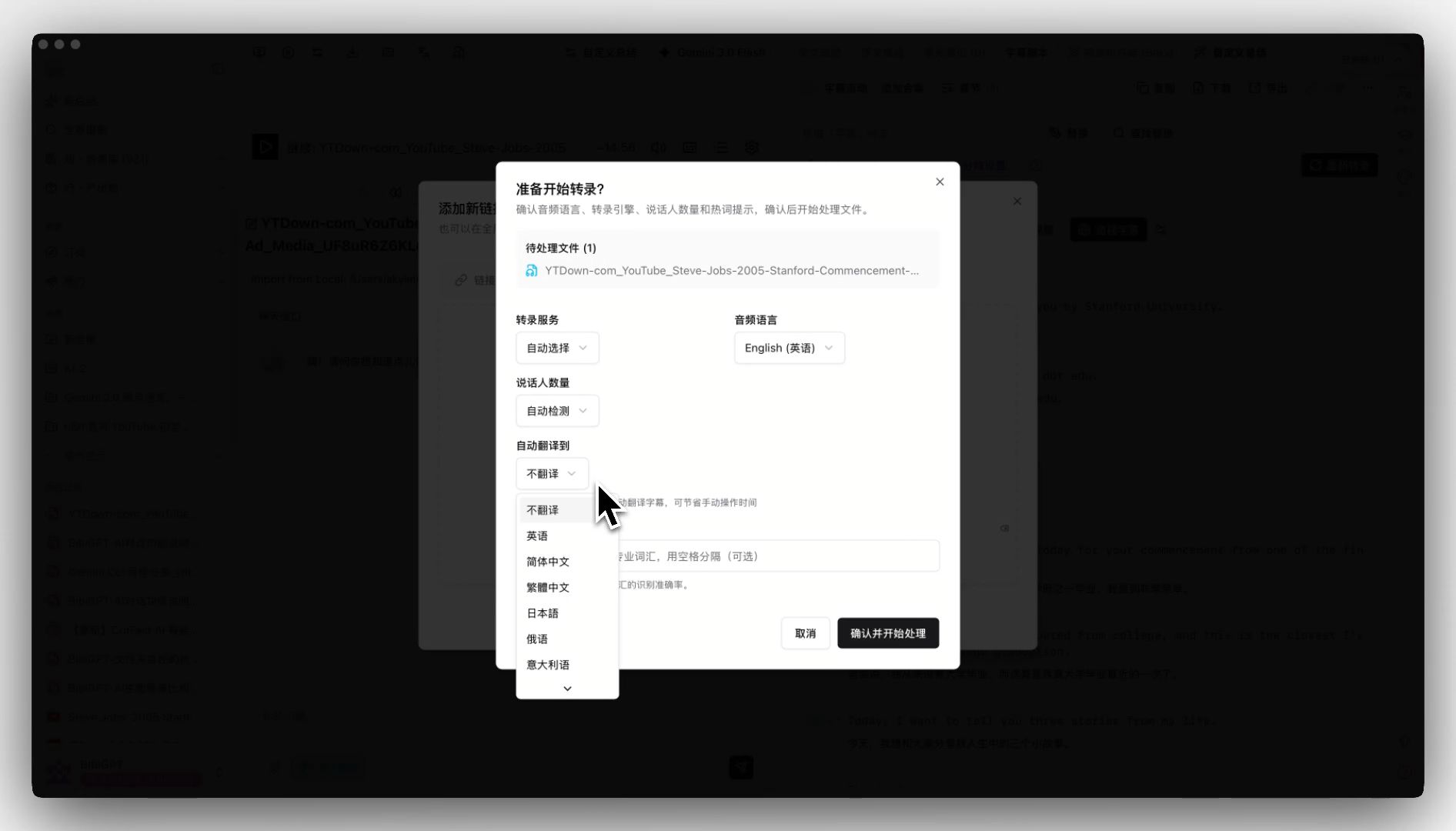
Pain Point
I watch lectures in another language. I used to wait for the original transcript, then click Translate. Sometimes the translation was already done, but the subtitle tab still made me pick the language again.Key Features
- Pick a target language in the upload dialog (for example English → Simplified Chinese) before transcription starts
- Get bilingual subtitles when processing finishes, without a second translate step on the summary page
- The subtitle list expands translations that are already ready
- Change the translation model or prompt later in Subtitle Studio’s translation-model panel
Highlights
Translation finishes in the background. Open the subtitle tab and the target language is already there.Use Cases
- Foreign courses or interviews where you want bilingual subtitles immediately
- Batch uploads where you do not want to tap Translate on every item
- Always translating into the same language and checking wording on the subtitle tab
Tips
- Choose the target language before you upload. The subtitle tab will then open on that translation
- If you care about tone, edit the translation prompt or pick a dedicated translation model in Subtitle Studio instead of re-uploading
Related Features
Dedicated Translation Model Groups
Smart Subtitle Segmentation
Custom Transcription Engine
Upgrade to Pro: unlock more translation and subtitle tools → Pricing