
Feature Overview
BibiGPT has launched the “AI Highlight Note” function, completely changing the long video viewing experience. Users no longer need to manually look for video highlights; with just one click, AI can automatically analyze and extract all key information fragments in the video. More powerfully, AI can not only generate a list of highlights but also intelligently classify them into different themes such as “University Goals”, “Side Quests”, and “High-value Skills”, making it convenient for users to quickly filter and locate content of interest. All highlight fragments come with timestamps; click to jump to playback, and support one-click sharing, greatly improving the efficiency of information acquisition and sharing. Here is an example of the function interface: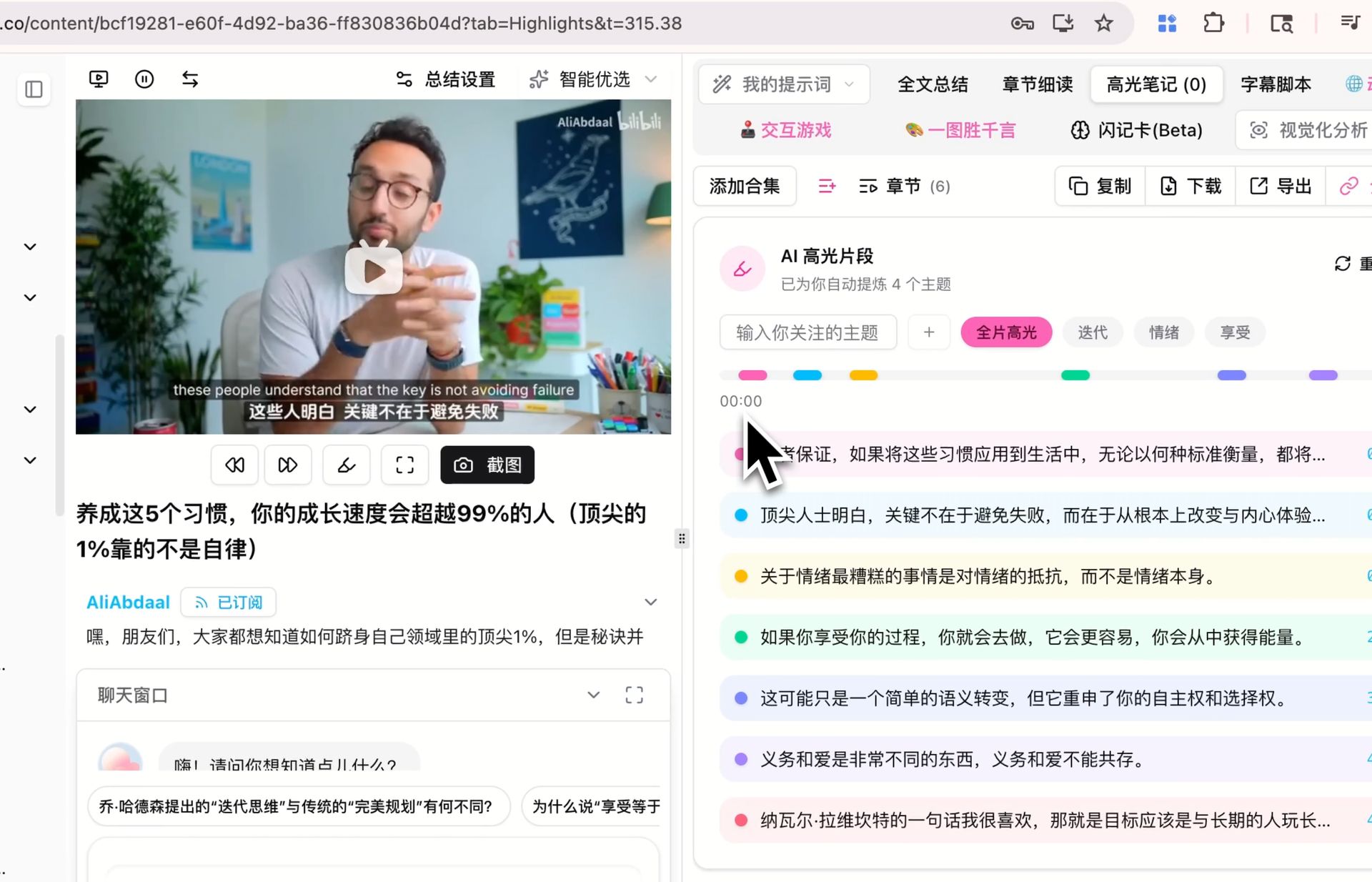
Solved Pain Points
I want to be able to quickly find the essence of long videos, but dragging the progress bar and taking notes manually is too time-consuming, and I am not sure if what I found is really the main point.Core Features
- BibiGPT launched the “AI Highlight Note” function to revolutionize the viewing of long videos.
- One-click automatic analysis and extraction of all key information fragments.
- Intelligent classification by theme (e.g., “University Goals”, “Side Quests”) for quick filtering.
- Timestamps for each fragment allow one-click jump-to-play and sharing.
Feature Highlights
BibiGPT’s “AI Highlight Note” function can automatically analyze videos with one click, intelligently extract and display core viewpoint fragments by theme, allowing you to quickly locate, review, and share video essence without manual searching.Applicable Scenarios
- I want to be able to quickly find the essence of long videos, but dragging the progress bar and taking notes manually is too time-consuming, and I am not sure if what I found is really the main point.
Usage Suggestions
- BibiGPT’s “AI Highlight Note” function can automatically analyze videos with one click, intelligently extract and display core viewpoint fragments by theme, allowing you to quickly locate, review, and share video essence without manual searching.