
Feature Overview
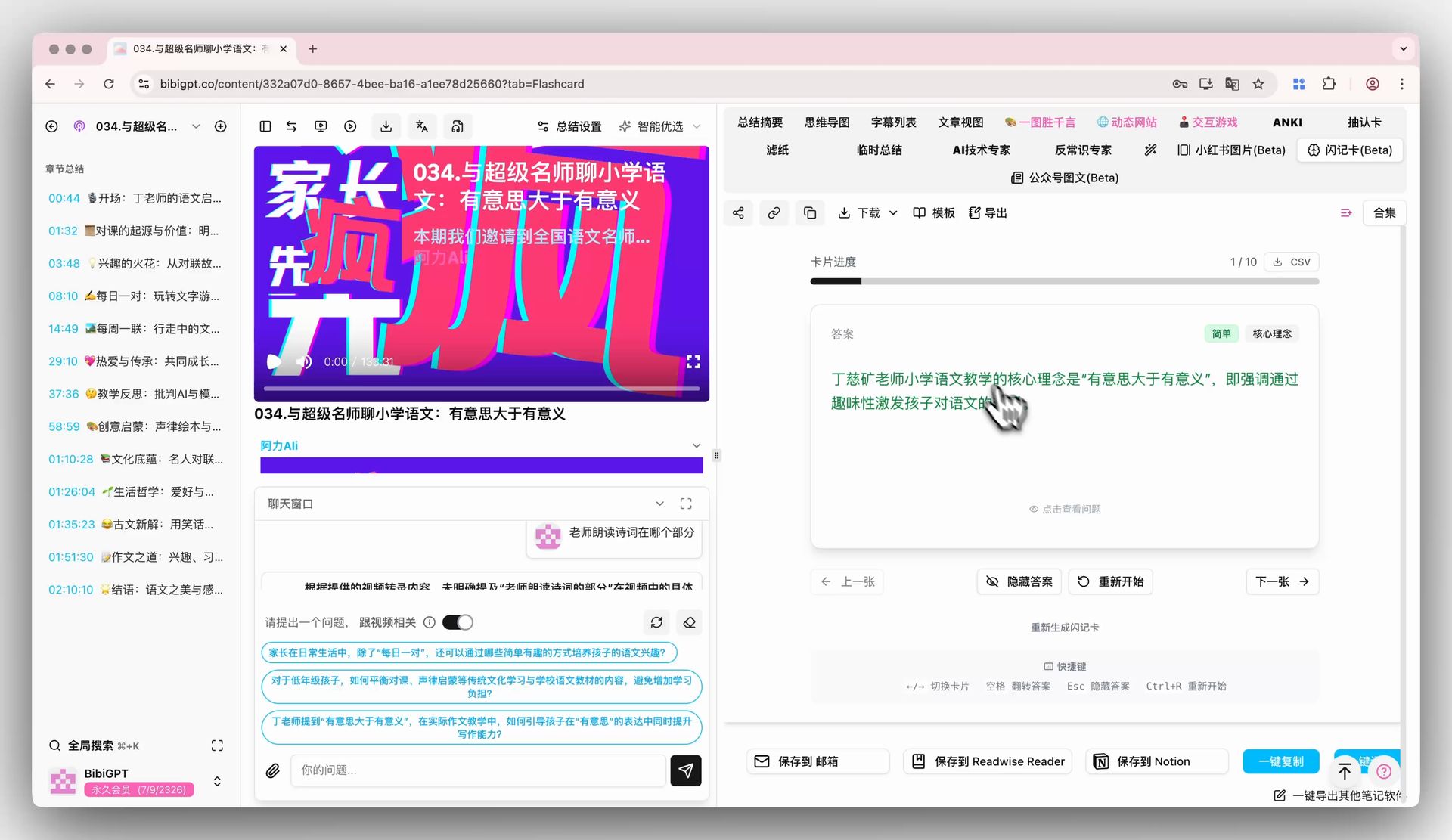
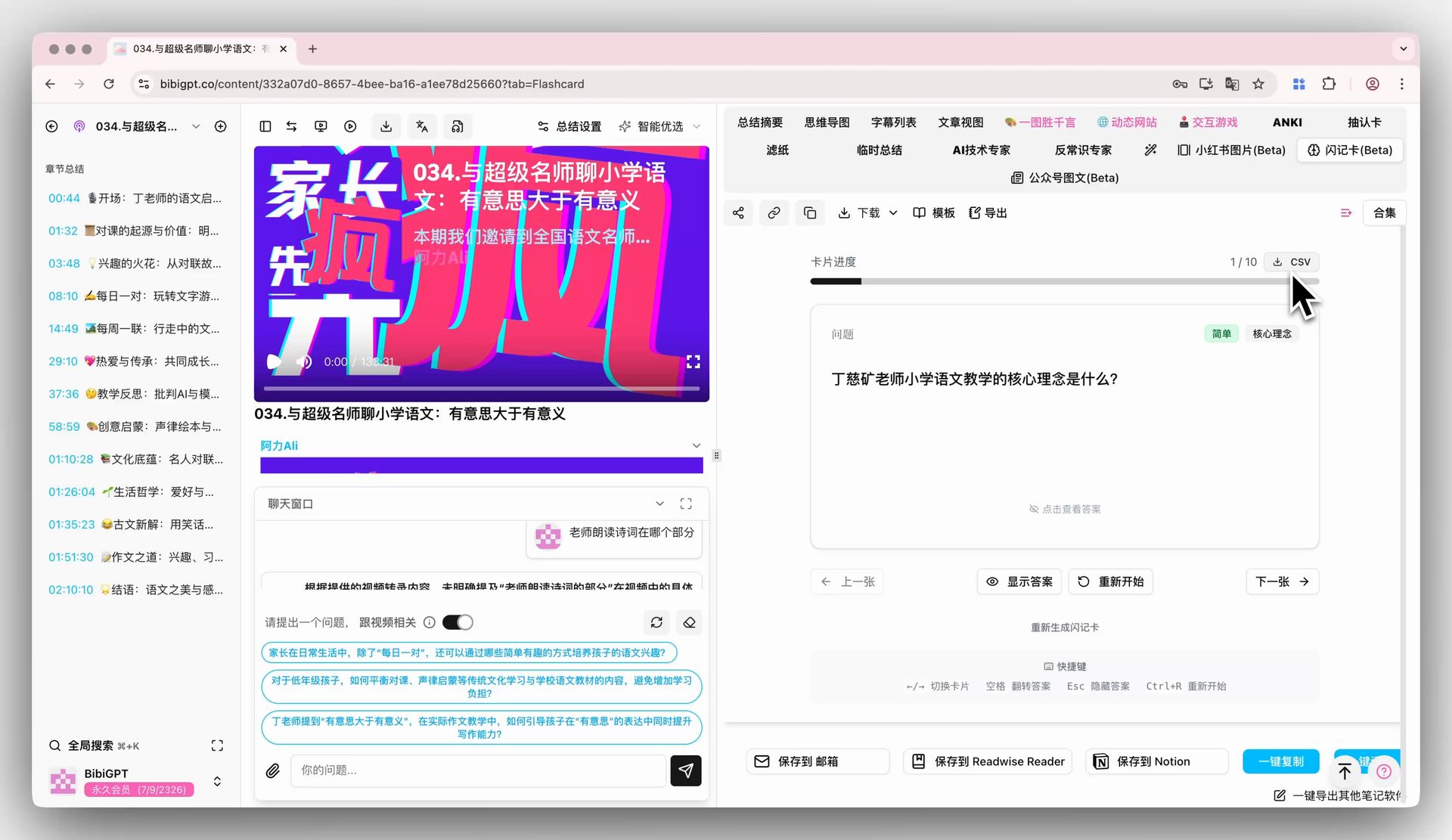
BibiGPT’s new “Flashcard” Beta function aims to solve the pain point of users deeply learning and reviewing video knowledge points. Especially for Anki users, this function can automatically generate a series of interactive Q&A cards from core content with one click on the video summary detail page. Users can flip, review, and self-test cards through clicks or shortcut keys. Cards not only mark difficulty and concepts but also support regeneration for multiple rounds of review. More importantly, all cards can be exported as CSV files with one click, making it convenient for users to import into interval repetition software like Anki for efficient, long-term knowledge consolidation. Here is an example of the function interface: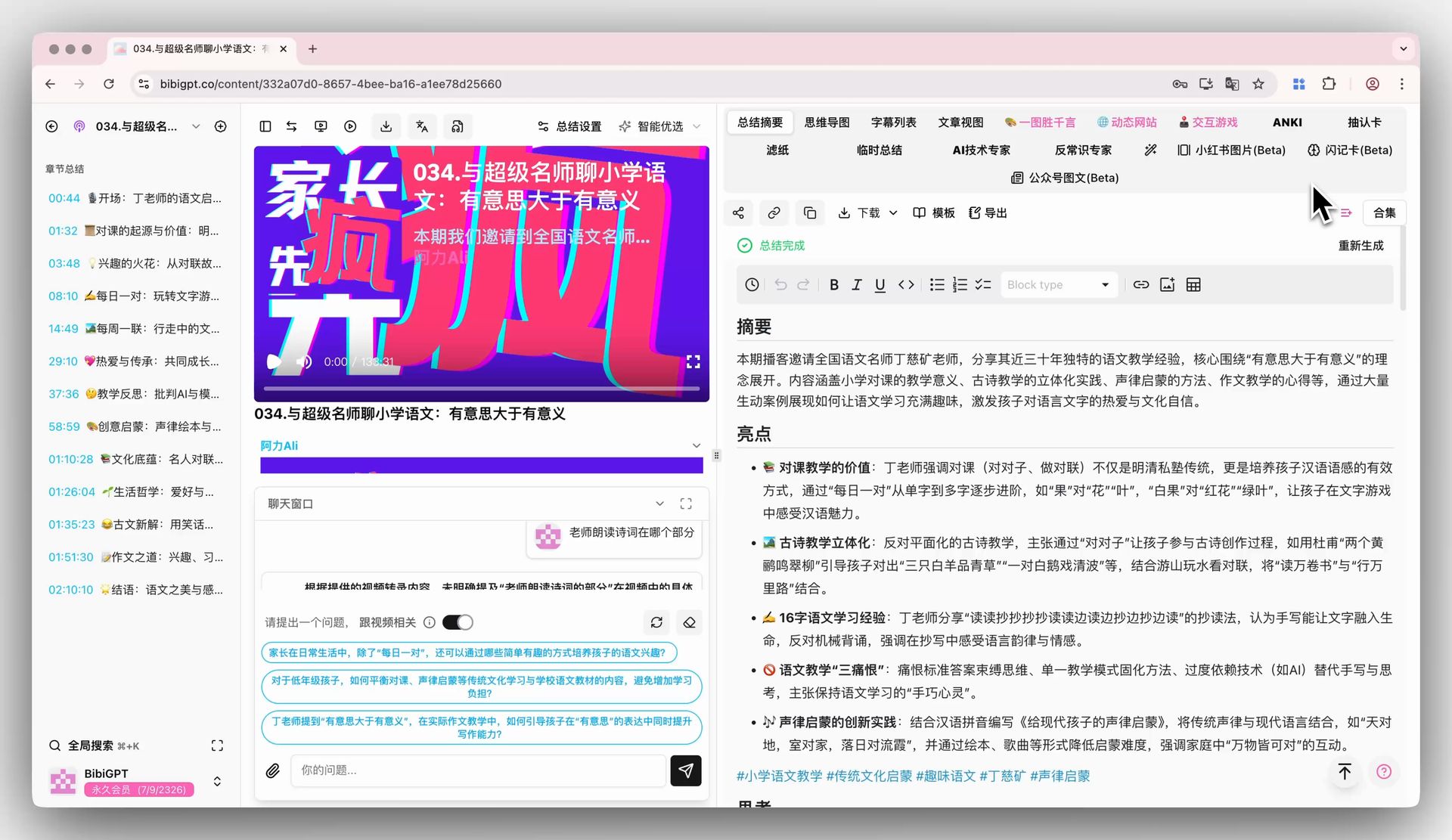

Solved Pain Points
When I study by watching videos, I hope there is an efficient way to test and consolidate my understanding and memory of knowledge points, but manually organizing Q&A cards into tools like Anki is too troublesome.Core Features
- BibiGPT’s new “Flashcard” Beta function facilitates deep learning and review.
- One-click automatic generation of interactive Q&A cards from video summaries.
- Interactive self-testing via clicking or shortcut keys.
- Cards include difficulty and concept tags, with support for regeneration.
- One-click CSV export for easy integration with tools like Anki.
Feature Highlights
BibiGPT’s “Flashcard” function can automatically generate a series of Q&A cards based on video content, allowing you to conduct interactive review directly within BibiGPT to test learning outcomes. It also supports one-click export to CSV files for easy import into tools like Anki, achieving deep, long-term knowledge consolidation.Applicable Scenarios
- When I study by watching videos, I hope there is an efficient way to test and consolidate my understanding and memory of knowledge points, but manually organizing Q&A cards into tools like Anki is too troublesome.
Usage Suggestions
- BibiGPT’s “Flashcard” function can automatically generate a series of Q&A cards based on video content, allowing you to conduct interactive review directly within BibiGPT to test learning outcomes.
- It also supports one-click export to CSV files for easy import into tools like Anki, achieving deep, long-term knowledge consolidation.