
Overview
In the create panel on a video page, open the image-model list and choose GPT Image 2, or the same family GPT Image 2.5 Flare and GPT Image 2.5 Sunburst (all marked new). They are better at drawing titles, numbers, and mixed Chinese–English copy on the image itself—useful for posters and Xiaohongshu covers, not only illustrations. Flare is faster for everyday shots; Sunburst is better when you need finer edits.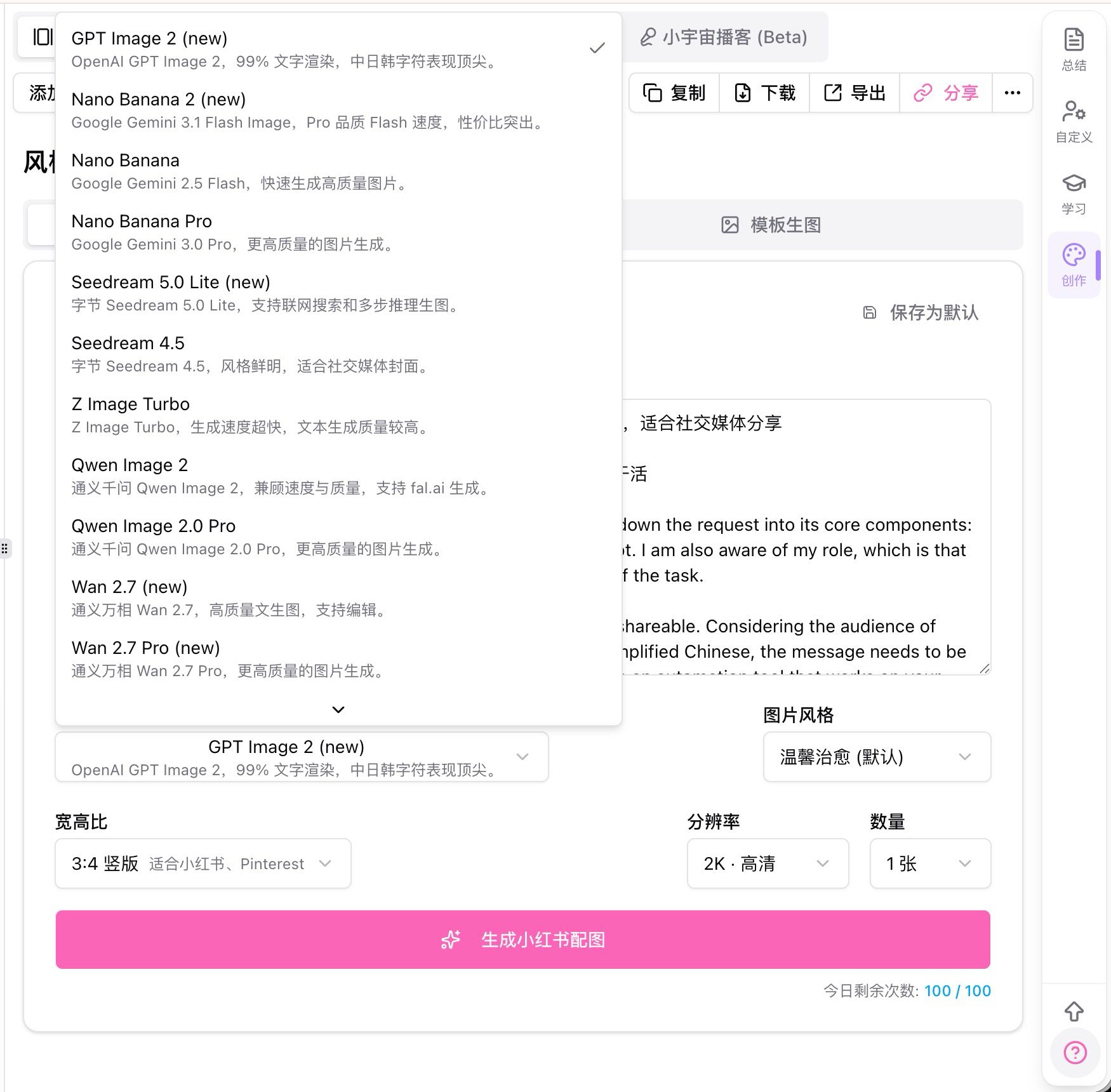
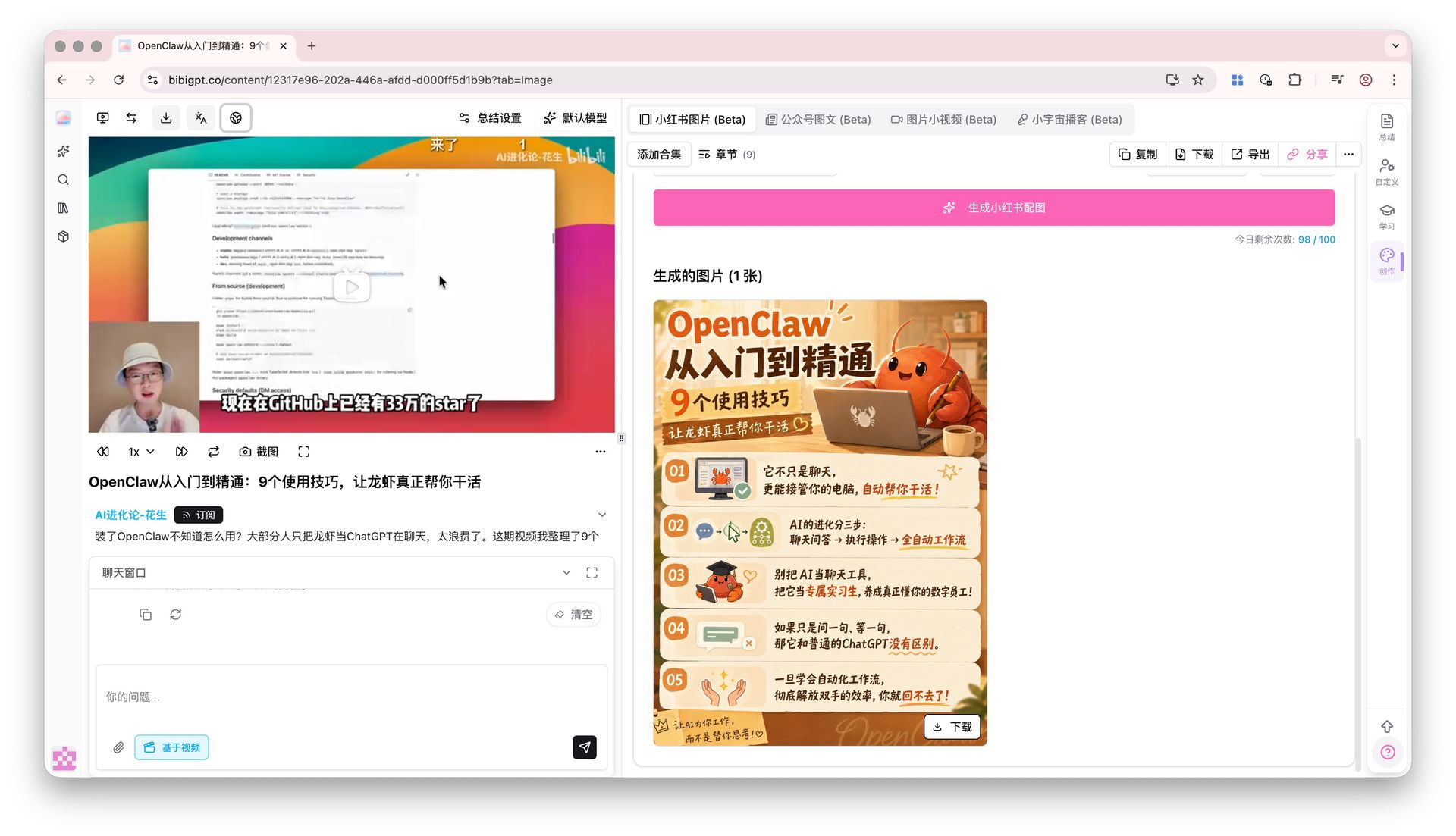
Pain Point
Text in AI images often blurs or misspells. Titles and brand names need another round of editing. I want a generate-and-publish result.Key Features
- Pick GPT Image 2, GPT Image 2.5 Flare, or GPT Image 2.5 Sunburst in the AI image model dropdown
- More reliable multi-line titles, captions, and mixed-script text
- High-resolution output suited to covers and posters
- Works with advanced image settings (aspect ratio and resolution) such as 3:4 and 9:16
- Flare for everyday speed; Sunburst when the poster needs finer edits
Highlights
When the words on the image are the point, the first generation is closer to something you can post.Use Cases
- Xiaohongshu covers where the title must be readable
- List posters and infographics with numbers and short lines
- Course or event posters with bilingual titles
Tips
- Put the exact copy in the prompt; do not only say “add a title”
- Set aspect ratio and resolution first, then generate with GPT Image 2 or 2.5
- Use Flare when you are in a hurry; use Sunburst for tighter type and local edits
Related Features
AI Image Advanced Settings
Xiaohongshu Image Generation
Custom AI Image Styles
Upgrade to Pro: unlock more image generations and sizes → Pricing