
Overview
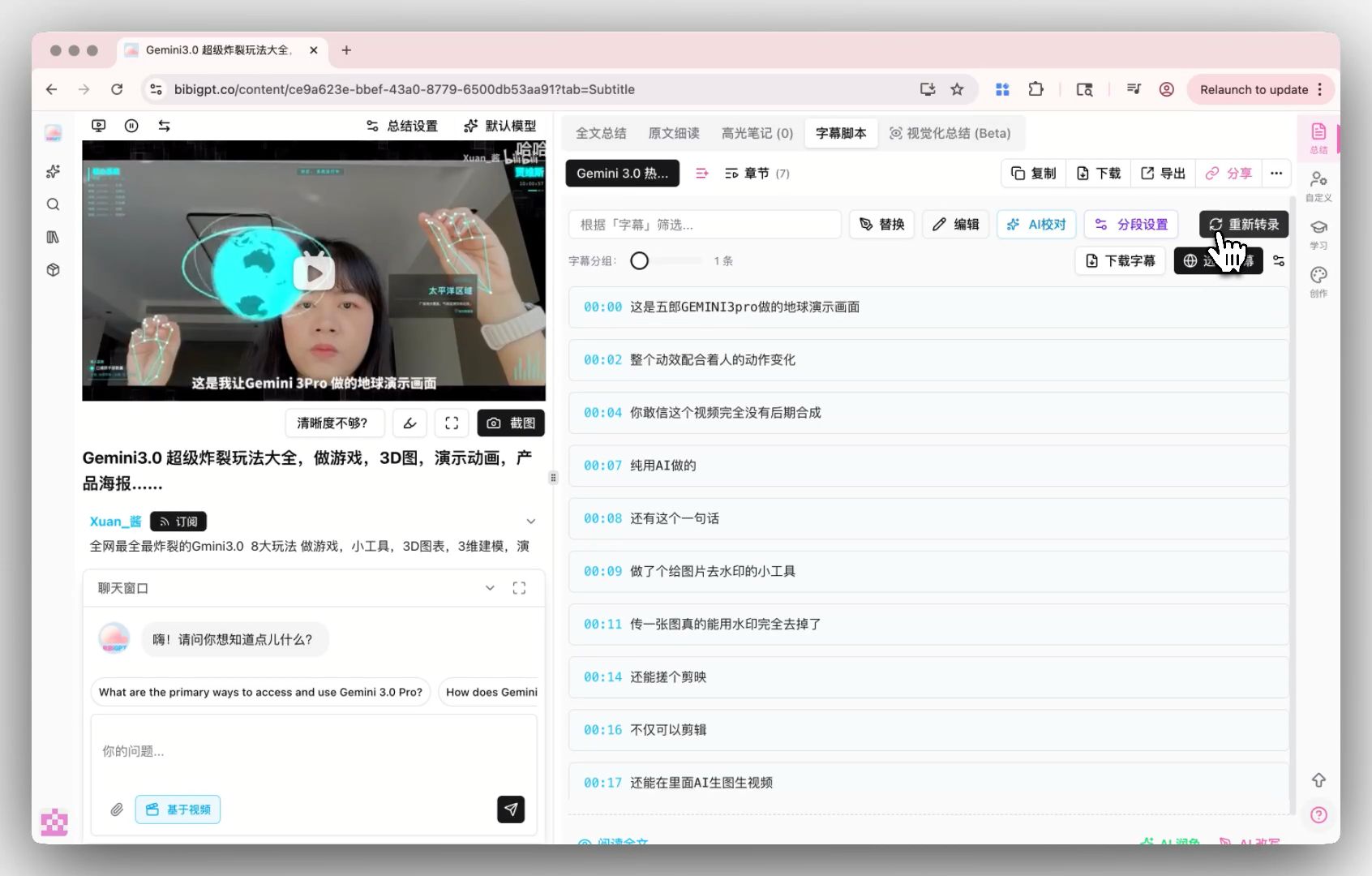
Tap Re-transcribe on the subtitle script to open Transcription settings: pick an engine, pick the audio language, and optionally add hotwords. Platform-covered engines show a green Free label. Bring-your-own-key engines show a key icon and a price tier, so cost is visible before you confirm.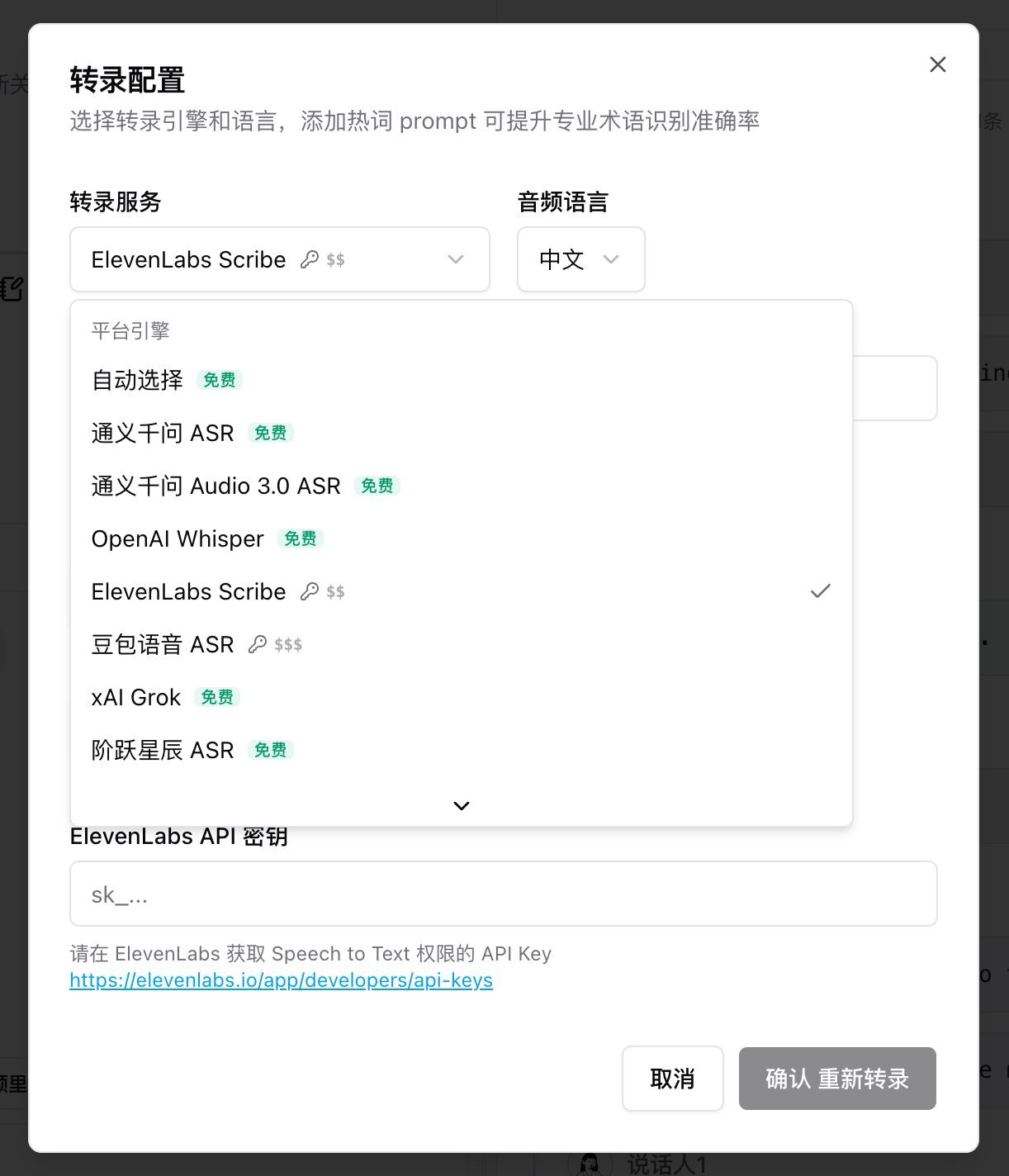
Pain Point
Every engine sat in one dropdown. I could not tell which ones members can use directly and which need my own API key, so I either overpaid or stalled on setup.Key Features
- Platform engines (Free): Auto, 通义千问 ASR, 通义千问 Audio 3.0 ASR, OpenAI Whisper, xAI Grok, 阶跃星辰 ASR, and similar options covered for members
- Self-supplied key: ElevenLabs Scribe, 豆包语音 ASR, and others; selecting one shows a key field and a link to the provider console
- OpenRouter: sign in or paste a personal key and bill that account; the catalog refreshes on visit and includes OpenAI Whisper, 通义千问 ASR, xAI Grok, Google Chirp 3, Gemini 3.5 Transcribe, and other speech engines listed there
- Choose audio language and add hotwords for domain terms
Highlights
Free versus your-own-key is obvious. Specialist engines run on your key, so you control the bill.Use Cases
- Heavy accents or jargon where you want a second, more accurate pass
- You already have ElevenLabs or OpenRouter and want to spend that quota
- Everyday jobs stay on Free engines; only key files use a paid key
Tips
- Start with Auto or a Free label. Open a bring-your-own-key engine only when accuracy is worth the setup
- For ElevenLabs Scribe, enable Speech to Text on their side first, paste the key, then confirm re-transcription
Related Features
Smart Subtitle Segmentation
Auto-Translate on Upload
Hard-Subtitle OCR
Upgrade to Pro: unlock platform transcription quota and more engines → Pricing