
Feature Overview
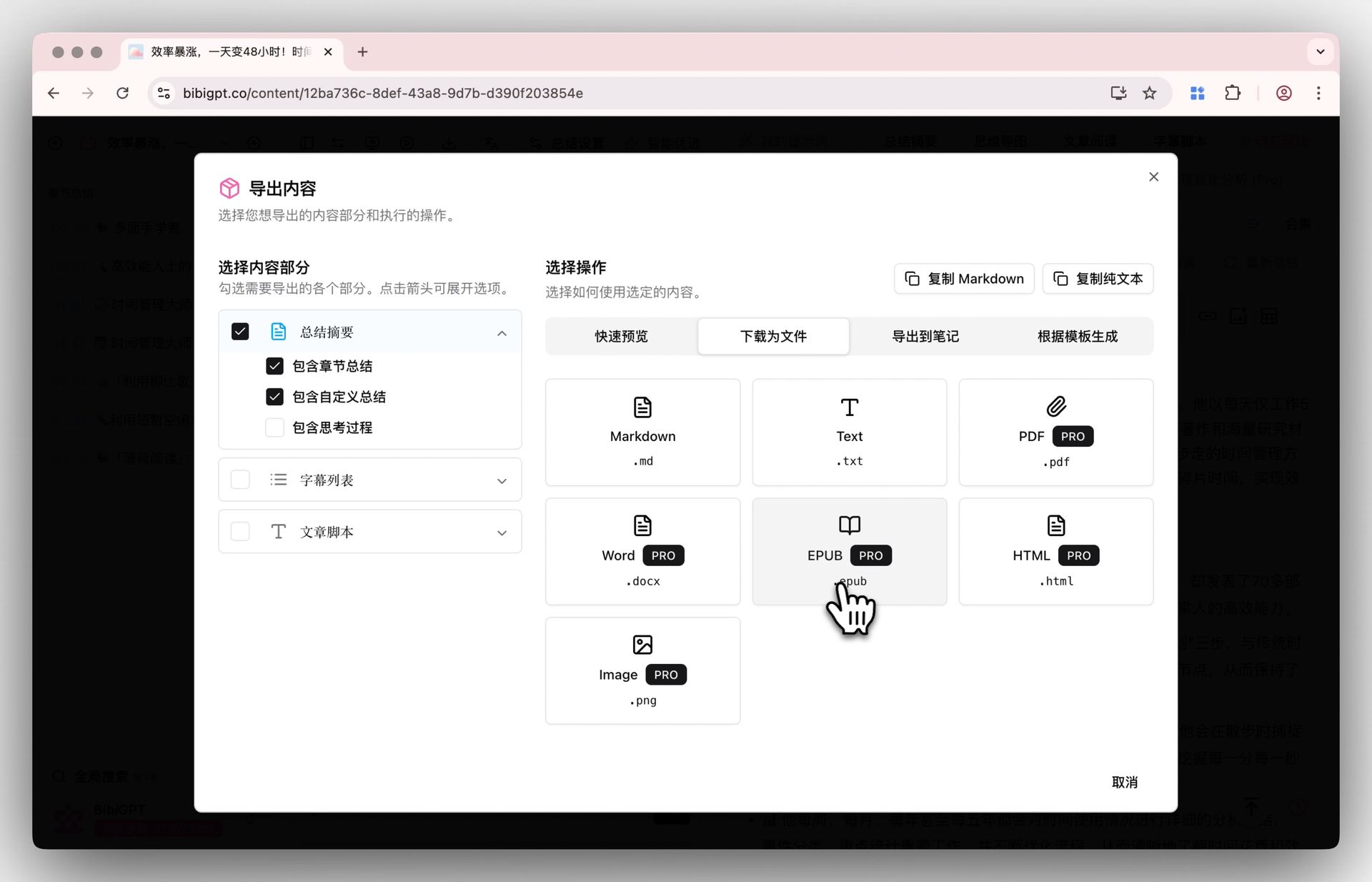
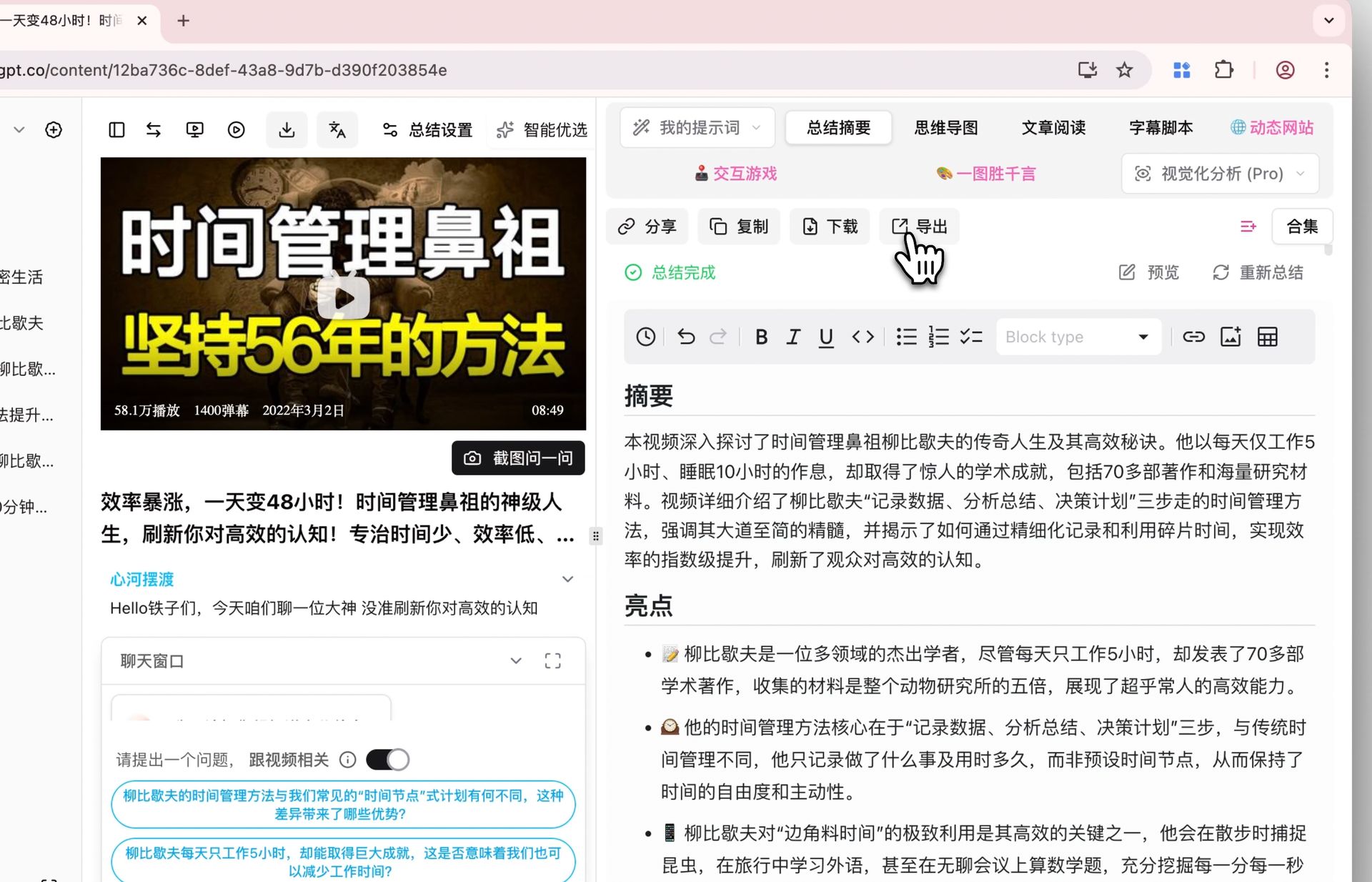
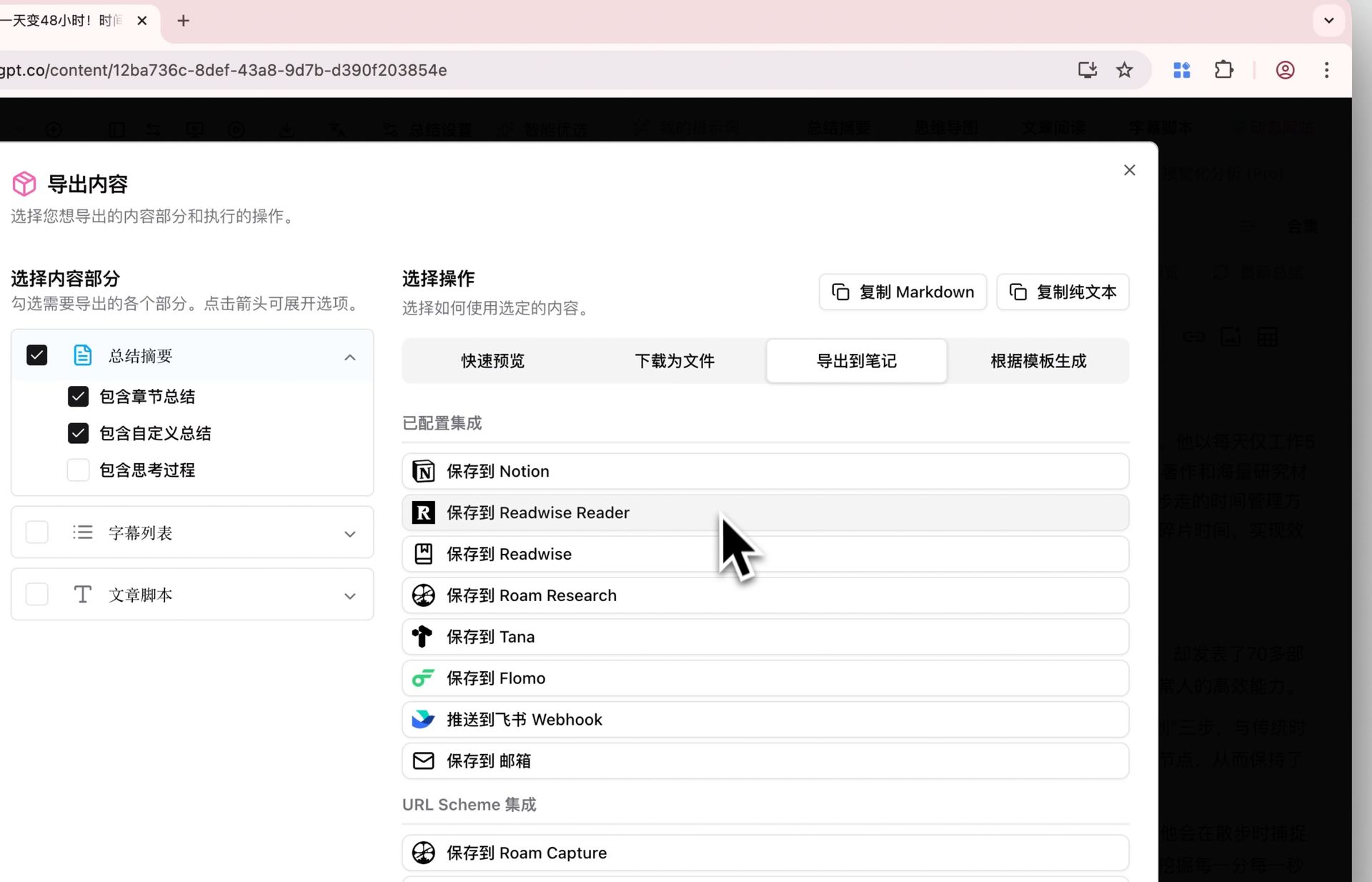
BibiGPT’s latest update solves the pain point of confusing and redundant download and export functions. The new design integrates “Download” and “Export” functions into a unified pop-up panel, significantly improving operational clarity and convenience. Users can open this panel by clicking the “Download” or “Export” button under different content tabs such as “Summary Overview”, “Article Reading”, or “Transcript” on the video detail page. The panel intelligently identifies the current content and provides corresponding download options, such as downloading the summary in various formats like Markdown, TXT, PDF (some advanced formats are exclusive to Pro members), or downloading the transcript as a file with or without speakers. Meanwhile, the export function supports one-click sending of content to mainstream note applications like Notion, Readwise, Wolai, etc., achieving efficient content flow. Here is an example of the function interface: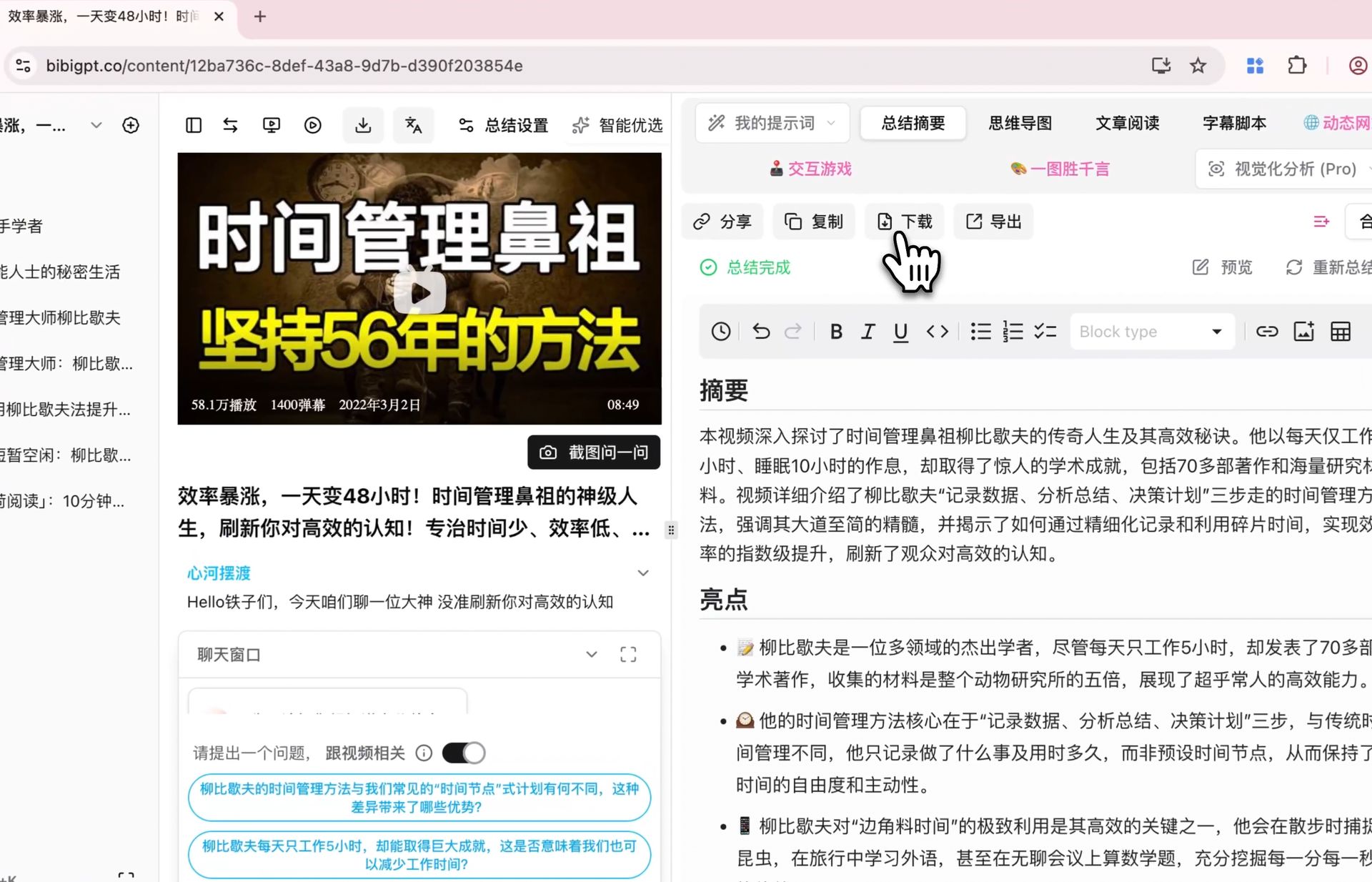
Solved Pain Points
I want to be able to export or download my summarized summaries, transcripts, mind maps, etc., but previous operation entries were scattered and options were confusing, making it take a long time to find every time, which felt inefficient.Core Features
- BibiGPT’s latest update solves the previous confusion and redundancy of download/export functions.
- The new design integrates “Download” and “Export” into a unified pop-up panel for better clarity and convenience.
- Accessed via “Download” or “Export” buttons on tabs like “Summary Overview”, “Article Reading”, or “Transcript”.
- Intelligently identifies current content to offer relevant options (e.g., Markdown, TXT, PDF for summaries; speaker-aware transcript files).
Feature Highlights
BibiGPT has integrated all download and export functions into a unified pop-up panel and intelligently displays the most relevant options based on the content users are currently browsing (such as summaries, transcripts), allowing users to download required content in multiple formats (such as Markdown, PDF, Word) with one click, or send it directly to mainstream note applications (such as Notion, Readwise).Applicable Scenarios
- I want to export or download my summarized summaries, transcripts, mind maps, etc., but previous operation entries were scattered and options were confusing.
Usage Suggestions
- BibiGPT has integrated all download and export functions into a unified pop-up panel and intelligently displays the most relevant options based on the content users are currently browsing.