
Overview
Open a collection you created and export without opening each video. On the web, the top-right menu can export Markdown, illustrated ZIP, or JSON. On mobile, tap Export next to the playback bar (or long-press an item), multi-select, and the Markdown uses the same title, link, and full-summary structure as exporting one video.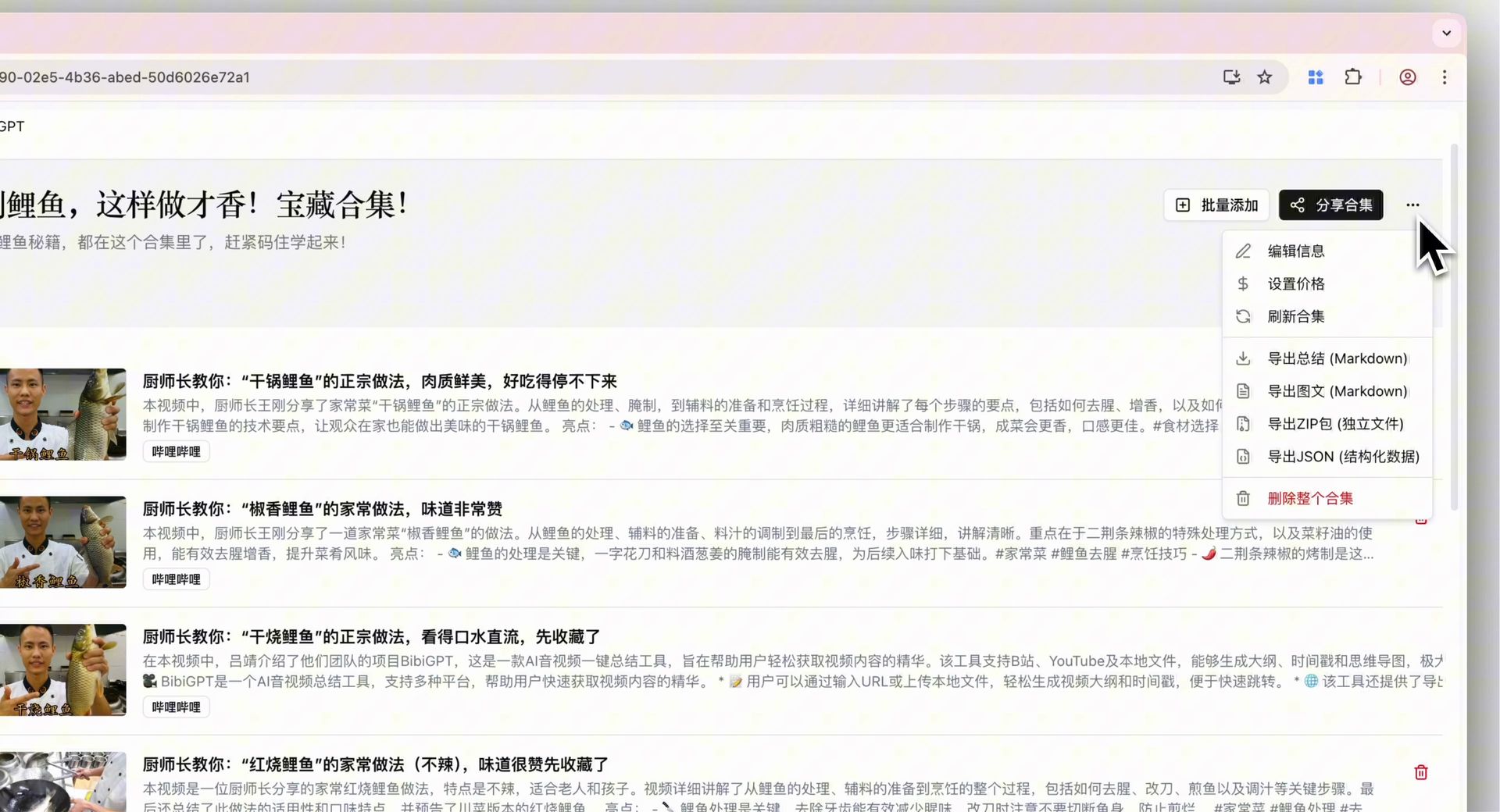
Pain Point
A collection with dozens of summaries used to mean opening and downloading one by one. On the phone the format often did not match a single export, and missing items were silent.Key Features
- Web: open My Collections, then use the top-right menu for Markdown, illustrated ZIP, or JSON
- Mobile: Export beside the playback bar enters multi-select, with select-all, live counts, and long-press as another way in
- Collection Markdown reuses the single-summary layout (title, video link, full summary) so it merges with existing notes
- Items without a summary keep their title and are marked “no summary yet” instead of disappearing
- Switching collections exits multi-select so checkmarks do not carry over
Highlights
Markdown from a collection matches Markdown from a single export, so batch notes stay consistent.Use Cases
- Download a course collection as Markdown for your notes app
- On mobile, export only the items you checked
- Need JSON for downstream tools, or ZIP for illustrated archives
Tips
- Use Markdown for notes, ZIP when you need images, JSON for processing
- Scan “no summary yet” items before exporting and fill those summaries first if you need them
Related Features
Unified Export & Download Panel
Bulk Export Video Summaries
Export Layout Themes
Upgrade to Pro: unlock more export formats → Pricing