
Overview
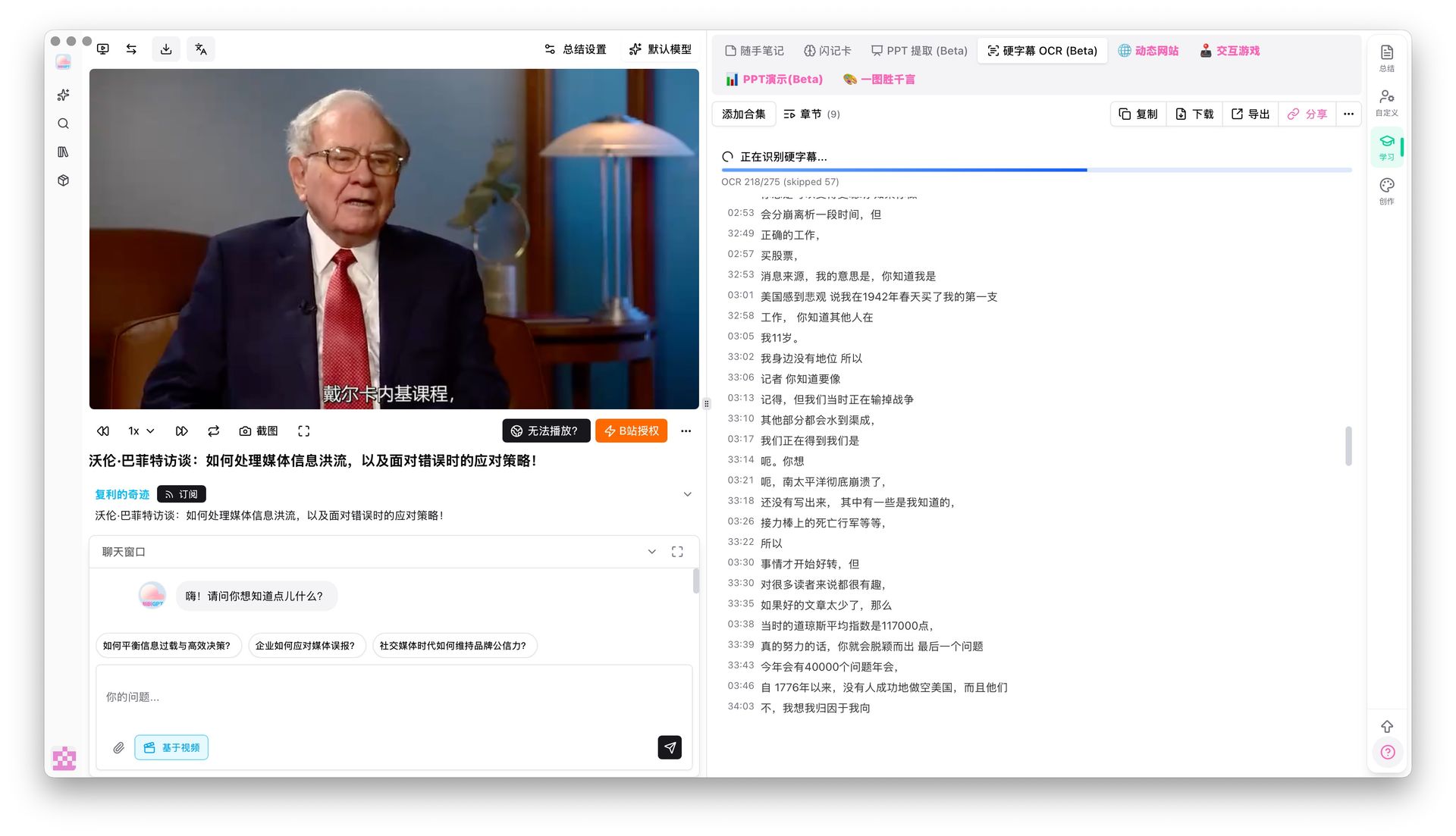
Some interviews and courses already have captions burned into the picture. Open Hard-subtitle OCR (Beta) in the Learn panel, pick the caption language, and tap Start. You get a timestamped list without running speech-to-text.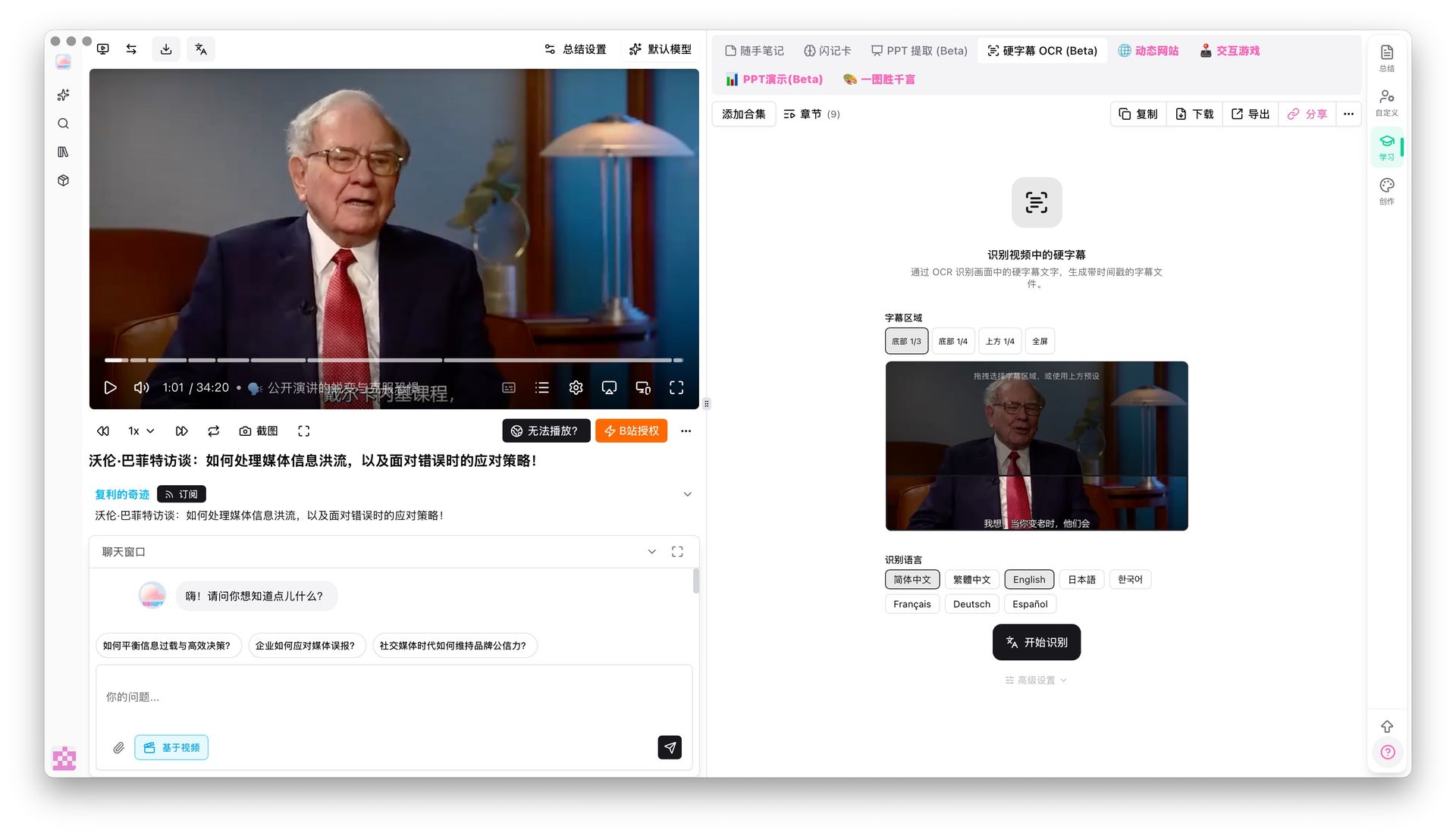
Pain Point
The picture already has clear captions, but speech-to-text trips on accents and background noise. I want the words that are already on screen.Key Features
- Hard-subtitle OCR (Beta) tab at the top of the Learn panel
- Chinese, English, Japanese, French, German, and Spanish
- Timestamped caption list on the right after recognition, for review and seeking
- Reads on-screen text only; no speech required
Highlights
When captions are already in the frame, reading them is faster and steadier than listening.Use Cases
- Interviews and courses with a clean lower-third caption area
- Heavy accents or noisy rooms where speech-to-text fails
- Quick checks of on-screen wording against timestamps
Tips
- Extra text near the captions lowers accuracy. Stylized or title-heavy videos do worse
- This is still Beta. If results are messy, fall back to speech-to-text or a cleaner source
Related Features
Custom Transcription Engine
Smart Subtitle Segmentation
Chapter Deep Reading
Upgrade to Pro: unlock more subtitle and study tools → Pricing