
Feature Overview
BibiGPT has added the “Immersive Mode” function, aimed at providing a distraction-free experience for watching videos and comparing with scripts. By clicking the “Immersive Mode” button below the video player, users can enter a brand new interface layout. This mode divides the screen into left and right columns: the left side is the video playback area, and the right side is the scrollable, full transcript with timestamps. Users can not only focus on watching but also click any sentence in the transcript on the right to make the video instantly jump to the corresponding time point, greatly improving the efficiency of information retrieval and comparative learning. Click the close button in the upper right corner to easily exit this mode. Here is an example of the function interface: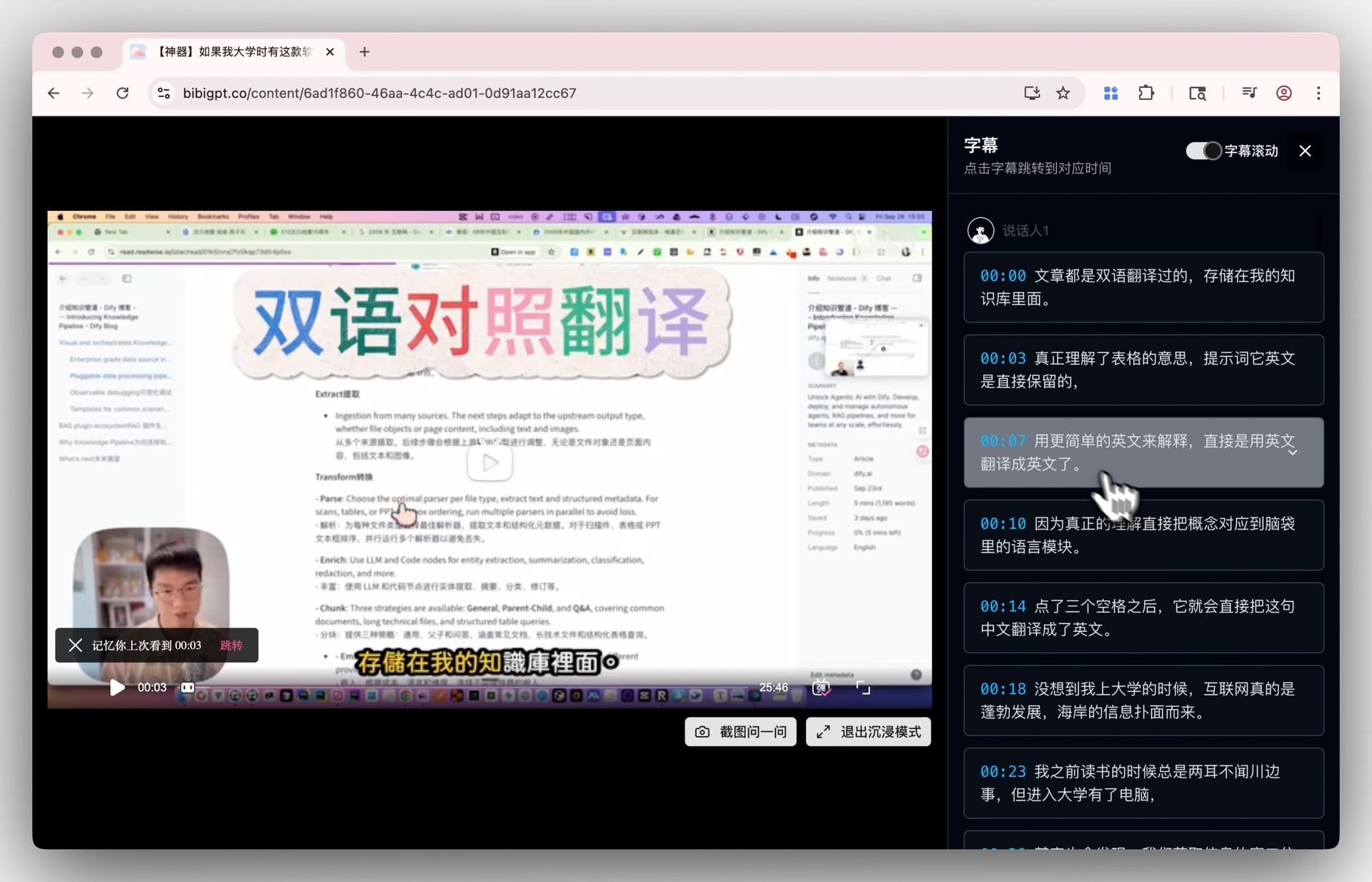
Solved Pain Points
I want to focus on watching video content while simultaneously comparing it with the AI-generated transcript, but I found that BibiGPT’s standard interface has too much information, which distracts my attention and affects my learning and watching experience.Core Features
- BibiGPT has added the “Immersive Mode” function, aimed at providing a distraction-free experience for watching videos and comparing with scripts.
- Users click the “Immersive Mode” button below the video player to enter a brand new interface layout.
- This mode divides the screen into left and right columns: left for video playback, right for scrollable full transcript with timestamps.
- Users can focus on watching and click any transcript sentence on the right to jump the video to the corresponding time point instantly.
Feature Highlights
BibiGPT has launched the brand new “Immersive Mode”. With one click, you can enter a focused view with video and transcript split into left and right columns, allowing you to watch videos without distraction and click transcripts for precise jumping, achieving efficient comparative learning and deep reading.Applicable Scenarios
- I want to focus on watching video content while simultaneously comparing it with the AI-generated transcript, but I found that BibiGPT’s standard interface has too much information, which distracts my attention and affects my learning and watching experience.