
Feature Overview
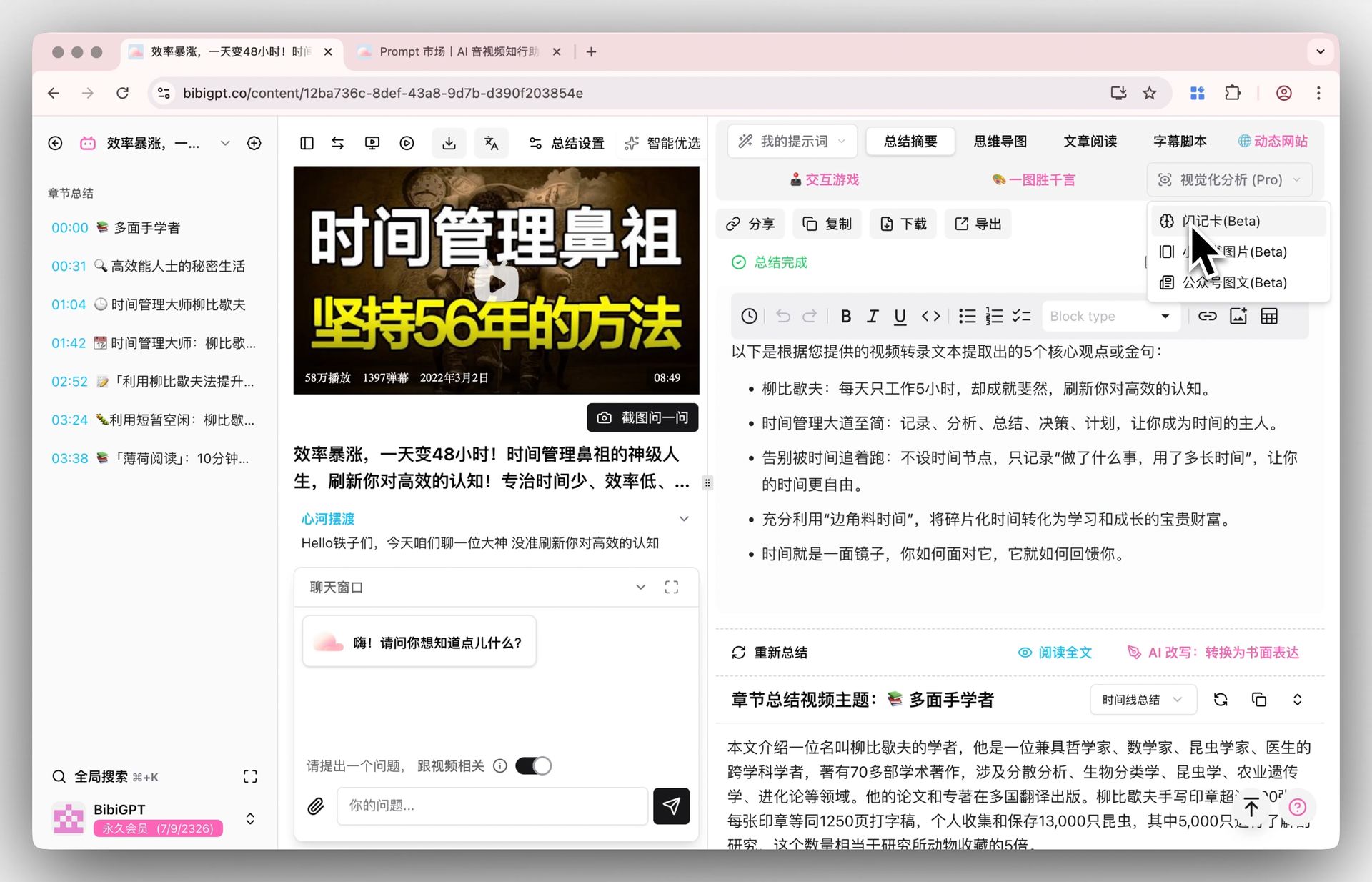
BibiGPT recently optimized the tab bar interaction on the video detail page to solve the problem of information overload caused by numerous functions. Previously, a large number of default functions, custom prompts, and visualization options made the tab bar too long and difficult to search. The new version of the interface organizes the two major function modules, “My Prompts” and “Visualization Analysis”, into independent dropdown menus. Users can not only keep the interface clean but also easily manage (create, edit, delete) custom prompts in the dropdown menu, or generate content such as flashcards and Xiaohongshu images with one click, significantly improving operation efficiency and user experience. Here is an example of the function interface: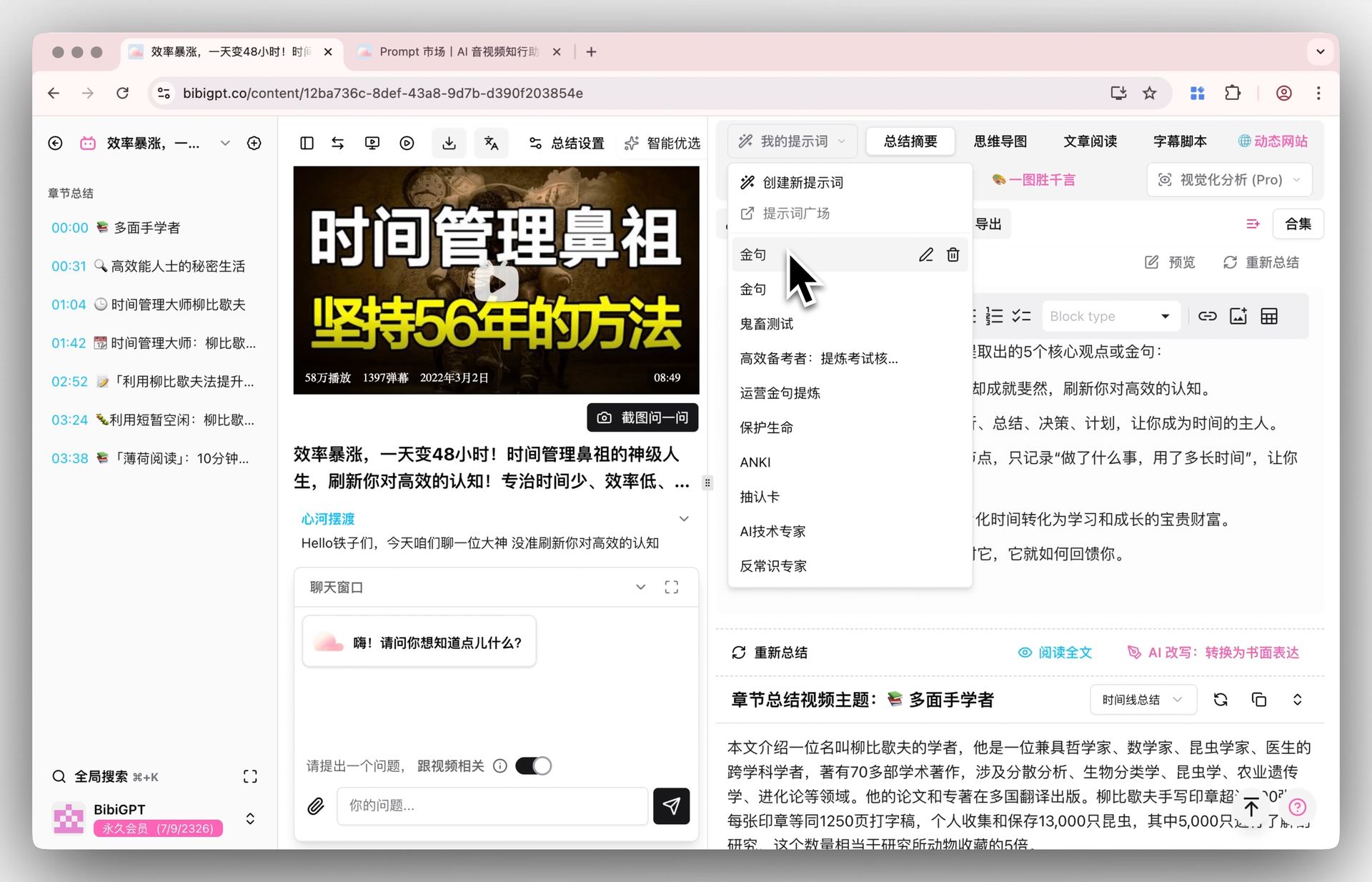
Solved Pain Points
I want to be able to quickly find various functions of BibiGPT, but as custom prompts and visualization functions increase, the top tab bar becomes longer and longer, leading to information overload and making finding and switching very inconvenient.Core Features
- BibiGPT optimized the tab bar interaction on the video detail page to address information overload.
- Replaced the long list of functions with consolidated dropdown menus for “My Prompts” and “Visualization Analysis”.
- Provides a cleaner interface while allowing easy management of custom prompts.
- One-click generation of flashcards, images, and more within the organized menus.
Feature Highlights
BibiGPT smartly optimized the tab bar, collecting functions like “My Prompts” and “Visualization Analysis” into dropdown menus. This maintains a clean interface while ensuring fast access to core functions, making operations clearer and more efficient.Applicable Scenarios
- I want to be able to quickly find various functions of BibiGPT, but as custom prompts and visualization functions increase, the top tab bar becomes longer and longer, leading to information overload and making finding and switching very inconvenient.
Usage Suggestions
- BibiGPT smartly optimized the tab bar, collecting functions like “My Prompts” and “Visualization Analysis” into dropdown menus. This maintains a clean interface while ensuring fast access to core functions, making operations clearer and more efficient.