
Feature Overview
The BibiGPT desktop client has ushered in an important update, adding “Website Settings” authorization capability. Users only need to complete YouTube or Bilibili authorization in “Website Settings” within “Preferences” to unlock higher quality video source access permissions. After the video summary is completed, the system will automatically cache the video. Users can freely switch resolution in the bottom right corner of the player, upgrading from default definition to high-definition quality such as 1080P for local playback and review. This capability also applies to some video content that requires a login state to parse, significantly improving the viewing experience during video summarization and review. Here is an example of the function interface: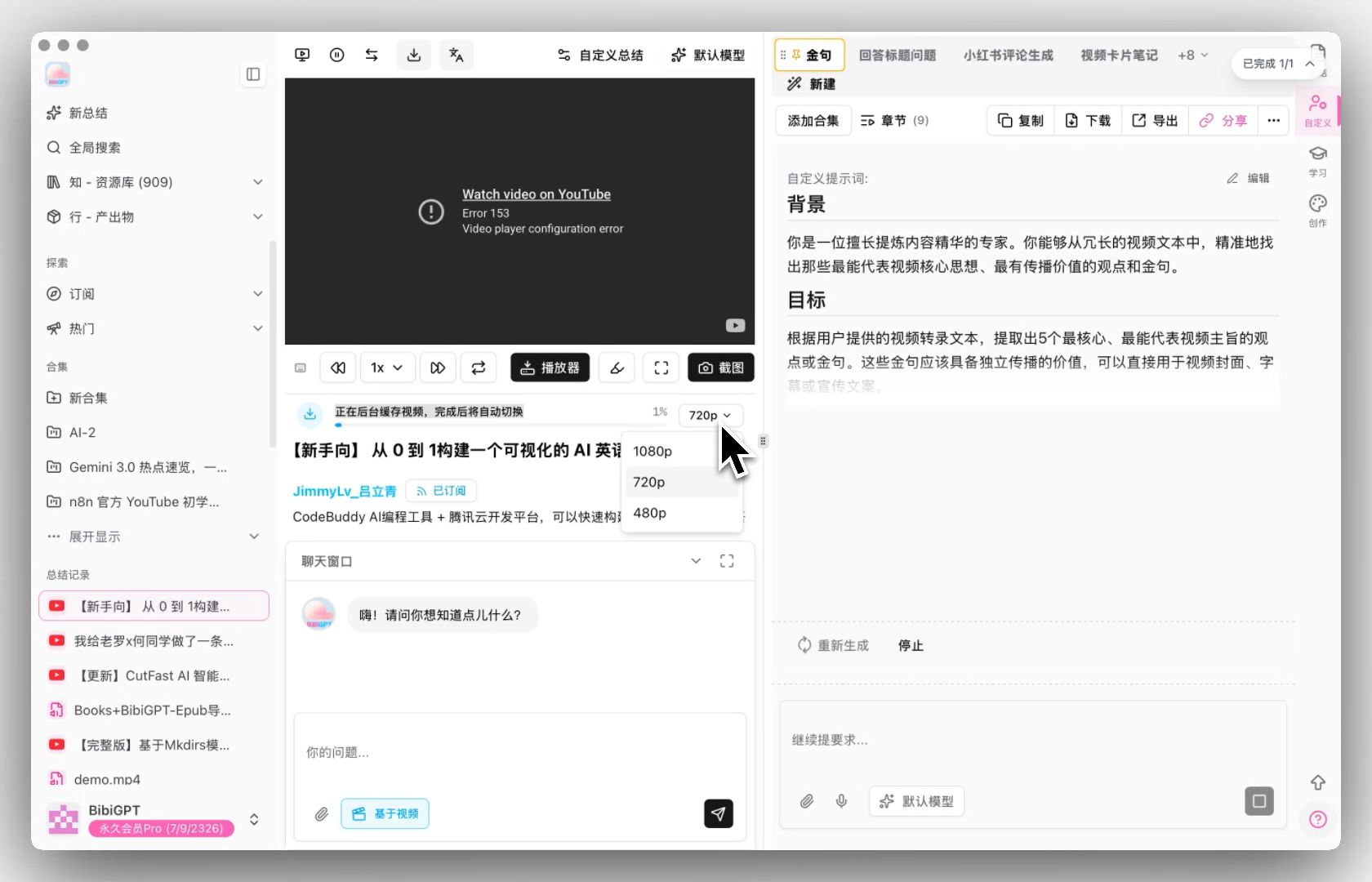
Solved Pain Points
I want to be able to perform local playback and repeated review with clearer image quality when summarizing YouTube or Bilibili videos, especially resolutions above 1080P. However, without authorization, only lower image quality can be used, limiting the viewing and organizing experience.Core Features
- The BibiGPT desktop client has added a “Website Settings” authorization capability.
- Users authorize YouTube or Bilibili in “Preferences” to unlock high-quality video access.
- System automatically caches video after summarization for local high-definition playback.
- Users can freely switch resolution (e.g., up to 1080P) within the player.
- Supports parsing of video content requiring a login state.
Feature Highlights
The BibiGPT desktop version adds a “Website Settings” authorization capability. After users complete YouTube or Bilibili account authorization, they can unlock higher quality video source access. Once the video summary is finished, the system will automatically perform video caching and support freely switching to high-definition resolutions like 1080P in the player for local playback and review. At the same time, this capability also applies to some video content that needs a login state for parsing.Applicable Scenarios
- I want to be able to perform local playback and repeated review with clearer image quality when summarizing YouTube or Bilibili videos, especially resolutions above 1080P.
- However, without authorization, only lower image quality can be used, limiting the viewing and organizing experience.
Usage Suggestions
- After completing account authorization, unlock higher quality video source access. Once the summary is finished, the system will automatically cache the video and support switching to high-definition resolutions like 1080P in the player for local playback and review.