
Feature Overview
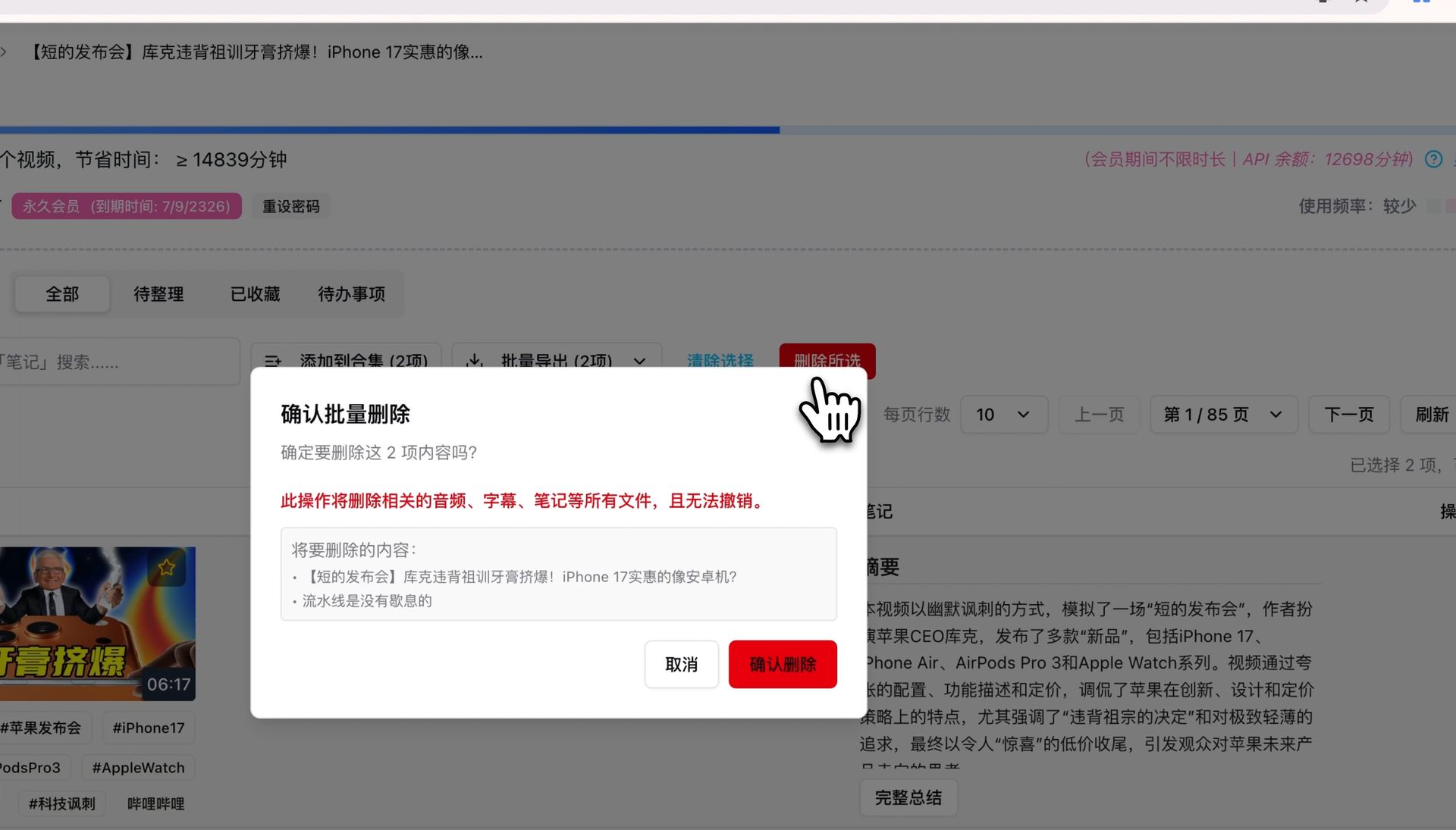
BibiGPT has added a “Bulk Delete” function, aimed at solving the inconvenience of users managing a large number of summary records. Previously, users could only delete records one by one, which was inefficient. Now, users can check multiple audio/video summaries on the “Summary Records” page and then click the “Delete Selected” button. The system will pop up a confirmation box, clearly reminding that this operation will also delete related notes and subtitles and cannot be undone. This function provides great convenience for users who want to efficiently organize their knowledge base. Here is an example of the function interface: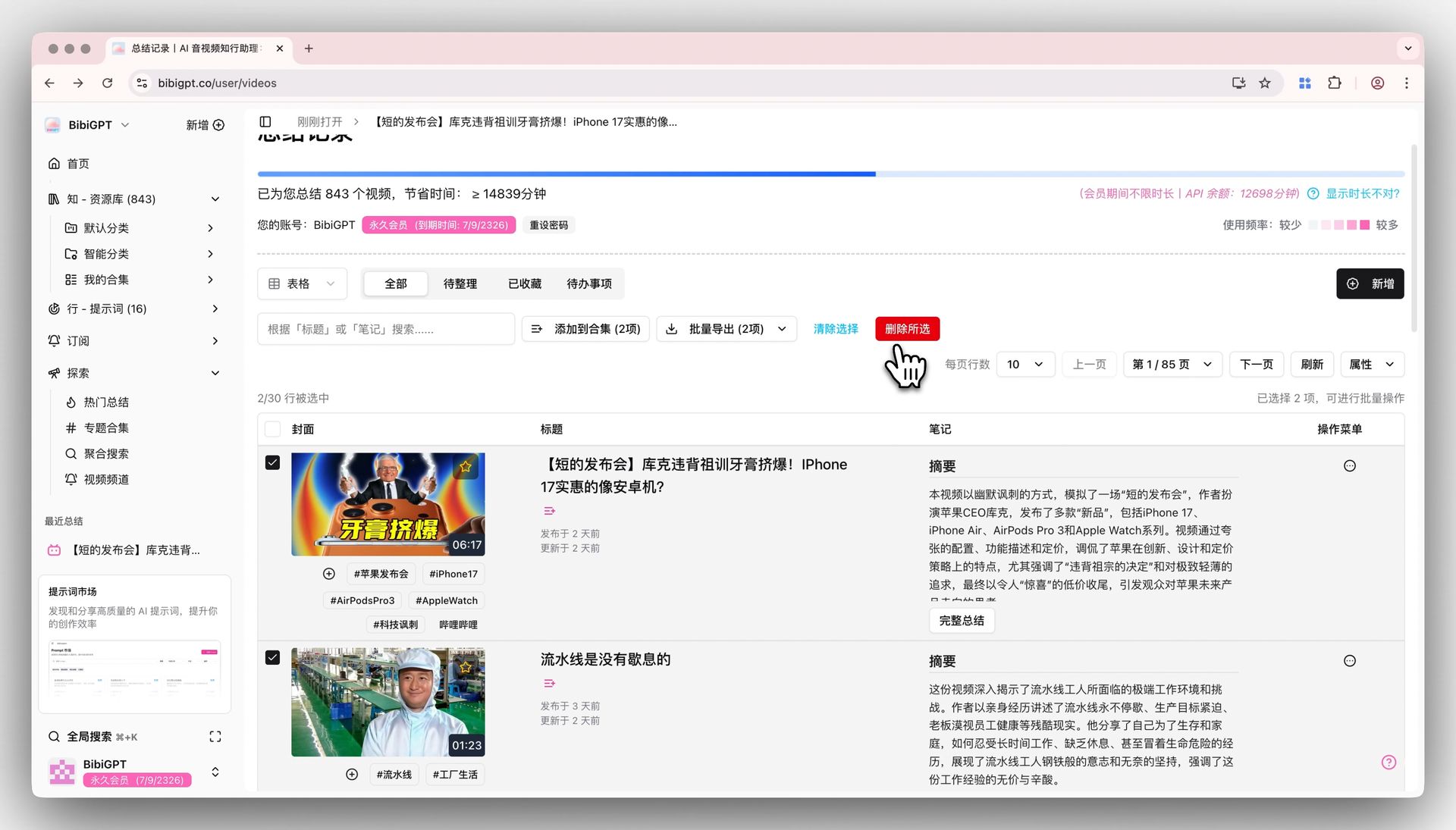
Solved Pain Points
My summary records are increasing, making management troublesome. Especially when I want to clean up some records I no longer need, I can only delete them one by one manually, which is very time-consuming and inefficient.Core Features
- BibiGPT added a “Bulk Delete” function for better record management.
- Users can now select multiple summaries via checkboxes instead of deleting one by one.
- Accessible on the “Summary Records” page via the “Delete Selected” button.
- Includes a confirmation dialog alerting that notes and subtitles will also be permanently removed.
Feature Highlights
BibiGPT added a bulk delete function. You can check multiple items in the summary records list and clear all selected records and their associated notes, subtitles, and other data with one click, easily managing your knowledge base.Applicable Scenarios
- Having a large number of summary records and wanting to bulk clean up unneeded items.
Usage Suggestions
- You can check multiple items in the summary records list and clear all selected records with one click. Note that related notes and subtitles will also be removed.