
Feature Overview
The subscription page has a sidebar list and a full-screen table. The table lists summarized channels and subscribed channels, with platform, summary count, and last update. You can filter channels by site using the same platform chips as the feed; in the sidebar the platform mark sits next to the avatar. Search and one-click subscribe help you find a creator and their past summaries. Here is an example of the function interface: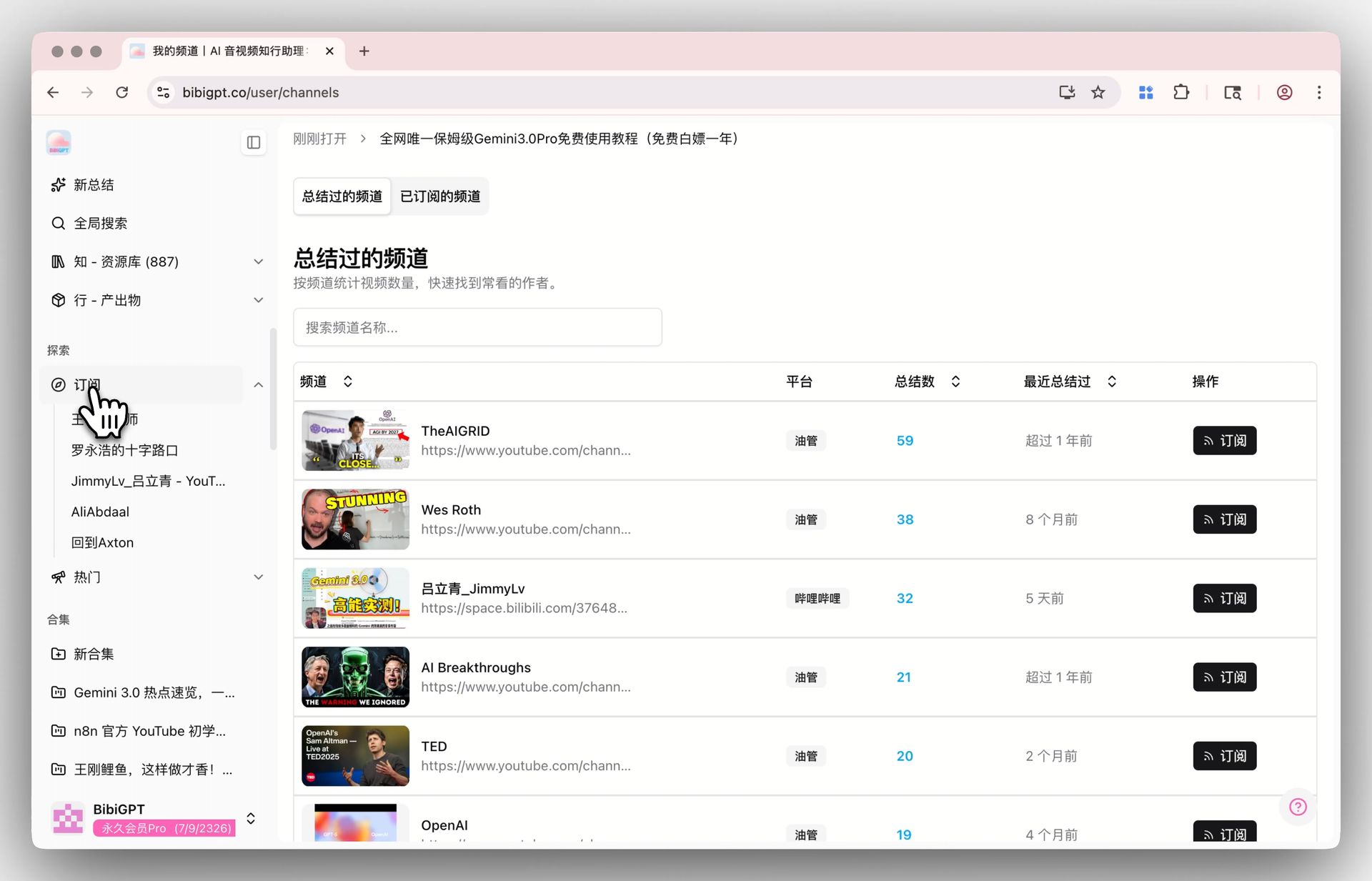
Solved Pain Points
“I’ve summarized many videos using BibiGPT, but over time, I can’t remember exactly which Up loaders’ content I’ve seen, or which channels I want to follow long-term. It’s very troublesome to look back for historical summary records of a certain channel, and the sidebar list is too long to manage well.”Core Features
- Open the full-screen page from the sidebar to manage channels in a table
- See summarized channels and subscribed channels, with platform, summary count, and last update
- Filter by platform to inspect bloggers on one site
- Search and one-click subscribe to jump back to past summaries
Feature Highlights
The full-screen table splits summarized channels from subscribed ones. Filter by platform, search, and see how many summaries each channel has and when it last updated.Applicable Scenarios
- You have summarized many videos and no longer remember which creators you care about
- The sidebar is too long; you want only Bilibili, YouTube, or Douyin channels
- You need a channel’s past summaries without scrolling a long list
Usage Suggestions
- Use the platform chips first, then search; one-click subscribe if you want to keep following
Related Features
Highlight Notes
Collections AI Chat
Bulk Delete Summary Records
Related: Subscription management — try it now Upgrade to Pro: unlock more subscriptions and batch summaries → Pricing