
Feature Overview
BibiGPT lets you pick what goes into an export. On the web, the export dialog is grouped: Summary can include the thinking process; Article script can export the AI rewrite (polish it first); Transcript can include speaker labels. Custom summaries and highlight notes can be exported on their own. On-demand export in the app now matches the web: the same groups, nested options, and order. YAML, embed code, speaker grouping, dropping chapter titles, highlight marks, backlinks, and speaker labels all apply to copy and export. Here is an example of the function interface: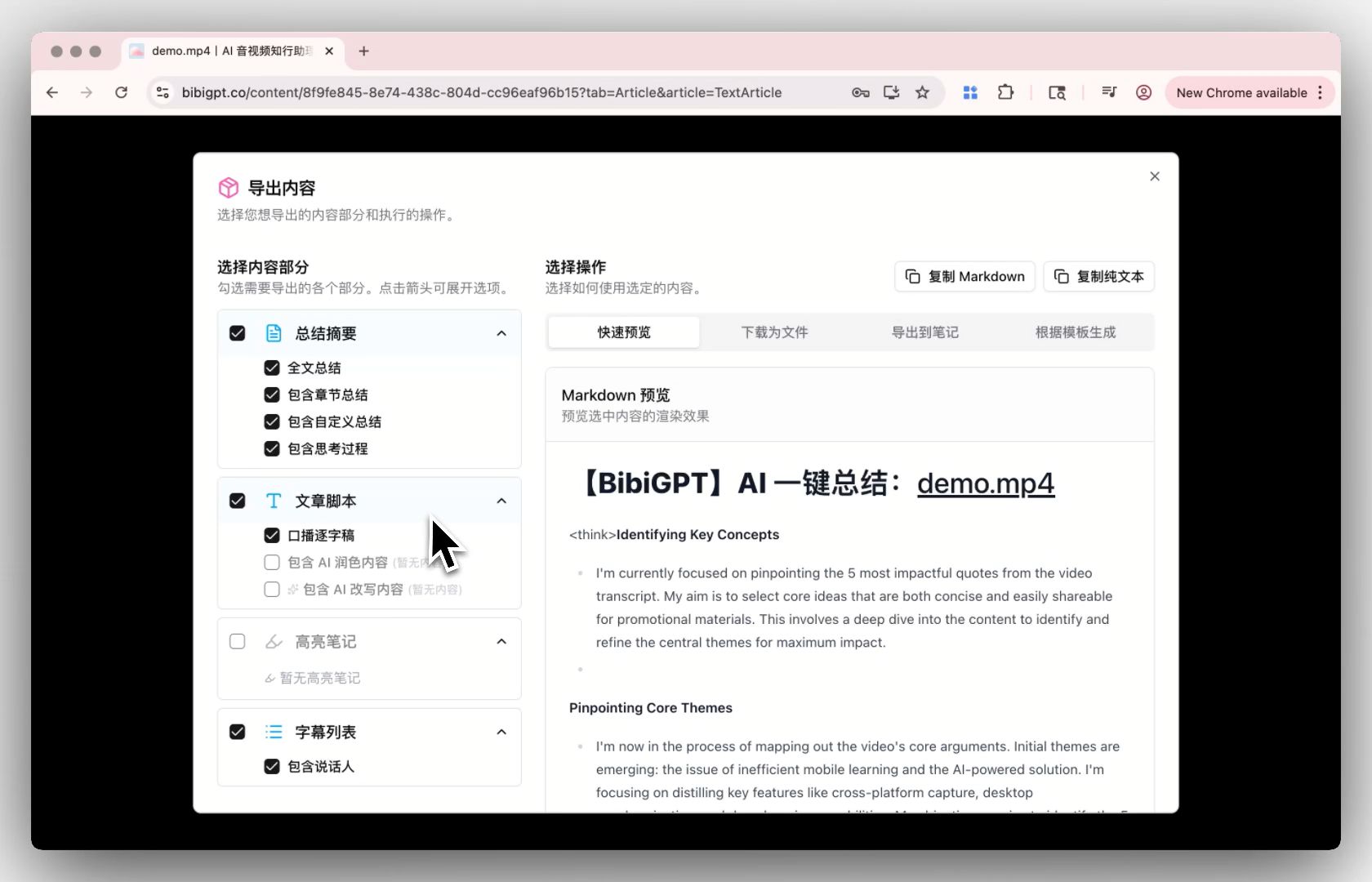
Solved Pain Points
“I not only need the final summary generated by AI but also want to keep the AI’s thinking logic for review; when exporting transcripts or scripts, I hope to directly distinguish speakers or use AI-polished smooth text instead of only being able to export original raw text.”Core Features
- Summary: include the thinking process when you want to review how the summary was formed
- Article script: export the AI rewrite after polishing, for smoother reading
- Transcript: include speaker labels so roles stay distinct
- App matches web: on-demand export uses the same groups, nested options, and order; YAML, embed code, speaker grouping, dropping chapter titles, highlight marks, and backlinks all apply to copy and export
Feature Highlights
Web and the app both let you tick content blocks. Options you tick actually land in the copied or exported file — they are not display-only.Applicable Scenarios
- You want the final summary and the thinking process for later review
- You want speaker labels or polished prose in the exported transcript or script
- You export from the phone app and need the same options as on the web
Usage Suggestions
- Tick the blocks you need on web or in the app, then copy or export; checked options go into the result
Related Features
Desktop File Drag-and-Drop Upload
Custom Transcription Engine Configuration
AI Watch Later Chrome Extension Update
Related: Export notes — try it now Upgrade to Pro: unlock fuller export options → Pricing