
Overview
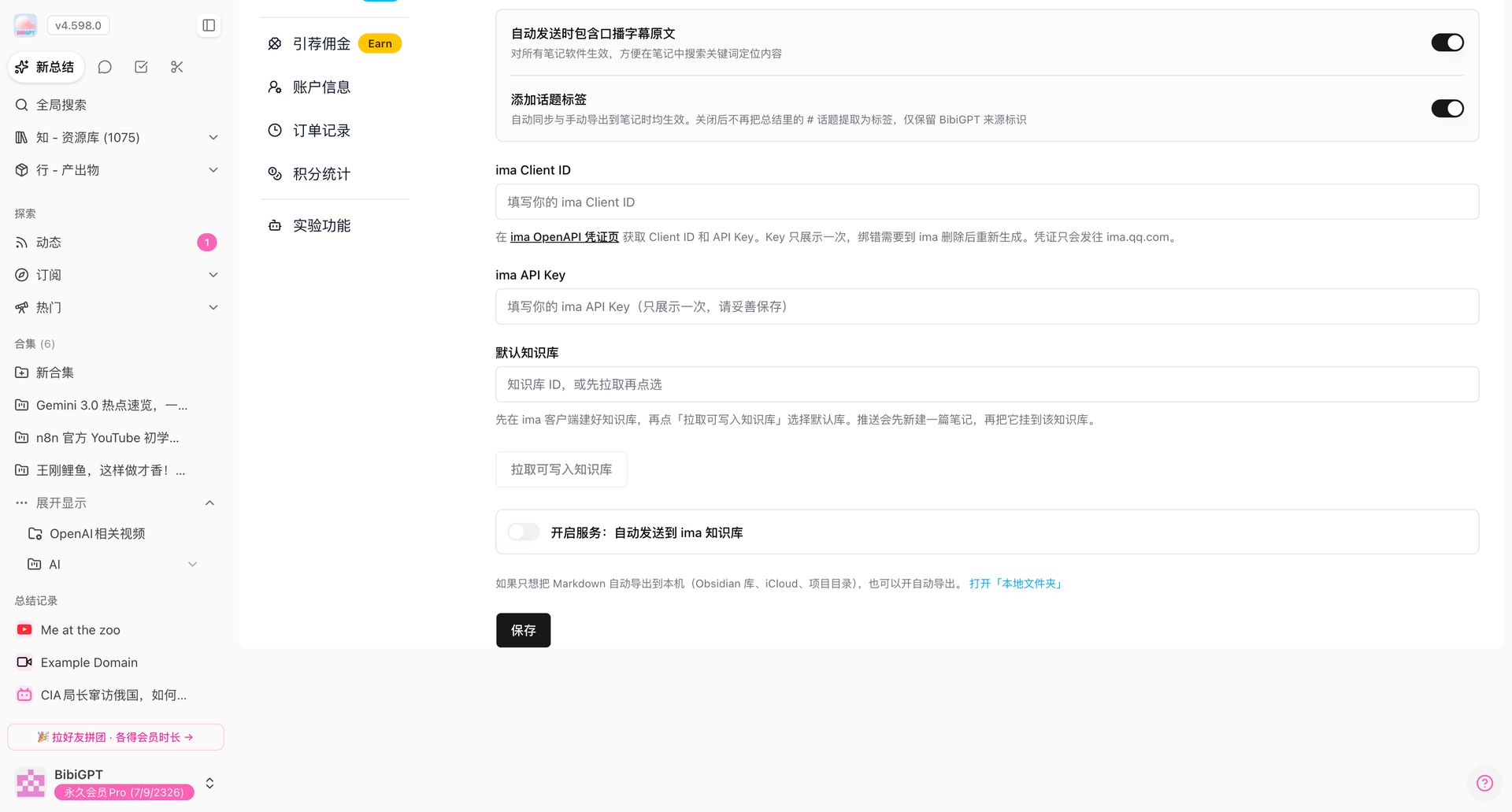
Path: bibigpt.co → Settings / Note integrations → Note export → ima. Same family as Notion and Feishu: Client ID, API Key, pick a writable knowledge base, then auto or manual Markdown after a summary.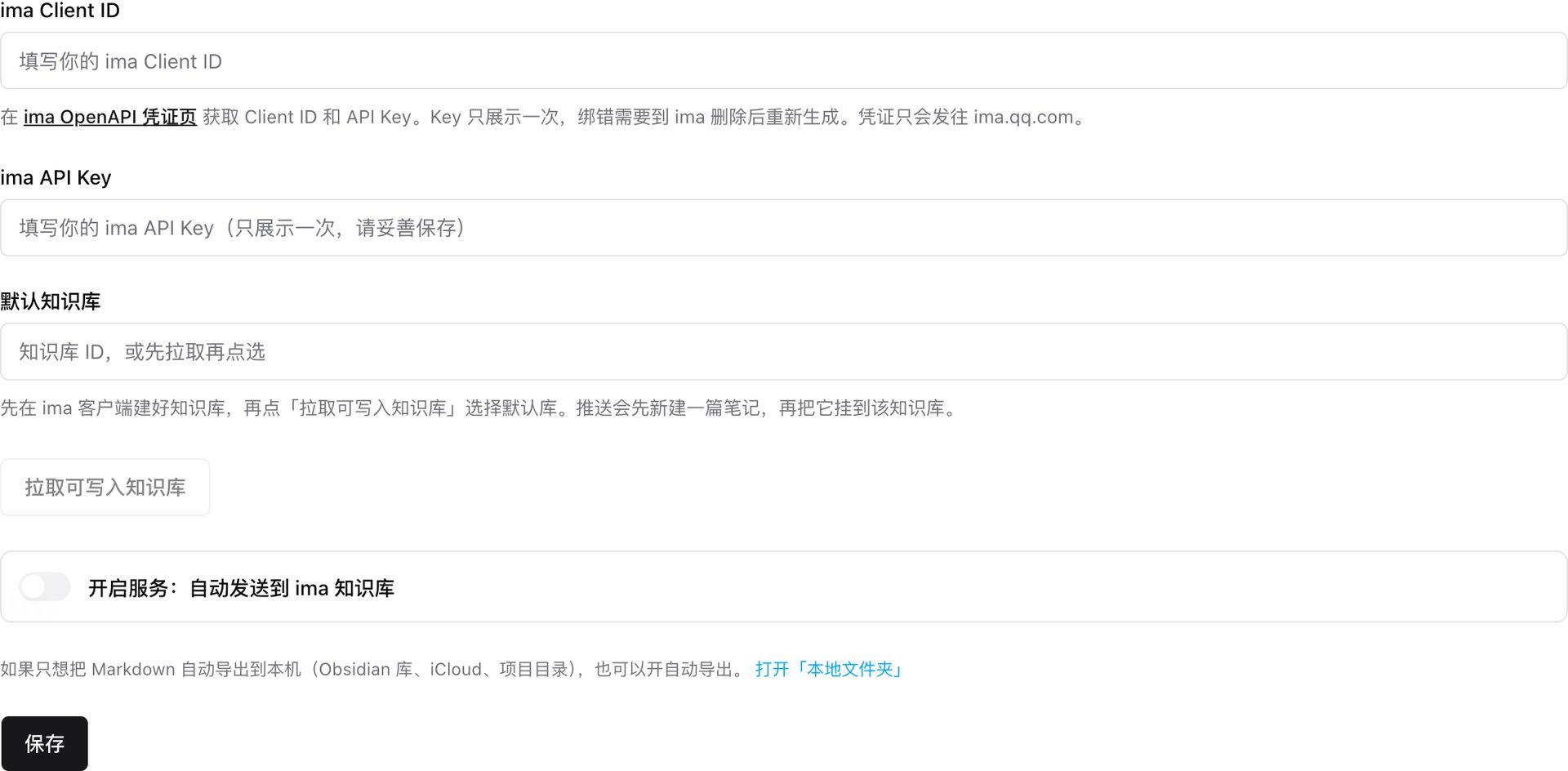
Pain Point
I wanted finished summaries in ima. I used to export Markdown and paste by hand. Notion and Feishu already had one-click push; ima did not.Key Features
- ima Client ID / API Key: from the ima OpenAPI credentials page. The key is shown once; a wrong bind means delete it in ima and mint a new one. Credentials go only to ima.qq.com
- Default knowledge base: paste an ID, or create the library in the ima client and tap Fetch writable knowledge bases
- Auto-send to ima: push after each summary, or send from the summary page by hand
- Push creates a note first, then attaches it to that knowledge base
Highlights
ima sits next to Notion and Feishu. You do not copy the summary a second time.Use Cases
- Keep course notes flowing into one ima library
- A shared writable library with credentials bound once
- Manual push for a few pieces instead of auto for everything
Tips
- For Markdown on disk (Obsidian / iCloud / a project folder), use Local folder instead
- A lost key can only be re-created on the ima side; BibiGPT will not show it again
Related Features
Unified Export Download Panel
Summary Auto-export Notes
Export Layout Themes
Related: Note integrations — try it now Upgrade to Pro: more export and note sync → Pricing