
Feature Overview
BibiGPT has made an important upgrade to the global search function, adding a “Deep Search” option. Regular search matches the video title and AI-generated note summary. However, in some cases, the AI summary may not contain specific keywords the user wants to search for (such as summarizing “ChatGPT” as “Chat GPT”), resulting in search failure. In such cases, the user only needs to turn on the “Deep Search” switch next to the search box, and the system will switch to searching the full transcript of the video, thereby precisely finding videos containing the keyword, solving the pain point of being unable to search due to the summary not containing the keyword. Here is an example of the function interface: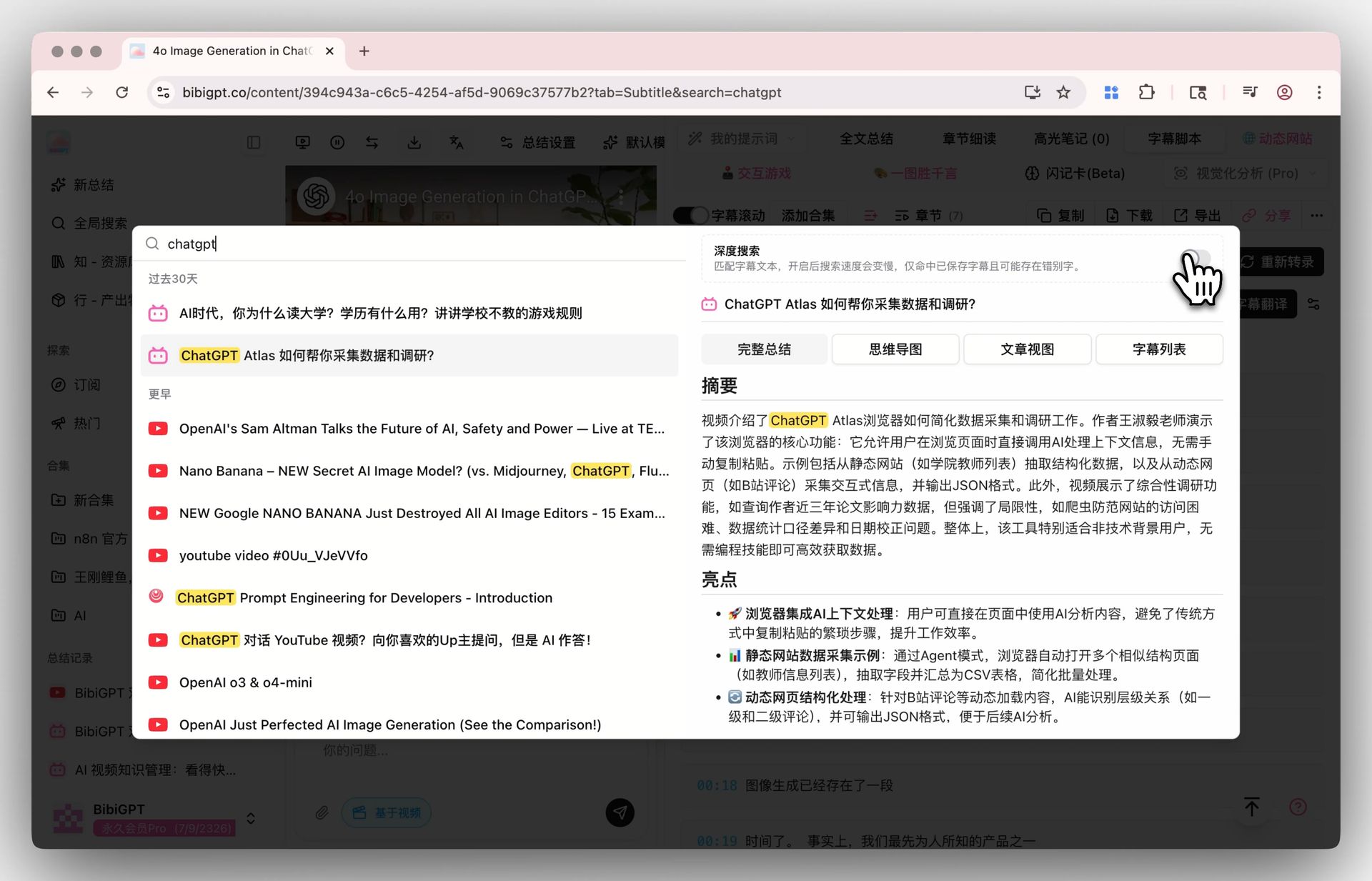
Solved Pain Points
I remember a keyword was mentioned in a video, but that word is in neither the video title nor the AI summary, making it impossible for me to find the video using global search, which is very frustrating.Core Features
- BibiGPT has made an important upgrade to the global search function, adding a “Deep Search” option.
- Regular search matches the video title and AI-generated note summary.
- However, in some cases, the AI summary may not contain specific keywords the user wants to search for, resulting in search failure.
- The user only needs to turn on the “Deep Search” switch next to the search box, and the system will switch to searching the full transcript of the video, thereby precisely finding videos containing the keyword.
Feature Highlights
BibiGPT global search has added a “Deep Search” function. When enabled, it can directly search the full transcript text within the video. Even if the keyword does not appear in the title or summary, it can help you precisely locate the target video.Applicable Scenarios
- I remember a keyword was mentioned in a video, but that word is in neither the video title nor the AI summary, making it impossible for me to find the video using global search, which is very frustrating.
Usage Suggestions
- BibiGPT global search has added a “Deep Search” function. When enabled, it can directly search the full transcript text within the video. Even if the keyword does not appear in the title or summary, it can help you precisely locate the target video.