
Feature Overview
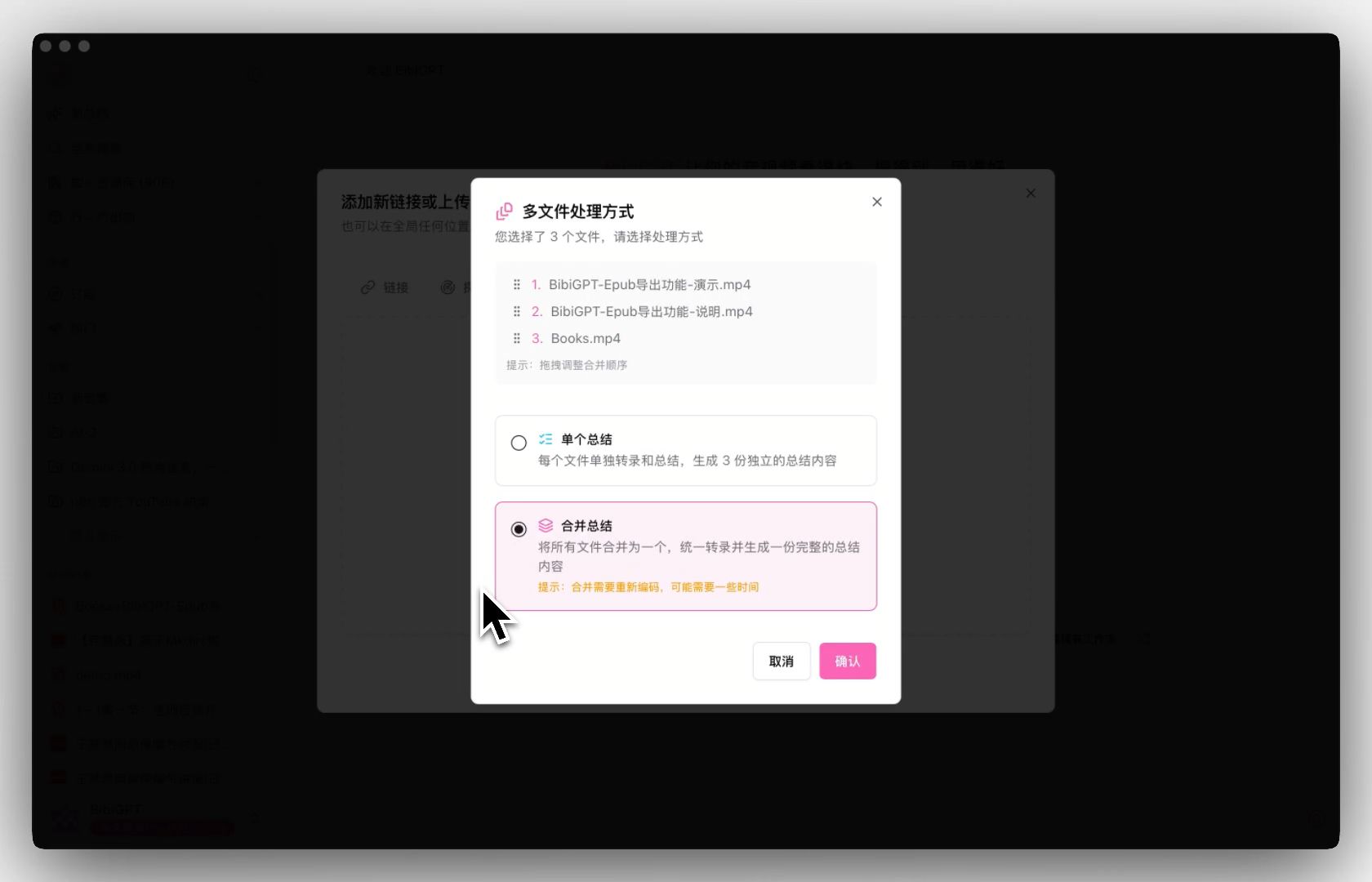
BibiGPT has launched the “Multi-Audio/Video File Merged Summary” function, greatly optimizing the multi-file processing workflow. The main updates are as follows:- Batch Upload and Mode Selection: Supports uploading multiple audio/video files at once. Users can choose between “Single Summary” (generating independent summaries for each file) or “Merged Summary” mode.
- Free Sorting and Merging: In Merged Summary mode, users can freely adjust the file order by dragging and dropping, and the system will merge them into a unified transcription stream.
- Unified Output: Merged tasks will generate a complete video progress bar containing all segments, a coherent AI summary, and a merged transcript.
Solved Pain Points
“I have several related video or audio segments (such as the first and second half of a course, or meetings recorded in segments). Every time I have to upload and summarize them separately, getting several independent notes, which feels very fragmented when reading. I hope to combine them directly to generate a complete summary.”Core Features
- BibiGPT has launched the “Multi-Audio/Video File Merged Summary” function, greatly optimizing the multi-file processing workflow.
- Main updates:
-
- Batch Upload and Mode Selection: Supports uploading multiple audio/video files at once; users choose between “Single Summary” or “Merged Summary” mode.
-
- Free Sorting and Merging: In merging mode, users freely adjust file order via drag-and-drop; the system merges them into one unified transcription stream.
Feature Highlights
BibiGPT added multi-file upload and processing features, allowing users to upload multiple audio/video files at once and providing a “Merged Summary” mode. Users can freely drag and drop to adjust file order, and the system automatically merges them into a unified transcription task, generating coherent, complete summary content and transcripts.Applicable Scenarios
- I have several related video or audio segments (such as the first and second half of a course, or meetings recorded in segments). Every time I have to upload and summarize them separately, getting several independent notes, which feels very fragmented when reading.
- I hope to combine them directly to generate a complete summary.
Usage Suggestions
- Users can freely drag and drop to adjust file order, and the system automatically merges them into a unified transcription task, generating coherent, complete summary content and transcripts.