
Feature Overview
BibiGPT has updated the “Folder Monitoring” function, adding an “Applicable Scenarios” preset module. Aiming at the pain point that users find it difficult to quickly locate the storage paths of specific software (such as Baidu Netdisk, OBS, QuickTime, etc.), the system has preset these commonly used directories. Users only need to click the corresponding icon, and the system will automatically detect whether the path exists: if it exists, automatic monitoring and processing will be started immediately; if it does not exist, an automatic prompt will be given. This function greatly simplifies the configuration process for automatic processing of audio and video, while retaining the flexibility for users to manually select any folder. Here is an example of the function interface: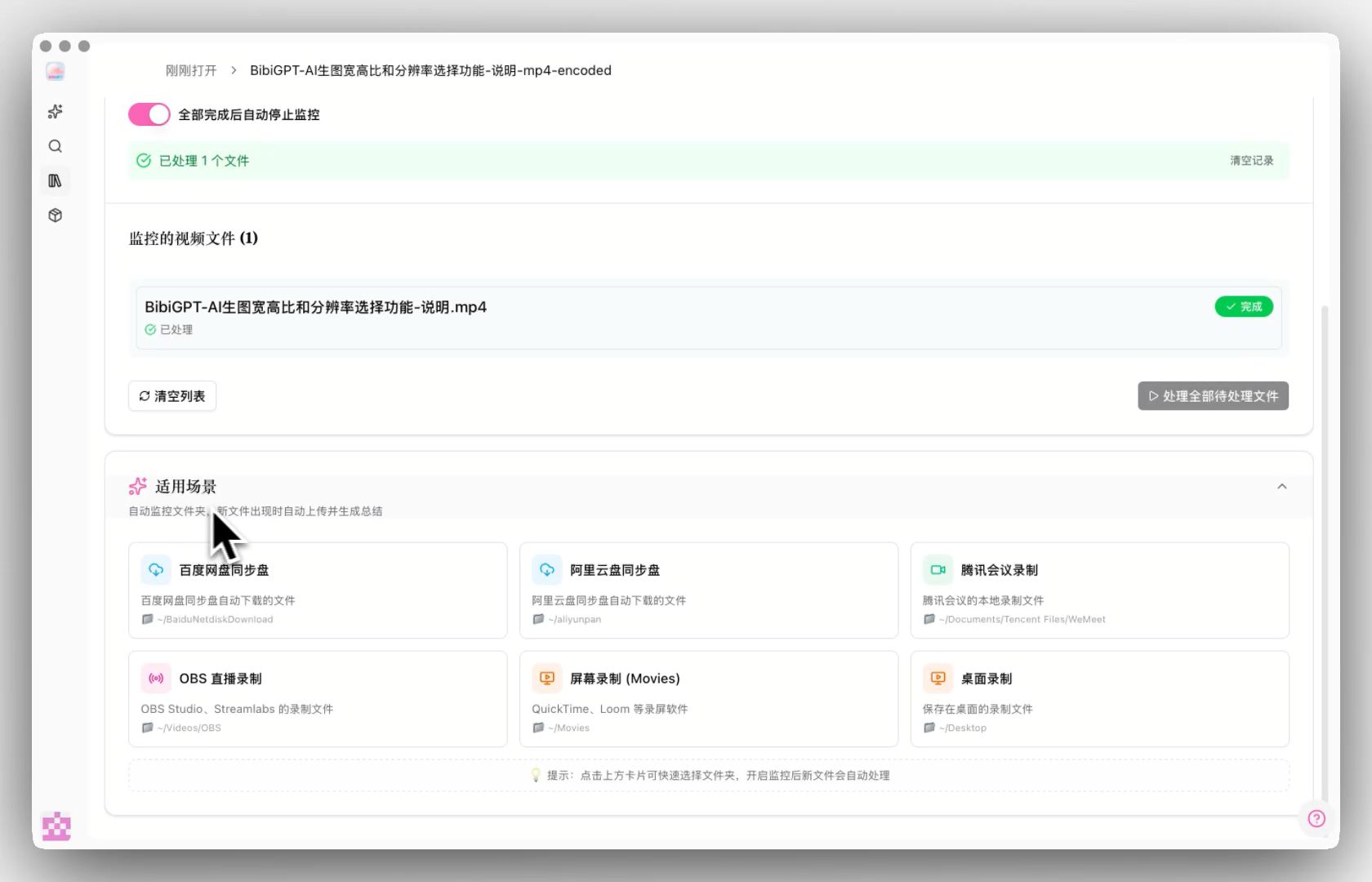
Solved Pain Points
“I often use OBS for screen recording or sync videos through Baidu Netdisk, and I want BibiGPT to automatically process these new files. But manually searching and copying the default storage paths of these software layer by layer in the file explorer is very troublesome, and sometimes I don’t even know where the files are stored.”Core Features
- BibiGPT has updated the “Folder Monitoring” function, adding an “Applicable Scenarios” preset module.
- For the pain point that users find it difficult to quickly locate the storage paths of specific software, the system has preset these commonly used directories.
- Users only need to click the corresponding icon, and the system will automatically detect whether the path exists: if it exists, automatic monitoring and processing will be started immediately.
- If it does not exist, an automatic prompt will be given.
Feature Highlights
BibiGPT has added an “Applicable Scenarios” module to the folder monitoring page, built-in common paths such as Baidu Netdisk, OBS, WeChat, and screen recording software. Users only need to click the corresponding card, and the system can automatically detect and lock the folder without manually searching for the path, achieving full automatic processing of audio and video files.Applicable Scenarios
- I often use OBS for screen recording or sync videos through Baidu Netdisk, and I want BibiGPT to automatically process these new files. But manually searching and copying the default storage paths of these software layer by layer in the file explorer is very troublesome, and sometimes I don’t even know where the files are stored.
Usage Suggestions
- Users only need to click the corresponding card, and the system can automatically detect and lock the folder without manually searching for the path, achieving full automatic processing of audio and video files.