
Feature Overview
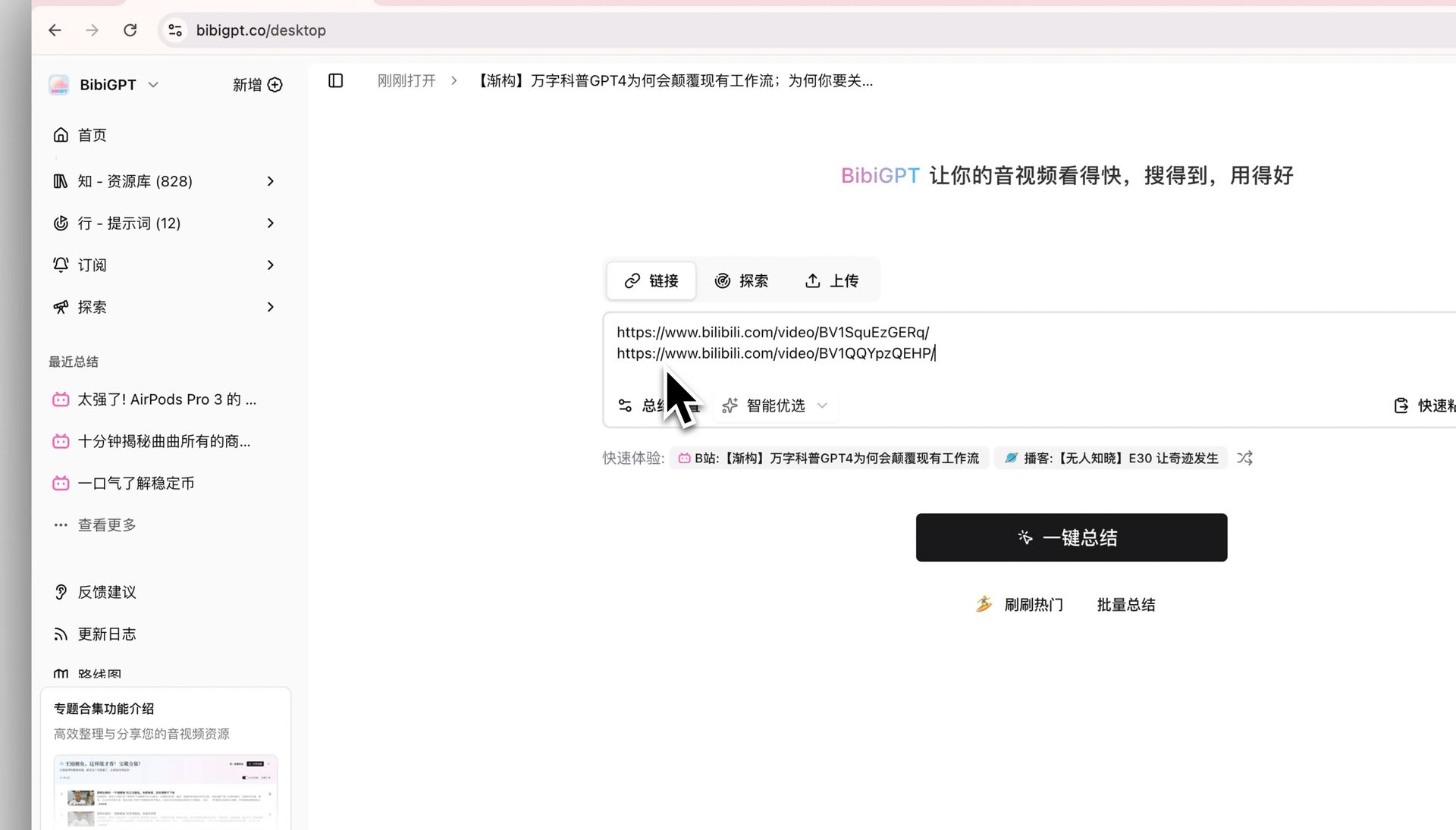
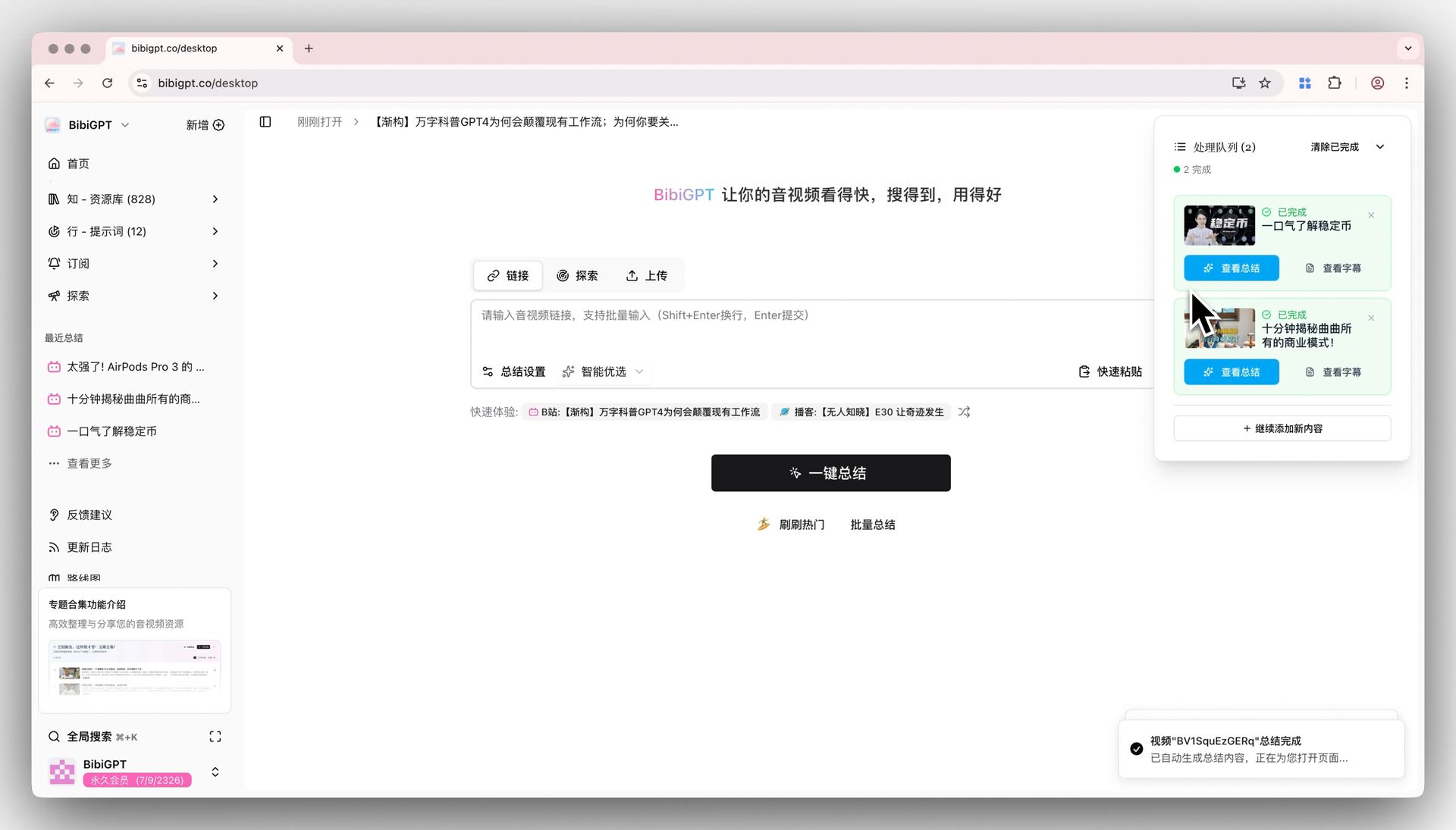
BibiGPT has launched a new function, simplifying the multi-video batch summarization process. Previously, users had to enter a dedicated page to perform batch summarization, which was inconvenient. Now, users can directly paste multiple video links in the main input box on the home page (useShift+Enter for line breaks), and then press Enter or click “Summarize” to start. The system will automatically process all videos in the queue and jump to the summary page of the first video upon completion. This update significantly improves operational convenience and efficiency, solving the user pain points of deep entry points and tedious processes in the past.
Here is an example of the function interface:
Solved Pain Points
I want to summarize multiple videos at once, but the previous batch summarization function had a relatively deep entry point and required jumping to a dedicated page, which was not intuitive and convenient, interrupting my workflow.Core Features
- BibiGPT has launched a new function, simplifying the multi-video batch summarization process.
- Previously, users had to enter a dedicated page to perform batch summarization, which was inconvenient.
- Now, users can directly paste multiple video links in the main input box on the home page (use
Shift+Enterfor line breaks), and then press Enter or click “Summarize” to start. - The system will automatically process all videos in the queue and jump to the summary page of the first video upon completion.
Feature Highlights
BibiGPT now supports directly pasting multiple video links in the main input box on the home page (useShift+Enter for line breaks), starting batch summarization with one click, making the entire process faster and more efficient.
Applicable Scenarios
- I want to summarize multiple videos at once, but the previous batch summarization function had a relatively deep entry point and required jumping to a dedicated page, which was not intuitive and convenient, interrupting my workflow.
Usage Suggestions
- BibiGPT now supports directly pasting multiple video links in the main input box on the home page (use
Shift+Enterfor line breaks), starting batch summarization with one click, making the entire process faster and more efficient.