
Overview
Paste a YouTube playlist or Bilibili collection URL. You land on the list page with a notice that this is a playlist, not a channel subscription. Tap Summarize the whole playlist to turn the list into a collection, summarize each video, and get a cross-video recap (up to 50 items). Or tick episodes first and use Summarize selected. The embed on the playlist feature page follows the same path instead of treating the list as a single video.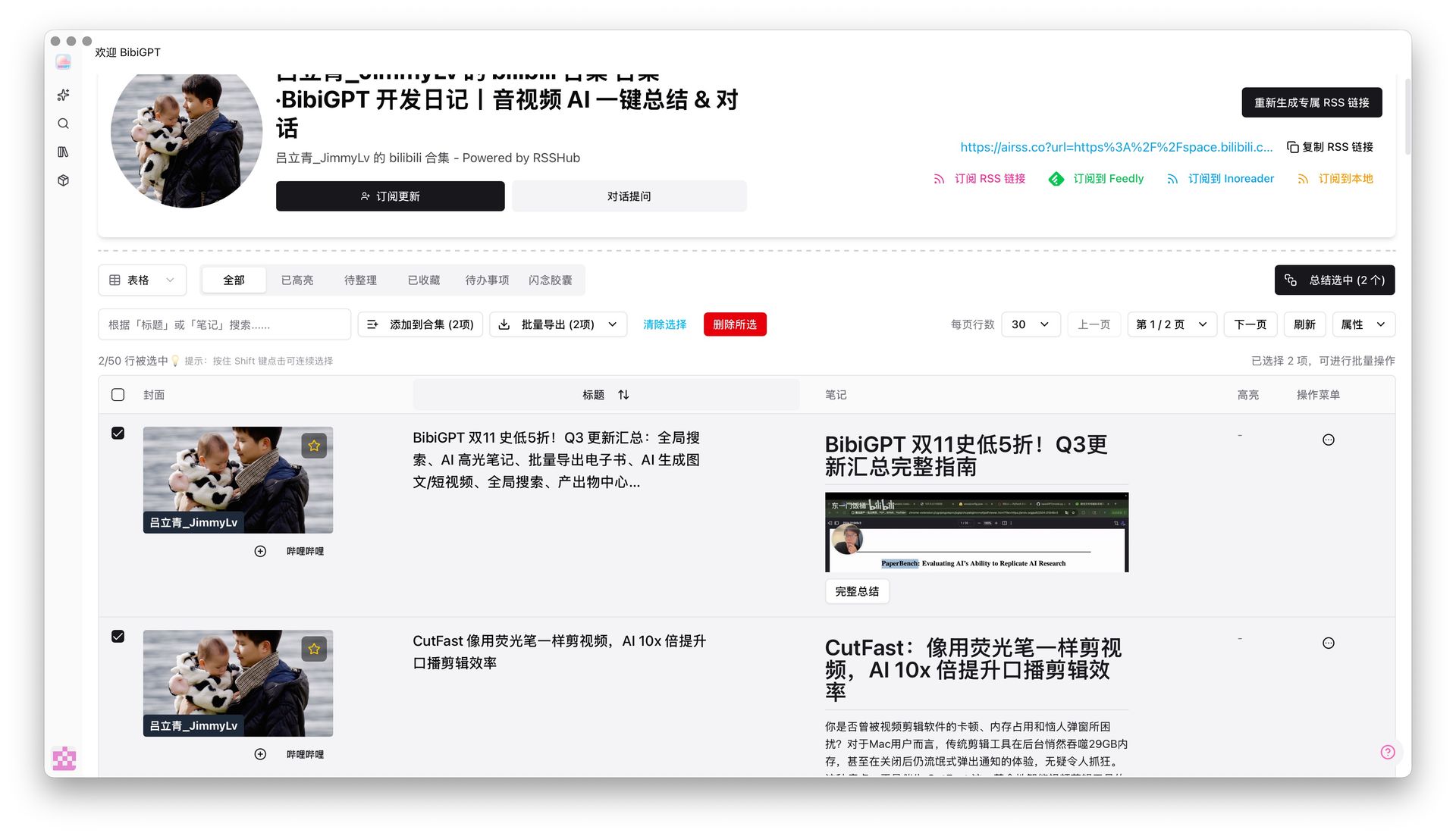
Pain Point
A collection often has dozens of videos; I only need three or five. Pasting used to summarize everything, drain quota, then force me to delete extras in the library.Key Features
- Paste a YouTube playlist or Bilibili collection and open the list, not a single video
- Summarize the whole playlist builds a collection, runs each item, and writes a cross-video recap (max 50)
- Or tick episodes first; Summarize selected updates live, e.g. “Summarize selected (2)”
- Add to collection and bulk export stay on the same screen
- The YouTube playlist summarizer feature-page embed uses this same flow
Highlights
Quota goes to the episodes you will actually read. Later cleanup is not flooded with the rest.Use Cases
- A Bilibili course where only a few lectures matter
- A series where you only want the latest two
- Filter, then archive—instead of process-all and delete
Tips
- Paste the playlist URL itself; copying a video you opened from the list is treated as one video
- Use whole-list import for a series; tick first when you only need a few lectures
- After it becomes a collection, bulk export is one tap away
Related Features
Collection Summary
Multi-link Batch Summarize
Collection Batch Move and Copy
Related: YouTube playlist summarizer — try it now Upgrade to Pro: more batch-summary quota → Pricing