
Feature Overview
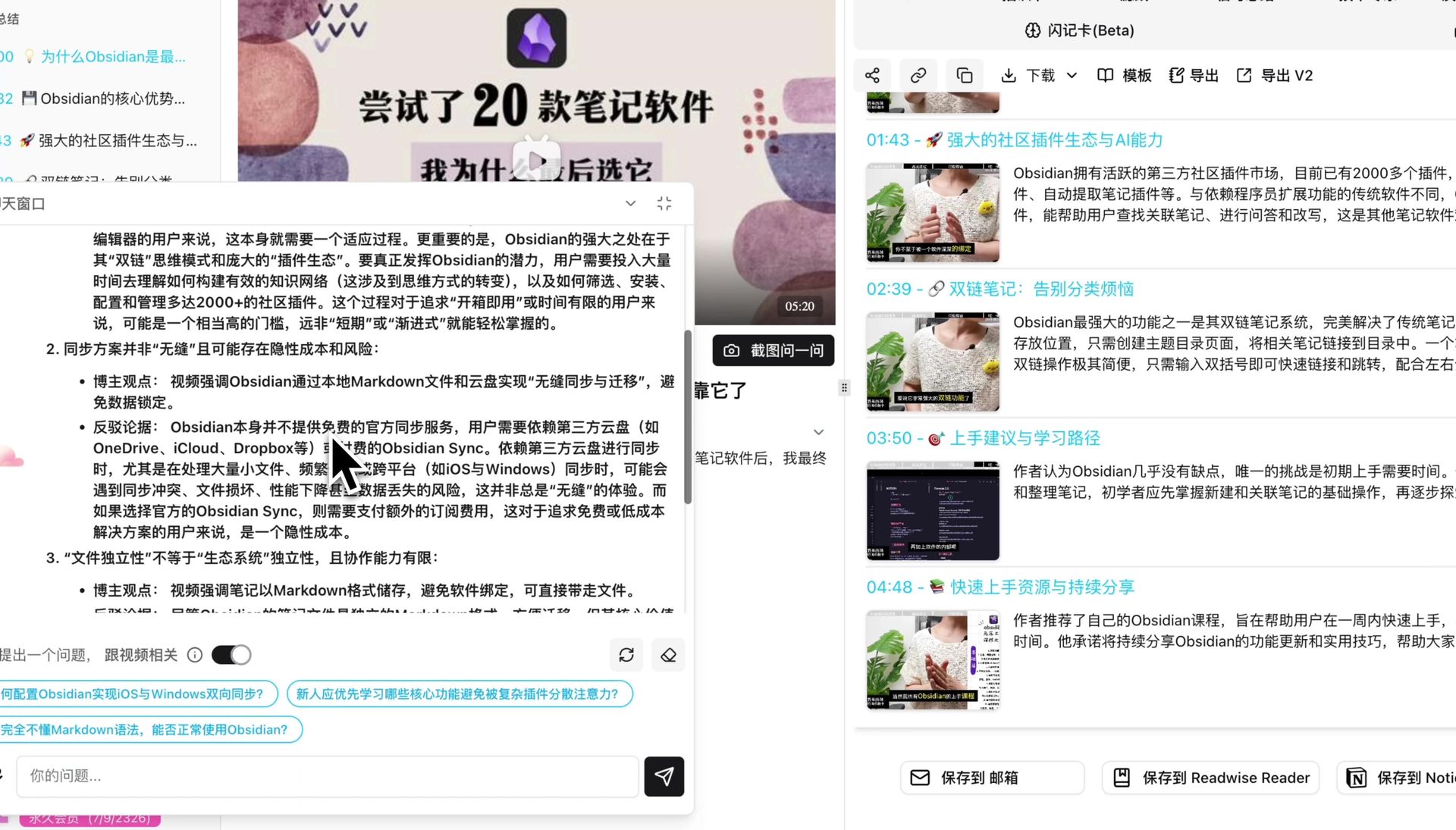
BibiGPT launched the “AI Conversation” function to solve the pain point that users cannot ask in-depth interactive questions about audio and video content. Below the player on the video summary detail page, users can find a chat window. By turning on the “Related to Video” switch, users can ask questions about the current content and get precise answers; with the built-in Web Search toggle in the input box, AI can also retrieve live web information alongside video context or in direct chat. This function supports clearing, re-answering, uploading attachments, generating exploratory follow-up questions, and performing critical thinking such as providing counter-arguments to core viewpoints in the video. Here is an example of the function interface: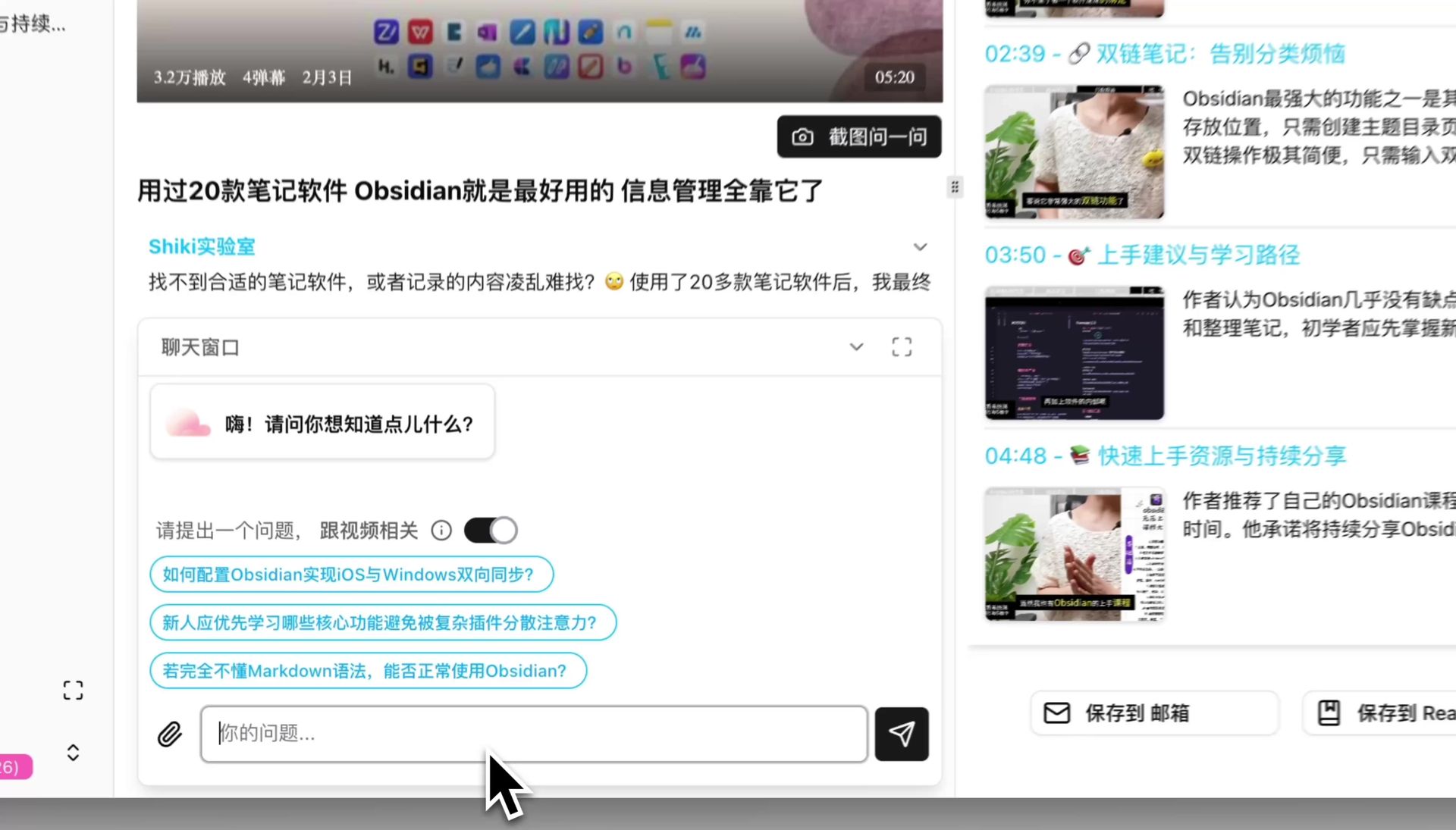
Solved Pain Points
I hope to deeply understand the content of the video or audio, and ask questions and explore specific details, but I cannot interact with the media content like communicating with a real person, which limits the depth of my learning.Core Features
- BibiGPT launched the “AI Conversation” function to solve the pain point that users cannot ask in-depth interactive questions about audio and video content.
- Below the player on the video summary detail page, users can find a chat window.
- By turning on the “Related to Video” switch, users can ask questions about the current content and get precise answers.
- Live Web Search Toggle: The chat input box includes a “Web Search” toggle (remembers your preference locally and hides automatically in Agent mode). When enabled, AI can perform up to 3 live web search steps per reply in both video-grounded RAG and direct chat to supplement external facts and latest updates. Web search is billed per successful call (counted toward the monthly credit pool for subscribers, or 1 minute of remaining quota for free/duration users, shown in the toggle tooltip).
- This function not only supports regular operations such as clearing, re-answering, and uploading attachments, but also intelligently generates exploratory questions.
Feature Highlights
BibiGPT provides the “AI Conversation” function, allowing users to directly ask questions to video/audio content through an interactive chat window, combine video transcript context with real-time web search, and perform critical thinking for deeper dialogue and learning.Applicable Scenarios
- Ask follow-up questions about specific details, terminology, and arguments inside a video or podcast.
- Turn on Web Search to fact-check claims in a video or pull in up-to-date external background information.
- Request counter-arguments and critical analysis of a speaker’s core viewpoints.
Usage Suggestions
- Keep “Related to Video” enabled for transcript-grounded Q&A; toggle on Web Search in the chat input when your question requires external background facts or recent news beyond the video itself.
Related Features
AI Chat Window Free Layout (Fullscreen, Move, Resize)
Chat Agent Mode
Chat Attachment Upload
Related Feature: AI Conversation Chat Window — Try it now Upgrade to Pro: Unlock unlimited usage → View Pricing