
Feature Overview
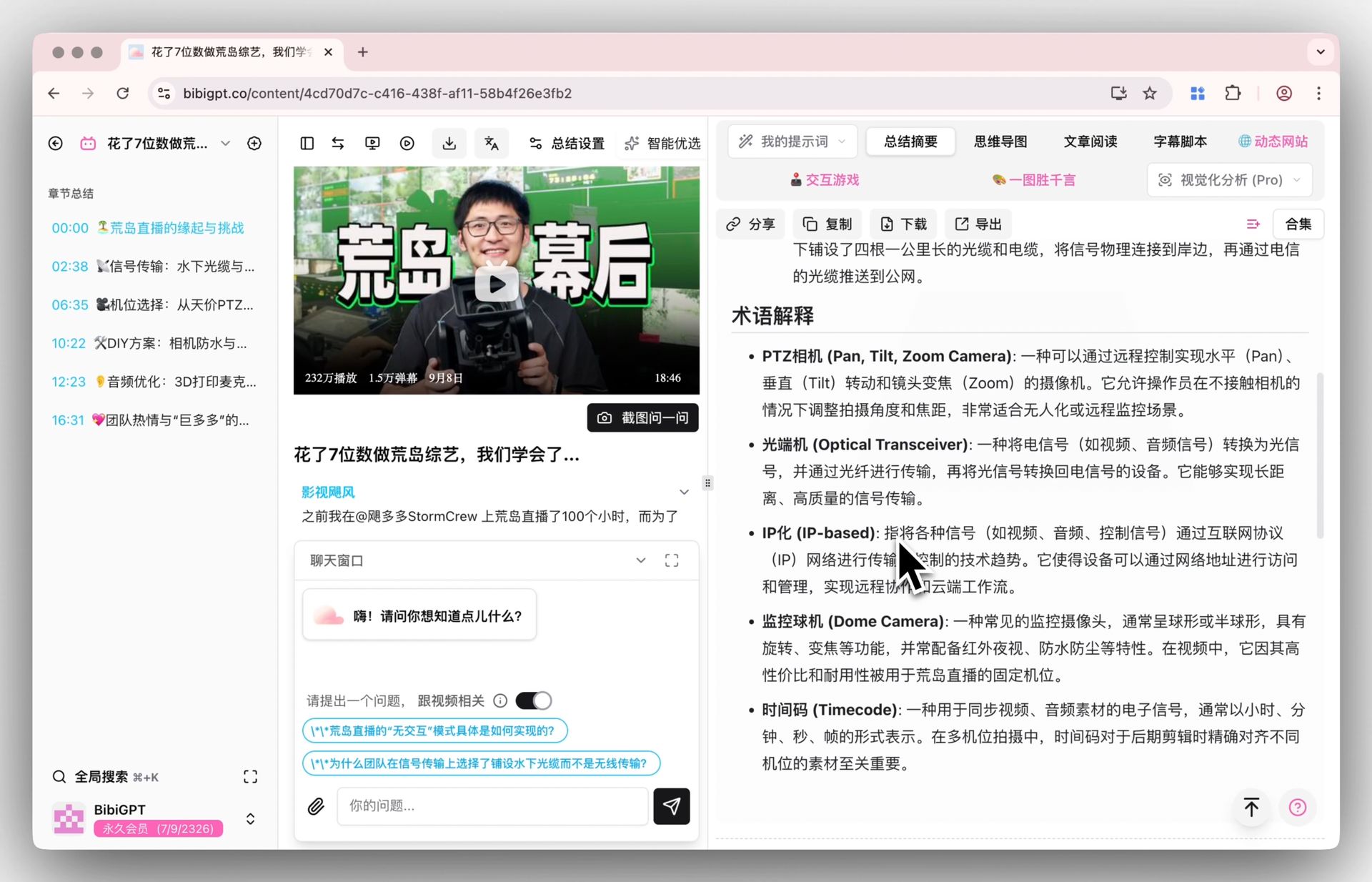
BibiGPT has majorly upgraded the default Summary Overview, solving the problem of summaries that were too thin. Smart selection still builds a structured report—core summary, highlights, deep Q&A, and term notes—in one click. The default template now leads with the content, puts fidelity first, and drops hard word-count and bullet quotas so the write-up is not padded to fill a mold. Length also follows runtime: short clips stay short; long lectures get room. You still do not need a custom prompt. In Summary settings you can pick DeepSeek V4.1 Flash (marked new), or any other listed model. Here is an example of the function interface: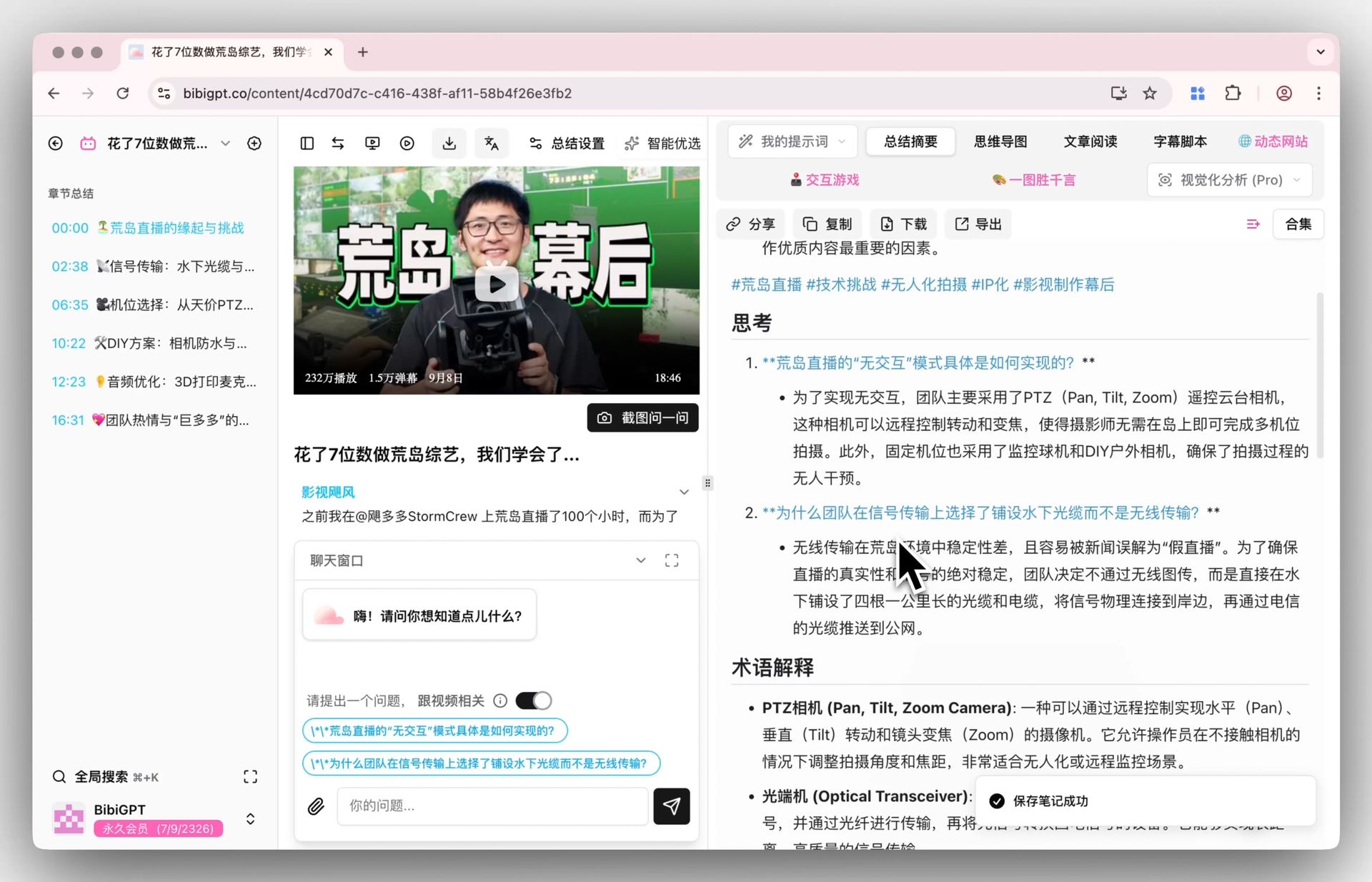
Solved Pain Points
I hope the video summaries generated by AI can be deeper and more detailed, not just a few simple sentences. The current default summaries are sometimes too brief, and I want to see richer analysis, such as key points, thinking questions, and even relevant term explanations, but I don’t want to spend time writing complex custom prompts every time.Core Features
- BibiGPT has majorly upgraded the default “Summary Overview” function, solving the problem of previous summary content being too simple.
- Through the brand new smart selection configuration, a structured report containing core summaries, highlights, deep thinking Q&A, and key term explanations can now be generated with one click.
- This update allows users to obtain more detailed and enlightening video overviews without customizing prompts.
- The default template is looser: content first, fidelity first, no fixed word or bullet quota.
- Default summaries scale with video length: short clips stay brief; long videos and lectures expand.
- Summary settings include DeepSeek V4.1 Flash (marked new); switch to another listed model when you want a different style.
Feature Highlights
BibiGPT upgraded the default Summary Overview. Smart selection still builds a structured deep summary—core points, highlights, Q&A, and terms—in one click. Length follows the video, so a short clip is not written like a two-hour lecture.Applicable Scenarios
- I hope the video summaries generated by AI can be deeper and more detailed, not just a few simple sentences.
- The current default summaries are sometimes too brief, and I want to see richer analysis, such as key points, thinking questions, and even relevant term explanations, but I don’t want to spend time writing complex custom prompts every time.
- A few-minute clip should stay scannable, not as long as a two-hour lecture write-up.
Tips
- Default summary covers most videos; switch to a custom prompt only when you need a fixed tone or structure
- To try the new model, open Summary settings and choose DeepSeek V4.1 Flash; use Multi-model compare if you want to judge side by side
- If a short clip still feels long, say “keep it short” in a custom prompt; leave lectures on the default
Related Features
Smart Subtitle Segmentation Setting
Library Attribute Configuration (and Sorting Function)
Custom Prompt Summary
Related: Smart optimized summary — try it now Upgrade to Pro: unlock longer videos and more summaries → Pricing