
Overview
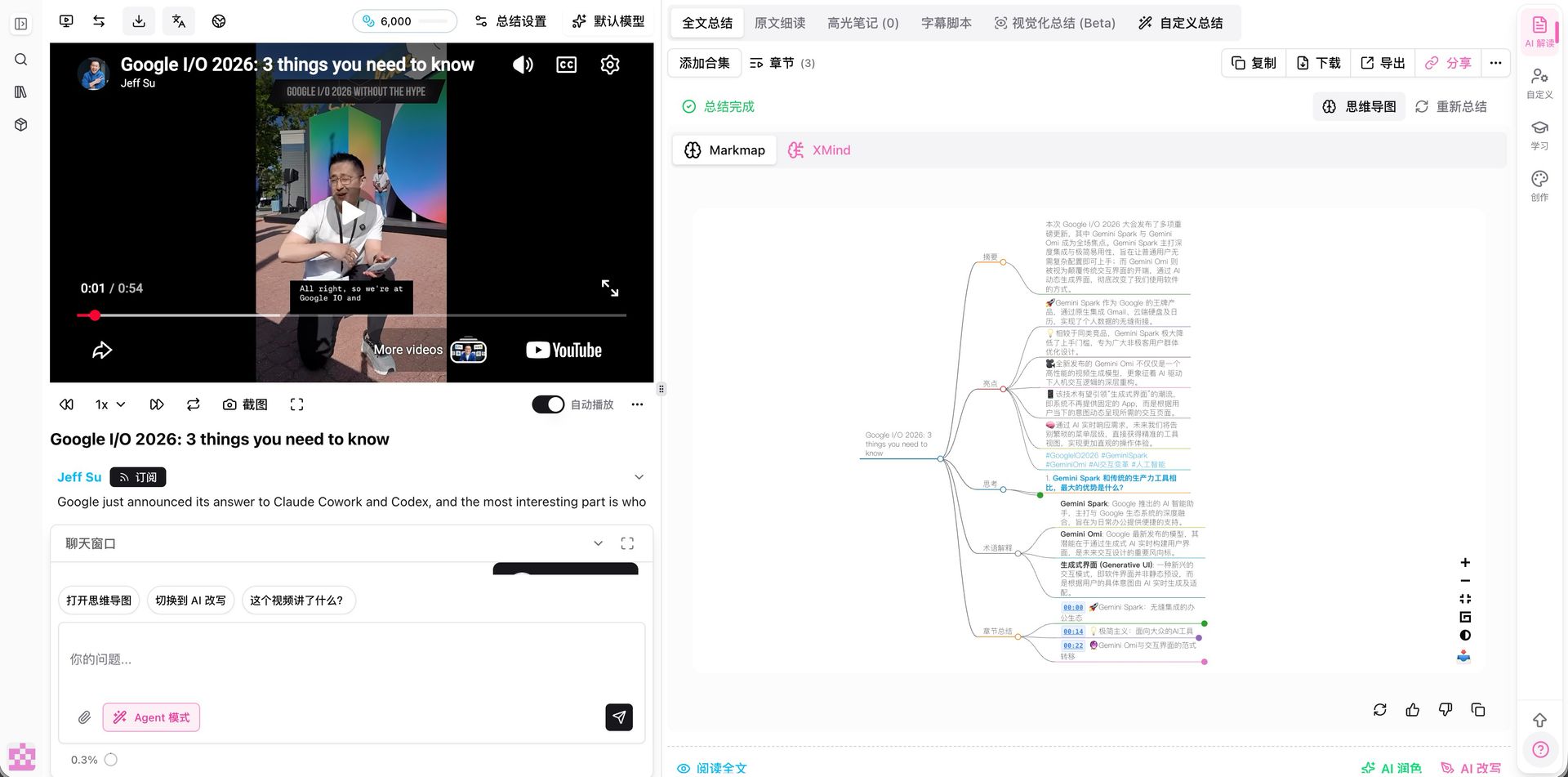
On a summary page, the chat window has an Agent Mode switch above the input. When it is on, the assistant does not only answer questions—it also drives the page: open the mind map, switch to a rewrite, export. Suggestion chips above the input give one-tap shortcuts.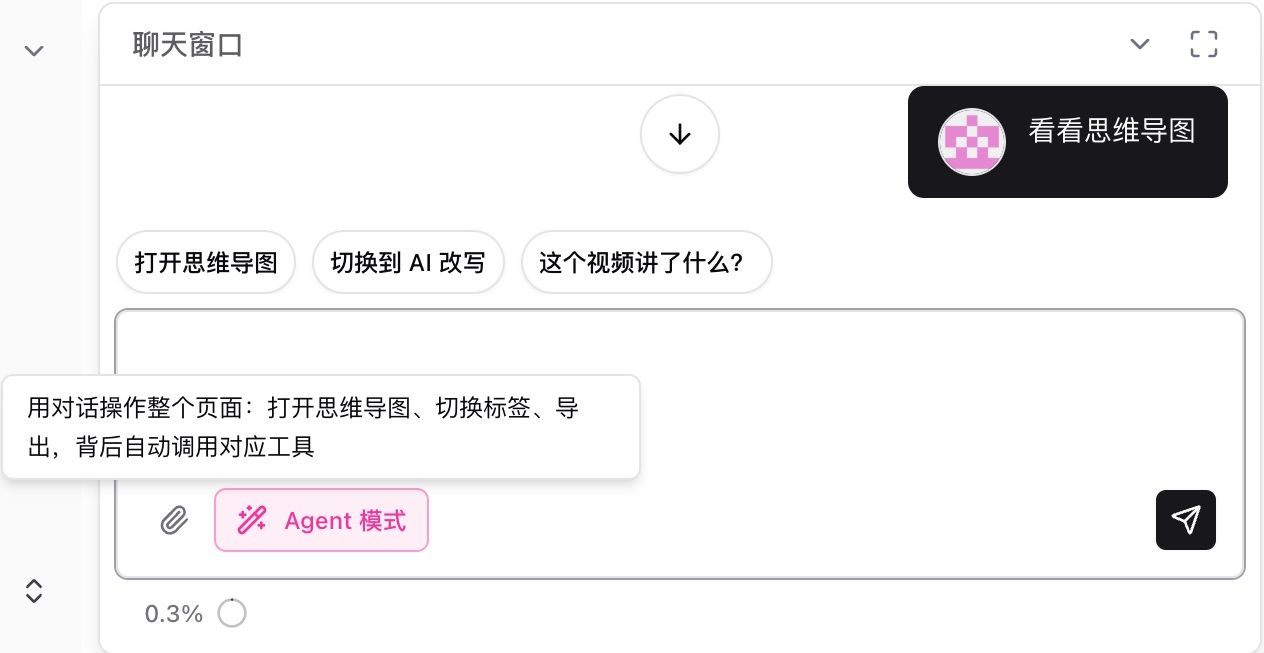
Pain Point
Everything lives on the summary page, but I have to remember where the mind map, rewrite, and export live. Finding buttons takes longer than reading.Key Features
- With Agent Mode on, say what you want in plain language and the view follows
- For example, “show the mind map” opens the mind map (Markmap or XMind)
- Switch full summary, subtitle script, visual summary, or trigger export
- Suggestion chips such as “open mind map”, “switch to rewrite”, and “what is this video about?”
Highlights
Navigation moves into the conversation, so watching a summary stays question-and-answer.Use Cases
- Ask for takeaways, then jump to the mind map or rewrite without leaving chat
- You do not know the layout and would rather speak the action
- Repeated export and subtitle checks on the same video
Tips
- Name the action (“open the mind map”, “go to subtitles”) rather than a vague “take a look”
- Turn Agent Mode off when you only want answers and no page changes
Related Features
AI Chat Window
Chat Window Layout
Inline Mind Map in Summary
Try it: open any summary page and turn on Agent Mode in chat. Upgrade to Pro: unlock more chat and export tools → Pricing