
Feature Overview
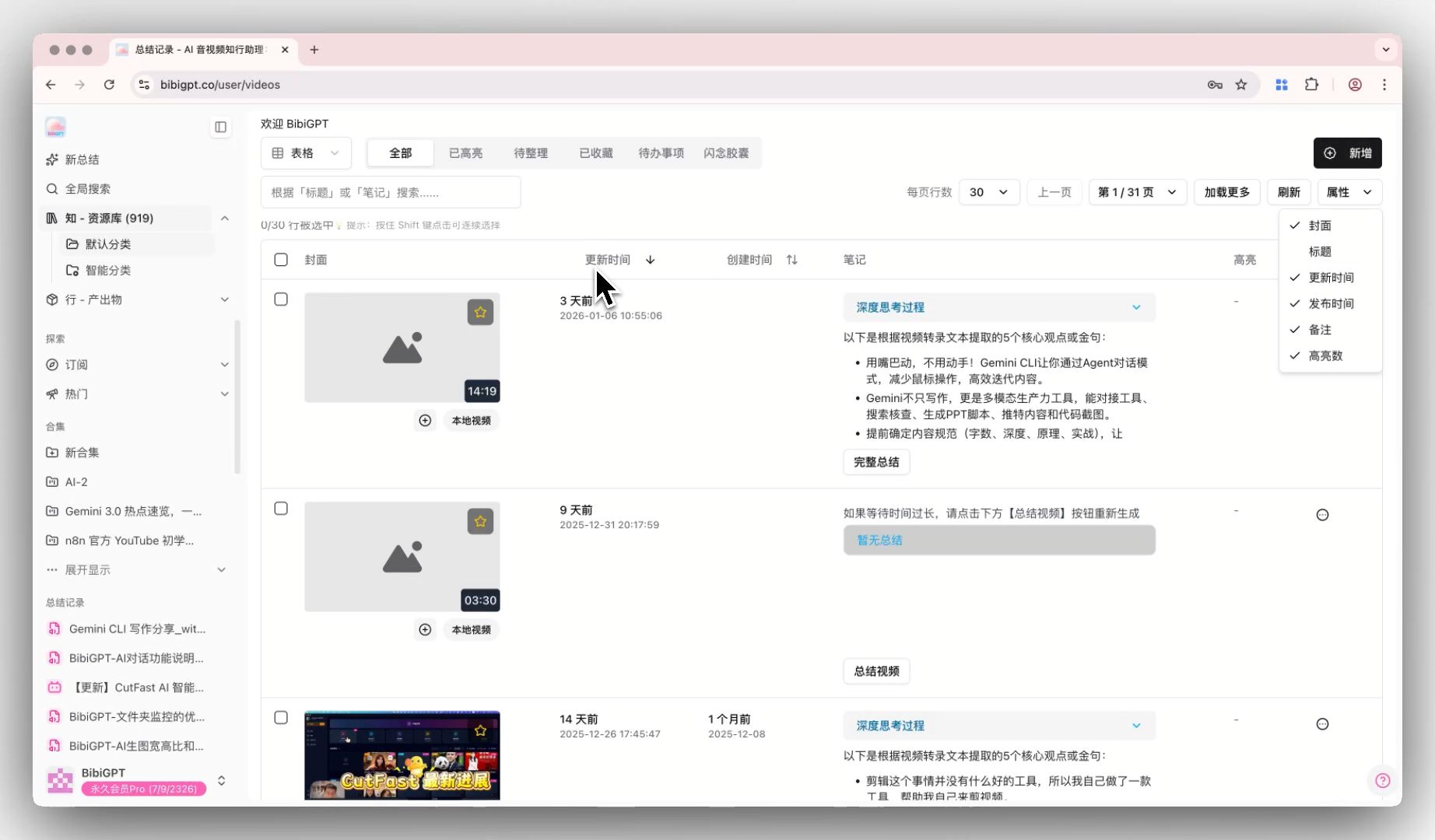
The BibiGPT Library has launched the “Attribute Configuration” function, optimizing the management experience after a large number of video summaries. After entering the Library, users can freely check or uncheck to show or hide columns such as cover, title, update time, and publication time via the “Attributes” button on the right. In addition, the table has added a sorting function; clicking the “Update Time” or “Creation Time” header allows for ascending/descending order. This update makes the Library interface cleaner and significantly improves the efficiency of users retrieving and managing summary content. Here is an example of the function interface: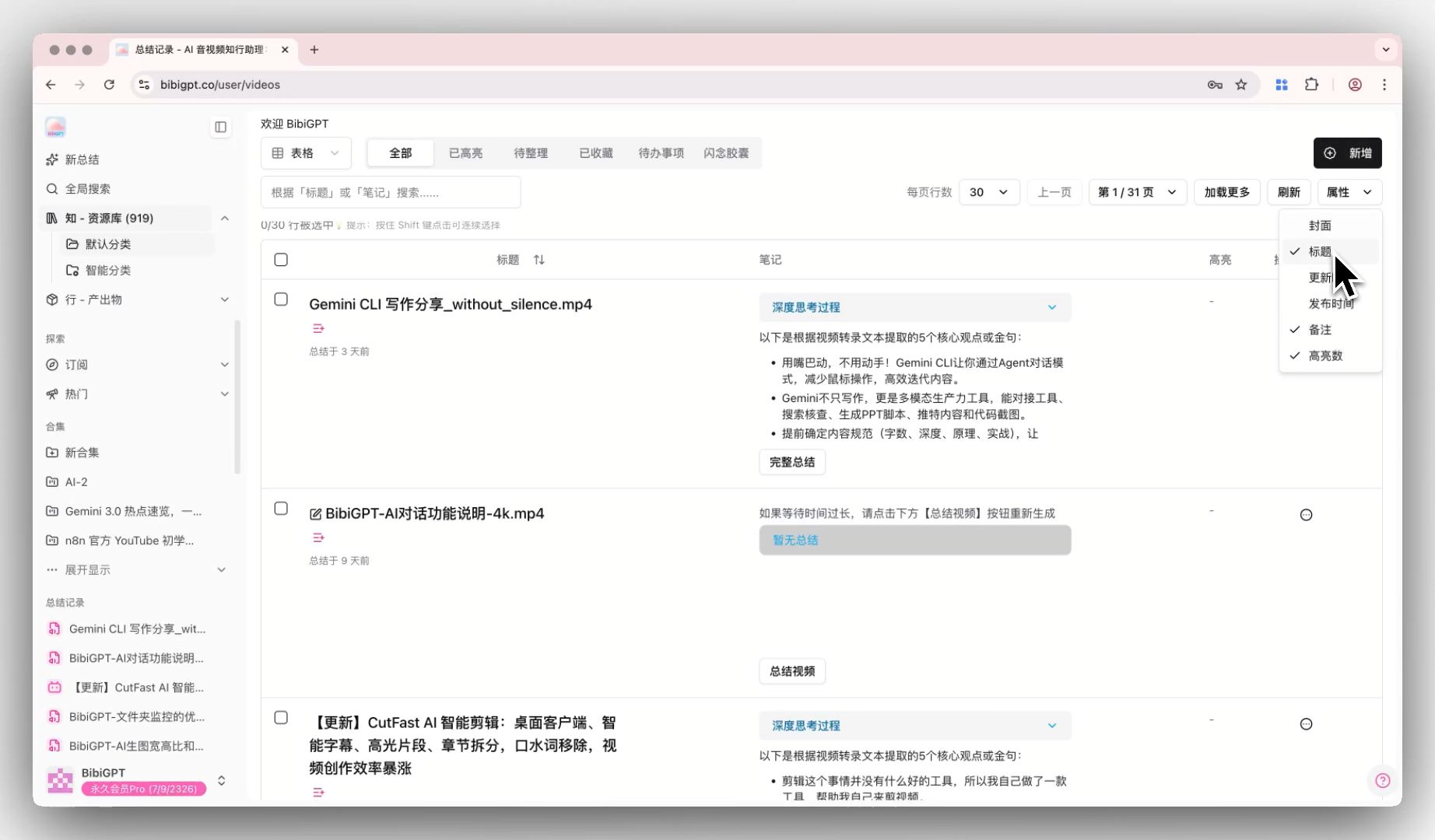
Solved Pain Points
“My Library has summarized too many videos. The default columns (such as publication time, update time) sometimes take up too much space, or the key information I want to see is obscured. Also, when I want to find videos based on summary time, I couldn’t sort them quickly.”Core Features
- The BibiGPT Library has launched the “Attribute Configuration” function, optimizing the management experience after a large number of video summaries.
- After entering the Library, users can freely show or hide columns such as cover, title, update time, and publication time via the “Attributes” button.
- In addition, the table has added a sorting function; clicking “Update Time” or “Creation Time” headers enables ascending/descending order.
- This update makes the Library interface cleaner, significantly improving the efficiency of retrieving and managing summary content.
Feature Highlights
The BibiGPT Library now supports “Attribute Customization”: users can freely show or hide columns like title, cover, update time, publication time, and support clicking headers to sort time in ascending/descending order, achieving personalized resource management.Applicable Scenarios
- My Library has summarized too many videos. The default columns (such as publication time, update time) sometimes take up too much space, or the key information I want to see is obscured.
- And when I want to find videos based on summary time, I couldn’t sort them quickly.
Usage Suggestions
- The BibiGPT Library now supports “Attribute Customization”: users can freely show or hide columns like title, cover, update time, publication time, and support clicking headers to sort time in ascending/descending order, achieving personalized resource management.