
Feature Overview
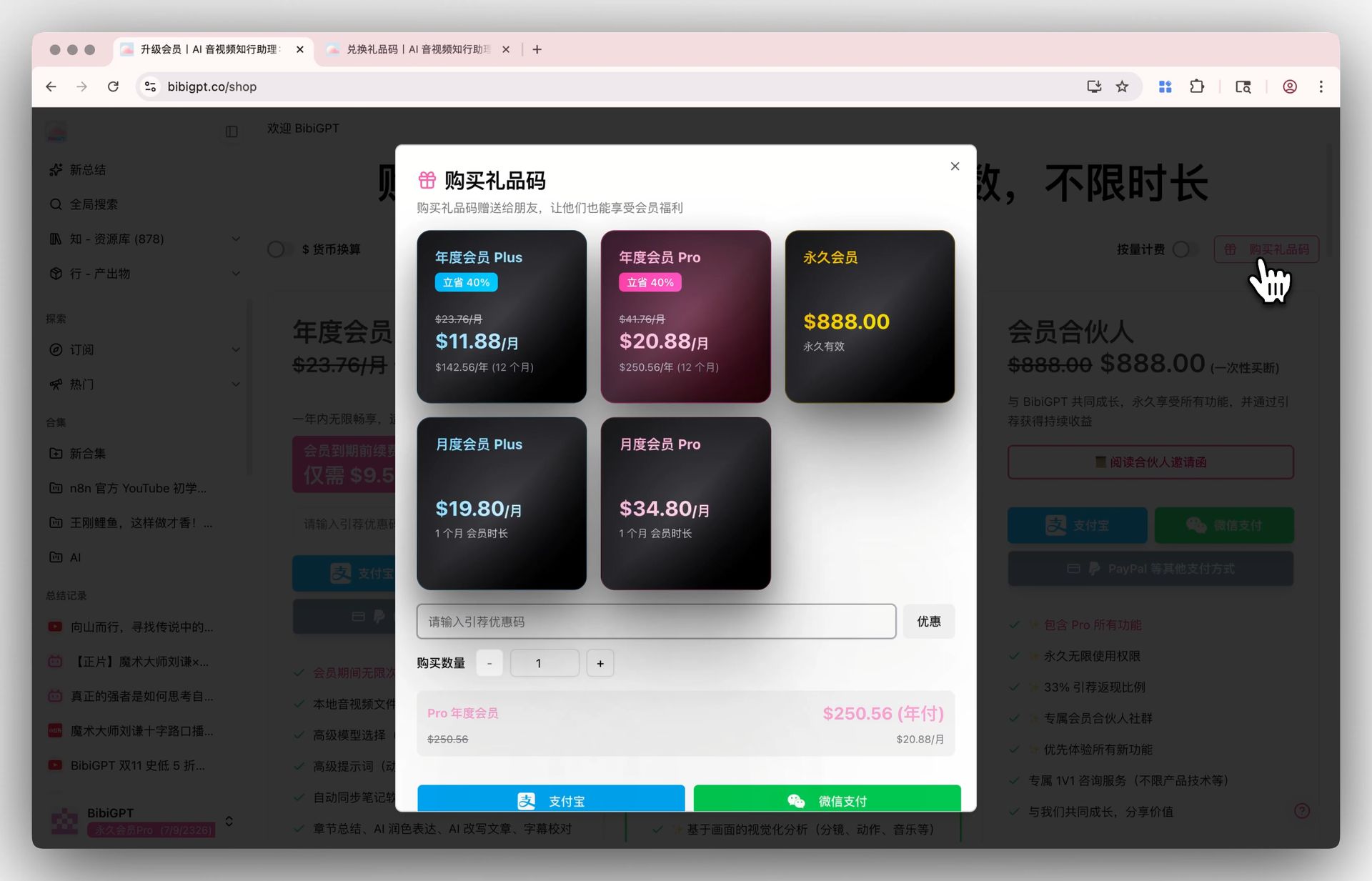
BibiGPT has added a “Gift Card” function to solve the user’s need for gifting memberships. Users can click “Buy Gift Code” on the “Upgrade Membership” page and choose from a variety of packages including annual and monthly. After successful purchase, the generated gift code can be shared with others. Recipients only need to visit the bibigpt.co/gift page and enter the gift code to easily redeem and activate the membership service for the corresponding duration, making gifting and sharing more convenient. Here is an example of the function interface: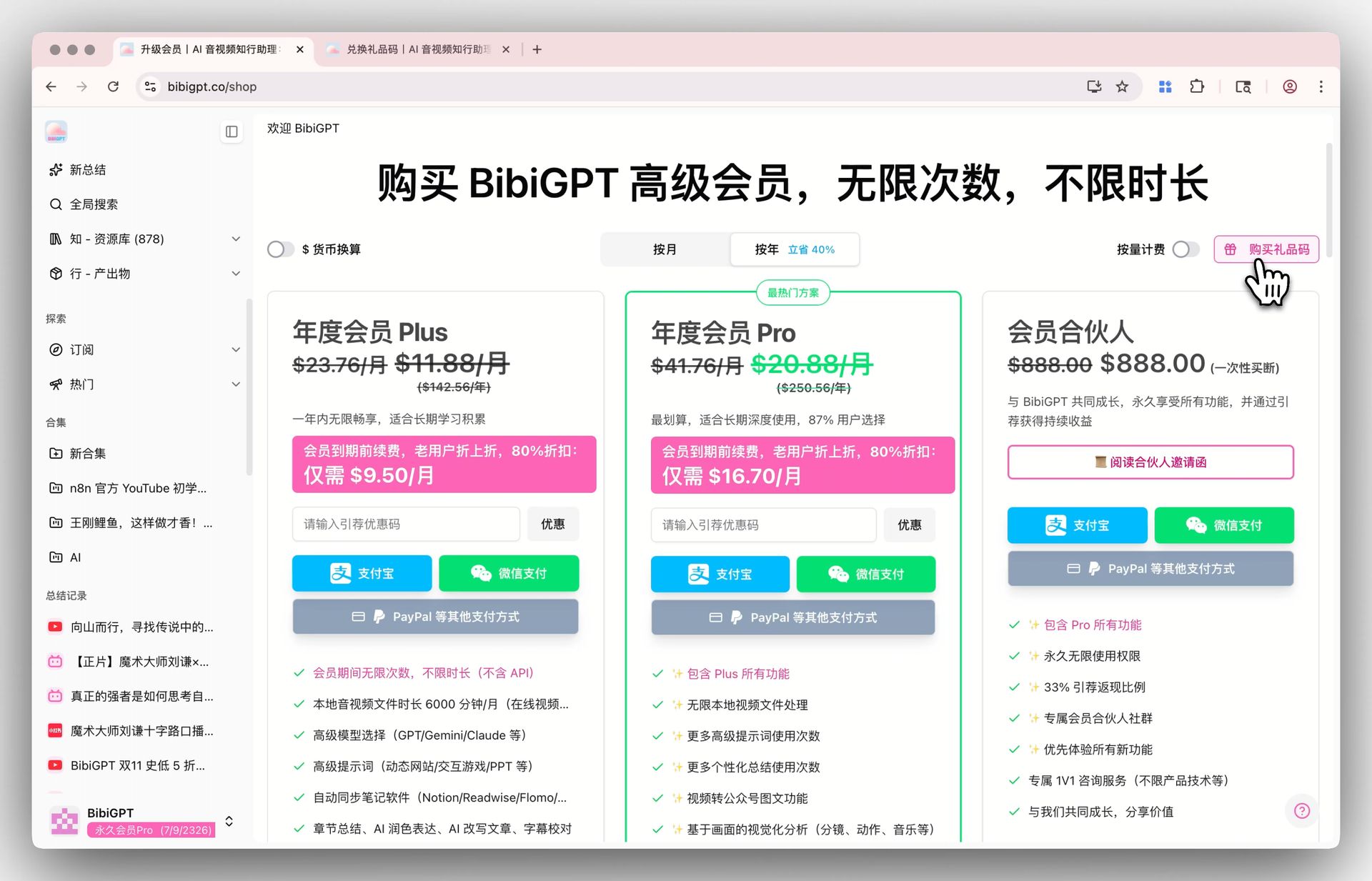
Solved Pain Points
I want to give BibiGPT membership as a gift to my friends, colleagues, or family, so they can also experience efficient audio and video learning, but there was no direct and convenient gifting method.Core Features
- BibiGPT has added a “Gift Card” function to solve the user’s need for gifting memberships.
- Users can click “Buy Gift Code” on the “Upgrade Membership” page and choose from a variety of packages including annual and monthly.
- After successful purchase, the generated gift code can be shared with others.
- Recipients only need to visit the bibigpt.co/gift page and enter the gift code to easily redeem and activate the membership service for the corresponding duration.
Feature Highlights
BibiGPT has launched a brand new “Gift Card” function. You can easily purchase any membership package and generate an exclusive gift code. After sharing the gift code with friends, they only need to simply enter it on the redemption page to activate the membership, making knowledge sharing and expressing heart-felt gifts simple and direct.Applicable Scenarios
- I want to give BibiGPT membership as a gift to my friends, colleagues, or family, so they can also experience efficient audio and video learning, but there was no direct and convenient gifting method.
Usage Suggestions
- BibiGPT has launched a brand new “Gift Card” function. You can easily purchase any membership package and generate an exclusive gift code. After sharing the gift code with friends, they only need to simply enter it on the redemption page to activate the membership, making knowledge sharing and expressing heart-felt gifts simple and direct.